Tech
7 best AI alternatives to product photography studios in 2026


If you’re weighing product photography alternatives against booking another studio day, AI can now replace a large share of that work at a much lower cost, as long as you already have an accurate source image to build from.
AI product photography services turn existing product images into a much larger content library. From one accurate packshot, you can create lifestyle scenes, regional campaigns, on-model images, ad variations, and channel-specific formats without shipping samples, rebuilding sets, or booking another crew.
In this guide, we’ll review 7 tools that can help you avoid some studio shoots. None removes the need for good source photography, visual review, or judgment about product accuracy. A real studio still wins when you need to capture a product for the first time, prove exact physical details, or direct complex interactions with people, liquids, reflections, or motion.
If you’re still comparing AI with conventional capture more broadly, check out our guide to the best product photography services.
Need custom photo and video production?
Claid can build an AI pipeline around your requirements and brand aesthetic.
The best AI studio alternatives at a glance
| Tool | Best for | How it replaces studio work | Published pricing | Main limitation |
|---|---|---|---|---|
| Claid | High-volume ecommerce production and custom visual workflows | Generates product scenes and on-model images, enhances source files, processes via API, or delivers work as a managed service | Free credits; self-serve and custom business pricing | More production infrastructure than a small seller may need for occasional images |
| Presti | Brand-consistent team production from a shared brief | Agent-led platform, collaborative workspace, batch production, and enterprise service | Free plan; Pro from $49/month; custom for enterprises | Credits can be less economical for occasional single images than lightweight tools |
| Omi | Precise, repeatable visuals built from approved 3D products | Digital Twin creation plus a governed virtual studio | Custom annual license based on modeled SKUs and add-ons | Requires per-product 3D setup and an annual commitment |
| Photoroom | Fast ecommerce cleanup and consistent catalog batches | Removes and generates backgrounds, relights products, adds shadows, standardizes framing, and edits in bulk or by API | Free plan; paid app tiers and separate API plans | Strong production software, but not a managed creative service |
| Pebblely | Fast lifestyle backgrounds for small catalogs | Turns one product image into themed or prompted scenes, with bulk generation on higher plans | From $9/month | Narrower editing, fashion, integration, and enterprise workflow coverage |
| Flair | Hands-on creative direction and reusable scene layouts | Lets teams stage products with drag-and-drop props, templates, AI models, ads, and video | Free plan; paid plans from $8/month | More choices and setup for those who only want quick finished packshots |
| Pixelcut | Mobile-friendly listing photos and general AI editing | Removes and generates backgrounds, upscales, expands, retouches, and supports batch exports | Free plan; Pro from $10 monthly or $8/month billed yearly | Broad creator toolkit rather than a managed, product-specific production partner |
NB! Pricing was checked in September 2026 and may change. Generation limits, credits, output rights, privacy, team seats, and API usage vary by plan.
How to evaluate AI product photography tools
Before we explore each tool in detail, it helps to define what makes an AI product photography platform a practical studio alternative. Here are the major things to consider when choosing the best AI alternative to replace product photography studios:
- Product preservation: how well the workflow supports keeping shape, color, labels, and fine details intact
- Creative control: backgrounds, props, composition, references, templates, models, and variations
- Production scale: bulk processing, APIs, repeatable workflows, team support, and managed delivery
- Ease of use: how quickly a non-specialist can get from a source photo to a usable asset
- Buying fit: published pricing, commercial-use requirements, and whether the service fits occasional or ongoing production
- Limits: what still requires a photographer, retoucher, art director, or human reviewer
Now let’s dive deeper into each option, including where it works best, what it costs, and when a physical studio may still be the better choice.
1. Claid, production-grade AI alternative at scale
Claid is a great fit for businesses treating AI product photography as a production system. You can work with a dedicated team on custom solutions structured around your visual identity, format requirements, and quality standards.
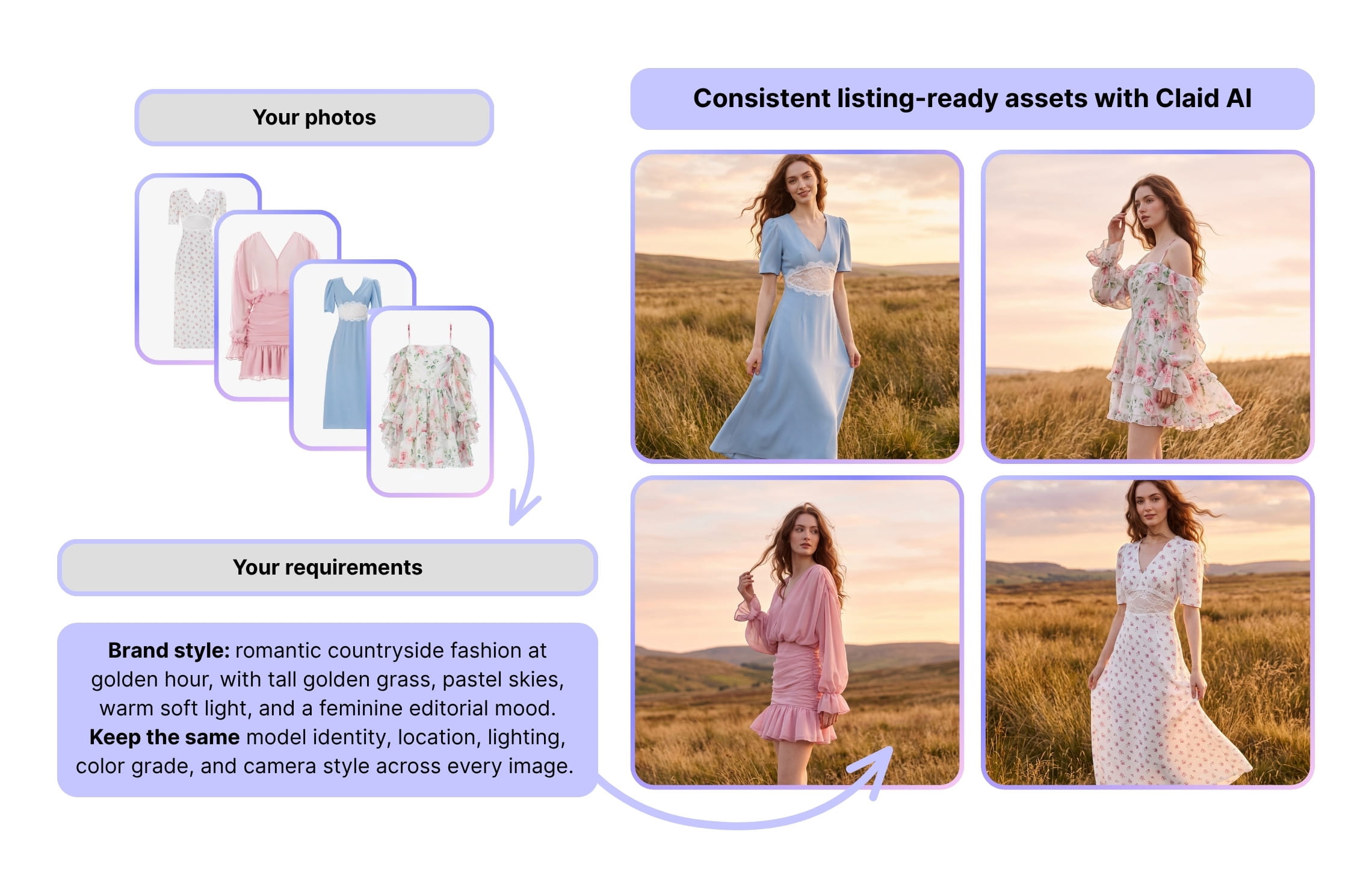
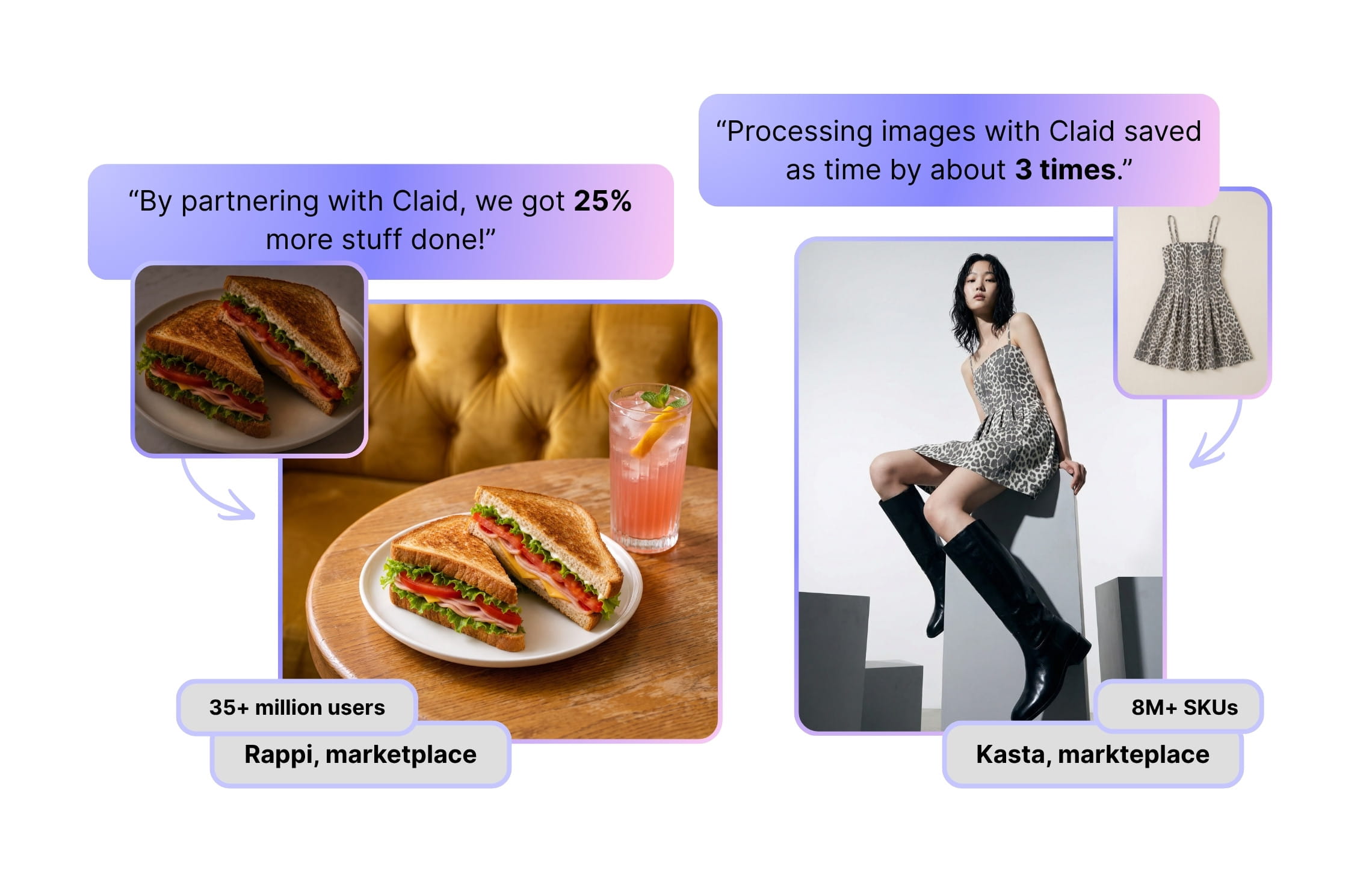
This matters most for marketplaces and fashion catalogs, where the studio problem isn’t one shoot but thousands of inconsistent photos.
With Claid, fashion marketplace Kasta cut photo production time 3x by automating flatlay-to-model conversion across a catalog of millions of items, and delivery platform Rappi shrank restaurant onboarding from 9 to 1.2 days after automating seller photo cleanup.
If you’re not looking for a custom photography service built around your specs at scale, you can also use its web platform or APIs to produce product shots and fashion photos, edit images, or turn them into videos.
The biggest limitation is that you still need usable source images, and creative generation should be reviewed closely when exact packaging, materials, fit, or regulated claims affect the purchase.
Best for: Marketplaces, retailers, fashion brands, agencies, and ecommerce teams producing large or recurring batches of visuals.
Not ideal for: Occasional background swaps and mobile-first editing.
Pricing: Custom solutions are priced by scope, APIs by operation type and volume. 50 free credits for testing and plans starting from $9 / month for the self-serve app.
Why choose it as a product photography alternative: You want to turn existing product images into a repeatable content operation without booking another crew for every SKU, season, or market.
2. Presti, collaborative and brand-consistent production
Presti approaches AI product photography as a team production workflow. You submit a plain-language brief with packshots, CSVs, inspiration links, PDFs, or product information. The system proposes a plan, executes batches in the background, and returns outputs for review.
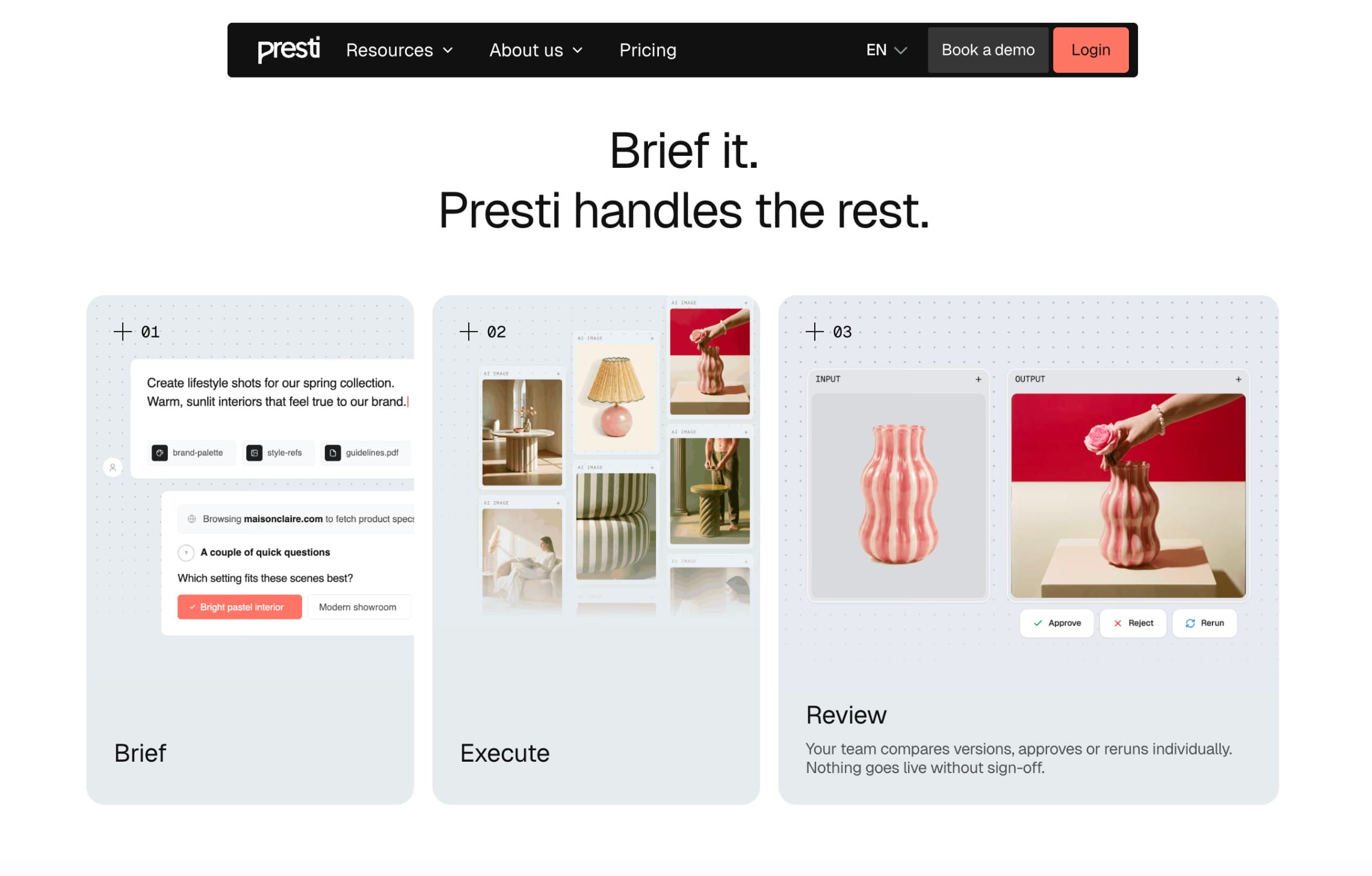
Its strongest differentiator is the path from brief to approval. Ecommerce, brand, and content teams can organize work by campaign, compare versions, approve or rerun individual assets, annotate images, tag teammates, and keep the decision history with the project. Roles and permissions on the Pro plan help separate who creates, reviews, and approves.
Consistency is handled through what Presti calls Brand Skills. A team records its preferred styles, backgrounds, campaign specifications, and visual rules once, then applies them across future work. This is more useful than a loose prompt library when several people or markets need to produce from the same brand system.
Presti offers the Enterprise plan, which moves closer to a service. However, the standard product is still an AI workflow. Exact product fidelity depends on the quality of the inputs and needs checking. You should also model credit use across images, videos, reruns, and a full catalog before comparing total cost.
Best for: Brand, ecommerce, and content teams that need shared briefs, consistent visual rules, batch execution, and an approval loop.
Not ideal for: One-person sellers who only need occasional background changes, or products that lack accurate source assets.
Pricing: Free includes 60 monthly credits, listed as up to 20 images or two videos. Pro is $49 per month for 500 credits. Enterprise is custom-priced.
Why choose it as a product photography alternative: You want the collaboration and review structure of a production team, with brand rules reused across recurring AI work.
3. Omi, virtual photography studio for team-controlled content
Omi recreates the working parts of a product photography studio in a shared digital workspace. Your team can choose a template, add products and props, adjust lighting and camera angles, refine the composition, and export the finished image in the format required for ecommerce, campaigns, social media, or print.
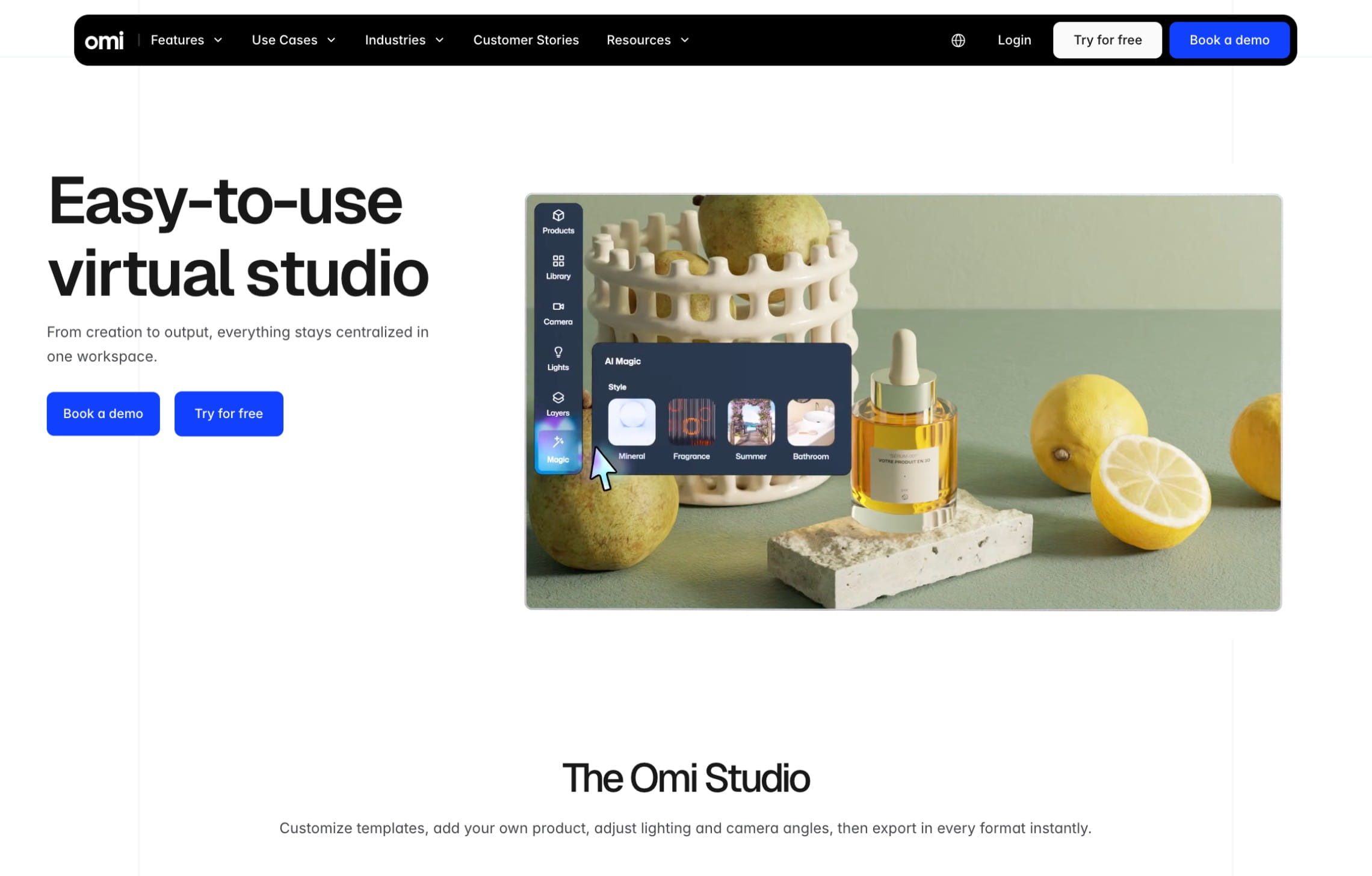
The direct camera and lighting controls are its main distinction. Instead of repeatedly prompting an image generator for a different viewpoint, users can adjust the framing and perspective inside the scene. Omi also provides thousands of templates and props, helping teams start from structured setups rather than build every concept from scratch.
Omi’s AI product photography studio requires no technical skills, centralizes creation and output in one workspace, and supports unlimited users and photos. Teams can save and share templates so different people can reproduce an approved visual style while adapting the composition for a particular product, channel, campaign, or market.
Products must be prepared for use in the virtual studio before production begins. This creates more onboarding than a simple AI background generator, and Omi’s annual licensing makes the most sense when products will be reused across multiple campaigns.
Best for: Consumer brands that want a shared virtual product photography studio with controllable cameras, lighting, props, templates, and output formats.
Not ideal for: One-off background changes or rapidly changing assortments with little asset reuse.
Pricing: Custom annual licensing based on the number of products and selected add-ons, payable monthly or annually with a yearly commitment.
Why choose it as a product photography alternative: Your team can run repeatable virtual photoshoots in-house, change the scene or camera on demand, and export every required format without shipping products or booking another physical shoot.
4. Photoroom, fast ecommerce catalog production
Photoroom combines automatic cutouts with AI backgrounds, shadows, relighting, cleanup, resizing, and fashion tools.
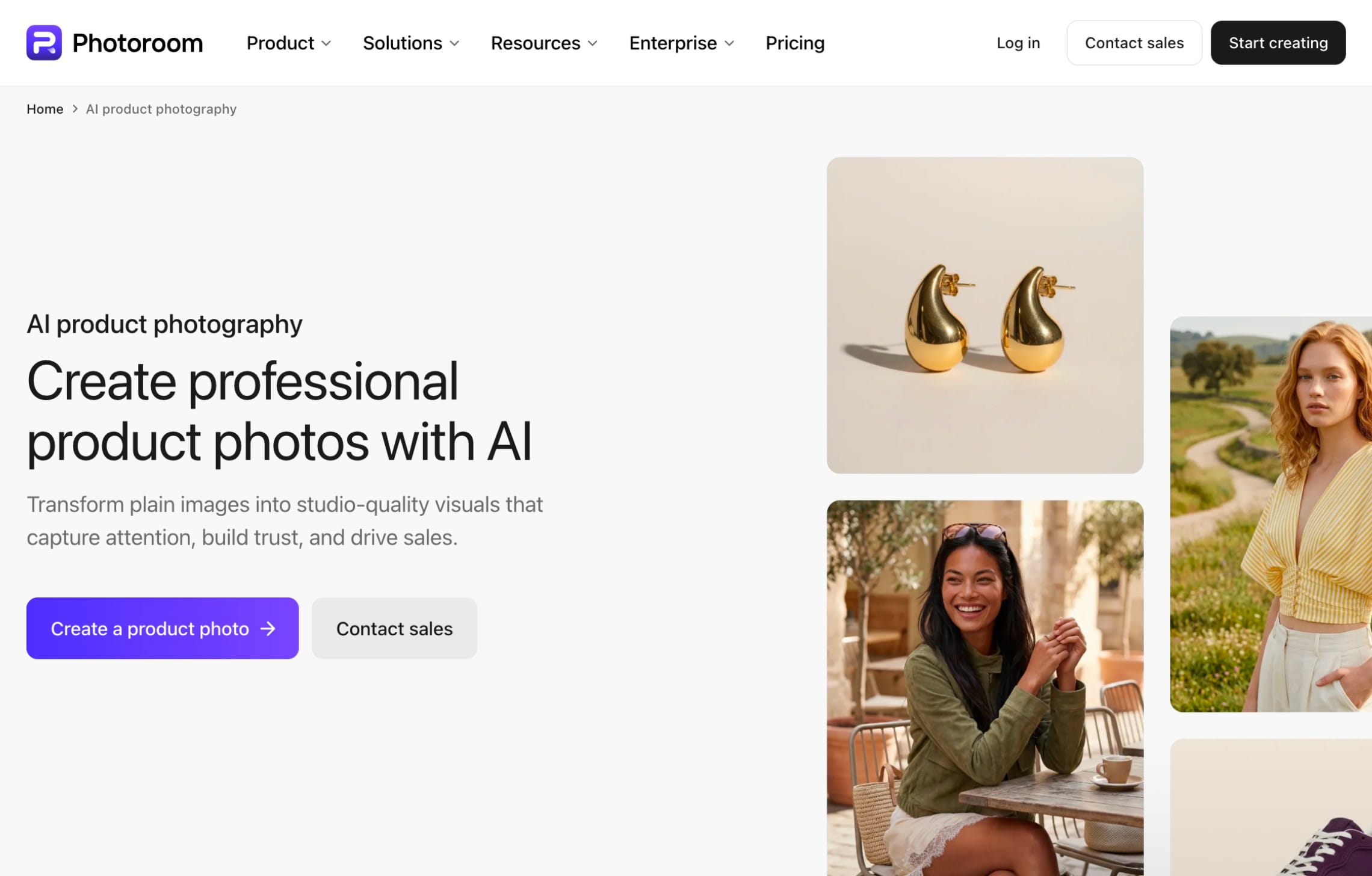
Its clearest strength is repeatable ecommerce editing. Photoroom’s batch editor can apply backgrounds, framing, positioning, logos, shadows, and other changes across a catalog. Its AI Backgrounds workflow also includes a consistency control for batch and Shopify catalog work, giving teams a way to reduce visual drift across multiple SKUs.
Photoroom supports web and mobile apps, plus a separate image editing API. Its published enterprise tier is aimed at companies processing at least 200,000 images per year.
That makes Photoroom a stronger direct alternative to routine ecommerce studio and retouching work than a general AI editor. However, it’s still primarily software. A team that wants someone else to design and continuously improve a custom production workflow will find a closer service model in Claid’s managed offering.
Best for: Sellers and ecommerce teams that need fast cutouts, consistent catalog edits, Shopify workflows, or batch production without building their own system.
Not ideal for: Companies looking for a managed creative production partner or custom workflow ownership from brief through delivery.
Pricing: Free app plan available, with Pro, Max, and Ultra tiers for higher generation and batch allowances. API rates start at $0.02 per image for background removal and $0.10 per image for broader editing.
Why choose it as a product photography alternative: You need listing-ready product images and catalog consistency at speed, especially when the work is mostly cutout, background, framing, and cleanup.
5. Pebblely, straightforward lifestyle background generation
Pebblely keeps the core job small: upload a product image, describe a scene or choose a starting theme, and generate marketing photos.
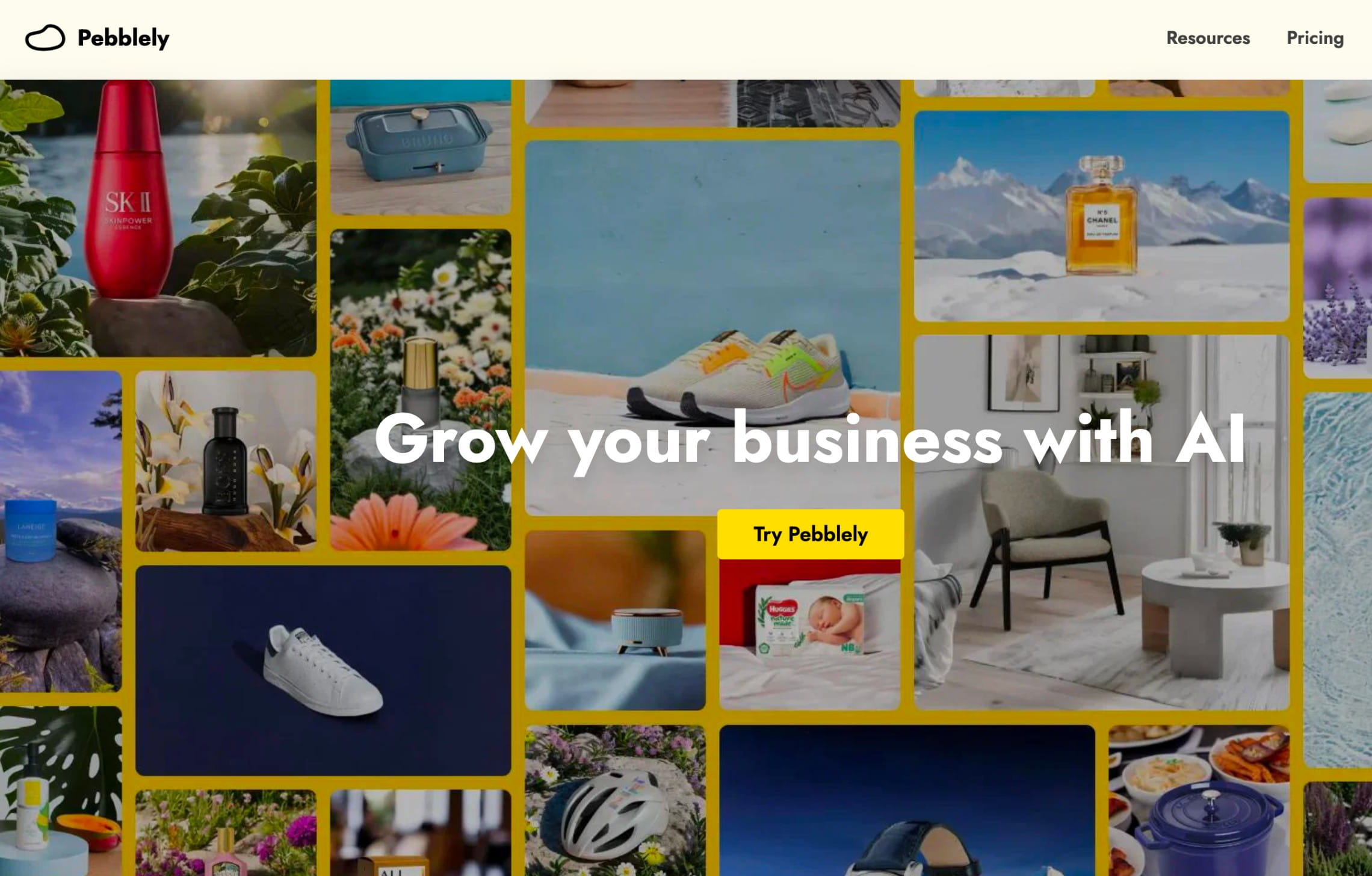
That focus is useful for small ecommerce teams that have clean packshots but not enough lifestyle content. As a straightforward AI product photo generator, Pebblely can create listing images, social posts, website visuals, email banners, and ad creatives without asking the user to build a full scene manually.
Paid plans include custom prompts, themes, different output sizes, and, on the larger plans, bulk generation. Its pricing starts at $9 per month for 30 images. The $19 Basic and $39 Pro plans raise the monthly allowance and support bulk work.
The tradeoff is scope. Pebblely is strongest when the missing studio work is the background and atmosphere around an already photographed product. It is not a full post-production pipeline or a broad mobile design suite. Businesses that need advanced fashion workflows, many chained editing operations, or a direct integration will probably benefit from other solutions on this list.
Best for: Solo sellers and small teams that need lifestyle variations from clean product images with little setup.
Not ideal for: Complex catalog automation, custom enterprise workflows, or jobs that require exact new angles and physical product capture.
Pricing: Lite is $9 per month for 30 images, Basic is $19 for 200, and Pro is $39 for 500. Annual billing discounts are available.
Why choose it as a product photography alternative: You already have the packshot and want usable contextual images without managing props, sets, or a complicated creative tool.
6. Flair, hands-on AI art direction
Flair is closer to a digital set-building tool. Its drag-and-drop canvas lets you position a product with visual props and then use AI to render the composed scene. Teams can save and reuse templates, add their own assets, and collaborate on creative work.
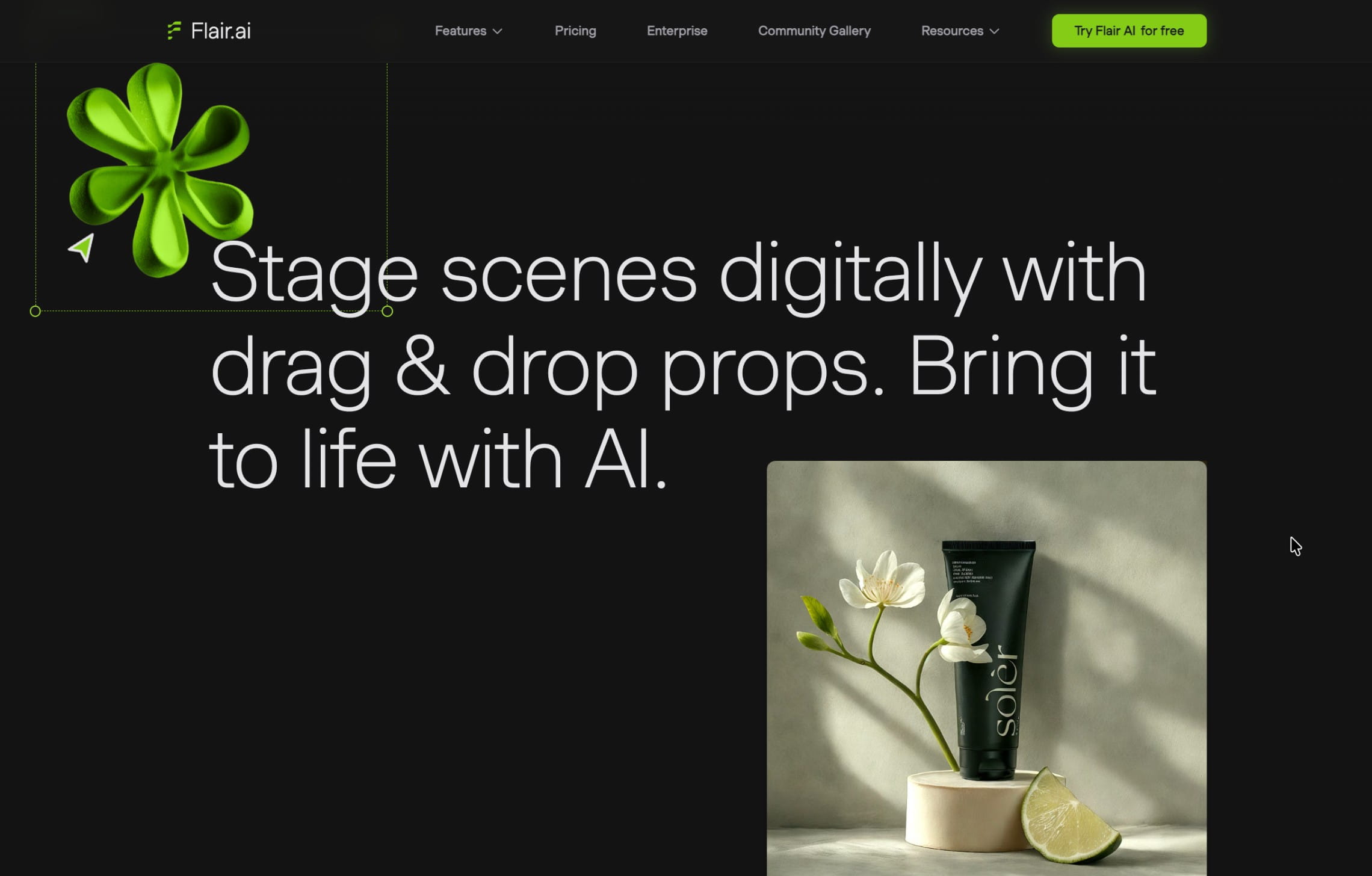
That makes Flair appealing when you do not want to hand the whole job to a product photography service. A marketer or designer can experiment with layouts before generation and build a reusable visual system for recurring content. Flair also extends beyond still-life scenes into on-model fashion, custom AI people, ad generation, and product video.
Flair includes a free plan. Paid tiers increase generation allowances, rendering speed, custom-model capacity, video credits, and commercial or team features. API access is available by quote.
The canvas is a strength when art direction matters, but it also means more decisions. Companies looking for an automatic flow may prefer Pebblely or Pixelcut.
Also note that Flair hasn’t been updating their offering since 2025.
Best for: Creative teams that want to compose scenes, reuse branded layouts, and work with products, props, models, ads, and video in one visual environment.
Not ideal for: Businesses who want a managed service to own quality control or a very simple background generator with minimal setup.
Pricing: Free plan available. Paid plans start at $8 per month, with Pro+, Scale, and Enterprise tiers for larger allowances and business features.
Why choose it as a product photography alternative: You want the art director’s canvas and the freedom to test sets yourself, without sourcing physical props or rebuilding each scene.
7. Pixelcut, fast product edits on mobile and web
Pixelcut combines AI product photography with a broad image and design toolkit. It can remove or generate backgrounds, erase objects, upscale and expand images, add shadows, create design variations, and process batches. It works in a browser and through mobile apps, which suits sellers creating content close to where they shoot, list, and publish.
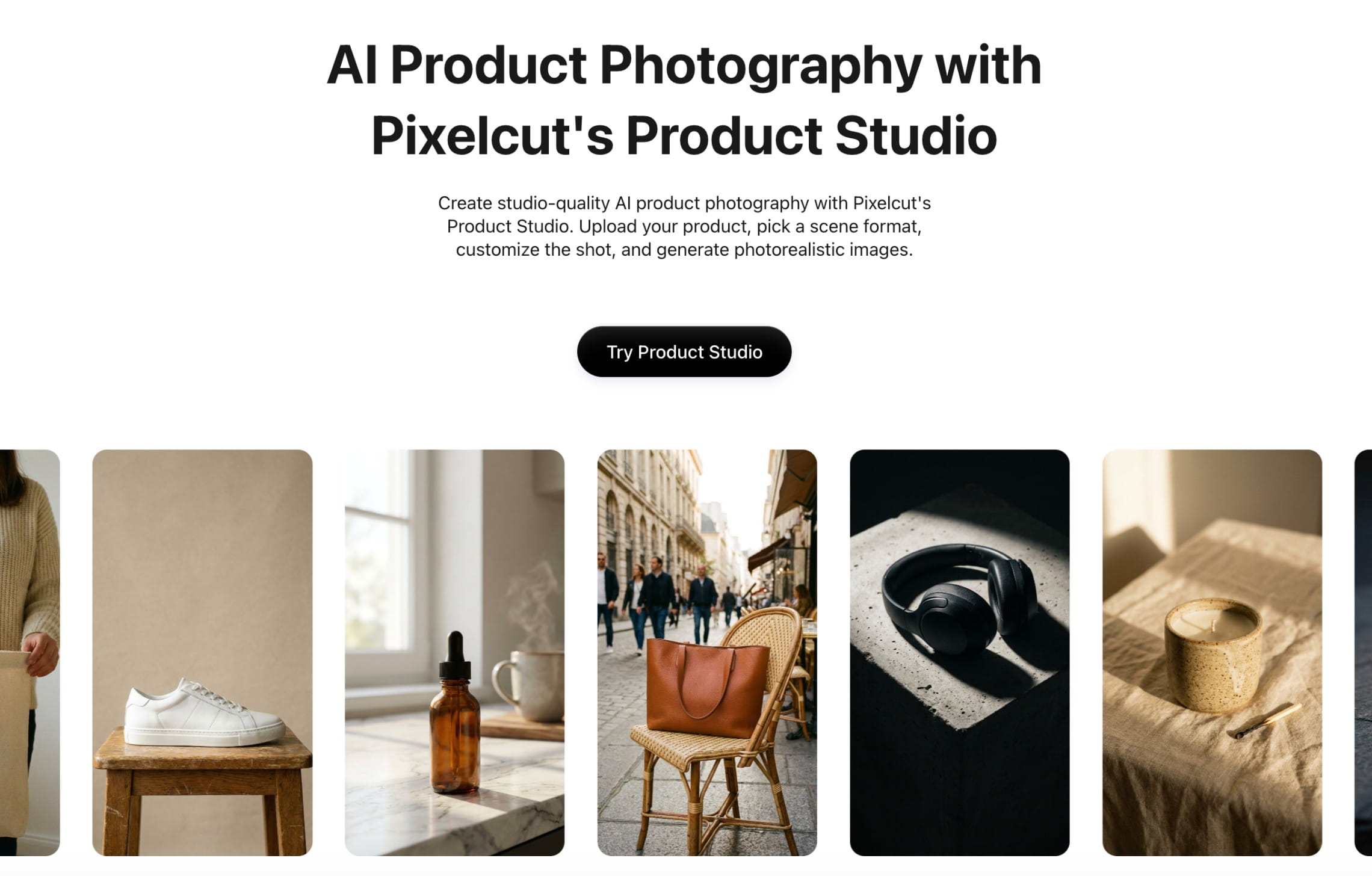
Pixelcut is especially practical for marketplace sellers, social teams, and small businesses that need more than scene generation but less than a custom production system. Its templates and quick editing tools can take a phone photo through cleanup and into a finished listing graphic without moving between several apps.
Pixelcut also offers developer APIs for background removal, upscaling, generated backgrounds, outpainting, and virtual try-on. API credits are priced independently.
The range makes Pixelcut versatile, but not every feature is built specifically around preserving a product for high-volume ecommerce production. Teams should test their hardest SKUs and separate the app subscription from API costs when comparing it with Claid or other solutions.
Best for: Marketplace sellers, creators, and small teams that want quick product cleanup, scene creation, and listing design from a phone or browser.
Not ideal for: A brand that needs a managed production partner, custom quality rules, or one product-specific system across a large catalog.
Pricing: Free plan available. Pixelcut Pro is $10 monthly, Business starts at $30 monthly. API usage is sold separately by credits.
Why choose it as a product photography alternative: You want to shoot, clean up, stage, and publish product content quickly with one accessible editing app.
AI alternative or product photography studio: which should you choose?
AI is a strong alternative when you already have accurate product assets and need to produce more content from them. In turn, a physical studio still has an important role when the product needs to be captured from scratch or every visible detail must match the real item.
| Choose an AI alternative when... | Choose a studio when... |
|---|---|
| You already have accurate, well-lit source images | The product has never been photographed properly |
| You need many background, campaign, or regional variations | You need new angles, macro details, or documentary accuracy |
| Speed and cost per variation matter more than building a physical set | Exact color, texture, transparency, or reflections are critical |
| You want to test concepts before a larger campaign | The creative depends on precise interaction with people, liquids, motion, or practical effects |
| You need recurring assets across many SKUs | The hero campaign needs distinctive art direction that is difficult to reproduce from existing material |
| A human can review every output before publication | The image will support regulated, technical, or high-risk product claims |
The decision does not have to be permanent. Use AI for the work it can repeat cheaply, and reserve the studio budget for source capture and hero concepts where physical control matters.
How to test an AI photography studio alternative before committing
Run the same small production test in every shortlisted tool before making a decision.
- Use 3-5 representative products. Include a simple SKU and one of your hardest cases, such as glass, glossy packaging, small text, intricate jewelry, or patterned fabric.
- Give every tool the same source files and brief. Ask for a clean PDP image, a realistic lifestyle scene, or a campaign variation in the formats you actually publish.
- Check the product before the composition. Compare shape, proportions, label text, logo placement, color, edges, materials, and fit against the real item.
- Measure usable outputs. Tools may count generations, downloads, or successful edits differently. Compare how many publishable assets you get after reruns, rejected results, and final retouching.
- Test repetition. Generate the same visual direction across several SKUs. A production workflow needs a coherent set, not one lucky result.
- Include review time in the cost. Count prompting, reruns, retouching, approvals, plan fees, and integration work.
- Confirm rights and privacy. Check the commercial-use, data handling, model-training, and retention terms for the plan you will actually buy.
Which AI alternative should you shortlist?
If the goal is to replace a product photography studio as a service, not merely buy another editing app, start with Claid’s AI-native photo production. Presti is a strong option for teams that need shared briefs, reusable brand rules, and approval workflows, while Omi offers a controllable virtual studio with templates, props, lighting, and camera controls.
For self-serve work, Photoroom is best suited to catalog cleanup and batch editing, Pebblely keeps lifestyle scene generation simple, Flair provides more hands-on art direction, and Pixelcut works well for quick mobile edits and listing graphics.
Keep a physical photography studio in the mix for accurate master photography, difficult materials, new product angles, and high-stakes hero assets. AI is most useful when it multiplies a trustworthy source image into the volume and variety your channels now demand.
See it on your own catalog
Test Claid AI on a representative set of SKUs, and see how well the results hold up across your catalog formats and campaign variations. For scaling and custom requirements, talk to our team about a managed pipeline built around your catalog.
FAQ
What is an AI product photography studio?
An AI product photography studio is software or a managed service that creates and edits ecommerce visuals from existing product images. It can generate backgrounds, lifestyle scenes, on-model images, and short videos. Unlike a physical studio, it does not capture details that are missing from the source material.
Can AI replace a product photography studio?
AI can replace many repeat studio shoots when you already have accurate product images and need new backgrounds, lifestyle scenes, on-model photos, campaign variations, or channel-specific formats. It is especially useful for large catalogs and frequent content updates.
A physical studio still makes more sense for first-time product capture, exact color and material reproduction, macro details, complex practical effects, and hero images where every element must be controlled. Many brands use a hybrid workflow: photograph accurate master assets once, then use AI to produce more content from them.
What source image works best for AI product photography?
Start with a sharp, high-resolution image that shows the complete product with accurate color and even lighting. Clean separation from the background helps. Supply additional angles when the final scene may reveal parts of the product that one image does not show.
Which AI product photography tool is best for ecommerce at scale?
Claid is a strong option for ongoing, high-volume ecommerce production because it combines web tools, product-specific image operations, API workflows, and managed custom solutions. Test it on your catalog and quality requirements before rollout.
Which option is easiest for a small business?
Choose Claid if you want one place to generate product scenes, create on-model images, remove backgrounds, and improve image quality, with room to scale through an API or managed workflow. Pebblely is the simplest option for lifestyle backgrounds, Photoroom is strong for ecommerce cleanup and batches, Pixelcut suits mobile editing and listing graphics, and Flair offers more control over scene composition. Presti is better for teams that need shared briefs, brand consistency, and approvals. Omi suits brands that want a controlled virtual photography studio and can support more initial setup.
Which tool is best for large product catalogs?
Claid is a strong choice for high-volume image generation, enhancement, fashion imagery, API automation, and managed custom workflows. Photoroom is practical for repeatable catalog cleanup and batch editing. Presti adds briefs, brand rules, collaboration, and approvals, while Omi supports controlled virtual photoshoots across teams and markets.
How much does AI product photography cost?
Self-serve AI tools generally start at $8 to $50 per month, while API and managed-service pricing depends on volume and workflow complexity. By contrast, traditional studios often charge by the image or session. For example, Soona charges a $149 studio fee plus $39 per selected photo.
Note that you should consider cost per approved image, not cost per generation. AI also requires source photos, quality checks, and occasional reruns or retouching.
Need custom photo and video production?
Claid can build an AI pipeline around your requirements and brand aesthetic.


Claid.ai
October 23, 2026