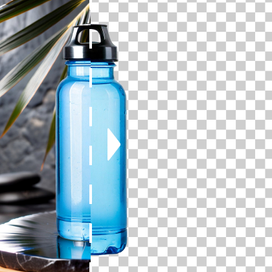
Product photography just changed: Meet AI Photoshoot🎉

AI photo cleanup without reshoots

Messy background. Random props. Stray packaging. Reflections that pull attention away from the product. AI photo cleanup helps you fix all of that fast, so your catalog stays clean and consistent.
AI photo cleanup showing before and after product photo cleaning

Remove clutter without redoing the shoot

Turn a busy set into a clean catalog shot. Use our photo cleanup AI to remove stray objects, background mess, extra packaging, fingerprints, and random clutter that makes a PDP feel unpolished.

Remove clutter from photos - street scene with background objects removed

Fix reflections and small annoyances in seconds

Reflections from glossy packaging, screens, or chrome details distort the shot? Use our AI photo cleanup tool to reduce unwanted reflections and visual noise so the product reads clearly in thumbnails and zoom.

Fix reflections in product photos - serum bottle with reduced reflections

Keep the product intact

AI Edit won't "reimagine" your product. It will preserve shape, labels, edges, and texture while deleting distractions. You'll get a cleaner image without risking inaccurate product details.

Keep product intact while removing distractions - chair with object removed

How it works

STEP 1: UPLOAD A SHOT TO CLEAN UP

Select your photo

Choose the product image you want to fix with the AI photo cleanup app.

Select your photo - upload interface for AI photo cleanup

STEP 2: DESCRIBE THE FIX

Direct AI photo cleanup

Tell it what to remove and what to keep. Examples: "Remove the cables and the dust specks, keep the product and shadows"; "Reduce reflections on the bottle, keep the label sharp."

Describe what to remove - AI photo cleanup prompt interface

STEP 3: EXPORT RESULTS

Download clean product photos

Download clean, high-quality images that are ready for your PDPs, marketplace listings, or ad creatives.

Download clean product photos - high quality export up to 4K

Tools

Your all-in-one AI photo studio

Simplify your product photography with tools that handle everything. Combine into simple and fast workflows to get the desired results in seconds.

Claid AI Studio

AI photoshoot tool creating lifestyle product photo with oranges

AI Photoshoot

Place your products into editorial and lifestyle scenes.

AI fashion model tool showing dress applied to a model

AI Fashion Models

Turn your garment into professional on-model shots.

AI image to video tool turning a portrait photo into mp4

AI videos

Turn still images into eye-catching video clips.

Remove background
Remove background

Remove background

Instantly create clean, consistent product shots.

Upscale
Upscale

Upscale

Sharpen details and boost resolution for crisp images.

Fix light & colors
Fix light & colors

Fix light & colors

Brighten dark or faded images for a professional look.

10+ more tools

are waiting in Claid Studio.

Clean up product photos in a few clicks

Upload → describe what to remove → export. That's it. This AI photo cleanup workflow replaces slow manual retouching with quick, repeatable edits you can apply across an entire catalog.

What is AI photo cleanup?
AI photo cleanup is using AI to remove unwanted objects, clutter, and distractions from an image while keeping the main subject (your product) intact.
Is there a free AI photo cleanup option?
Yes, you can try AI Edit for free to clean up your photos or apply other edits. You'll have 50 free credits for any Claid's features.
What should I write in the prompt for AI cleanup photo edits?
Be specific and product-first. Specify:
  • What to remove (clutter, objects, reflections, dust).
  • What to preserve (product shape, label text, shadows, texture).
Are AI photo cleanup tools the same as background removal?
Not exactly. Background removal cuts out the entire background. AI photo cleanup removes specific distractions (objects, clutter, reflections) while keeping the overall scene and realism.

More AI Photo Editor features

AI fashion models

AI fashion models

Image expander

Image expander

Background removal

Background removal