Create UGC‑style talking videos for fashion and products
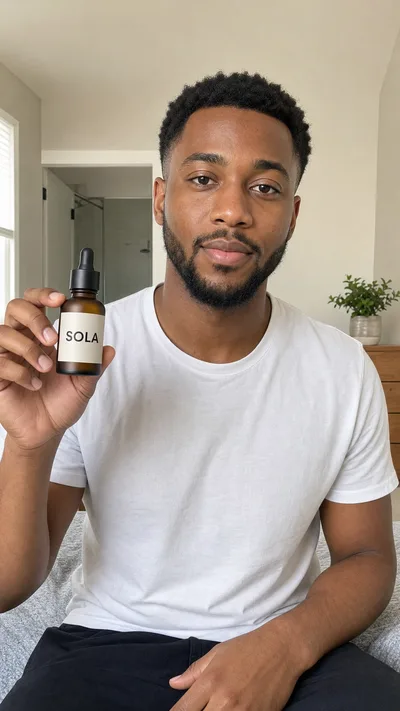 Starting photo
This is the detail I wanted to show you.AI-generated product clip from one prepared photo.See what a photo can say
FASHION TALKING VIDEOS
Show the outfit while the model speaks
Give a model a short line and a simple movement, such as a small turn or fit check. Create fashion clips for social posts and ad concepts from an on-model photo.
Need a model photo? Create one from your clothing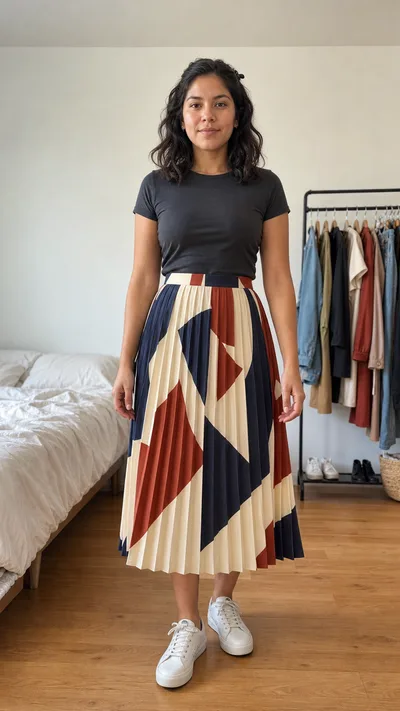 Starting photo
Okay, the photos did not show this part. Watch the skirt when I turn.Generated creator-style content, not a customer testimonial.SPEECH AND LIP-SYNC
Give the line a language and tone
Include the language and delivery you want in your direction. This fashion example speaks French. Pronunciation and expression can vary between takes, so review the result.
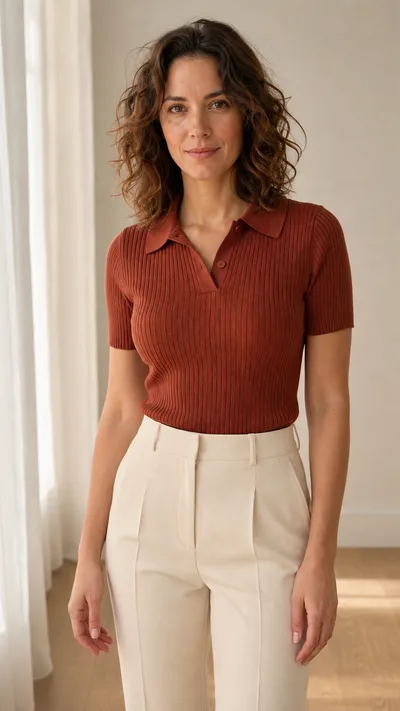 Starting photo
Regarde la coupe. Elle bouge avec moi sans perdre sa forme.English: Look at the fit. It moves with me without losing its shape.PROMPT ASSISTANT
One short brief gives the shot its direction
Tell Claid's Prompt Assistant what the person should say and how they should deliver it. The assistant writes the detailed motion and sound prompt.
Hold the product toward the camera and say in a warm, casual voice: "This is the detail I wanted to show you."
Start with the right photo
Give the video a clear starting point, then keep the shot simple.
Prepare the photo
Show the person and the product or outfit together. Keep the face, mouth and product visible. A packshot needs a person-and-product scene created first.
Add a short line
Describe the delivery and one simple movement. Use the Prompt Assistant to expand the brief.
Generate and review
Check the speech, lip-sync and product appearance. Choose the best take for your use.
A five-second video costs 60 credits and generates at 720p. Creating a source image is a separate operation. These clips can be used as parts of a longer edit; the tool does not assemble a complete ad for you.
Need talking clips in your production workflow?
Use the Claid API to generate videos with your own motion and speech prompts, or talk to our team about custom production.
Frequently asked questions
What do you mean by UGC-style?
AI-generated videos with the direct-to-camera feel of creator content. They are not recordings of real customers or evidence that someone used or endorsed the product.
What photo should I start with?
A photo that already shows the person and the product or outfit together, with the mouth visible. For clothing, you can first create an on-model image with Claid's AI Fashion Models.
Can I give the person my own line?
Yes. Include a short line in the prompt and describe the tone you want. Review the generated words and lip-sync before publishing.
Can I use another language?
You can request a language in the prompt. The French example shows one result; pronunciation and delivery vary between takes.
Do I need to record a voiceover?
No. Claid generates a voice with the video, using the line and delivery you describe in your prompt. This page does not offer voice cloning or an uploaded-audio workflow.
Can I create a long scripted ad?
This workflow creates short clips. Keep the line brief enough for the selected duration and assemble longer edits separately.
What does it cost?
A five-second generation costs 60 credits. Source-image creation is charged separately.
Give your product a line to say
Start with a person-and-product photo and a short line.Create a talking videoYour photo already shows the person with the product or outfit.