Tech
Best AI image processing platforms for 2026


Image-heavy work gets complicated fast, but AI image processing platforms can help teams clean up, improve, standardize, and create product visuals with less manual work.
In this guide, we’ll compare the best AI image tools for businesses, including what each tool is best for, where it falls short, how pricing works, and how to choose the right platform for your workflow.
What AI image processing actually means
AI image processing is an umbrella term for several different operations.
In technical contexts, it can revolve around image intelligence: detecting what’s in an image, checking image quality, reading text with OCR, flagging policy issues, or deciding which processing step an image needs next.
For product photo needs, image processing usually means a set of editing features that turn inconsistent source files into usable business assets: cleaner catalog photos, marketplace-ready listings, ad creatives, PDP images, or API-ready outputs.
Image processing tools usually solve two kinds of problems.
- Input control: platforms and marketplaces need to process seller-uploaded images before they reach the catalog, because every merchant uploads photos with different lighting, backgrounds, crops, quality, and compliance issues.
- Content production: ecommerce teams need to create better product visuals from their own images, faster and at lower cost, as SKU counts grow and every channel demands more assets. In one case, the goal is to standardize messy incoming images at scale. In the other, it’s to turn existing product photos into higher-quality catalog, campaign, and PDP assets without slowing the team down.
Check out the best AI image APIs for ecommerce
Typical operations enabled by AI image processing platforms include the following:
| Operation | What it does | Common trigger |
|---|---|---|
| Enhancement | Upscales resolution, improves sharpness, fixes lighting, corrects color, reduces noise | Low-resolution supplier photos, blurry catalog images, poor lighting |
| Editing and standardization | Cleans up the image and make images consistent across a catalog | Marketplace listings, multi-vendor catalogs, large SKU counts |
| Generation | Creates new visual context, such as lifestyle scenes, AI backgrounds, or on-model photography | Campaign assets, ads, PDP variety, seasonal visuals |
| Automation | Runs the above steps in bulk through an API, batch flow, or custom workflow | High-volume catalogs, seller onboarding, recurring product image jobs |
You may not need every step at once. The right platform is the one that covers the specific image operations your catalog, marketplace, or content workflow depends on.
Quick comparison: best AI image processing platforms
Before we look at each platform in detail, here’s a quick overview of where the main tools fit.
| Platform | Best for | Strengths | Limitations |
|---|---|---|---|
| Claid | Full product image processing workflows for ecommerce and marketplaces | Covers cleanup, enhancement, standardization, generation, and API automation | More operational than purely creative, generative jobs may take longer than simple edits |
| Photoroom | Fast product cleanup and mobile-first ecommerce editing | Strong background removal, easy templates, broad brand recognition | Enhancement and enterprise workflow depth are more limited |
| Nightjar | Style-consistent AI product photography for ecommerce catalogs | Strong catalog consistency, reusable styles, product preservation | More generation-focused than full image processing |
| Pixelcut | Mobile-first editing for small sellers | Affordable, simple, good for social sellers and SMBs | Less suited to API-first catalog automation |
| remove.bg | Single-purpose background removal | Fast and reliable for background removal | Does not handle the wider product image pipeline |
| Pebblely | Quick lifestyle backgrounds for small product catalogs | Easy scene generation, good for non-designers | Narrower workflow, mostly background-focused |
| Bria | Structured AI image generation and editing | Product cutouts, pack shots, lifestyle scenes, studio consistency | Less focused on marketplace ingestion or full processing workflows |
| Wizstudio | B2B catalog and wholesale product imagery | Strong B2B catalog angle, useful for wholesale and merchandising teams | More niche than broader ecommerce tools |
It’s also worth separating AI processing tools from image infrastructure platforms.
Tools like Cloudinary and Imgix solve a different problem: image delivery, optimization, resizing, compression, format conversion, and transformations at CDN scale. They help you serve images faster and adapt assets to different devices or layouts, but they are not dedicated AI product image processing platforms for enhancement, background generation, on-model photography, or catalog-quality improvement.
For many enterprise teams, the right setup is Cloudinary or Imgix alongside tools like Claid: Claid handles the AI processing layer, while the infrastructure platform handles storage, transformation, and delivery.
Now, let’s explore each AI image tool in more detail.
1. Claid AI, best for full product image processing workflows
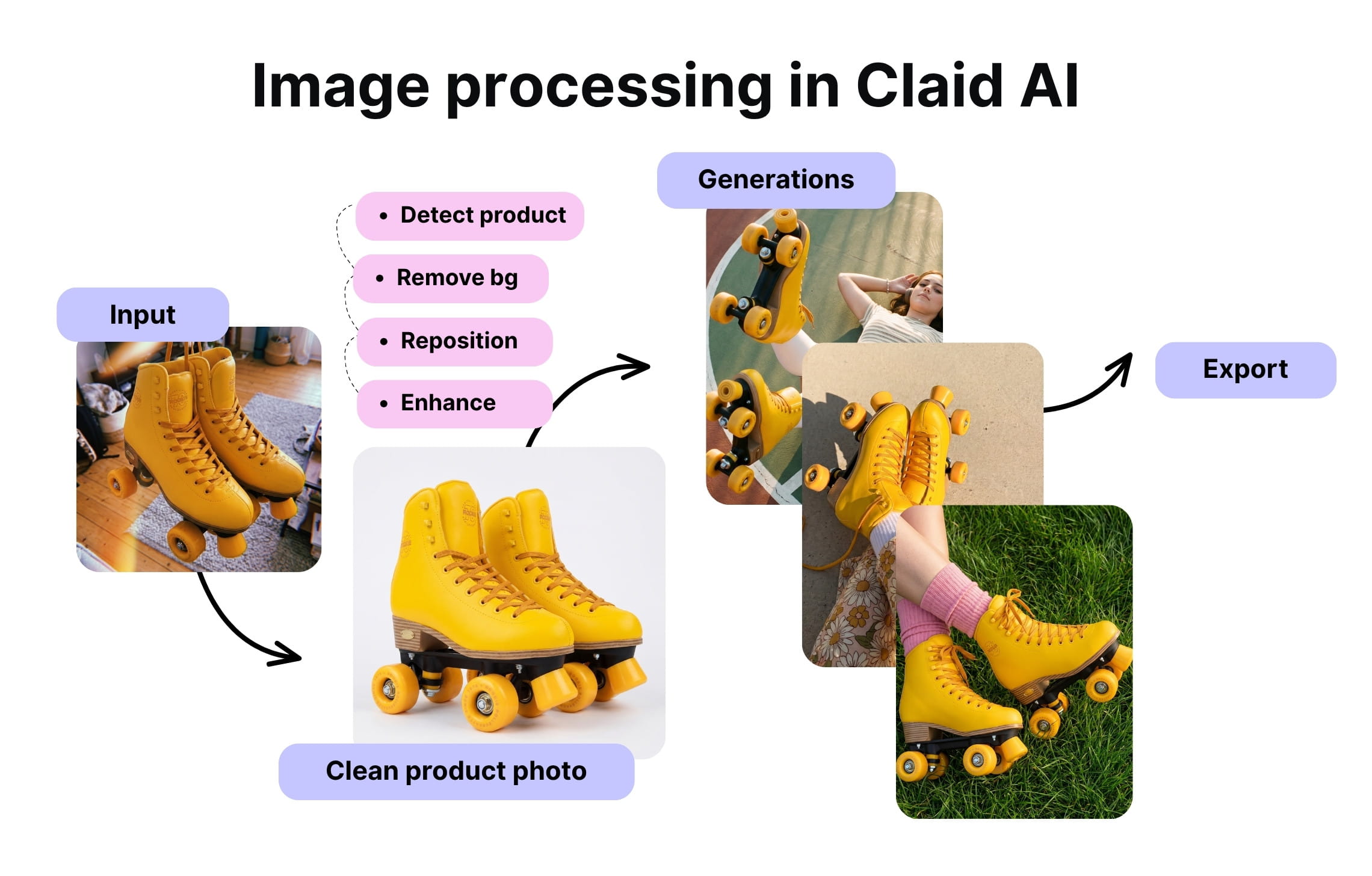
Claid is an AI image processing platform built for ecommerce, marketplaces, and high-volume workflows. It is strongest when image work is a repeatable pipeline: clean up the source image, improve quality, standardize the output, generate new product visuals, and deliver assets through API automation or custom workflows.
What it offers
Claid covers a broad part of the image processing pipeline: background removal, image enhancement, upscaling, lighting correction, product photo generation, on-model fashion photography, and other operations. This makes it a strong fit for teams that need one system to handle multiple image operations instead of stitching together several narrow tools.
Another advantage is workflow depth. Claid can build custom workflows for processing many images according to repeatable business rules, for example: remove the background, fix lighting, upscale the image, center the product, generate a clean background, and export the result in the right format.
Claid is best for teams that process large catalogs, operate marketplaces, manage many SKUs, or need image workflows connected to internal systems. It is also a strong option for fashion teams that need flatlay-to-model generation or consistent AI fashion visuals at scale.
For instance, for the automotive marketplace Caranty, Claid helped make car photo editing 30x faster, reducing the time per listing from 2 hours to 2 minutes. For the large-scale food delivery platform Rappi, Claid-powered workflows contributed to a 42% time cut on image editing and 33% increase in restaurant partners onboarded.
For enterprise teams, the platform also offers additional support, custom SLAs, higher rate limits, and compliance (GDPR, CCPA, etc.). For complex needs, Claid AI provides direct help from forward-deployed engineers who can design, integrate, and optimize workflows around your exact image requirements.
Where it lacks
The limitation is that Claid is more operational than purely creative. If your team wants a lightweight mobile editor or a manual canvas for building highly art-directed product scenes, other tools may feel simpler.
Pricing
Claid uses credit-based pricing for self-serve usage. The number of credits depends on the type of operation and final resolution.
For enterprise API usage and custom workflows, pricing is customized. Teams with high image volumes, advanced API workflows, or bespoke processing pipelines are priced based on their actual workflow, volume, and integration requirements.
| Best for | Strongest areas | Less ideal for |
|---|---|---|
| full product image processing workflows for ecommerce and marketplaces | catalog standardization, enhancement, AI product photography, fashion workflows, API automation, custom pipelines | very simple mobile editing, purely manual creative scene building |
2. Photoroom, best for fast product cleanup and mobile-first editing
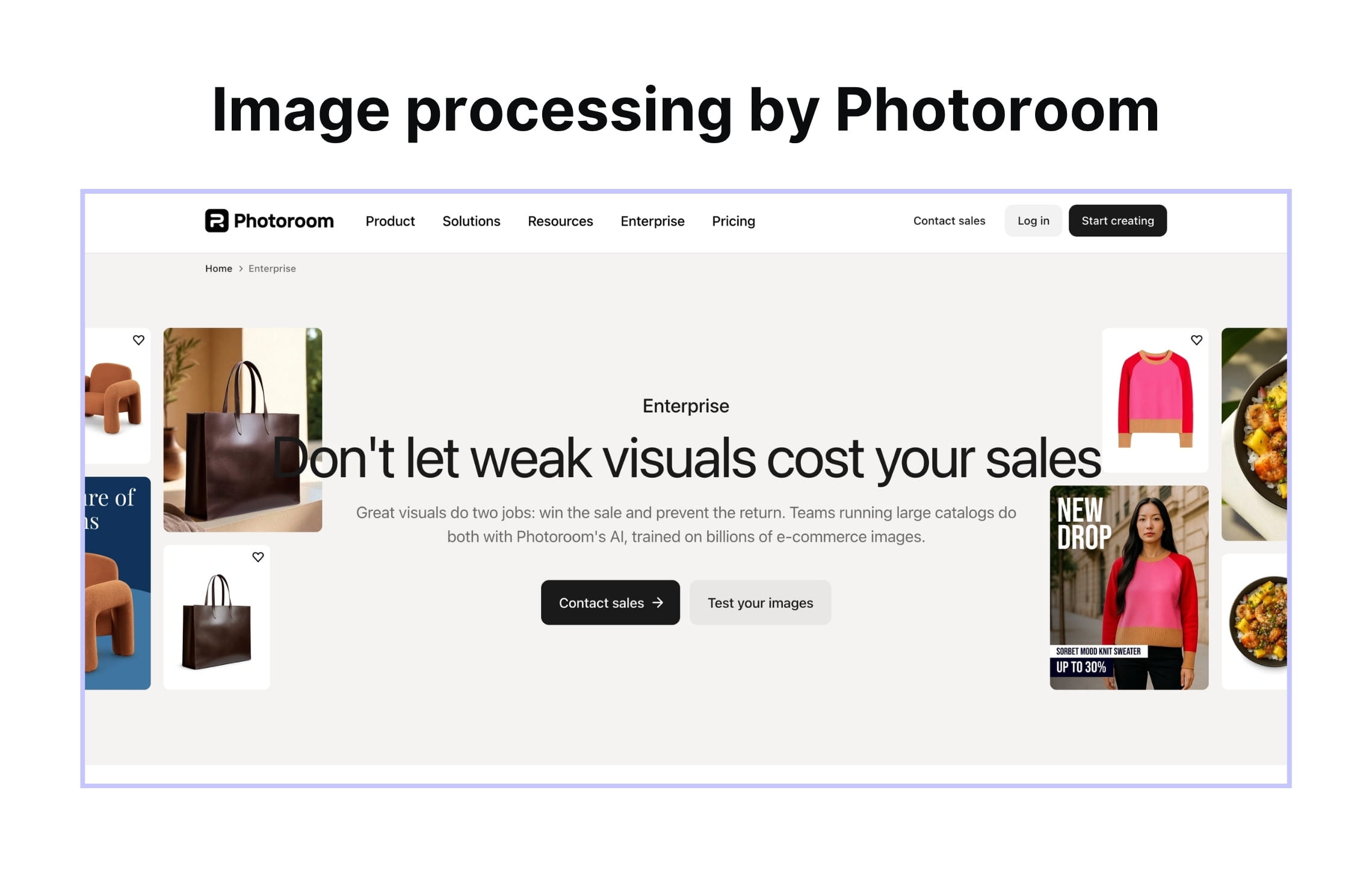
Photoroom is one of the best-known AI product photo tools, especially for background removal and fast ecommerce editing. It is widely used by sellers, small businesses, and teams that need clean product visuals without a complex production workflow.
What it offers
Its biggest strength is speed and accessibility. Photoroom makes it easy to remove backgrounds, create simple product images, apply templates, and produce marketplace-ready visuals quickly. It is especially strong for users who want a polished result with minimal setup.
Photoroom is also a strong fit for mobile-first workflows. Sellers can take a product photo, clean it up, and prepare it for a listing or social post without involving a designer or developer. That makes it useful for small ecommerce teams, resellers, social sellers, and marketplace vendors.
For larger teams, Photoroom can also support batch workflows and API use cases. It is a credible option when the main need is fast cleanup, background removal, and product image creation at scale.
Where it lacks
The main limitation is workflow depth. Photoroom covers many ecommerce image needs, but it is not always the strongest fit when the workflow includes several connected operations: enhancement, marketplace formatting, image generation, product fidelity, API automation, custom rules, and enterprise support. Compared with Claid, Photoroom is easier to position as a fast editing toolkit, while Claid is stronger as a full image processing workflow layer.
Pricing
Photoroom offers a self-serve plan tailored to large catalogs: from $99 to $990 per month based on required volume. There’s also custom enterprise pricing, which depends on volume and support needs.
API pricing depends on the type of call. For instance, background removal is priced at $0.02, while image editing calls are priced at $0.10 per image, but the exact number will also depend on the resolution.
| Best for | Strongest areas | Less ideal for |
|---|---|---|
| fast product cleanup and mobile-first ecommerce editing | background removal, simple templates, seller-friendly workflows, mobile editing | complex enterprise image pipelines, advanced enhancement workflows, custom catalog automation |
3. Nightjar, best for style-consistent AI product photography
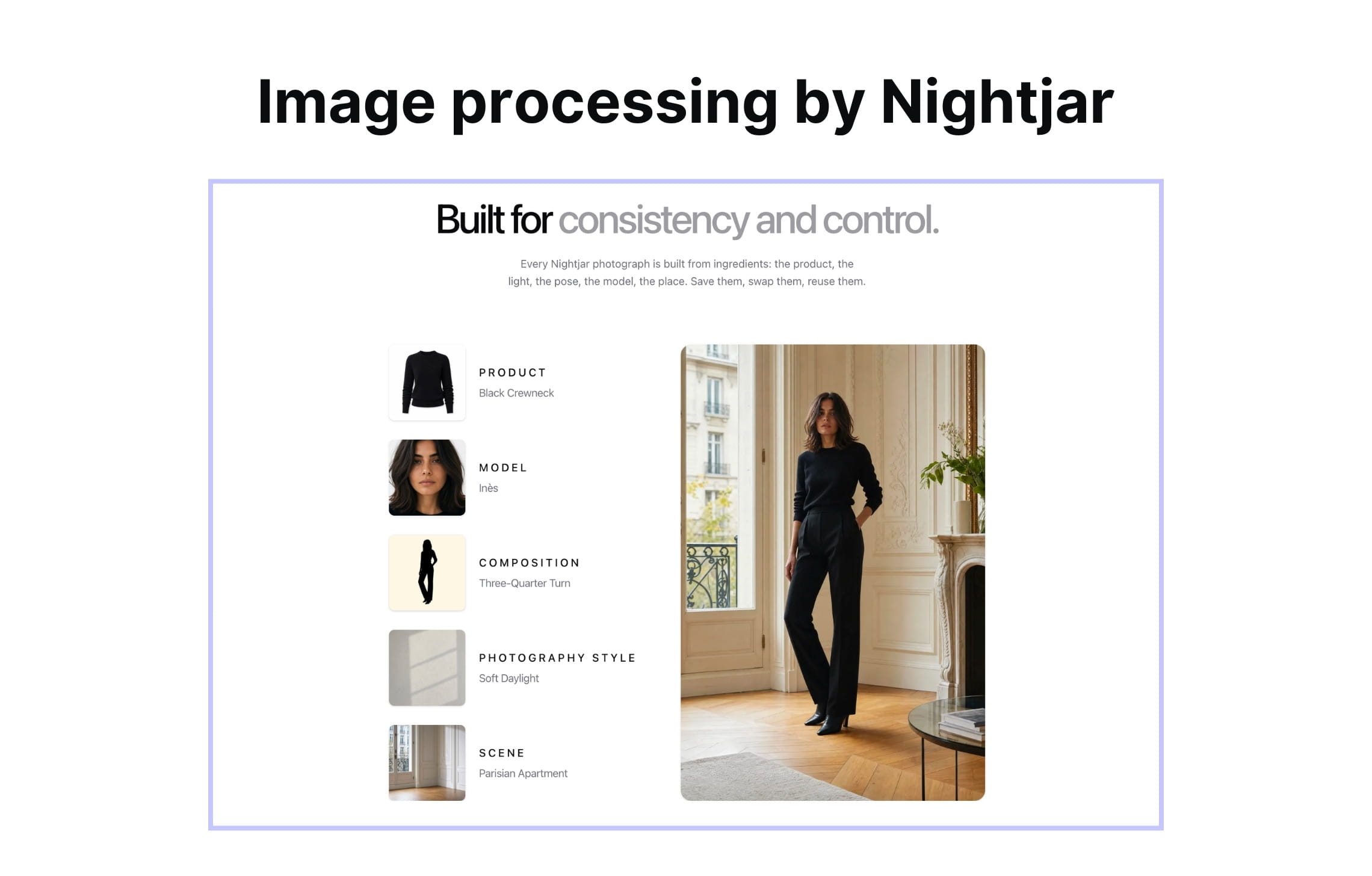
Nightjar is a strong fit for ecommerce teams that want product images to look consistent across a catalog. Its positioning centers on reusable styles, catalog-wide visual consistency, and product preservation.
What it offers
Nightjar is useful when the main problem is visual drift. Instead of generating every image from scratch with a new prompt, teams can use repeatable styles or visual systems to keep product photography aligned.
Nightjar is especially relevant for Shopify businesses that need consistent product photography across a growing catalog. You can save a visual look, including camera feel, lighting direction, shadows, color grading, and mood, then apply it across multiple products.
Where it lacks
The limitation is that Nightjar is more tightly focused on AI product photography and catalog consistency than on being a broad enterprise image processing layer.
Pricing
Nightjar’s pricing is credit-based, but the company doesn’t disclose the cost.
| Best for | Strongest areas | Less ideal for |
|---|---|---|
| style-consistent AI product photography for ecommerce catalogs | reusable visual styles, catalog consistency, product preservation, Shopify workflows | messy seller uploads, cleanup-heavy workflows, strict formatting rules, full API-first image processing pipelines |
4. Pixelcut, best for small sellers and social commerce visuals
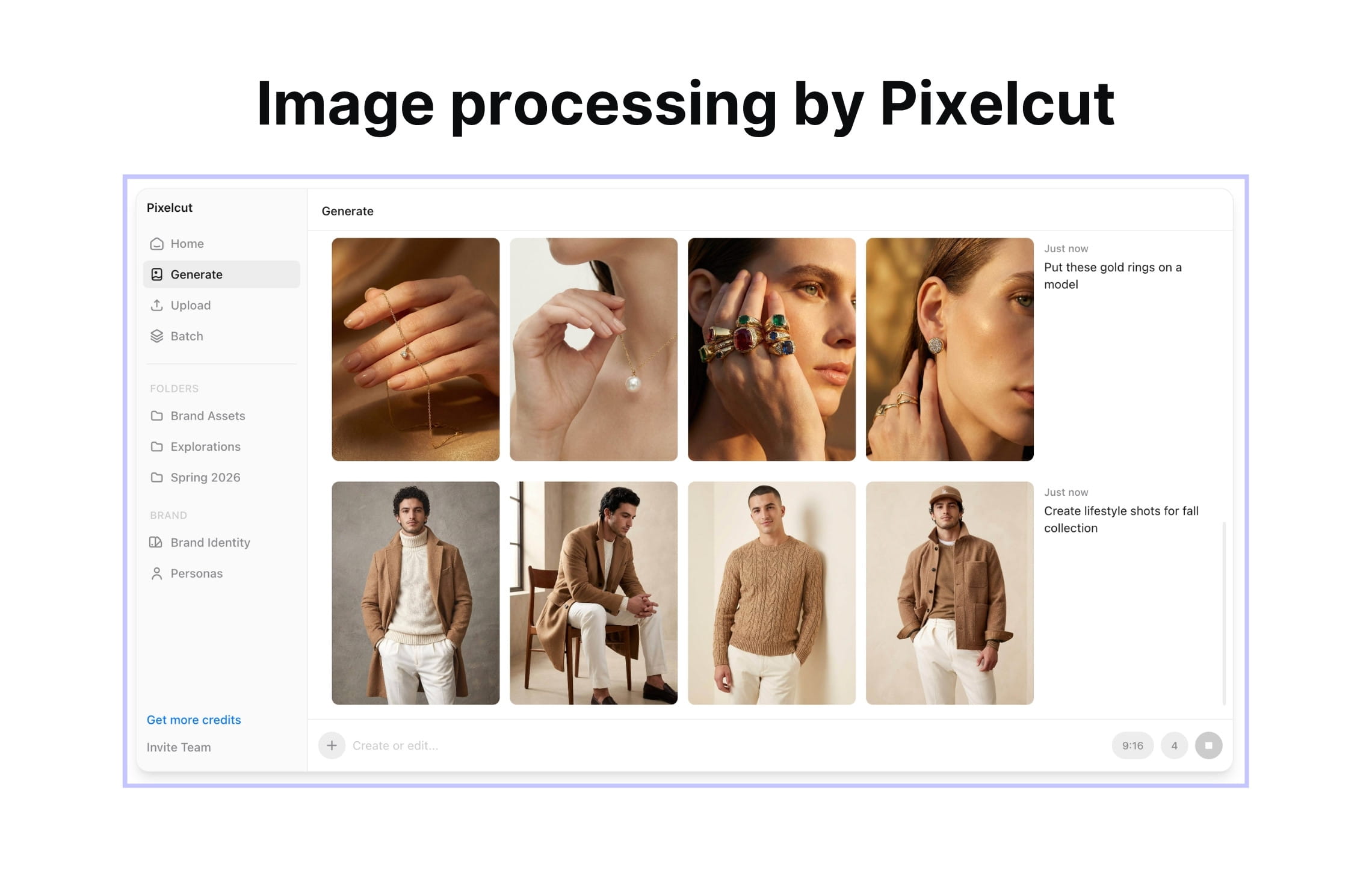
Pixelcut is a mobile-first AI photo editor built mainly for small sellers, creators, and ecommerce teams that need quick product visuals. It is easy to use, affordable, and well-suited for lightweight product image editing.
What it offers
Pixelcut’s core strengths are simplicity and accessibility. Users can remove backgrounds, improve product images, create simple promotional visuals, and prepare images for online stores or social channels. It works well for teams that do not need a developer, API integration, or complex image processing rules.
For small businesses, Pixelcut can be a practical way to improve product photography without hiring a designer or setting up a studio. It is especially useful when the goal is to create good-enough product visuals quickly for marketplaces, Shopify stores, Instagram, or ads.
Where it lacks
The limitation is scale and workflow complexity. Pixelcut is better for hands-on editing than backend automation. If a marketplace needs to process thousands of seller images automatically, or if a catalog team needs strict rules around margins, resolution, backgrounds, and exports, Pixelcut may not be enough.
Pricing
Pixelcut has self-serve plans for users editing images in the app and separate credit-based API pricing. The API charges $0.01 per credit, with monthly credit packages from 10,000 to 1M credits per month.
Enterprise pricing applies if you need more than 1M credits per month, with volume pricing available through sales.
| Best for | Strongest areas | Less ideal for |
|---|---|---|
| mobile-first editing for small sellers | affordability, simplicity, background removal, basic enhancement, social commerce visuals | API-first workflows, enterprise catalog automation, high-volume marketplace processing |
5. remove.bg, best for single-purpose background removal
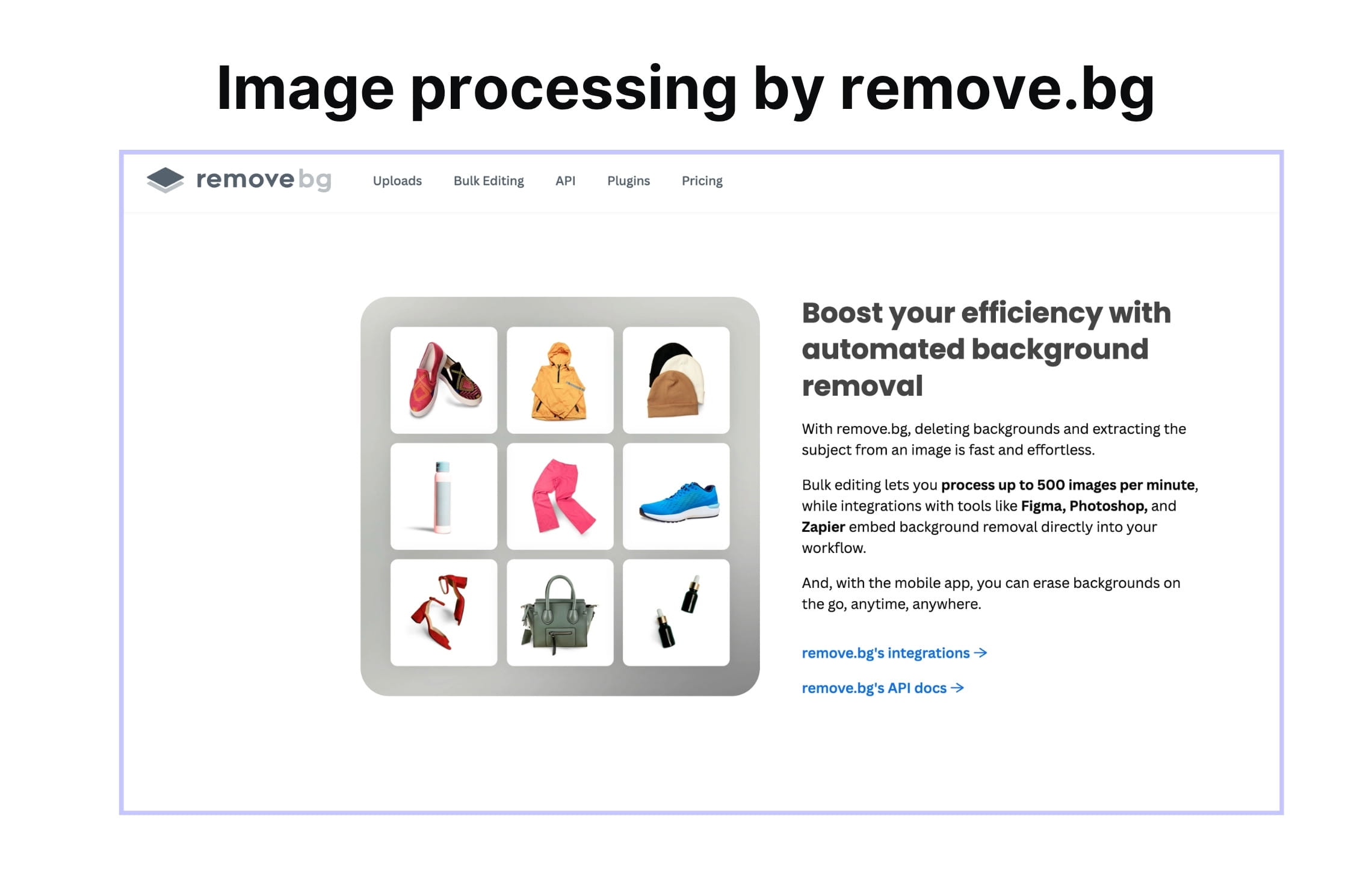
remove.bg is a focused tool for one specific job: removing image backgrounds. It is fast, reliable, and widely recognized for this single-purpose use case.
What it offers
Its biggest strength is clarity. If your team needs to remove backgrounds from product photos, profile images, or listing visuals, remove.bg does that job well. It can be useful as part of a larger workflow where background removal is only one step and other tools handle the rest.
For ecommerce sellers, remove.bg is helpful when product photos have distracting backgrounds and need to be placed on white, transparent, or branded backgrounds. For developers, its API can be used to add background removal into an existing workflow.
remove.bg is also strong on batch and workflow support. It supports bulk background removal with drag-and-drop batch editing, unlimited batch queues, and processing up to 500 images per minute. It supports no-code workflows through templates for Shopify and WooCommerce and connections through other tools.
Where it lacks
The limitation is that remove.bg does not solve the wider product image processing pipeline. If your image workflow starts and ends with background removal, remove.bg may be enough. If your workflow continues into enhancement, standardization, generation, and delivery, you will need additional tools or a broader platform like Claid.
Pricing
remove.bg offers several pricing paths: pay-as-you-go credit packs, subscription plans, and custom plans.
For enterprise scale, you’ll need Volume+ subscription, which ranges from $89 (500 credits) to $5,450 (75,000 credits).
Custom plans are for teams with larger or less standard needs, such as higher volumes, flexible API usage, specific credit limits, or additional support.
| Best for | Strongest areas | Less ideal for |
|---|---|---|
| single-purpose background removal | fast background removal, simple API use, transparent cutouts | enhancement, generation, catalog standardization, multi-step product image workflows |
6. Pebblely, best for quick lifestyle backgrounds
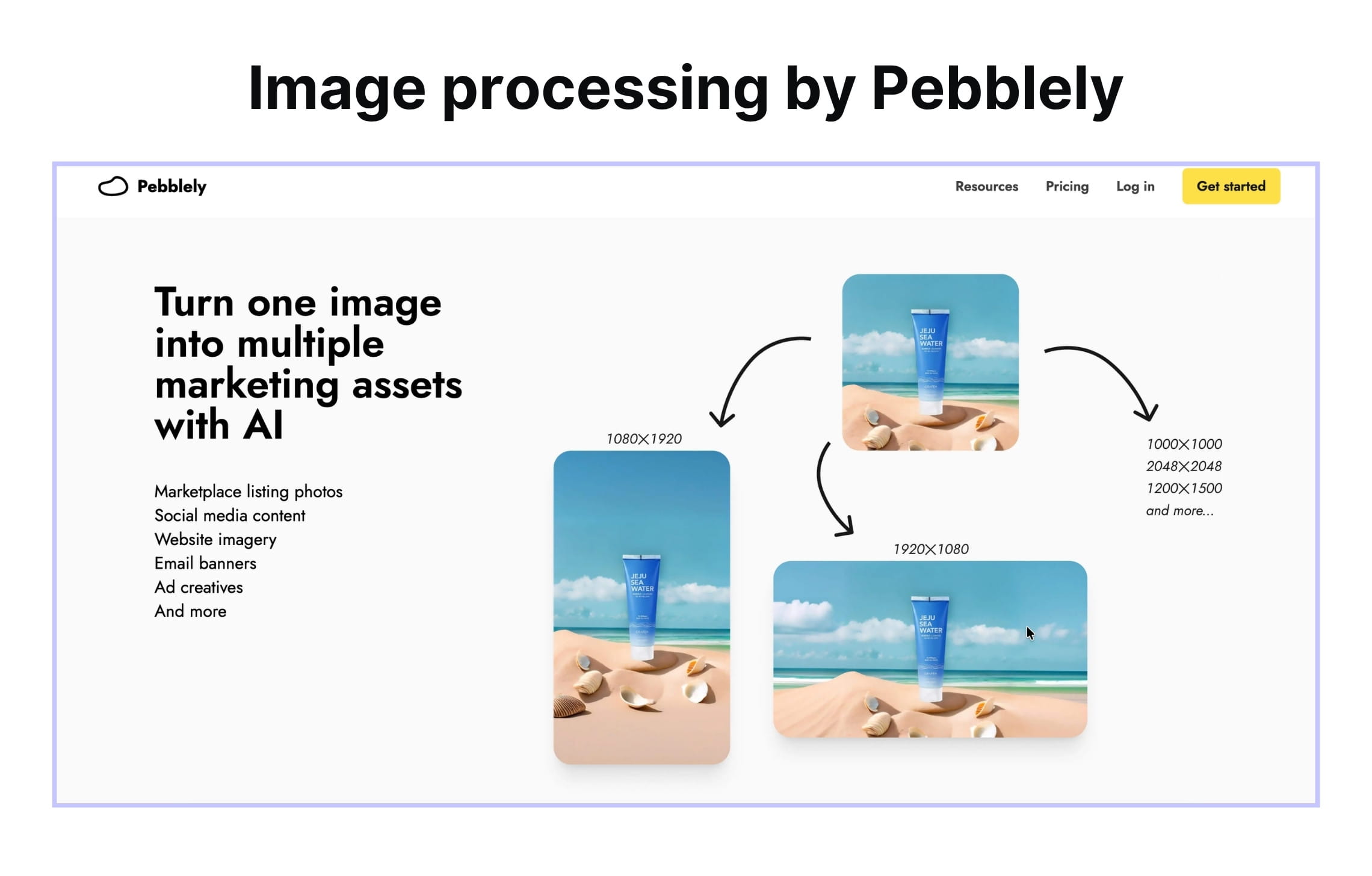
Pebblely is an AI product photography tool focused on generating lifestyle backgrounds and product-in-scene images. It is useful for teams that already have a clean product photo and want to create more visual variety without arranging a photoshoot.
What it offers
Its strongest use case is simple scene generation. You can take a product image and place it in different environments, such as kitchen counters, bathroom shelves, holiday scenes, studio setups, or lifestyle backgrounds. This makes Pebblely useful for small brands, founders, and marketing teams that need quick campaign or social media visuals.
Beyond generating scenes, Pebblely includes several practical editing features for turning one clean product photo into multiple usable assets. Teams can remove or replace backgrounds, reposition the product in the frame, clean up unwanted objects, and generate images in bulk. Resizing is especially useful for ecommerce and marketing workflows, because the same product visual often needs to fit different placements.
Where it lacks
The limitation is that Pebblely is mostly background-focused. It is not designed to own the entire image processing pipeline. It does not have the same depth in enhancement, catalog standardization, API automation, or marketplace-specific processing as broader platforms.
It’s also worth noting that Pebblely hasn’t been updated with new capabilities in a while.
Pricing
Pebblely’s pricing is built around monthly image allowances for self-serve product scene generation. Its Pro plan is the clearest reference point for ecommerce teams: $39/month for 500 images every month
| Best for | Strongest areas | Less ideal for |
|---|---|---|
| quick lifestyle backgrounds for small product catalogs | product-in-scene generation, simple lifestyle visuals, easy creative variety | full catalog processing, enhancement-heavy workflows, API-first enterprise automation |
7. Bria, best for for controllable ecommerce visual generation
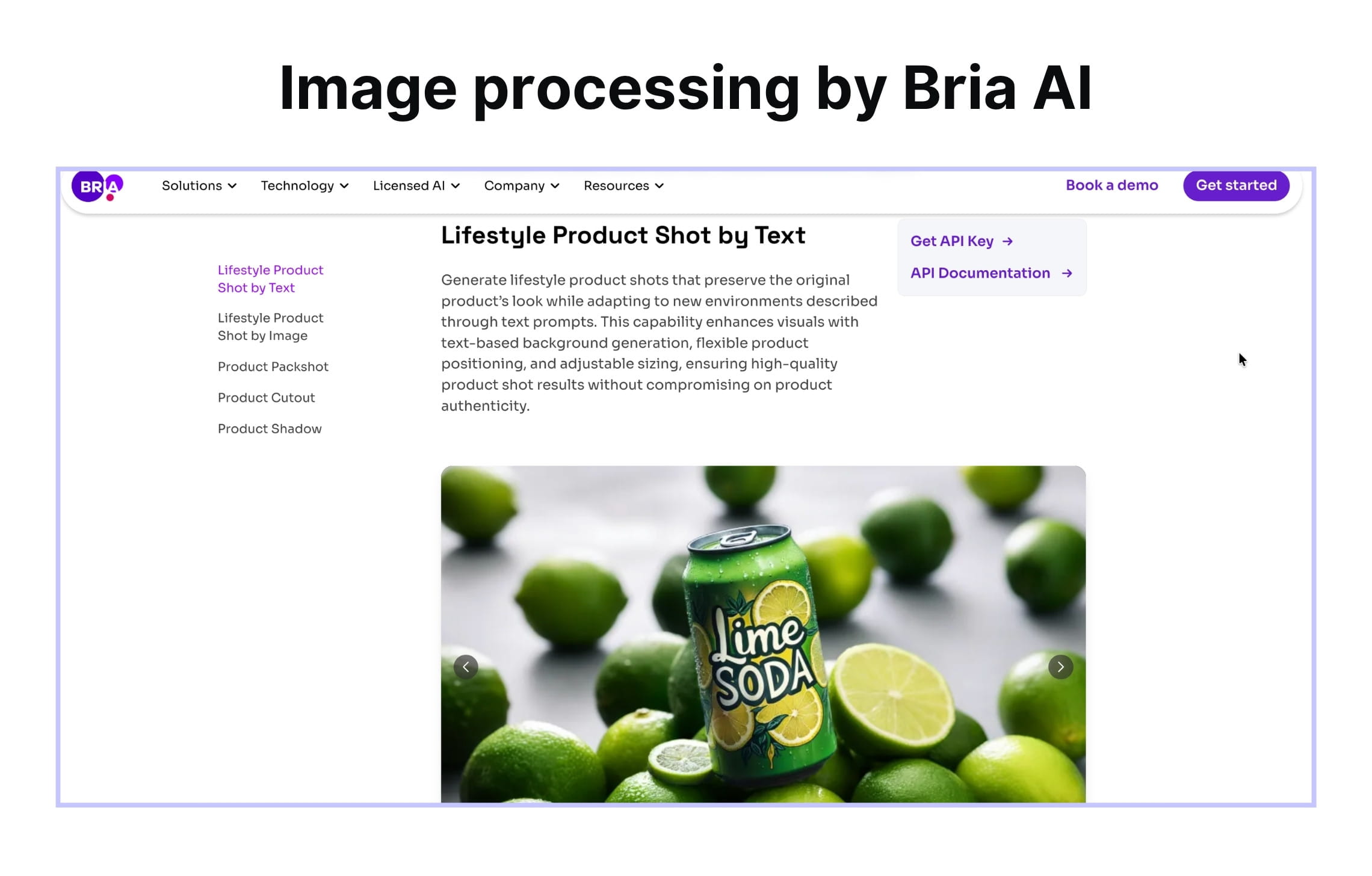
Bria is a visual AI platform with an ecommerce suite for creating and adapting product visuals. It’s a good fit for teams that need pre-built product image pipelines, including product cutouts, lifestyle scenes, and consistent studio shots.
What it offers
Bria’s main strength is controlled ecommerce generation. It gives teams a structured way to create product visuals for PDPs, category pages, galleries, ads, and product catalogs, while also offering responsible AI positioning through licensed data and attribution.
Bria includes product cutouts for isolating items from backgrounds, pack shot generation for clean PDP and gallery images, photorealistic product shadows for more polished catalog visuals, lifestyle shots generated from text prompts, lifestyle shots guided by reference images, and consistent studio shots across multiple products. Bria also includes contextual keyword extraction, which uses product images and descriptions to generate relevant SKU-level keywords for SEO, content management, and marketing workflows.
Where it lacks
Bria is still less focused on operational catalog standardization than dedicated ecommerce image processing platforms. It can generate and edit product visuals, but it is not as clearly positioned around messy seller-upload ingestion, marketplace formatting rules, automated quality checks, or multi-step image processing pipelines across highly inconsistent inputs.
Pricing
For development use, Bria publishes fixed pay-as-you-go rates by operation. Image editing operations range from $0.018 per image for background removal to $0.03 per image for edit and background generation.
Business and enterprise pricing is custom.
| Best for | Strongest areas | Less ideal for |
|---|---|---|
| controllable AI image generation and editing | consistent studio shots, contextual keyword extraction, responsible AI positioning | ecommerce-specific image workflows, marketplace formatting, full product catalog processing |
8. WizStudio, best for wholesale product imagery
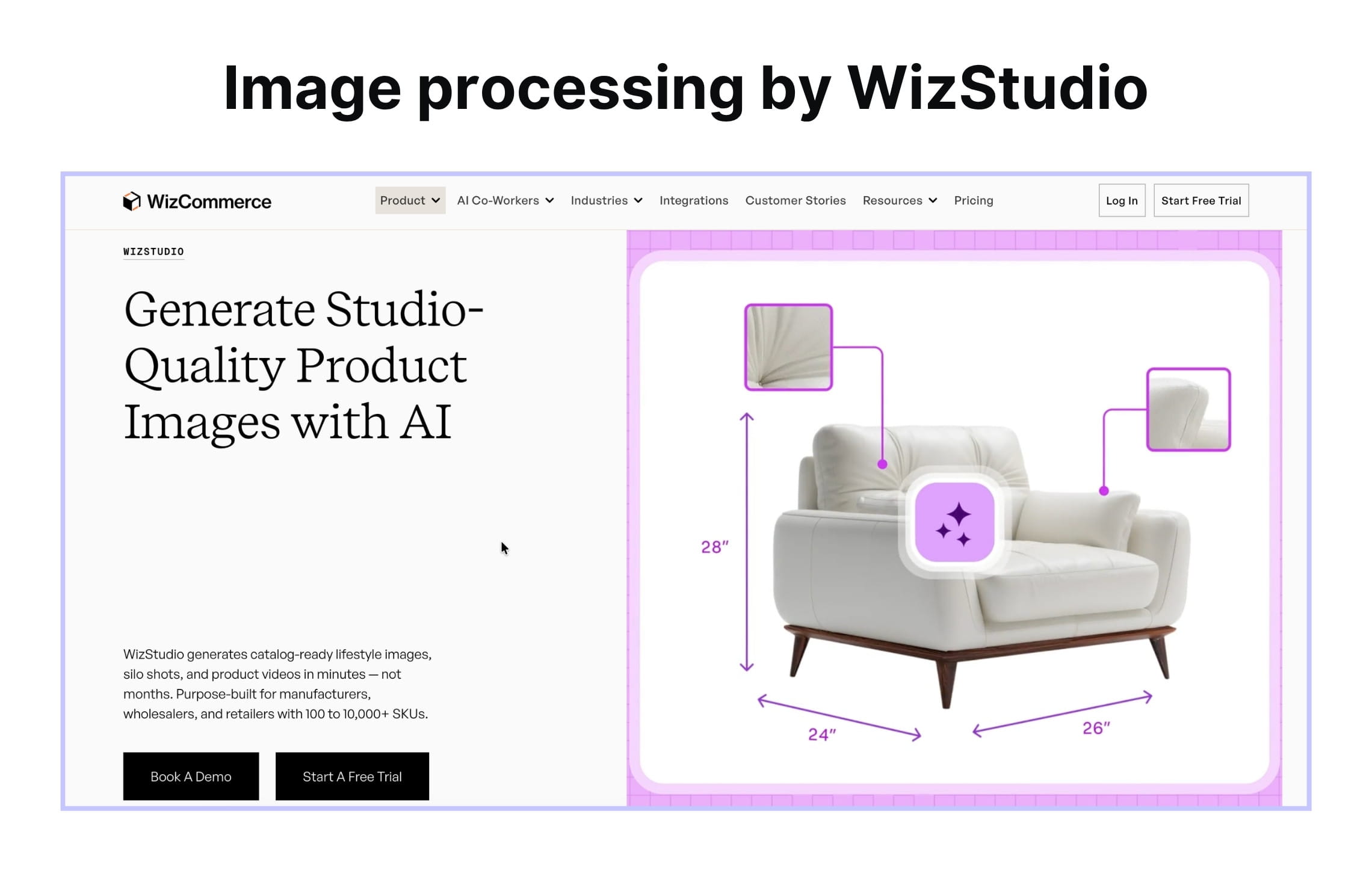
WizStudio is an AI product imagery tool from WizCommerce, built for wholesalers, manufacturers, and distributors that need to create large volumes of product visuals quickly. Its strongest fit is catalog-scale image production, especially for teams that need consistent silo shots, lifestyle images, and short product videos across many SKUs.
What it offers
A key advantage is that WizStudio can produce different asset types from the same product upload. Teams can generate clean silo shots, lifestyle-staged visuals, and short videos without setting up separate sessions for every SKU or output type.
WizStudio is built around catalog consistency. It is designed for product ranges, bulk generation, and visual consistency across a full catalog. The platform is also especially relevant for wholesale product categories where accuracy matters: apparel, home goods, packaged products, furniture, decor, and industrial accessories.
Where it lacks
The biggest limitation is that WizStudio is closely tied to wholesale selling workflows and the broader WizCommerce ecosystem. It is less universal for general ecommerce image processing, marketplace ingestion, or API-first automation across highly variable seller uploads.
Pricing
WizStudio is the most expensive tool in this comparison by raw per-image cost. But it is priced around a different job: approved catalog production. Teams pay for final downloads, not every image generation attempt.
WizStudio charges different credit amounts depending on the image resolution and asset type. A 1K or 2K image download uses 1 credit, while 4K and 8K downloads use 2 and 2,5. Other asset types, such as product variants or videos, have their own credit rules.
Enterprise pricing is custom.
| Best for | Strongest areas | Less ideal for |
|---|---|---|
| B2B catalog and wholesale product imagery | group shots, sales-ready catalog assets, product-heavy categories | broad ecommerce image processing, marketplace standardization, API-first automation |
AI image processing cost at scale
At higher volumes, AI image processing cost is not only the price shown on a pricing page. A tool that looks cheaper per image can become expensive if it requires extra manual review, separate tools for each step, or repeated generations before the team gets a usable result.
A realistic cost comparison should include:
- Price per image
- Number of steps included: one tool may replace several separate tools
- Manual review time: human QA can cost more than the AI operation
- Failed outputs and retries: generative tools vary in retry rates
- API integration time: important for platforms and marketplaces
- SLA and support: critical for high-volume production workflows
- Output quality: 1K or lower outputs will cost much less than 4-8K outputs
Here’s an approximate breakdown of how much it would cost to remove backgrounds and generate images at the scale of 10,000 (based on publicly available self-serve pricing; volume and custom workflow pricing will differ):
| Tool | BG removal (10k images) | 1K product photo generation (10k images) |
|---|---|---|
| Claid | ~$250+ | ~$1,000+ |
| Photoroom | ~$200 | ~$1,000 |
| Nightjar | — | Not disclosed |
| remove.bg | ~$900 | — |
| Pixelcut | ~$500 | ~$1,000 |
| Pebblely | — | ~$780 |
| Bria | ~$180 | ~$300 |
| WizStudio | — | Custom |
How to choose based on your pipeline needs
The easiest way to choose an AI image processing platform is to start with your workflow, not the tool category. Before comparing features, define what has to happen to each image from upload to final use: does it only need a cleaner background, or does it need to be enhanced, standardized, staged, exported, and delivered automatically?
If you need the full pipeline, choose a platform that can connect multiple operations in one workflow. For example, a marketplace may need to process seller uploads automatically before they go live. A fashion brand may need to turn flatlays into on-model photos, enhance the outputs, and export them in the right formats for PDPs, ads, and marketplaces. In these cases, a broader platform like Claid is a better fit than a single-purpose editor.
If your main structural problem is the background, remove.bg can be enough.
If your main goal is to create new product scenes, compare tools by how much creative range and output control you need. Pebblely is useful when you have clean product shots and want quick lifestyle backgrounds or simple campaign visuals. Photoroom and Pixelcut are better fits when you need fast, template-based product visuals for listings, marketplaces, or social content. Nightjar is worth considering when the main problem is keeping product photography visually consistent across a catalog. WizStudio may fit if you work with B2B catalogs, wholesale imagery, or product-heavy categories that need lifestyle shots, silo shots, and bulk variants. Claid is stronger when you need controlled product and fashion image production.
If your first concern is commercially safe and controllable AI generation, put Bria on the shortlist early. Bria is a strong fit for teams that need licensed-data positioning, API access, enterprise deployment options, and more structured control over image outputs than prompt-only tools usually provide.
FAQ
What does AI image processing include?
AI image processing includes the operations that turn raw or inconsistent images into usable business assets. For ecommerce and marketplace teams, this usually means enhancement, background generation, and automation. In practice, that can include upscaling, lighting correction, denoising, background removal, cropping, reframing, AI product scenes, on-model photography, and other operations.
What’s the difference between an AI image processing platform and an AI product photography tool?
An AI product photography tool usually focuses on creating better product visuals, such as new backgrounds, lifestyle scenes, or campaign images.
An AI image processing platform covers a broader workflow. It can include product photography generation, but also enhancement, background removal, cropping, standardization, formatting, batch processing, and API automation.
Which AI image processing tool covers the full pipeline in one API?
Claid is one of the strongest options if you need the full product image processing pipeline in one API. It can support cleanup, enhancement, standardization, controlled generation, and automated delivery, which makes it a good fit for ecommerce platforms, marketplaces, and catalog teams processing large image volumes.
Other tools may cover one or two parts of the pipeline very well. remove.bg is strong for background removal, while Nightjar is useful for lifestyle backgrounds. If the workflow needs several connected steps, a broader platform is usually a better fit.
How much does AI image processing cost per image at scale?
The cost depends on the operation, image volume, output resolution, API usage, and whether you need enterprise support or custom workflows. Simple operations like background removal usually cost less than generative tasks such as AI product photography or on-model image creation.
At scale, the real cost is not only the per-image fee. You also need to account for retries, manual quality review, integration work, processing speed, and whether one platform can replace several separate tools. For enterprise teams, volume pricing or a custom contract is often more relevant than public self-serve pricing.
Can I use Cloudinary or Imgix for AI image processing?
Cloudinary and Imgix are strong image infrastructure platforms, but they solve a different problem. They are built for image delivery, optimization, resizing, compression, format conversion, and transformations at CDN scale.
They can help you serve and adapt images efficiently, but they are not dedicated AI product image processing platforms for catalog-quality enhancement, background generation, on-model photography, or ecommerce-specific image workflows. In many enterprise stacks, Claid sits above infrastructure tools: Claid handles the AI processing layer, while Cloudinary or Imgix handles storage, transformation, and delivery.
What’s the best AI image processing tool for product photos?
For simple product photo cleanup, Photoroom and remove.bg are strong options. They work well when you need fast background removal, lightweight editing, or listing-ready visuals. If your main goal is to create product scenes, Pebblely is useful for quick lifestyle backgrounds, while Nightjar is a better fit for style-consistent product photography across a catalog. For larger ecommerce teams and marketplaces, Claid is a stronger fit when product photos need to be processed at scale with custom rules.
Which AI image processing tool is best for ecommerce teams?
Choose a tool that can handle repeatable workflows. The strongest fit is usually a platform that supports batch processing, API access, product detail preservation, output standardization, and multiple image operations in one flow. Claid is a strong option for ecommerce teams with large catalogs and unique requirements.
What’s the best AI image processing API for a marketplace platform?
For marketplace platforms, the best API is usually the one that can process inconsistent seller or merchant-uploaded images automatically at ingestion. That means it should handle high volume, variable image quality, background cleanup, standardization rules, enhancement, and delivery into your existing product or listing flow.
Claid is a strong fit for this use case because it is built around ecommerce image workflows, not just single-image editing. It can help standardize visuals across sellers, improve product image quality, and automate repeatable image operations through API or custom workflows.
Need AI product photography at scale?
Scale product image production without stretching your team. Use our API to automate image workflows, or let our team deliver a custom pipeline built around your operations.


Claid.ai
October 23, 2026