AI image variations from one product photo


Endless creative options
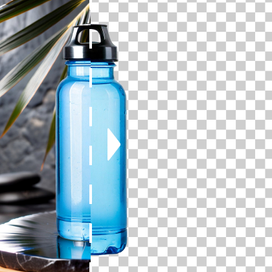
Generate multiple AI variations of an image to test every angle, season, or campaign style. Try out flatlays, lifestyle scenes, and other compositions.


Experiment without extra costs
With the AI image variation generator, you can swap backgrounds, adjust lighting, or try different props, with no photographers, studios, or rentals required.


Fast, scalable workflow
Create dozens of AI image variations in minutes. Export high-resolution images ready for ads, PDPs, or social media campaigns, and speed up your marketing and sales processes.


How to create image variations
STEP 1: UPLOAD A PRODUCT PHOTO
Select the image to create AI variations
Select the image you want to generate variations from. Use existing assets or photos you created with AI Photoshoot or AI Fashion Models.


STEP 2: DESCRIBE CHANGES
Describe AI image variations
Tell the AI what to do: create a seasonal scene, swap backgrounds, add props, change styling, or highlight different ingredients.


STEP 3: GENERATE AI IMAGE VARIATIONS
Download 2-4 outputs up to 4K
AI Edit lets you generate 1-4 variations per each prompt. You'll get slightly different angles and compositions for each AI image variation.


Tools
Your all-in-one AI photo studio
Simplify your product photography with tools that handle everything. Combine into simple and fast workflows to get the desired results in seconds.
Claid AI Studio




10+ more tools
are waiting in Claid Studio.
Level up your product photos with AI variations
Stop juggling expensive photoshoots, multiple locations, and endless editing. Generate professional, creative, and scalable product visuals in seconds.


