Product photography just changed: Meet AI Photoshoot🎉

Relight an image with AI to get cleaner and sharper details

Relight product photos in seconds: reduce harsh shadows, boost clarity, and make your product look evenly lit without reshoots. Turn mixed, uneven lighting into consistent results that do your product justice.
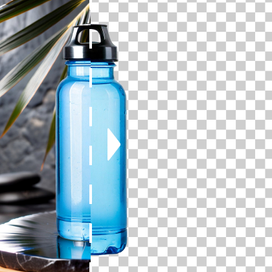
AI image relight showing before and after product photo lighting improvement

Fix poorly lit photos

Relight images with AI to lift dark areas, tone down harsh highlights, and restore readable detail. With Claid, you can make sure your labels look crisp, textures are visible, and edges don't disappear into shadow.

Fix poorly lit photos - before and after comparison showing improved lighting

Make clothing photos "pop"

Use image relight AI to bring out fabric weave and folds, reduce heavy shadows under sleeves/hems, and add clean, flattering light that keeps the garment looking true-to-life. It's ideal for maintaining consistent lighting across a full collection.

Make clothing photos pop - fashion photo with improved lighting

Experiment with lighting direction

Use AI image relight to try multiple lighting setups on the same photo: bright daylight, warm indoor evening, moody night, or soft studio. Test different vibes for ads, seasons, and campaigns while keeping the product consistent.

Experiment with lighting direction - multiple lighting variations on same product

How to relight a photo

STEP 1: UPLOAD A PRODUCT SHOT

Select the image to relight

Add a product photo (studio, lifestyle, or UGC) that you need to relight.

Select the image to relight - upload interface

STEP 2: DESCRIBE LIGHTING

Give AI image relight instructions

Tell the model how to relight an image. For example: "Even lighting, subtle depth, preserve colors"; "Brighter overall exposure, reduce harsh shadow under the product."

Give AI image relight instructions - describe lighting changes

STEP 3: EXPORT AND USE

Download high-quality, well-lit photos

Download relit outputs ready for PDPs, ads, marketplaces, and social. Use the same AI image relight prompt across multiple photos for consistency.

Download high-quality, well-lit photos - export results

Tools

Your all-in-one AI photo studio

Simplify your product photography with tools that handle everything. Combine into simple and fast workflows to get the desired results in seconds.

Claid AI Studio

AI photoshoot tool creating lifestyle product photo with oranges

AI Photoshoot

Place your products into editorial and lifestyle scenes.

AI fashion model tool showing dress applied to a model

AI Fashion Models

Turn your garment into professional on-model shots.

AI image to video tool turning a portrait photo into mp4

AI videos

Turn still images into eye-catching video clips.

Remove background
Remove background

Remove background

Instantly create clean, consistent product shots.

Upscale
Upscale

Upscale

Sharpen details and boost resolution for crisp images.

Fix light & colors
Fix light & colors

Fix light & colors

Brighten dark or faded images for a professional look.

10+ more tools

are waiting in Claid Studio.

Achieve desired lighting in seconds

Fix harsh shadows, brighten details, and keep your catalog consistent. Relight images with AI and see how much cleaner your product photos can look.

What does image relight mean?
Image relight means adjusting the lighting of a photo (brightness, shadow softness, direction, and overall exposure) so the subject looks more evenly and professionally lit.
What can I fix with AI image relight?
With lighting instructions in Claid's AI Edit, you can fix the following issues:
  • Harsh shadows from overhead lights
  • Uneven exposure (too dark / too bright areas)
  • Flat, dull lighting that hides texture
  • Inconsistent lighting across a product line
  • Indoor color cast that makes whites look yellow/green
  • Glare and reflections
Can I relight an image without changing the product?
Yes. Our image relight AI is designed to improve lighting while keeping product shape, details, and branding stable. Use prompts like "preserve product details" and "no color shift" to be extra sure.
Is there an AI image relight free option?
You can try AI image relight for free to test how well it improves shadows and exposure before committing to a larger workflow. You have 50 free credits to test any Claid's features.
How do I keep colors accurate when I relight images?
Add instructions like "neutral white balance," "no saturation boost," and "preserve original colors." That helps relighting images without unwanted color changes.

More AI Photo Editor features

AI fashion models

AI fashion models

Image expander

Image expander

Background removal

Background removal