Tech
Custom AI photo and video workflows: how to scale product visuals without manual work


At scale, teams deal with messy inputs, different image types, custom brand rules, product-detail preservation, file naming, export formats, QA, and thousands of assets that need to move through the same process without breaking.
That’s where custom workflows can save time and effort by connecting multiple AI operations into one production-ready system tailored to specific requirements.
What is a custom workflow
A custom workflow is an automated process built around the way your team works. It connects multiple steps, rules, checks, and outputs into one repeatable flow, so messy visual production becomes faster, more consistent, and easier to scale.
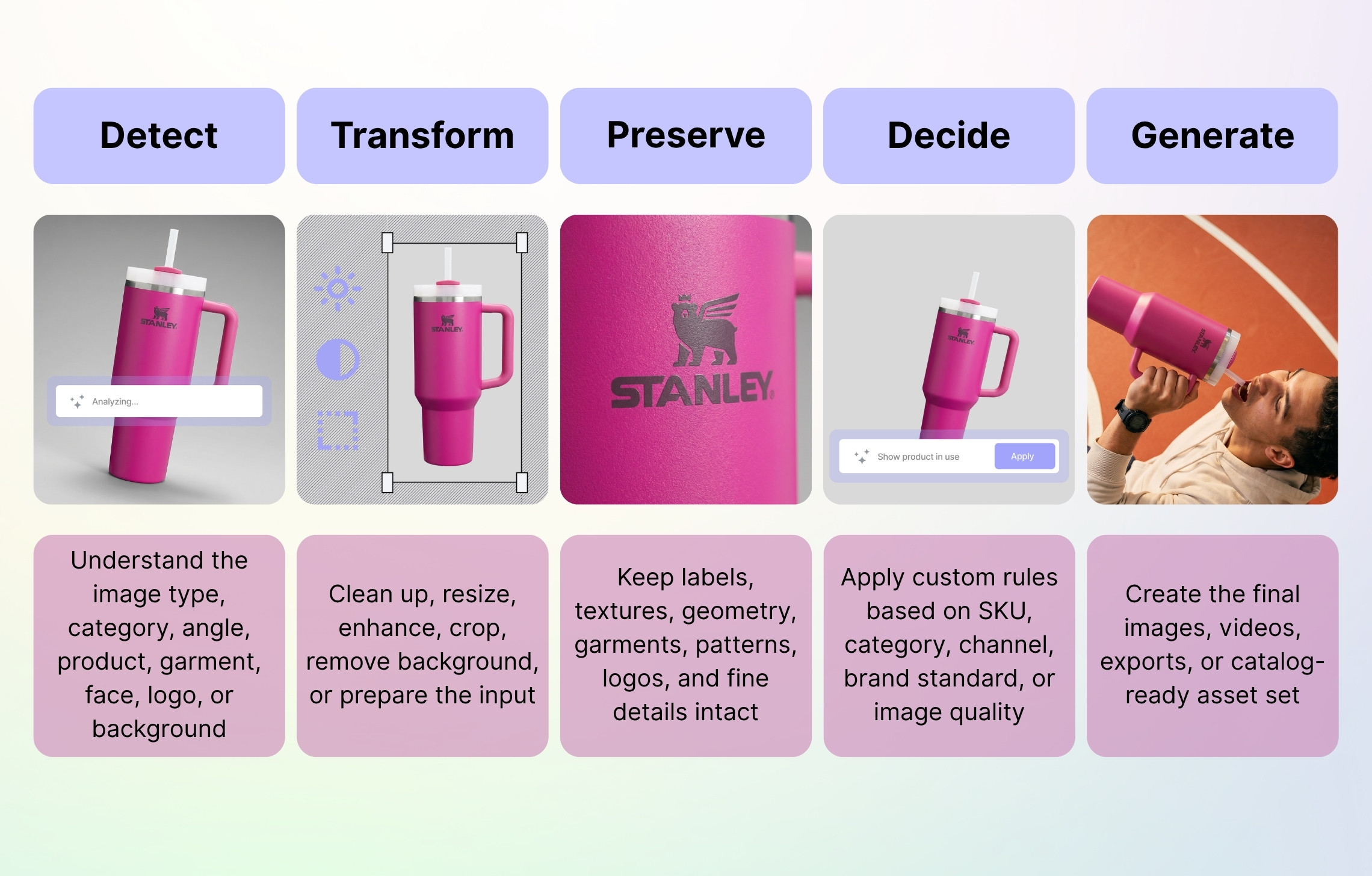
With Claid AI, you can automate virtually any product photo or video process. We can help you clean up raw inputs, remove or generate backgrounds, enhance resolution, create variants, and more, all in sync with your existing tool set and catalog structure.
Talk to us to discuss your workflow
Why custom workflows matter
Visual production gets more complicated when volumes grow, when teams rely on several tools, or when every image has to follow specific business rules. Every extra manual step becomes expensive, consistency becomes harder, and operational load becomes overwhelming.
Custom workflows help solve some of the most pressing industry challenges:
- Messy inputs. Seller photos, flatlays, ghost mannequin shots, old catalog photos, phone images, and low-resolution uploads all require different treatment.
- Category-specific rules. A dress, car part, dish, skincare bottle, and sofa should not be processed with the same logic.
- Product detail distortion. Labels, logos, seams, textures, packaging text, and garment construction can’t be “almost right” when the image is used for commerce.
- Outputs not fitting real systems. Teams need correct aspect ratios, file names, folders, catalog mapping, API responses, marketplace formats, and PDP-ready image sets.
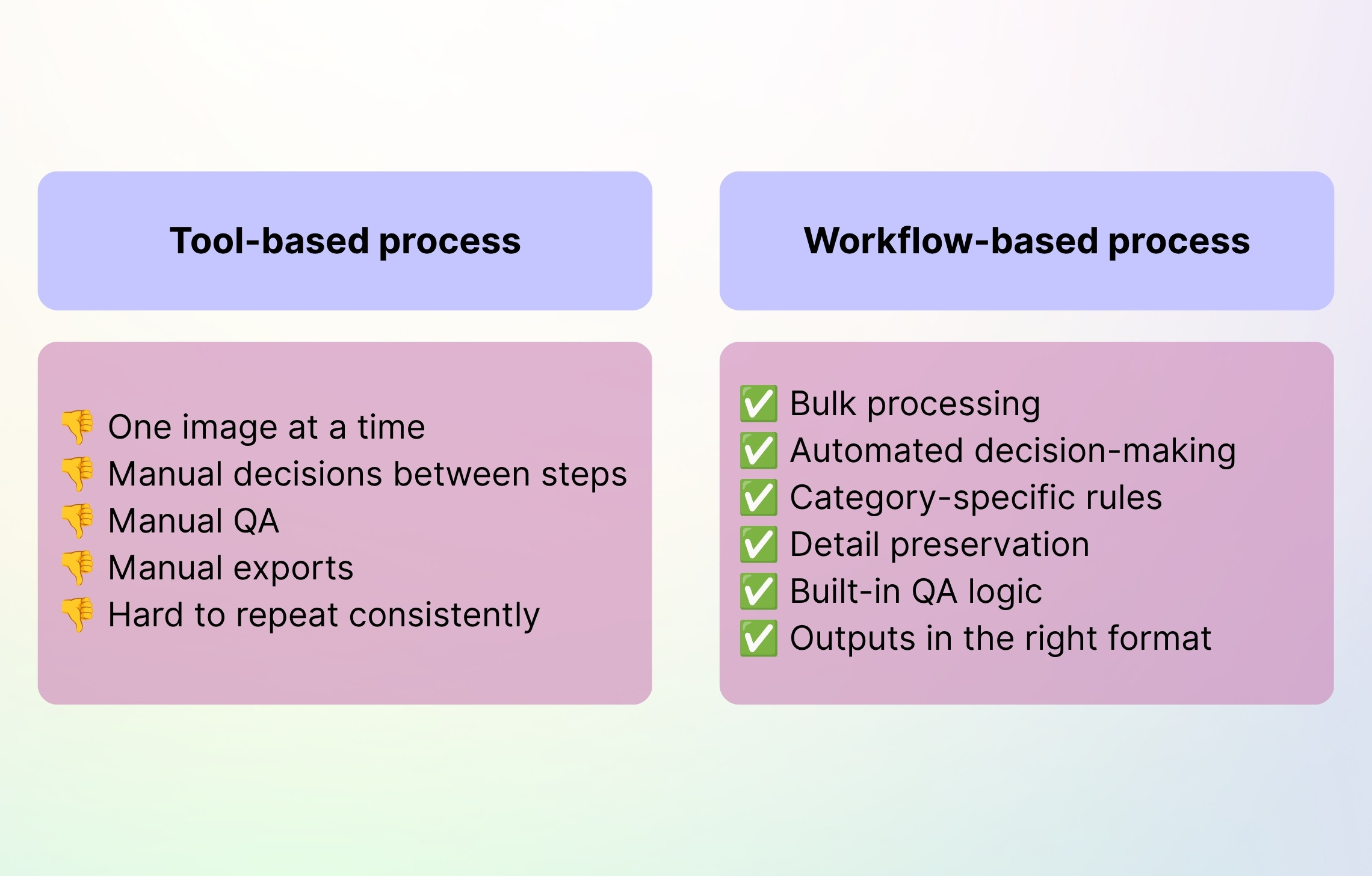
When these issues are handled manually, every extra image adds more cost, delay, and room for error. A custom workflow turns the same process into a repeatable system, which leads to clear operational gains:
- Lower production costs. Custom workflows reduce the need for repeated photoshoots, manual editing, and one-off designer work.
- Faster turnaround. Teams can move from raw assets to catalog-ready visuals without waiting for every step to be handled separately.
- More consistent catalogs. Rules are applied the same way across thousands of products, sellers, or categories.
- More content per SKU. A single source image can become a full PDP set, multiple poses, colorways, close-ups, lifestyle shots, or short videos.
- Less pressure on internal teams. Design, marketplace ops, and catalog teams spend less time fixing images and more time improving the customer experience.
Product photo and video workflow examples
With Claid AI, you can automate virtually any step in product photo and video production, in sync with your existing tech stack and operations. Here are some of the common use cases of custom workflows we can enable:
Fashion catalog pipeline
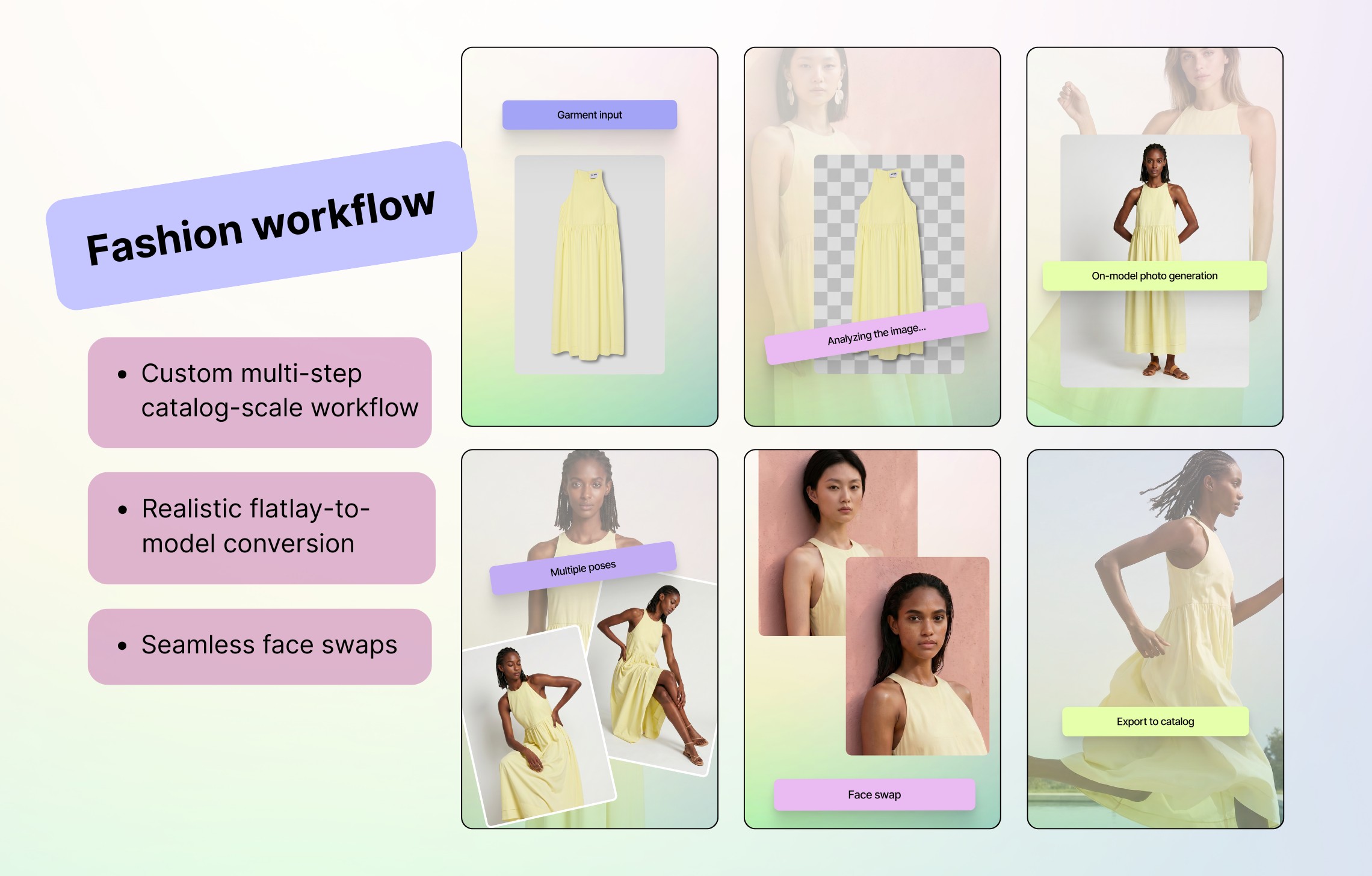
Flatlay or ghost mannequin input → garment detection → front/back identification → model selection → on-model generation → pose generation → enhancement → export by SKU.
Fashion marketplace Kasta reduced turnaround time by roughly 3x, diversified model representation without reshooting, and produced consistent on-model images with Claid AI. Read full story
Marketplace standardization
Seller images → category detection → background removal → crop and alignment rules → resolution enhancement → shadow normalization → platform-ready export.
Food delivery platform Rappi reduced image editing time, sped up restaurant onboarding, and supported consistent visual quality across a high-volume platform with Claid AI. Read full story
Garment color change
On-model image → color mapping → background adjustment → format change → aspect ratio change → full color catalog without reshoots.
Product detail close-up
Input image → key detail detection → crop planning → detail enhancement → texture preservation → background cleanup → export.
Short video generation
Input image → aspect ratio and resolution check → outpainting → enhancement → prompt selection → video generation → ready-to-publish clip.
Food image standardization
Messy dish photos → food detection → cleanup → color and lighting correction → standardized background → platform-specific export.
When should you move from AI tools to a custom workflow?
The examples we’ve mentioned show how flexible custom workflows can be across industries, but the real signal is usually operational. When image production becomes too repetitive, too rule-heavy, or too large to manage with separate AI tools, it’s time to consider a custom workflow.
Signs you might need AI-driven workflows:
- You process thousands of images per month.
- Your team repeats the same editing steps manually.
- Your inputs vary by seller, supplier, product type, or image quality.
- You need different rules for different categories.
- Product accuracy matters: labels, logos, textures, seams, or fine print.
- You need a workflow that goes beyond what a standard product UI or API endpoint can do.
Build the workflow your catalog actually needs
A custom workflow can connect every step: input cleanup, image understanding, product-detail preservation, photo and video generation, QA, and formatting.
Talk to us to tell us what your team does manually today. We’ll map the workflow and show what can be automated.
FAQ
How are custom workflows different from AI photo tools?
AI photo tools handle individual tasks. Custom workflows connect those tasks into one automated process with rules, QA, formatting, and delivery.
What types of visual workflows do you offer?
We can automate various steps of visual production: image enhancement, product and fashion photo generation, face swap on models, quality enhancement, lightning fix, and so on. Drop us a line to discuss which Claid’s AI workflows can be built to fit your needs and catalog structure.
Do we need developers to use custom workflows?
No. A workflow can be integrated via API, but it can also be fully managed by Claid’s team.
Can custom workflows preserve product details?
Yes. Our workflows are designed to preserve details like labels, logos, textures, seams, geometry, packaging text, and garment structure.
Can workflows handle large catalogs?
Yes. They are designed for bulk production, from thousands to millions of images, depending on the setup.
Can workflows generate both photos and videos?
Yes. We can build pipelines with image generation, editing, enhancement, outpainting, and short video generation.
How do we start?
Schedule a call with us to share your current process, input examples, output requirements, and the manual steps your team wants to remove. We’ll map the workflow, test it on a pilot batch, and scale it once the results are validated.
Need this at scale?
Process thousands of images via API, or let our team handle it for you.


Claid.ai
May 28, 2026