Tech
Best AI tools for on-model photography (2026 guide)


If you’re selling clothes online, on-model AI tools can turn garment shots into on-model photography without booking a studio shoot.
The right tool depends on how your team works. Some platforms are built for quick self-serve image generation. Others are better for Shopify workflows, virtual try-on, mobile-first content, API automation, or high-volume catalog production.
If you only need a few images for a drop, a lightweight generator may be enough. If you need consistent on-model content across hundreds or thousands of SKUs, look for batch workflows, garment preservation, review options, API access, and a path to custom AI fashion production.
Below is a practical comparison of the best on-model AI tools, then a deeper breakdown of each. Compare and use the best one that fits your needs to put clothes on an AI model for PDPs, marketplaces, and ads.
9 best on-model AI tools: brief comparison
Before we dive into each tool, here’s a quick snapshot of the 9 best on-model tools and what they’re best at:
| Tool | Production fit | Pricing | Platforms |
|---|---|---|---|
| Claid | Good for independent creation and brand-specific custom workflows | Free credits; paid plans from $9 / month; custom production by request | Web, API, custom service |
| Botika | Useful when output QA and retouching matter | From $55 / month | Web |
| Modelia | Useful for brands that want photos, videos, batch generation, and API access | Free plan; paid plans from $35 / month; one-time project plan from $12 | Web, Shopify, API |
| Uwear | Useful for teams that want pay-as-you-go generation or enterprise workflows | $0.10 per credit; enterprise pricing by use case | Web, API |
| WearView | Good for self-serve catalog visuals and small-team production | From $29 / month | Web |
| Ayna | Useful for assisted ecommerce content production | Shopify packs from $13; web subscriptions from $11 / month | Web, Shopify |
| FASHN AI | Good for technical teams building repeatable fashion pipelines | From $19 / month | Web, API, iOS |
| Photoroom | Useful for sellers already using Photoroom for cleanup, backgrounds, and batch exports | Paid plans required for AI Fashion Models (from $12.99 / month) | Web, iOS, Android, API |
| Pixelcut | Good for mobile-first, lower-complexity content | Paid plans from $10 / month | Web, desktop, iOS, Android |
Need AI fashion photography at scale?
Produce high volumes of on-model and product visuals without slowing down launches. Use our API to automate fashion image workflows or work with our team on a custom pipeline tailored to your operations.
1. Claid, on-model generation and custom production
Claid is a dedicated AI product photography studio built for ecommerce teams and marketplaces. It combines on-model AI generation with other AI photography and image editing tools (background generation, upscaling, outpainting, etc.).
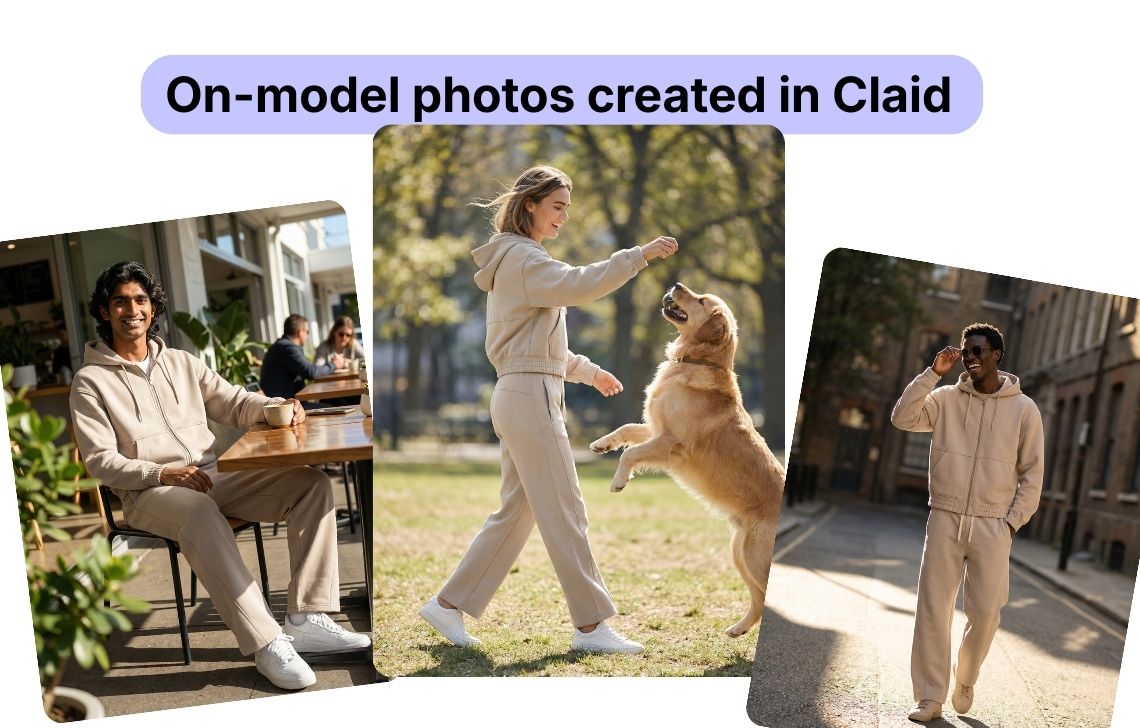
Claid is tuned for product fidelity: it keeps fabrics, prints, and logos accurate while changing models, poses, and scenes according to your prompts so your on-model photography stays trustworthy.
For larger teams, Claid also offers API workflows and AI fashion production, a custom service where Claid’s team helps build and run the production process around your catalog, model direction, brand references, review rules, and channel requirements.
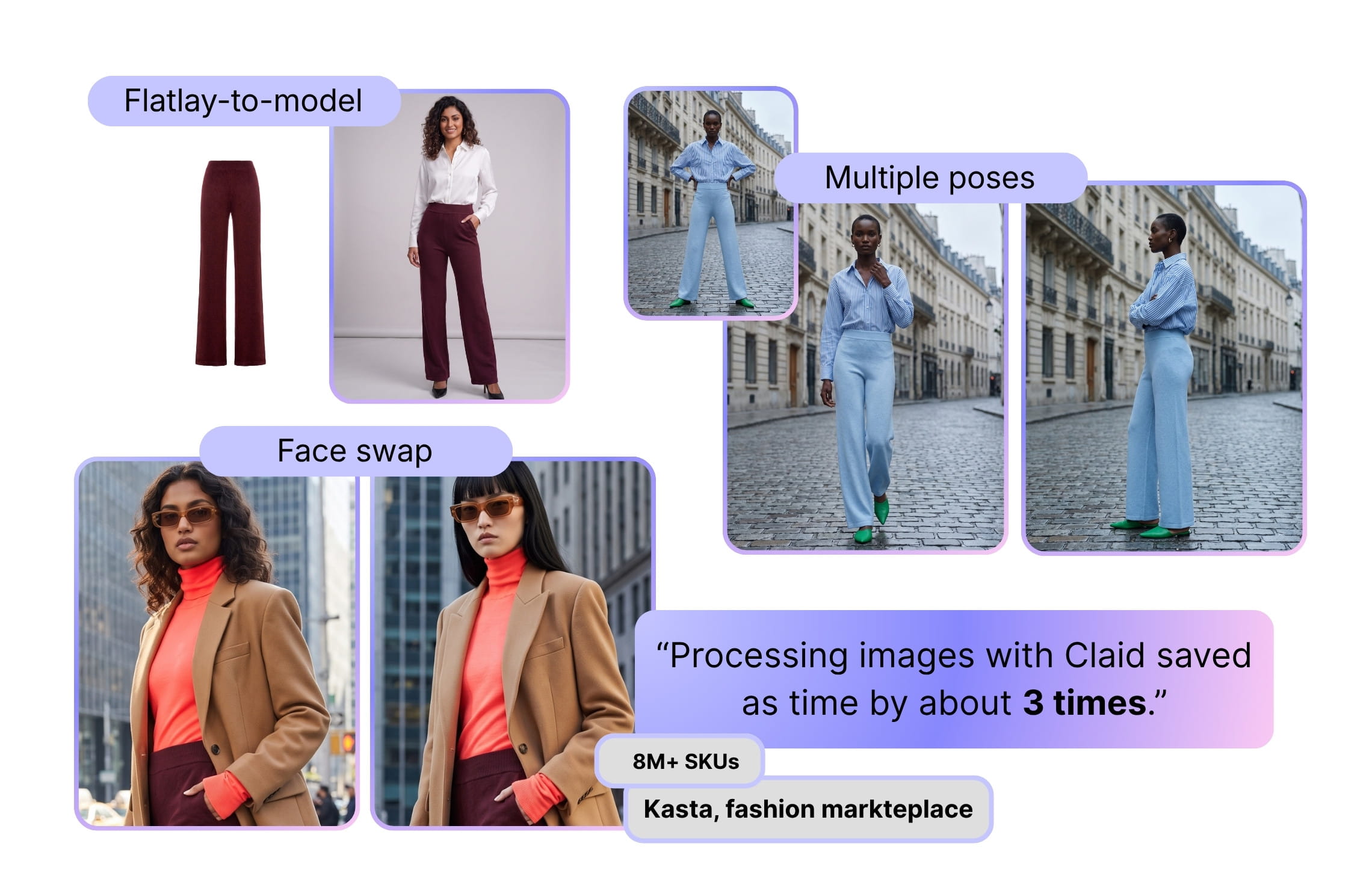
Kasta used Claid for a high-volume fashion production workflow, reaching 3x faster on-model imagery with 100% product preservation. Auras Activewear used Claid to create on-model content from flatlays, saving up to $2,000 per collection and removing 1-2 days from production.
Key features
- On-model generation from flatlays, ghost mannequin shots, and model photos
- 100+ AI fashion models, including plus-size and kids categories
- Full outfit generation for coordinated garments
- Short fashion videos
- Background generation, upscaling, image expansion, resizing, and video tools
- API workflows for automated image operations
- Managed AI fashion production with a forward-deployed team
Good fit for
- Fashion brands that want to test on-model generation in-house, then move into API or custom production as volume grows
- Marketplaces and retailers processing large sets of garment images from many sellers or brands
- Teams that need model photos plus finishing steps like resizing, upscaling, background work, video, QA, and export preparation
Pricing
- 50 credits for free
- Paid subscriptions start from $9 per month on a credit-based model (AI fashion model generation cost 4-24 credits depending on resolution)
- Business and custom production pricing available for API workflows, onboarding, custom SLAs, managed support, and higher-volume needs
Pros
- Combines generation, editing, enhancement, resizing, video, API, and custom production
- Strong fit for teams that want to move from testing to repeatable workflows
- Supports self-serve users and enterprise/custom production use cases
- Fashion customer proof from Kasta and Auras Activewear
Cons
- Credit planning matters for larger catalogs
- Teams that only need a few simple images may not need the full platform
2. Botika, on-model photos with retouch support
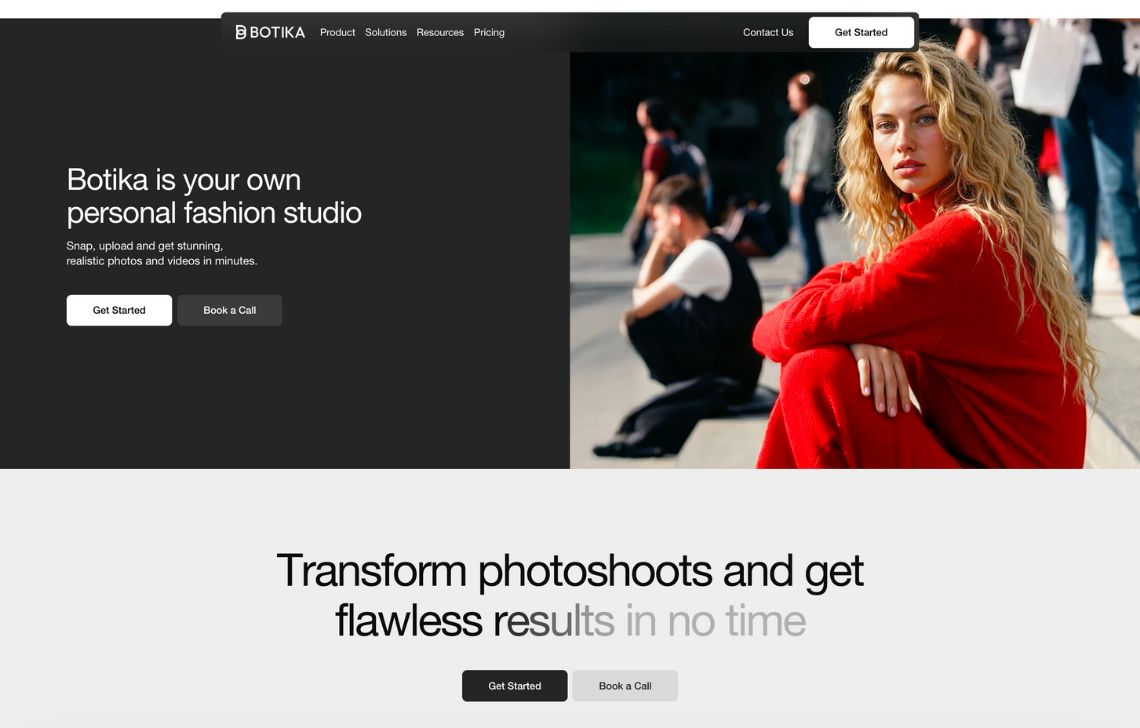
Botika is a fashion-focused AI photography platform for creating on-model photos and videos from product images. It supports flatlays, mannequin shots, and existing model photos, then lets teams generate AI model imagery with curated models and backgrounds.
The platform’s main value is quality support. Annual plans include retouch rounds and photo-fix delivery, which can help teams get publishable assets when AI outputs need small corrections around edges, drape, hands, shadows, or garment details.
Key features
- Flatlay / mannequin / on-model to AI fashion models with a curated model gallery
- Background swapping for studio or lifestyle looks
- AI fashion videos from still product photos for reels and ads
- Retouch rounds on annual plans
- Enterprise options for exclusive models, custom backgrounds, white-glove QC, and retouching briefs
Good fit for
- Fashion brands that want polished model photos and videos with extra quality support before publishing
- Ecommerce teams replacing parts of traditional photoshoot production for PDPs, ads, email, and social
- Brands that care about model diversity, background options, and controlled visual presentation
Pricing
- Free trial with 8 credits
- Paid subscriptions start from $55 per month
- Enterprise: custom pricing for exclusive AI models, exclusive backgrounds, white-glove quality control, and custom retouching briefs
Pros
- Fashion-first tool packaging (models, backgrounds, review pipeline) 
- Strong Shopify integration and clear credit planning
- Human quality control and explicit “photo review” credits
Cons
- More expensive than lightweight apps
- Less focused on broad ecommerce image operations beyond fashion content
3. Modelia, broad fashion workflows
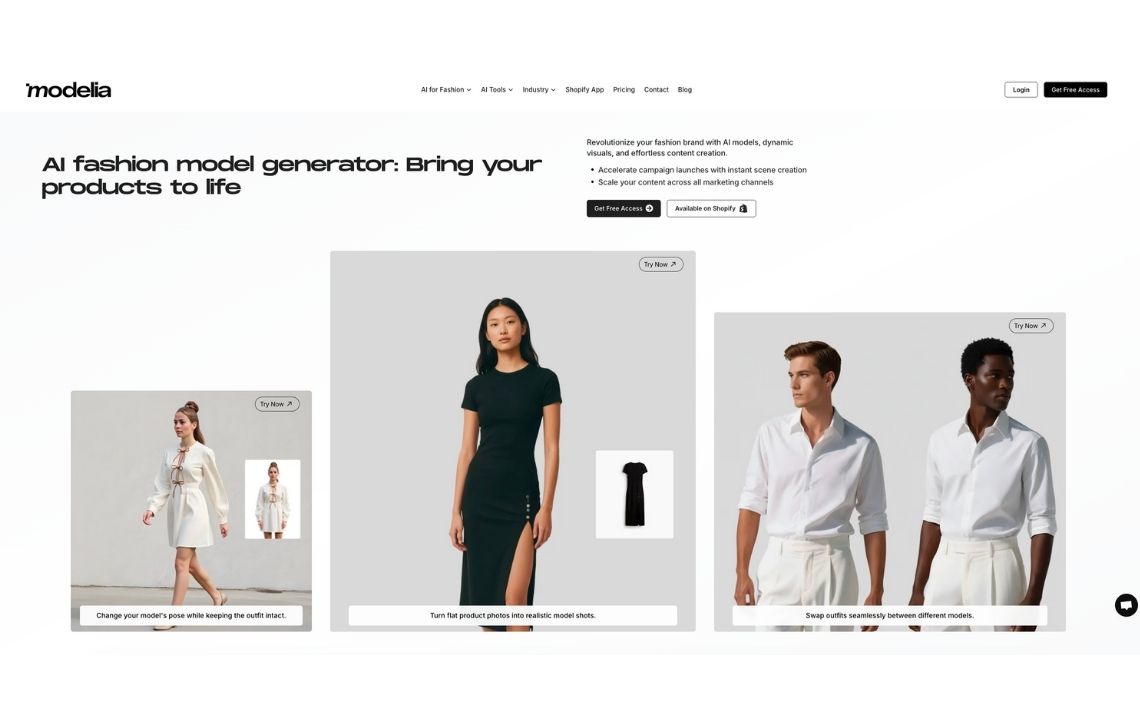
Modelia is an AI fashion platform for creating on-model images, pose variations, outfit combinations, accessories-on-model visuals, color changes, videos, and other fashion content. It has expanded beyond a simple Shopify model generator into a broader creative workspace for fashion ecommerce and marketing.
The platform supports flatlay-to-model, mannequin-to-model, model-to-model, virtual try-on, repose, outfit generation, background changes, accessories, and AI video. Paid plans include batch generation, 4K exports, watermark-free downloads, and public API access.
Key features
- Flatlay or mannequin to on-model images
- Pose change, outfit combinations, and model styling tools
- AI fashion video generator for short clips
- Shopify integration with direct use inside the admin
- Batch generation on paid plans
- Public API access on paid plans
Good fit for
- Shopify brands that need both photos and quick fashion videos
- Fashion teams that want one workspace for model images, videos, pose changes, accessories, and styling ideas
- Teams that need batch generation and API access, but still want a usable web interface
Pricing
- 20 monthly credits for free (watermarked outputs, non-commercial usage)
- Paid plans start from $12 per 50 credits
- Monthly subscriptions start at $35 with 250 credits / month
Pros
- Deeply integrated with Shopify, so no exports or manual uploads to your store
- Good feature breadth for one app: on-model photos, videos, and styling variations
- Free tier lets you test quality before committing
Cons
- Free plan outputs include watermarks and are for non-commercial use
- Teams with strict QA needs may still need human review outside the tool
4. Uwear, fashion production with saved art direction
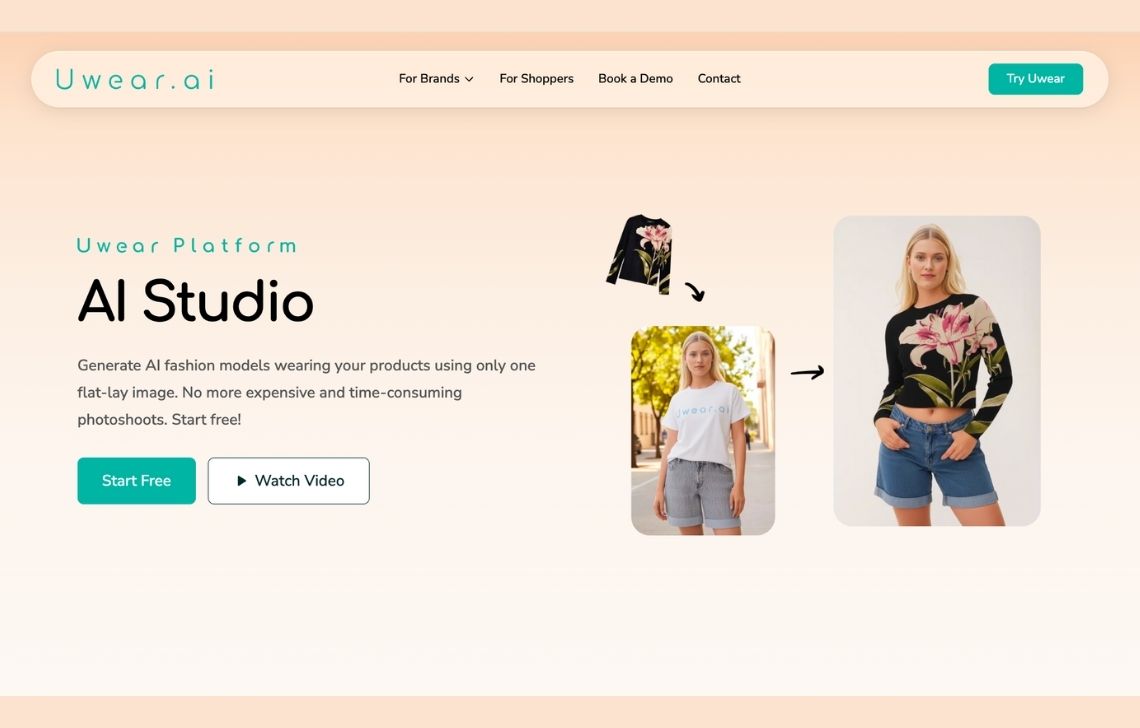
Uwear positions itself as AI visual production for fashion commerce. It goes beyond simple flatlay-to-model generation by focusing on saved art direction, QA checks, videos, storefront delivery, PIM/DAM delivery, and API workflows.
The platform’s value is operational: teams can define a visual direction, run product images through a repeatable setup, use an AI reviewer to check results, and deliver approved assets into their commerce workflow. Uwear also supports still-to-video workflows and virtual try-on through the same broader engine.
Key features
- AI fashion models from a single garment photo
- Virtual try-on experience for shoppers as a separate value layer 
- Mobile app for consumer try-on + discovery (useful if you’re experimenting with shopper-facing flows
- API for automating the process
- Enterprise support with volume pricing and implementation help
Good fit for
- Small brands that want to test AI models across a few SKUs without a subscription
- Fashion teams that want repeatable visual production, not only one-off model images
- Brands that need saved art direction across recurring drops
Pricing
- Pay as you go: $0.10 per credit (across Studio and API)
- Enterprise pricing includes volume pricing, invoice billing, team workspace, implementation support, pilot support, and custom QA criteria
- Separate monthly subscriptions for shopper-faced virtual try-on
Pros
- Pay-as-you-go credits are simple to model
- API and enterprise options are central to the product
- QA layer is useful for high-volume production
Cons
- For heavy PDP finishing (complex backgrounds, shadows, retouching) you may still need a separate editor
- Some garments and accessories, such as hats and tricky items, may need extra prompting or cleanup
5. WearView, self-serve AI model images
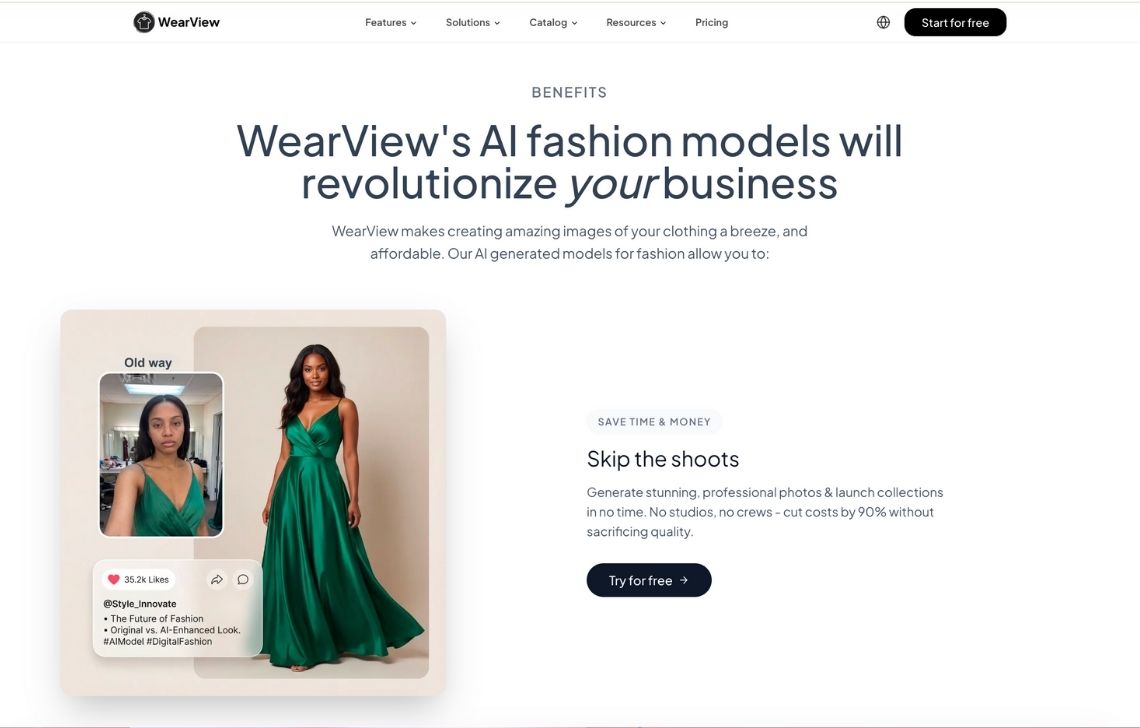
WearView is an AI fashion photography platform for generating on-model images from apparel inputs. It supports virtual try-on, product-to-model generation, AI model creation, consistent models, pose control, and fashion video generation.
It is mainly suited to smaller fashion businesses, ecommerce sellers, and teams that want practical model visuals without setting up a physical shoot. Higher tiers add more credits, better video resolution, more team members, priority support, and studio-grade output positioning.
Key features
- Garment-to-model generation from common fashion inputs
- Virtual try-on workflows: generate try-on style visuals that show how an item wears, not just a static model swap
- Model diversity controls: choose from a range of model looks to match your brand’s audience
- Campaign-style scene creation
- Motion content for fashion: generate short video outputs from apparel imagery for reels/ads
- Credit packs and team seats on higher plans
Good fit for
- Smaller apparel brands that need practical on-model visuals without organizing a shoot
- Boutiques and lean ecommerce teams creating basic catalog images
- Teams experimenting with model variety, pose control, and simple fashion videos
Pricing
- Free trial
- Paid subscriptions start from $29 per month
- Credit use varies by resolution: HD, 2K, 4K, and video outputs use different amounts
Pros
- Good mix of static photos and motion/video features
- Free credits make it easy to trial with real SKUs
- Designed specifically for fashion visuals, not a generic editor
Cons
- You’ll still want QA for prints/logos and tricky categories (sheer, glossy, complex knits)
- If you need strict catalog pipelines + API automation, you may prefer a more enterprise/ecommerce-suite workflow
6. Ayna, Shopify photoshoots
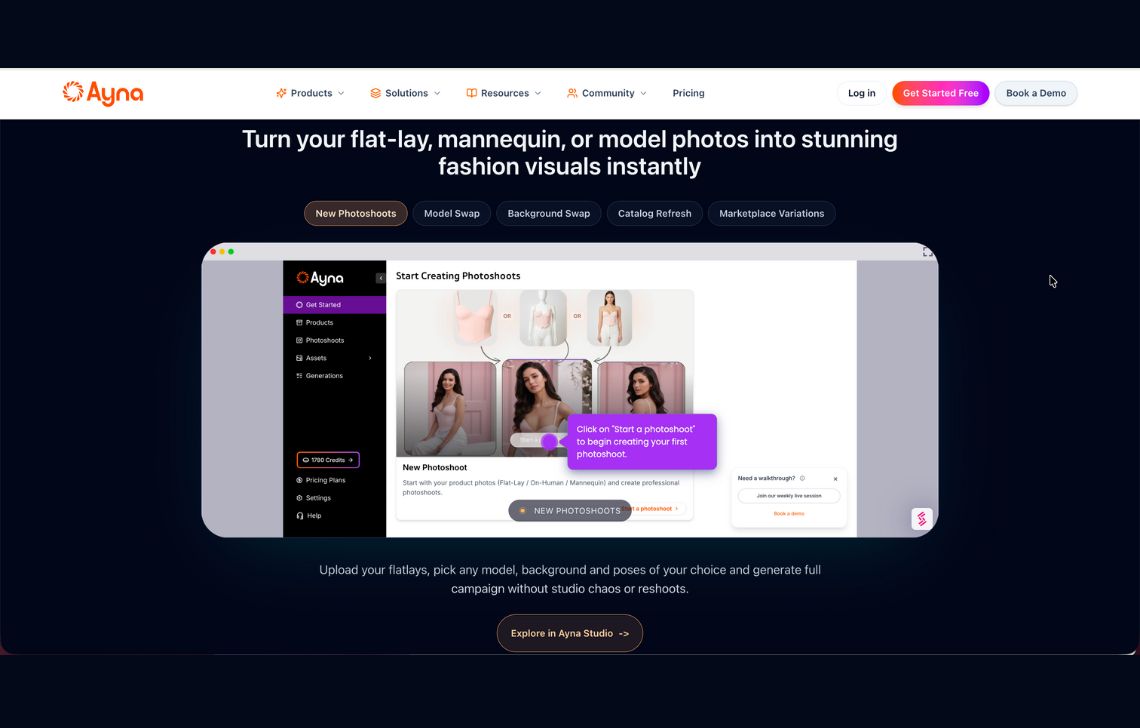
Ayna is a Shopify-friendly AI fashion photoshoot tool for creating on-model images, videos, marketplace crops, listing content, and store-ready assets. It combines image generation with ecommerce support features like product title/description/tag generation and store export.
Ayna is more assisted than many lightweight tools. Its Shopify pricing includes designer service, human edits, marketplace crops, onboarding, and account support depending on the pack. That makes it useful for teams that want practical content output without managing every detail manually.
Key features
- On-model photoshoots from garment images
- 1,000+ models and 500+ backgrounds
- 100+ templates, plus custom templates
- AI fashion videos from product photos
- Accessory styling with footwear, props, bags, glasses, jewelry, and more
- Listing enrichment for SEO/AEO titles, descriptions, and tags
- Marketplace crops
- Shopify export
- Human edit turnaround on paid packs
Good fit for
- Shopify brands that want model photos, videos, listing content, and store export in one workflow
- Teams producing marketplace crops and product listing copy alongside images
- Brands that want model, background, template, and accessory options without managing a complex stack
Pricing
- Free install with 120 free credits, equal to 12 images (Shopify app)
- Paid subscriptions start from $13 (Shopify app) and $11 (web platform) per month
- Custom pricing for 150+ images / month
Pros
- Strong Shopify workflow
- Combines visuals, listing enrichment, marketplace crops, and export
- Higher packs support bulk photoshoots and faster edit support
Cons
- Best suited to Shopify-oriented workflows
- Not as API/enterprise-focused as some platforms
7. FASHN, fashion studio and API workflows
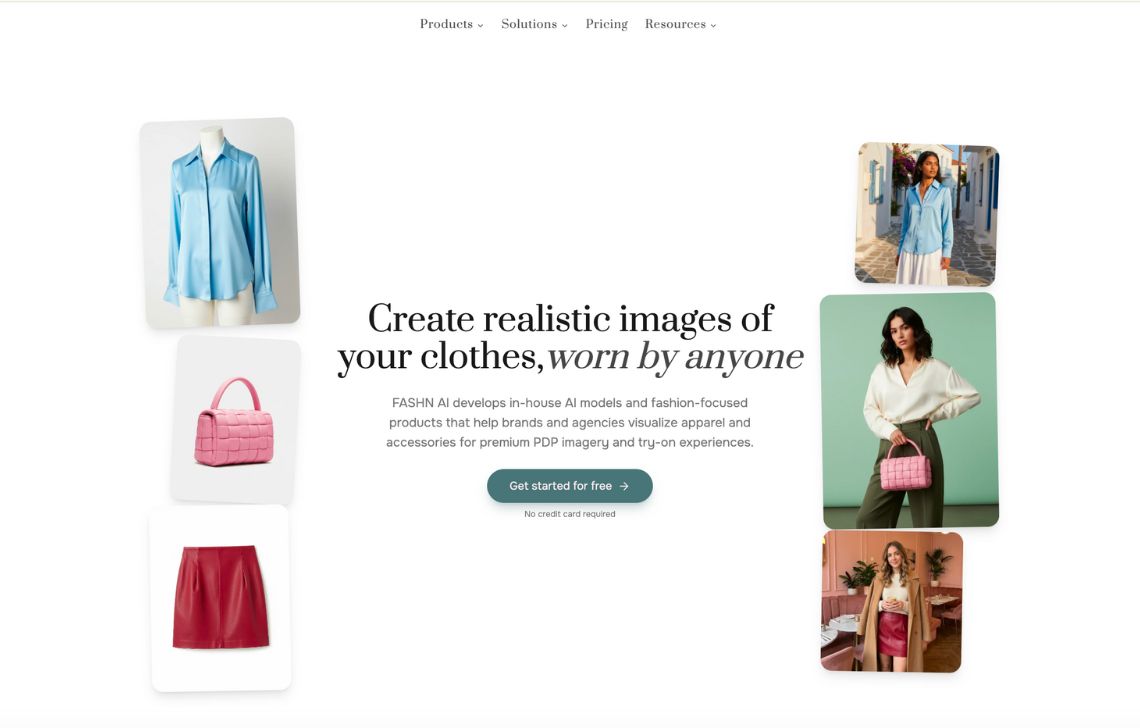
FASHN AI is a fashion AI platform for virtual try-on, product-to-model generation, model swaps, model creation, packshots, image editing, reframing, upscaling, and video. It offers both a web/iOS app and developer API.
The product is useful for teams that want AI fashion visuals to become part of a technical workflow. For example, a brand might use the app for creative testing while developers use the API for virtual try-on, automated product-to-model generation, or custom ecommerce experiences.
Key features
- Virtual try-on from model or flatlay reference with high garment accuracy
- Product-to-model, model swap, model creation, and “consistent models” so you can reuse the same face across shoots
- Short video generation for social and PDP motion
- App and API for teams that want to build custom flows
Good fit for
- Technical teams adding virtual try-on, model swap, or product-to-model generation into their own systems
- Fashion brands with developers who can use API-based image generation
- Companies building shopping experiences where AI visuals are part of the customer flow
Pricing
- 10 credits for free
- Paid subscriptions start from $19 per month
- API credits and API pricing are separate from app credits
Pros
- Very strong garment-accuracy story backed by their own open-source models
- Good tooling around consistent models and model libraries, which matters for brand identity
- Clear app + API split, useful for both creatives and developers
Cons
- If you only need quick, occasional images, the platform may feel more “tooling-heavy”
- No managed production service
8. Photoroom, popular ecommerce editor with fashion
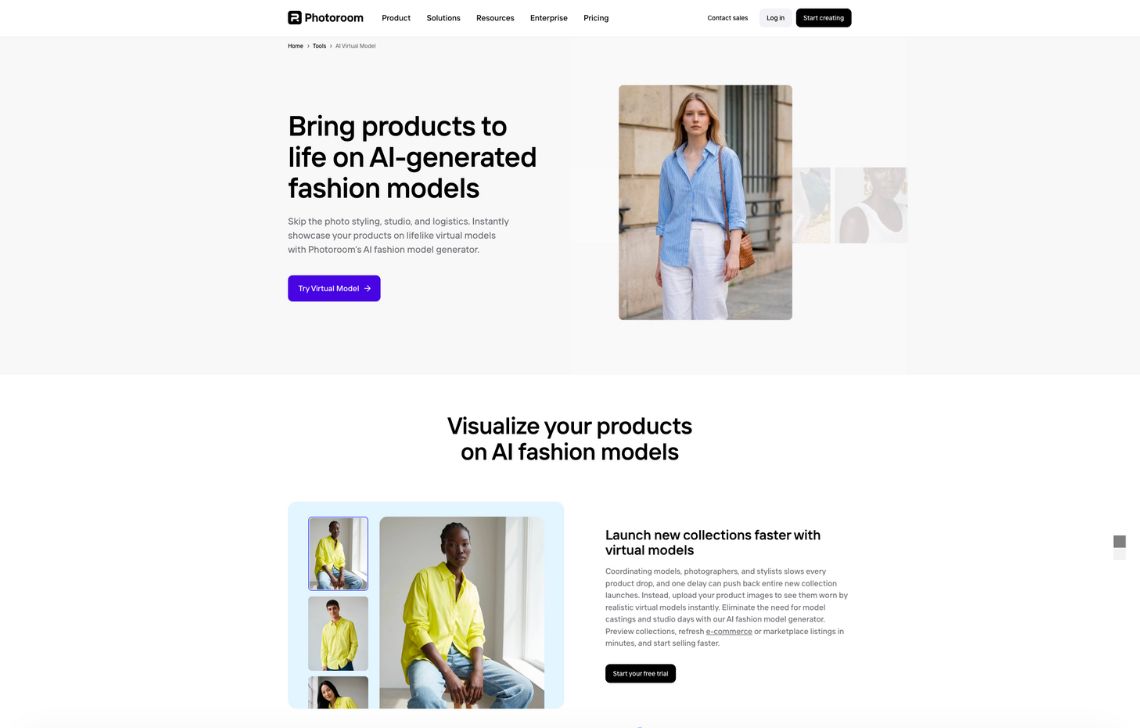
Photoroom is a broader ecommerce image editor with AI Fashion Models as one of its advanced features. It is not only an on-model AI tool: it also includes background removal, templates, retouching, AI backgrounds, AI fill, image expansion, batch exports, and API options.
For sellers already using Photoroom, AI Fashion Models can be useful because it fits into the same listing-photo workflow. You can clean up images, generate on-model visuals, create backgrounds, batch export, and prepare assets for marketplaces from one environment.
Key features
- Virtual model generator for apparel: place clothing on realistic AI models to create on-model visuals from a product photo
- Ghost mannequin / apparel cleanup workflow
- Strong background removal, AI backgrounds, and batch tools
- Ghost mannequin / apparel cleanup workflow
- Mobile apps and web interface, friendly for non-technical users
Good fit for
- Solo sellers and resellers who already use Photoroom for listing photos
- Users who want one app for backgrounds, cleaning, and virtual models
- Resellers and marketplace sellers who need speed more than deep fashion workflow control
Pricing
- Fashion model generation is not available for free
- Paid subscriptions start from $12.99 per month
Pros
- Very easy to learn; interface is optimized for fast listing workflows
- Background and virtual model tools in one place remove a lot of friction
- Free plan and trials let you test before committing
Cons
- Credit and batch limits can be frustrating for heavy volume users, and some users report annoyance when limits or terms change
- More generalist than fashion-specific; less control over SKU-level garment fidelity than tools built strictly for apparel
9. Pixelcut, fast on-model generation
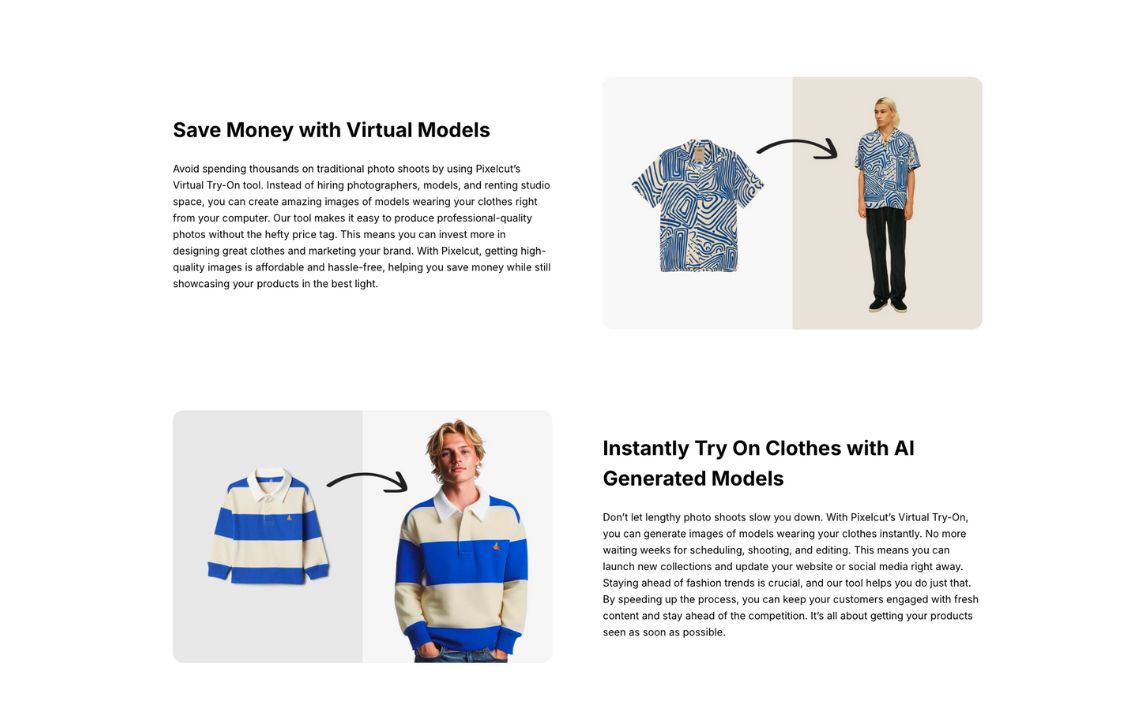
Pixelcut is a mobile-friendly AI photo editor with fashion-related tools for virtual try-on, clothing virtual models, lifestyle scenes, and supporting ecommerce edits. It is designed for quick creation rather than deep catalog operations.
The tool is useful for creators, boutiques, and small sellers who need fast content for social, marketplaces, and product listings. It also includes broader editing tools, so teams can generate a fashion visual and make basic adjustments in the same app.
Key features
- Clothing virtual model and lifestyle shot generators from garment photos or text prompts
- Ghost mannequin and flatlay clothing generators for consistent packshots
- General fashion model generator where you describe the model (ethnicity, pose, mood)
- Outfit / styling experimentation
- AI image editing features
Good fit for for
- Creators, boutiques, and small stores making fast content for social or marketplaces
- Teams that want simple on-model and lifestyle variations without a heavy setup process
- Mobile-first users who need quick visual iteration
Pricing
- Fashion model generation is not available for free
- Paid subscriptions start from $10 per month
Pros
- Very fast path from idea to result, with minimal learning curve
- Multiple fashion-specific generators
- High-res output even on free credits
Cons
- Less control over strict product fidelity compared to ecommerce-focused suites
- No deep catalog tools or API workflows for large brands
How to choose the right on-model AI tool
The right on-model AI tool depends on how close the output needs to be to publish-ready content.
Some teams only need a fast way to put one garment on a model for a product page. Others need consistent visuals across hundreds of SKUs, multiple model types, marketplace rules, regional versions, videos, and a review process that keeps product details accurate.
Before comparing features, define what “on-model” means for your workflow: the source images you’ll upload, the number of outputs each SKU needs, the model consistency you expect, who reviews the results, and where the final assets need to go.
1. Start with the garment inputs you already have
Flatlays, ghost mannequin photos, supplier shots, and existing model images all behave differently. Choose a tool that is strong with your real source material, not just with ideal demo inputs.
If your catalog is mostly flatlays, prioritize flatlay-to-model workflows. If you already have older model photos, look for model swap, face swap, pose expansion, or background replacement. If your inputs come from suppliers, test cleanup and standardization carefully.
2. Test product truth before visual style
On-model AI can make a garment look better, but it must not turn it into a different product.
Before scaling, test:
- Logos and text prints
- Collars, hems, cuffs, and seams
- Denim, lace, sheer fabrics, and knits
- Fitted silhouettes
- Oversized garments
- Multi-piece outfits
- Accessories and footwear
Review outputs at 100% zoom. If the tool changes the product, it may create return risk instead of solving a content problem.
3. Separate self-serve generation from production workflow
A self-serve generator is enough when your team can upload, generate, review, fix, and export internally.
A custom production service is better when you need repeatable outputs across full collections, human QA, export rules, and fewer manual steps. This is especially important for retailers, marketplaces, and brands producing many assets per SKU.
4. Check whether the tool can repeat a visual standard
The first good image matters less than the fiftieth consistent one. For catalog work, look for saved model choices, repeatable crops, batch processing, team review, API access, and high-resolution export.
If you need recurring drops, seasonal refreshes, or marketplace-standard visuals, consistency should be part of the test, not something you solve later.
5. Calculate cost per approved SKU
Do not compare only subscription prices. Count failed generations, retouching, videos, upscaling, resizing, review time, and any extra tools needed to finish the content.
The useful number is not cost per generation. It is cost per approved, publish-ready SKU set.
FAQ
What is an on-model AI tool?
It’s a tool that creates realistic on-model images of your clothes using AI instead of a physical model, studio, and photographer. You upload a garment photo (flatlay, ghost mannequin, or existing on-model shot), choose or describe a model, and the system renders on-model photography.
Are there free on-model AI tools?
Usually they’re free to start, not free forever. Most give you a limited number of credits or images (sometimes with watermarks or lower resolution), then require a subscription or pay-as-you-go credits.
How to put clothes on an AI model?
Upload a clean garment shot (flatlay or ghost mannequin works best), choose a model look, then generate a few variations. Always check garment fidelity at 100% zoom (logos, text, seams, and prints) and regenerate if anything shifts.
Can I upload my own models?
Yes. Some tools (like Claid) let you upload custom model photos so your on-model content stays consistent across campaigns.
What’s the difference between on-model AI photography and virtual try-on?
On-model photography is marketing content: you put clothes on an AI model for PDPs, ads, and lookbooks. Virtual try-on focuses on showing how an item would look on a specific person (often the shopper). Some tools do both.
Which on-model AI tools support API workflows?
Claid, Uwear, Modelia, FASHN AI, Photoroom, and Pixelcut have API or automation-oriented options. API availability, pricing, and supported features vary by platform, so check whether the API covers the specific workflow you need, such as flatlay-to-model, virtual try-on, resizing, or image editing.
Need AI fashion photography at scale?
Produce high volumes of on-model and product visuals without slowing down launches. Use our API to automate fashion image workflows or work with our team on a custom pipeline tailored to your operations.


Claid.ai
September 28, 2026