Multi-input AI Edit: combine products and transfer details in one go


You can now feed multiple images into AI Edit to guide a single result so edits are more controlled, more consistent, and way easier to repeat across a catalog. Add a pattern image, a logo file, a pose or location reference, or a detail from another SKU, and AI Edit will combine everything with your product or model photo in one output (with resolution of up to 4K).
Let’s see how multiple-input editing can help unify visuals and try out new ideas without production.
On-model photos with multiple references
Upload multiple references for generating fashion photos: one or several models, multiple garments and accessories, plus anything that defines the shoot: a pose, a location, a lighting style, or an overall vibe.
AI Edit will blend those inputs into one consistent result, so you can keep the product accurate while guiding the look and feel with real references. It’s an easy way to produce cohesive lookbooks, campaign assets, and ads.
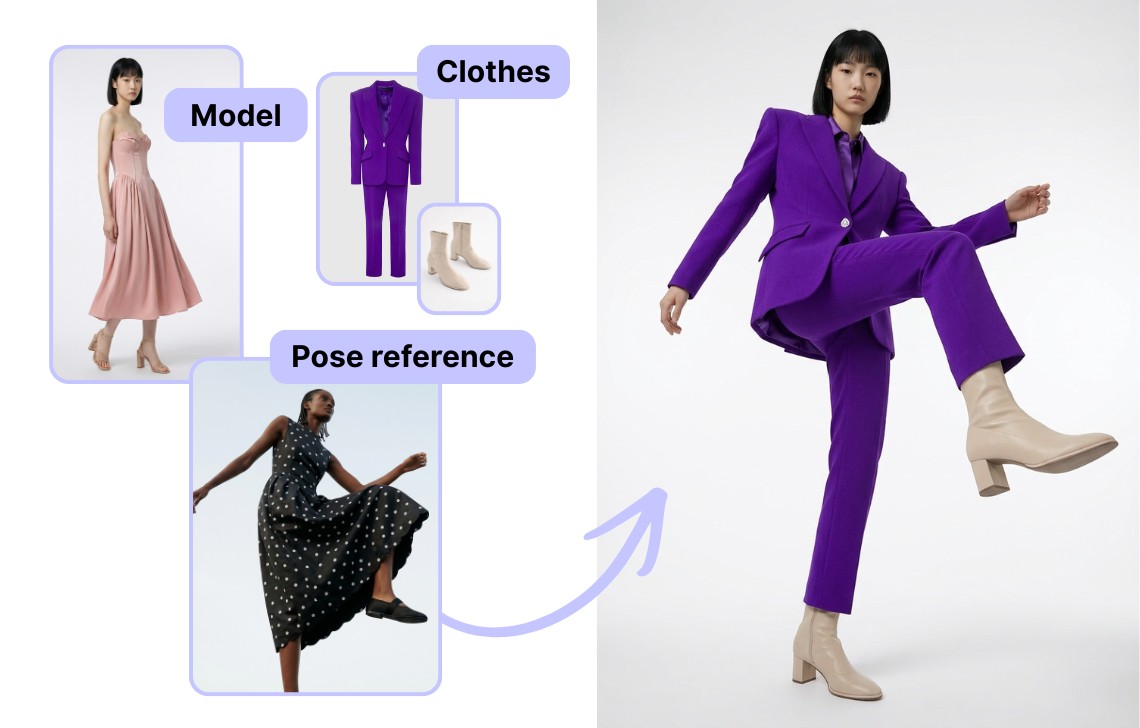
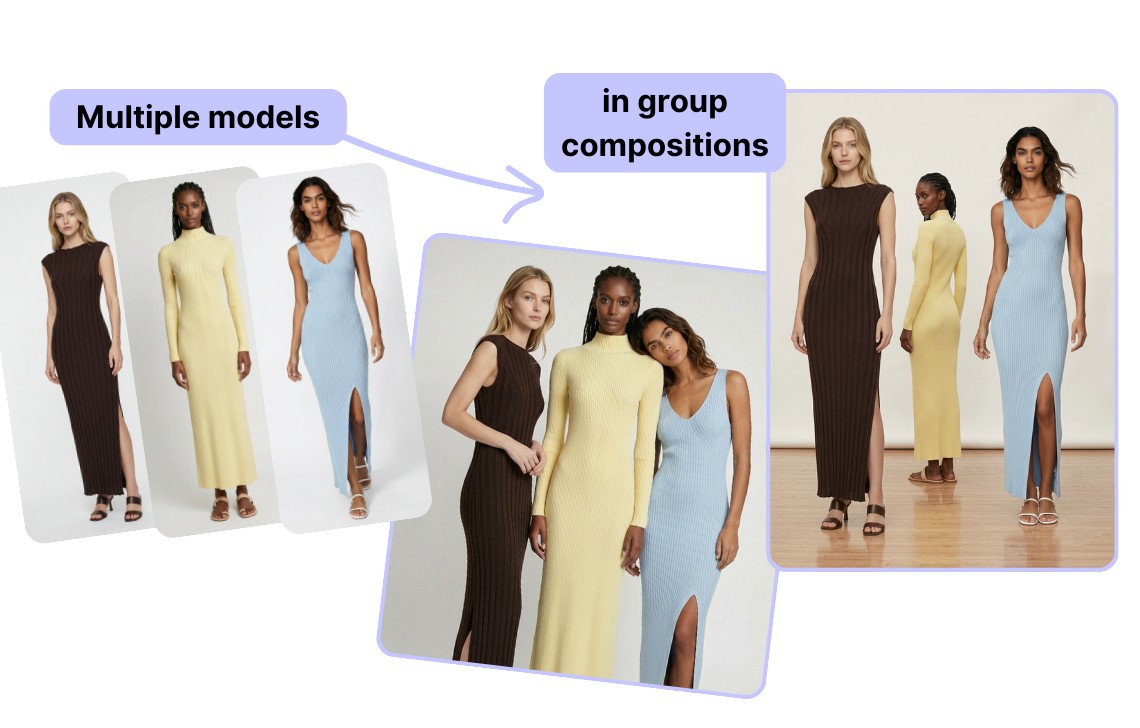
You can even upload multiple model images and combine them into a single, clean composition. It’s useful for showcasing a collection, a full look series, or “shop the drop” group visuals.
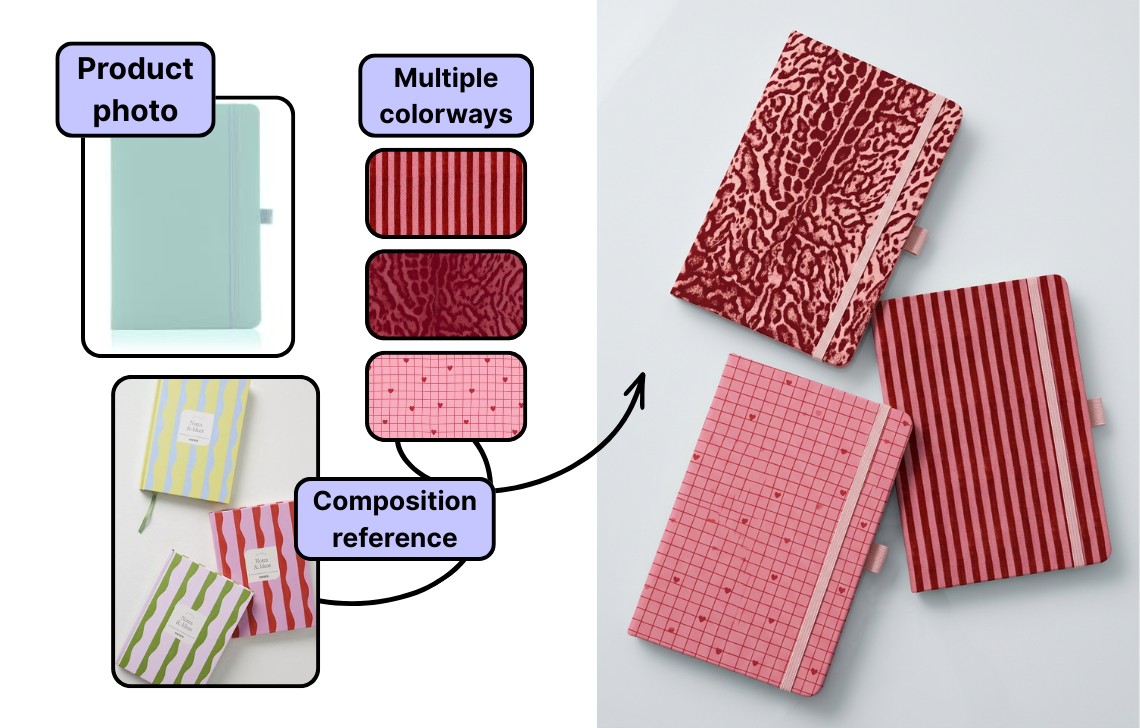
Full set of colorways from one product photo
If your product comes in multiple colors or patterns, photographing every single variant is a time sink. With multi-input AI Edit, you can start with one clean product shot and upload your additional colorways/patterns as references to generate the rest. The tool will keep the same angle, lighting, and framing or will reimage the composition based on your references.
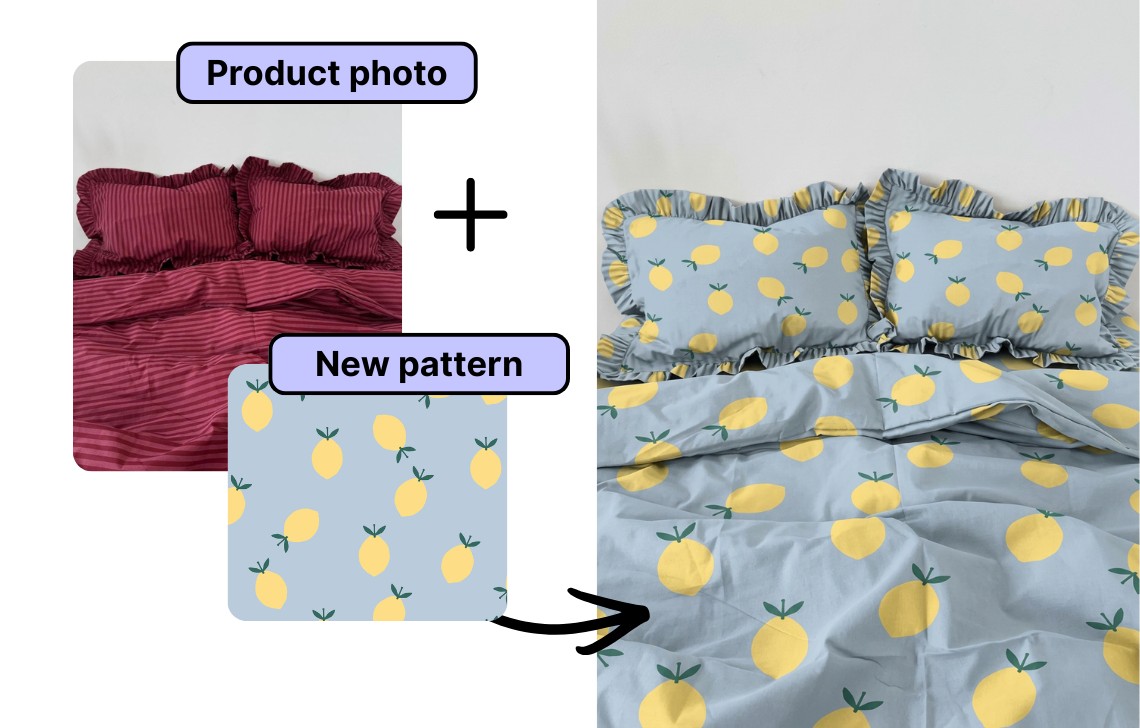
You can also test new designs by swapping patterns on your existing photos. AI Edit will transfer a fresh print onto the same item while preserving the original lighting, wrinkles, and material feel.
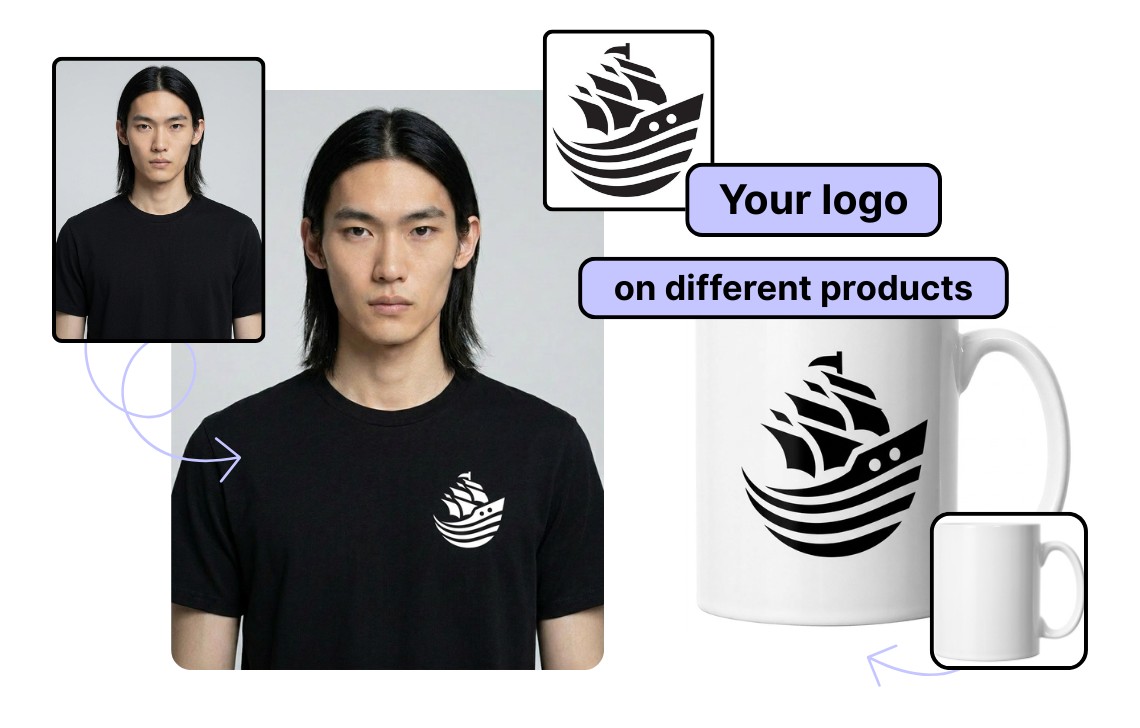
Your logo on any products
Need to place your logo on a product, a package, a tag, a label, or another element? Upload your logo, a product to place it on, plus any reference image(s), and AI Edit will apply it in a way that looks natural to the surface. It’s the fastest way to create on-brand visuals for new ideas, promos, merch, and packaging concepts.
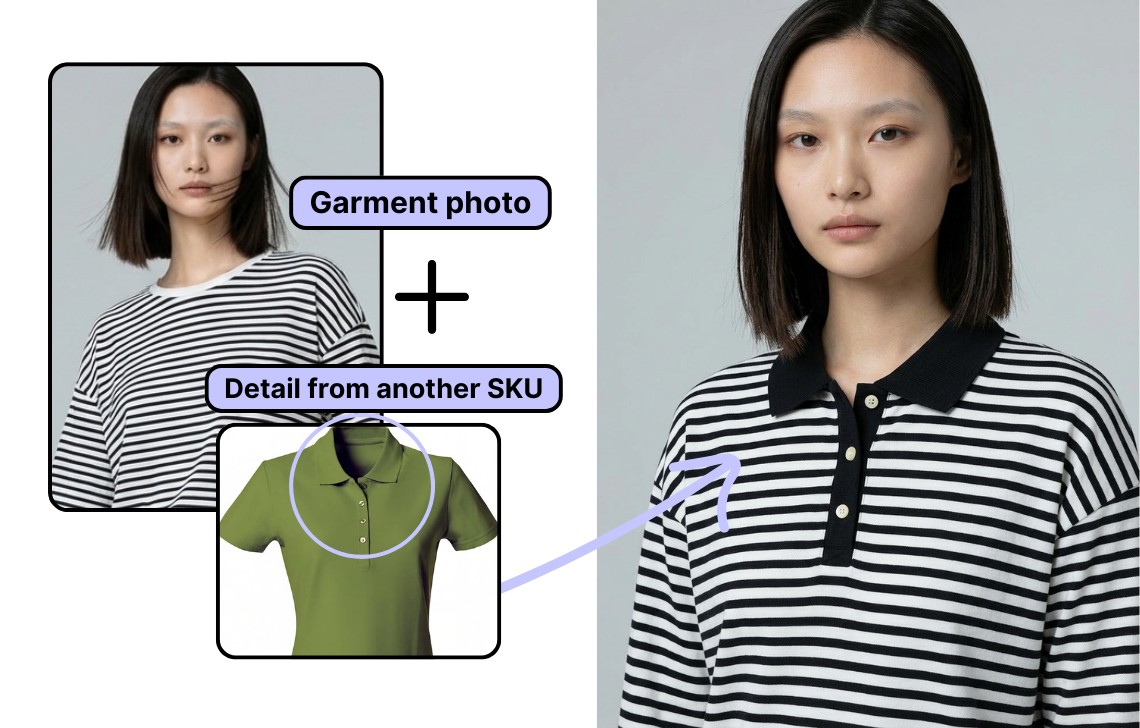
New product variant with features from another SKU
AI Edit can also help you experiment with product concepts and details. Upload a photo and a detail reference from another SKU (like a collar type on a shirt), and the tool will generate a realistic variant while keeping the rest of the product intact. Great for exploring neckline options, pocket styles, plackets, cuffs, trims, or other construction details.
Edit product photos faster and with more control
AI Edit helps you upgrade product photos with AI: from swapping colors to adding or replacing elements while keeping the product true to every detail. Now with multiple inputs, you can guide every edit with different references (poses, locations, styles, patterns, logos) and generate consistent results across your catalog in a fraction of the time.
Ready to try it? Open AI Edit, upload multiple inputs, and generate your next set of product visuals in minutes.
Need this at scale?
Process thousands of images via API, or let our team handle it for you.