Tech
AI fashion photoshoot generators: best tools for on-model images in 2026


AI fashion photoshoots generators help brands create complete visual sets from existing garment images. Some tools are made for fast self-serve content, while others support APIs, batch workflows, or custom fashion content production for teams that need finished assets across full collections.
In this guide, we’re going to review fashion-specific tools that can create high-quality on-model visuals, campaign variations, or short fashion videos. We’ll also look into their capabilities for large-scale operations and brand-specific workflow customizations.
Quick comparison: 7 best AI fashion photoshoot tools
Here’s a quick overview:
| Tool | Where it adds value | Pricing | Platforms |
|---|---|---|---|
| Claid | Turns product photos into ready-to-publish fashion content, with a path from self-serve tests to managed catalog production | 50 free credits; paid plans from $9/month; custom production by request | Web, API, custom service |
| FASHN AI | Helps technical teams add virtual try-on, model swaps, and product-to-model generation into their own workflows | From $19/month | Web, API, iOS |
| Rawshot AI | Speeds up creative testing by turning product and model references into campaign-style shoot directions | From $9/month with usage-based tokens | Web |
| WearView | Gives smaller apparel teams a simple way to create on-model visuals without organizing a shoot | From $29/month | Web |
| Botika | Helps brands create polished model photos and videos with extra retouch support before publishing | From $$46/month | Web |
| Style3D AI | Extends digital garment workflows into marketing visuals, so teams can create shoot sets before or alongside physical samples | Free trial; custom pricing | Web, broader Style3D ecosystem |
| Ayna | Helps Shopify teams create model photos, videos, listing content, and marketplace versions from one app | Shopify packs from $13; subscriptions from $11/month | Web, Shopify |
Need AI fashion photography at scale?
Produce high volumes of on-model and product visuals without slowing down launches. Use our API to automate fashion image workflows or work with our team on a custom pipeline tailored to your operations.
1. Claid, self-serve shoots with a custom production path
Claid is built for ecommerce teams that need to create on-model fashion photos, generate backgrounds, upscale images, resize assets, remove unwanted objects, create short videos, and prepare consistent visuals for product pages or campaigns.
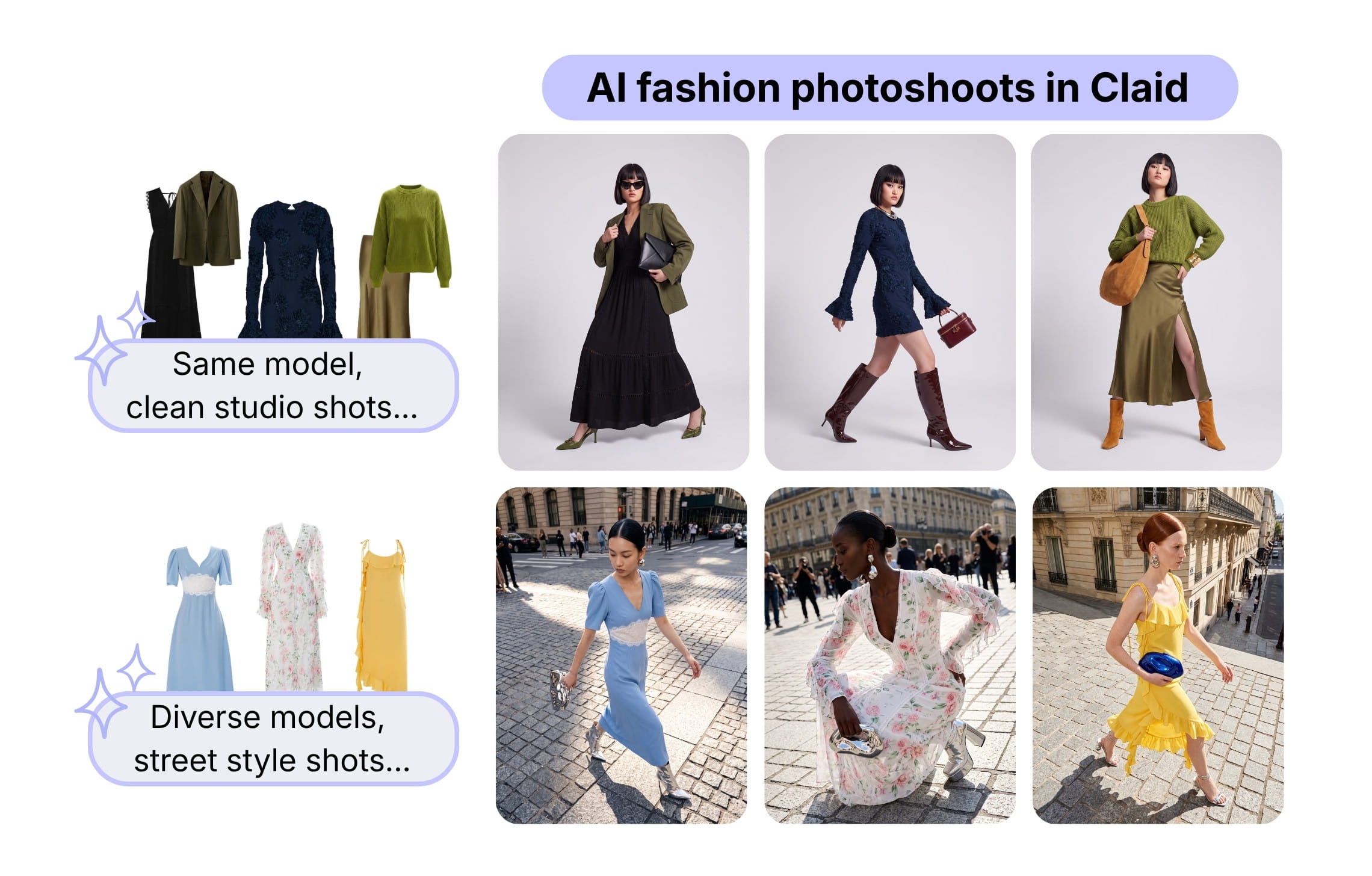
Claid can work from flatlays, ghost mannequin photos, existing model shots, and multiple item inputs. It offers an AI fashion photoshoot generator with a library of 100+ virtual models where you can create clean studio visuals or prompt-driven lifestyle scenes.
The larger story is production flexibility. A small team can start in the web app and generate images directly. A larger retailer or marketplace can use Claid’s fashion APIs or work with Claid’s team through custom AI fashion production, where the workflow is built around the brand’s garments, model direction, quality rules, and export needs.
A fashion marketplace Kasta used Claid for a high-volume fashion workflow combining flatlay-to-model generation, face replacement, and pose expansion. The results: 3x faster processing with 100% product preservation. A fitness clothing brand Auras Activewear used Claid to create on-model visuals from flatlays, saving up to $2,000 per collection.
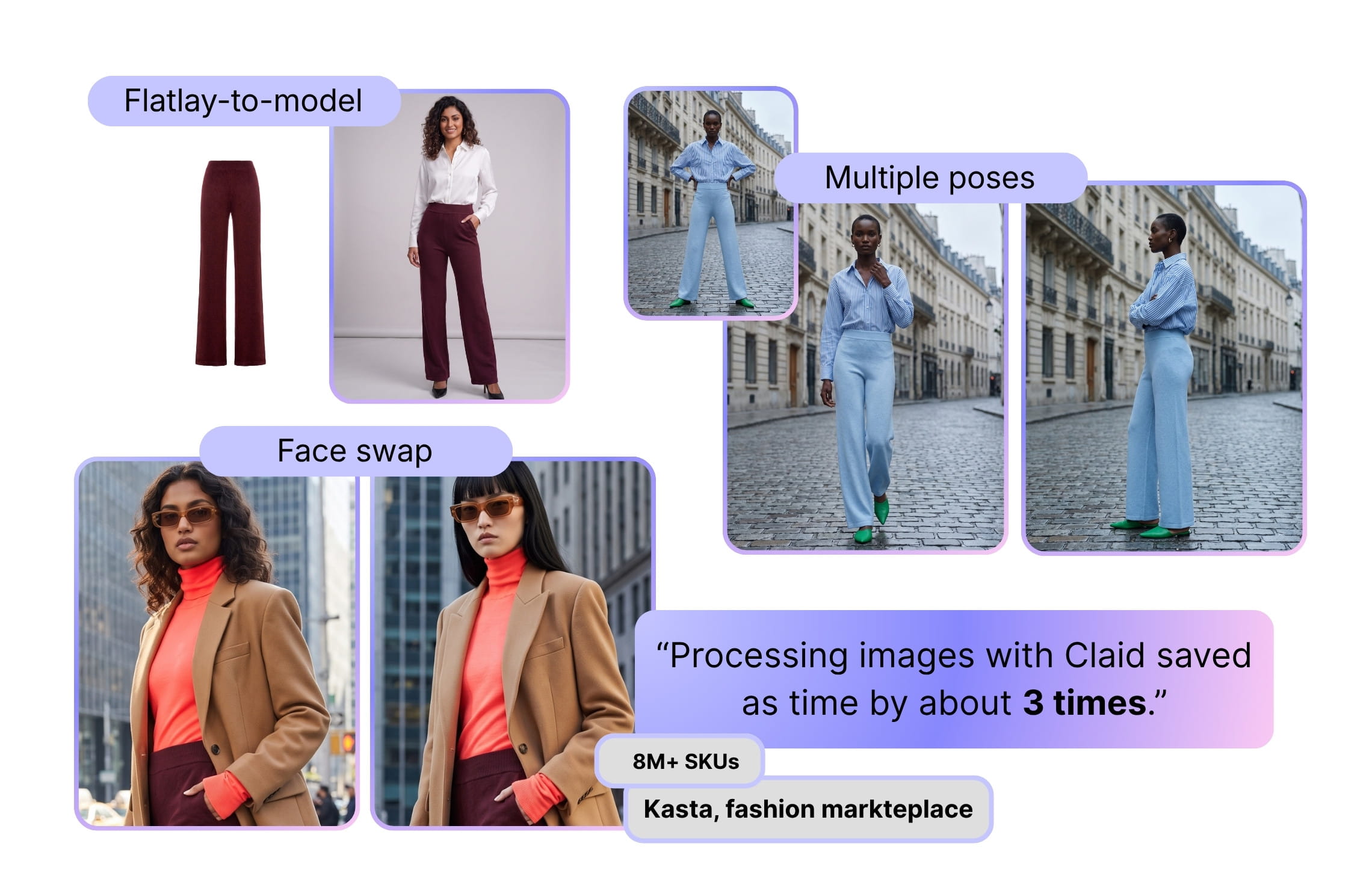
What it helps produce
- On-model PDP photos from flatlays, ghost mannequin shots, or model images
- Full outfit visuals with coordinated garments
- Lifestyle and campaign-style fashion photos
- Lookbook assets
- Short videos from approved fashion images
- Image variants for marketplaces, ads, social media, and regional campaigns
- Upscaled, resized, and enhanced final assets
Best for
- Ecommerce brands that want one hub for AI fashion photoshoots and a broader AI image editing toolkit
- Marketplaces or multi-brand retailers where consistency across thousands of SKUs matters
- Teams that want to mix creative experimentation with extremely controlled PDP imagery
Pricing
- 50 credits for free
- Paid plans starting at $9 / month
- Custom pricing for enterprise volumes and tailored production
2. Botika, AI model photos with quality support
Botika helps fashion brands turn garment photos into on-model images and short videos. It supports workflows for flatlays, mannequin photos, and existing on-model images, then lets teams create polished visuals with model and background control.
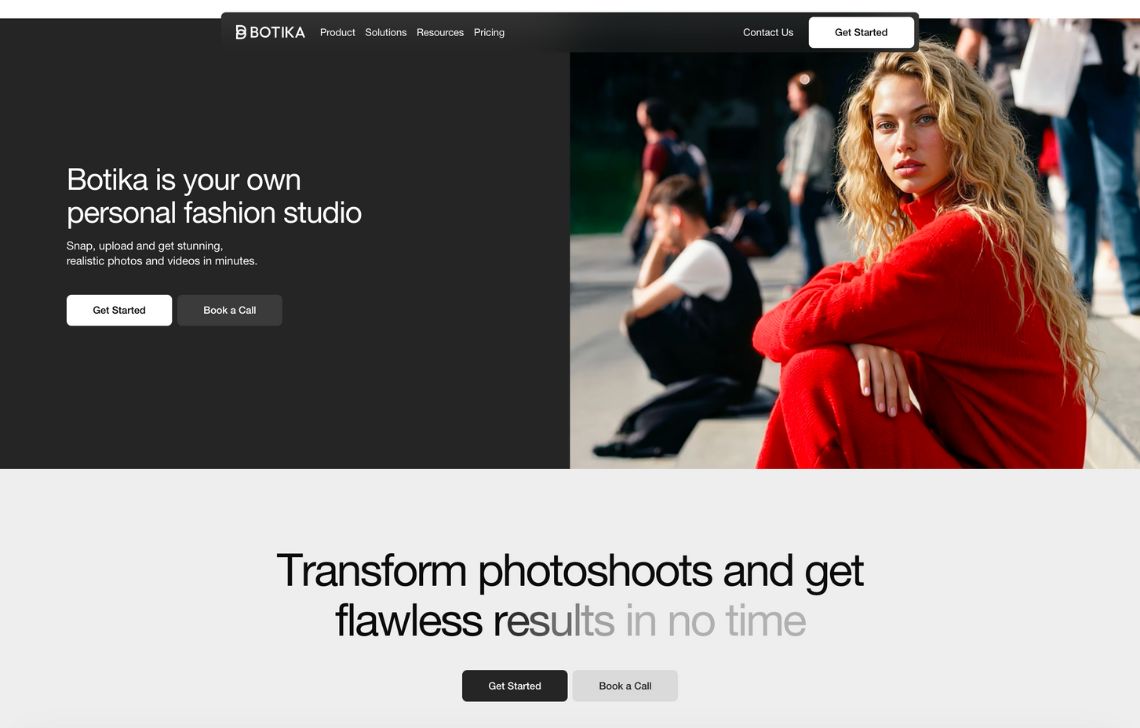
Botika stands out with its quality-support layer. Depending on the plan, teams can get retouch rounds, photo fixes, higher-resolution outputs, team collaboration, custom models, and enterprise quality control.
Besides, Botika can help ecommerce teams replace or extend parts of traditional shoot production, especially when the goal is model diversity, faster product launches, and consistent on-model content.
What it helps produce
- On-model fashion photos
- AI fashion videos
- Studio and lifestyle visuals
- Model and background variations
- Edited outputs with retouch support on selected plans
Best for
- Ecommerce teams replacing or extending traditional product shoots for PDPs, ads, email, and social channels
- Brands that need model diversity, background options, and more controlled visual presentation
- Teams that value retouch rounds, photo fixes, and higher-resolution outputs as part of the workflow
Pricing
- Paid plans starting from $55 / month, or $46 / month billed yearly
- Enterprise pricing available for exclusive AI models, exclusive backgrounds, quality control, and custom retouching briefs
3. FASHN, virtual try-on and developer-ready fashion workflows
FASHN AI is a fashion-focused platform for teams that want realistic garment-on-body generation, virtual try-on, and API access. It covers more than photoshoot-style imagery: users can run product-to-model generation, model swap, face-to-model avatar creation, packshots, edits, reframing, and image-to-video workflows.
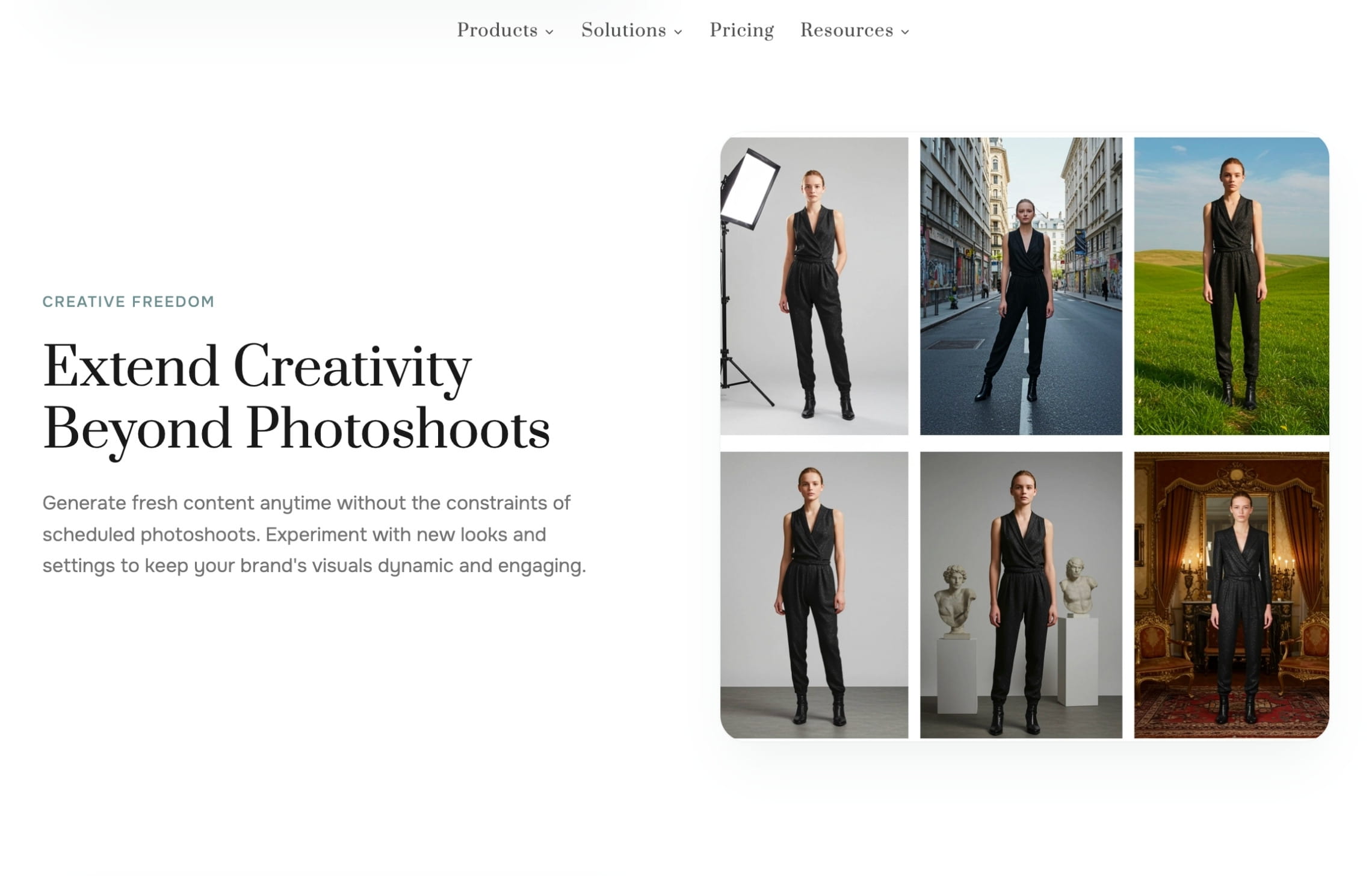
This makes FASHN AI useful when the output needs to connect to an app, product experience, or internal system. It is less about staging a campaign shoot from scratch and more about turning fashion inputs into repeatable digital try-on and model visuals.
On top of that, FASHN AI works well for teams with technical capacity. The web app can support creative and ecommerce use, while the API helps teams embed fashion generation into their own workflows. That matters for virtual fitting rooms, product experiences, marketplace tooling, and catalog processes where generation needs to happen repeatedly.
What it helps produce
- Product-to-model fashion images
- Virtual try-on results
- Model swaps for existing product images
- AI fashion models from prompts or references
- Packshots
- Short fashion videos
- Reframed and edited product visuals
Best for
- Technical teams that want to add virtual try-on, model swap, or product-to-model generation into their own systems
- Fashion brands with developers or product teams who can work with API-based image generation
- Companies building shopping experiences
Pricing
- 10 credits for free
- Paid plans starting at $19 / month
- Credit use varies by tool, resolution, and output type
4. Rawshot, guided fashion shoots for campaigns and ads
Rawshot AI is positioned as a fashion photo studio for brands that want guided creative output without writing complex prompts. Instead of starting from a blank text box, users work with product inputs, synthetic models, camera styles, backgrounds, and shoot concepts.
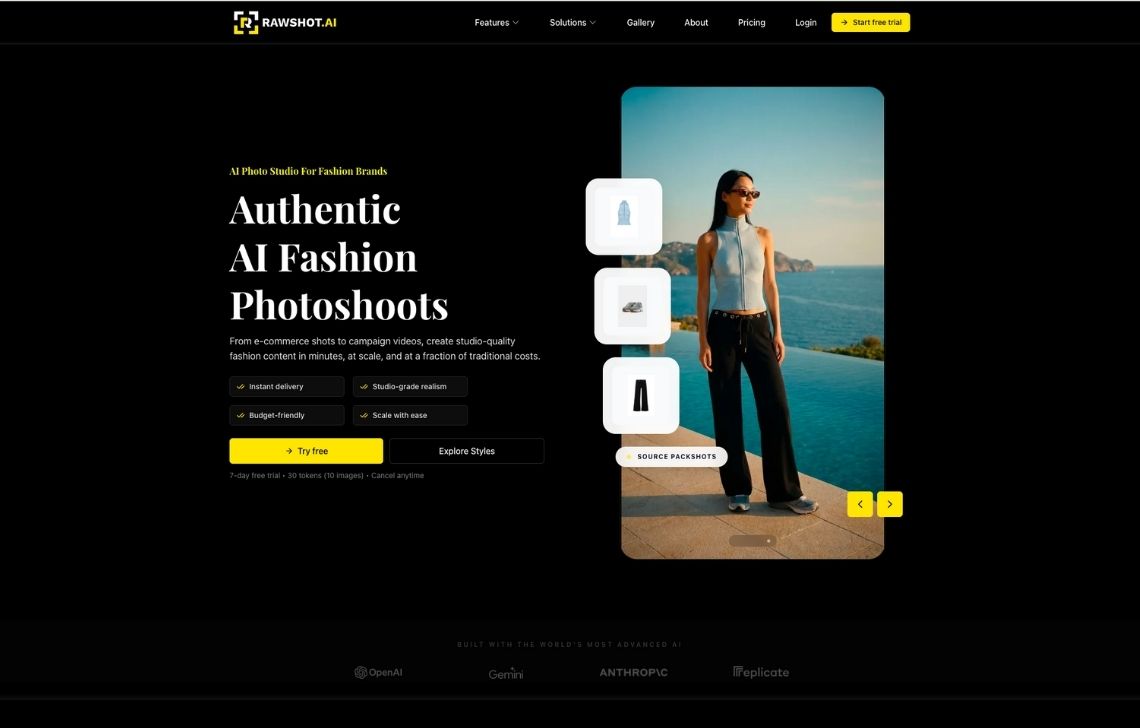
It’s especially relevant for campaign-style imagery, ads, and creative testing. The platform emphasizes commercial rights, synthetic model provenance, and a usage-based token model.
While Rawshot is useful when a brand wants to simulate a shoot without assembling a physical crew, it is less focused on deep catalog operations like API chaining, marketplace export logic, or managed production delivery.
What it helps produce
- AI fashion campaign images
- On-model photos from product packshots and model references
- Ad creatives
- Social visuals
- Fashion videos
- Multiple camera styles and background directions
Best for
- Fashion marketers who need quick campaign concepts, ad creatives, and social visuals from product and model references
- Brands testing several creative directions before committing to a full shoot, campaign, or paid ad concept
- Teams that want guided shoot generation
Pricing
- 10 images for free
- Paid plans starting from $9 / month (16 images only)
5. WearView, straightforward on-model visuals for smaller teams
WearView is an AI fashion visualization tool for creating on-model photos and short videos from clothing images. It is aimed at brands, boutiques, and creators that want a direct way to produce ecommerce-ready apparel visuals without building a larger production system.
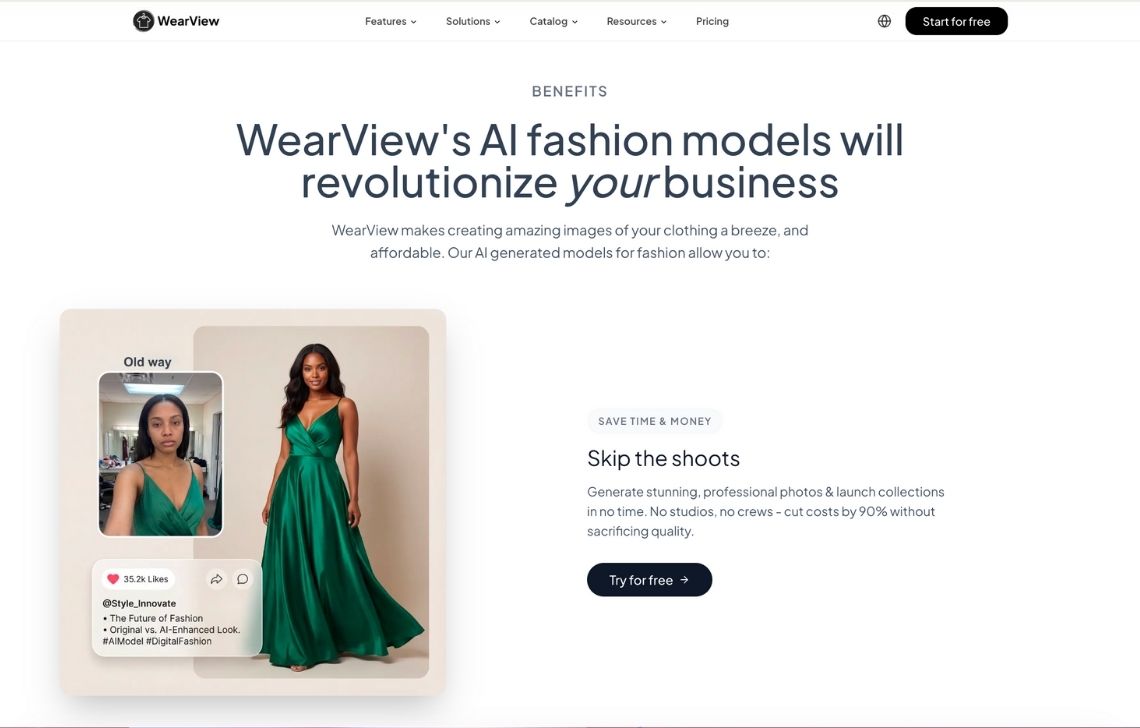
The product stays relatively focused: upload clothing images, choose model direction, and generate catalog-style outputs. That makes it easier for smaller teams that need practical visuals rather than a broad creative suite.
Currently, it doesn’t offer a managed service or enterprise workflow platform. Teams with large SKU volume should check batch limits, review options, output consistency, and total credit cost before scaling.
What it helps produce
- On-model product photos
- Virtual try-on style visuals
- Model swaps
- Model-based fashion videos
- Catalog-ready apparel images
Best for
- Smaller apparel brands that want a simple way to create on-model product images
- Boutiques and lean ecommerce teams that need straightforward catalog visuals
- Teams creating basic model photos, virtual try-on-style visuals, model swaps, or short apparel videos
Pricing
- 10 credits for free
- Paid plans starting from $29 / month
6. Style3D AI, photoshoots connected to digital fashion workflows
Style3D AI brings a different angle to the list because it sits closer to digital garment creation and 3D fashion workflows than a typical ecommerce photo app. Its AI model photoshoot generator turns one model-worn fashion image into a set of related visuals with different poses, angles, scenes, crops, and platform formats.
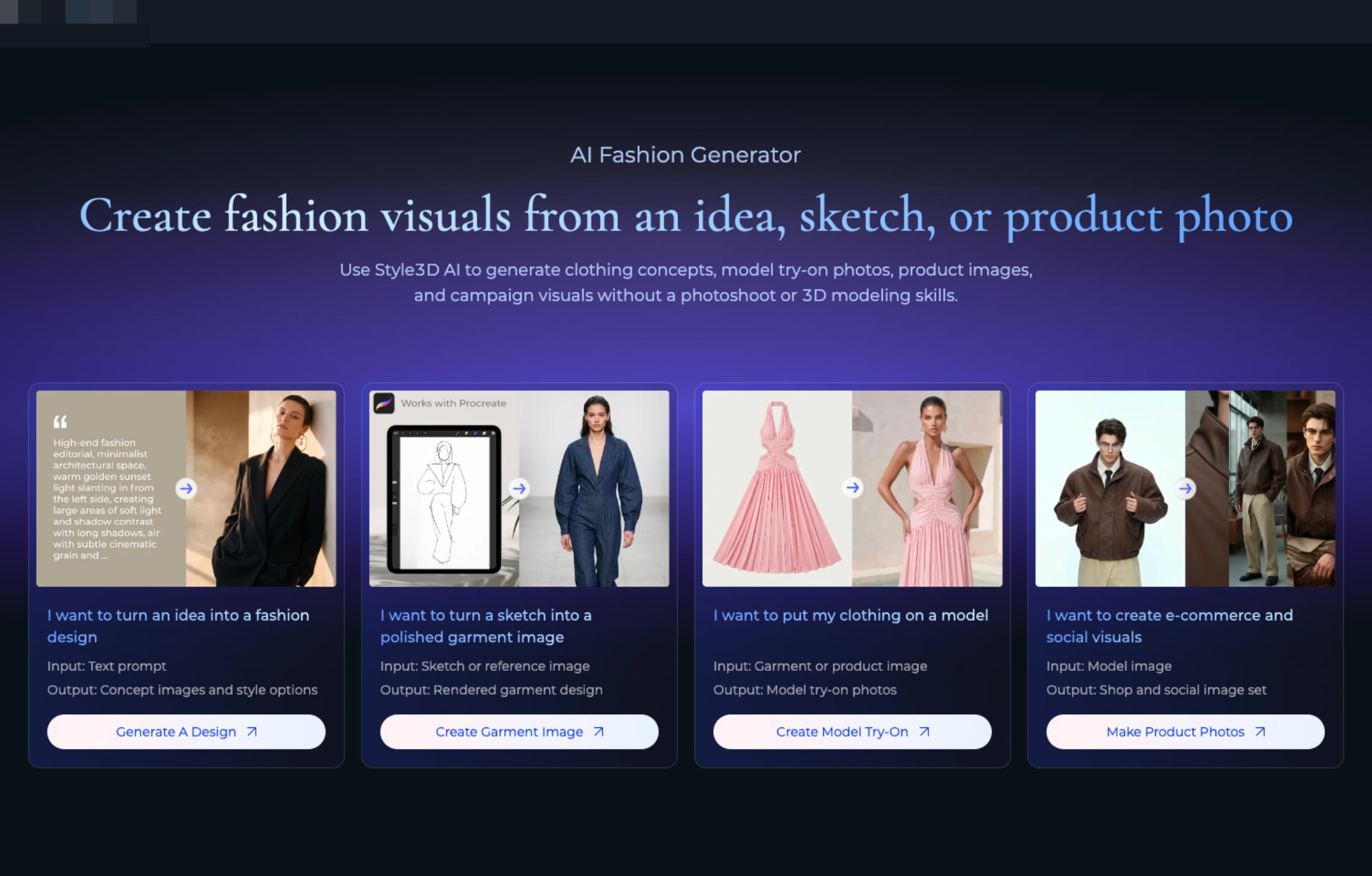
Users can choose set types such as Garment Set, Multi-Pose, and Multi-Views. The tool can generate front, side, back, full-body, half-body, and detail-oriented views. It also supports prompt direction for angle, pose, lighting, background, crop, styling, and target platforms such as Amazon, Shopify, TikTok, or Instagram.
Style3D AI is especially interesting for teams already moving toward digital garment workflows. The broader Style3D ecosystem includes 3D garment simulation, digital sampling, fabric tools, virtual try-on, image/video creation, and cloud collaboration.
What it helps produce
- Multi-pose photoshoot sets from one model image
- Multi-view fashion product images
- Ecommerce-ready photos for Shopify, Amazon, TikTok, Instagram, and other channels
- Lookbook and campaign variations
- Visuals connected to broader AI and 3D fashion workflows
Best for
- Fashion teams already using or exploring 3D garments
- Brands that want to turn one model-worn image into multi-pose, multi-view, and platform-specific shoot sets
- Design, merchandising, and marketing teams that want a closer link between digital garment development and content creation
Pricing
- Free trial
- Paid plans starting from $99 / month
- Custom enterprise plans
7. Ayna, Shopify photoshoots with templates, videos, and listing support
Ayna is built for ecommerce teams that want on-model photoshoots, videos, product listing content, and store export from a Shopify-friendly workflow. It can create fashion photos from flatlays, mannequin shots, and on-model inputs, then pair those outputs with models, backgrounds, templates, accessories, and listing enrichment.
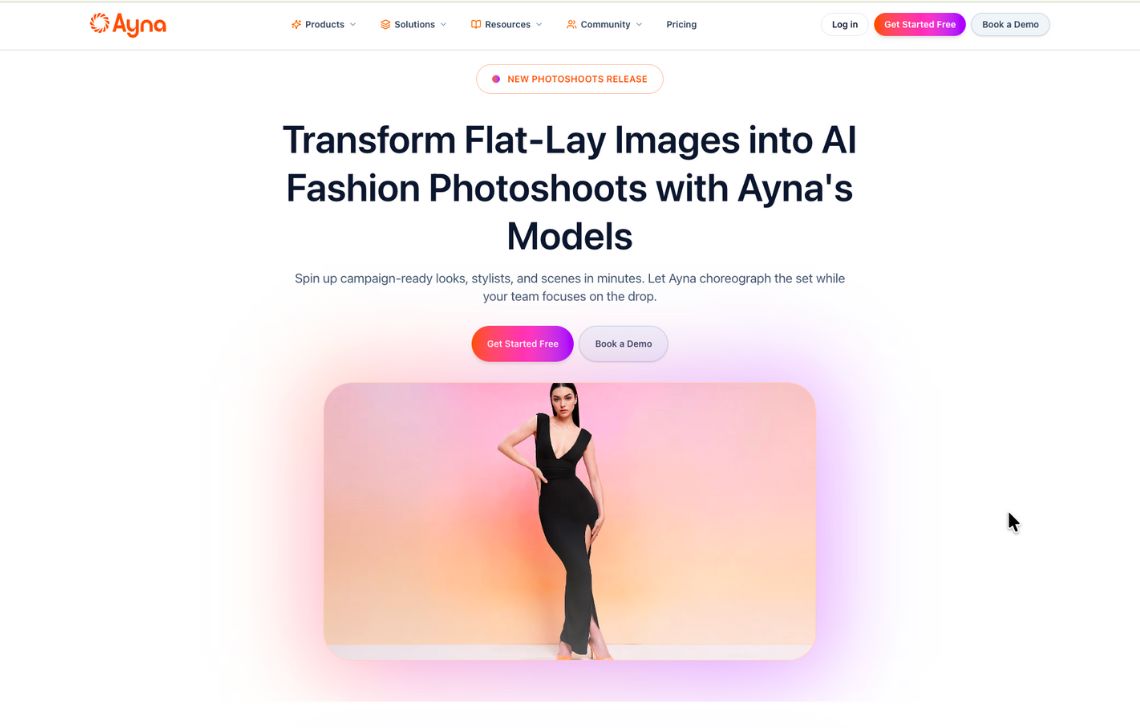
Ayna is more assisted than many lightweight apps. The Shopify listing mentions designer service, human edits, marketplace crops, onboarding, and dedicated support on higher packs.
Ayna works well when the team wants ecommerce content quickly but still needs some help with presentation. Its higher Shopify packs include faster edits, more seats, bulk photoshoots, and account support, which makes it relevant for growing stores that are not ready for a full custom production service.
What it helps produce
- On-model photoshoots
- AI fashion videos
- Marketplace crops
- Product listing titles, descriptions, and tags
- Accessory-styled visuals
- Store-ready Shopify assets
Best for
- Shopify brands that want on-model photos, videos, listing content, and store export in one workflow
- Ecommerce teams that need marketplace crops, product descriptions, tags, and visuals prepared together
- Brands that want model, background, template, and accessory options without managing a complex production stack
Pricing
- Free install with 120 free credits, equal to 12 images
- Image packs starting from $13 for 20 images (Shopify app)
- Paid plans starting at $11 / month (web app)
- Custom enterprise pricing
How to choose an AI fashion photoshoot generator
The right AI fashion photoshoot generator depends on the production problem you’re trying to solve.
Some teams need a faster way to create clean on-model PDP images from flatlays. Others need campaign concepts, social videos, marketplace crops, or a repeatable workflow for every new collection. A tool that works well for a one-off shoot test may not be the right fit for weekly drops, high SKU counts, or strict brand guidelines.
Here are some basic steps to do to find the best fit:
1. Define the shoot set before testing tools
Start with the final package your team needs per product.
For example:
- 1 hero PDP image
- 2 full-body model shots
- 1 back or side view
- 1 detail crop
- 1 lifestyle image
- 1 vertical social image
- 1 short video
A tool may look strong in a single demo, but fail when you need this kind of complete set for every SKU. Test against the actual deliverables your team ships.
2. Separate “generate” from “produce”
Generation is the moment the AI creates an image. Production is everything around it: source prep, model direction, QA, retouching, naming, export sizes, channel rules, and final delivery.
A self-serve generator is enough when your team can manage those steps internally. A custom production service is more useful when you need a repeatable process and don’t want every collection to become a manual review project.
3. Match the tool to your source material
Different tools expect different starting points.
- Flatlays and ghost mannequins need strong garment interpretation.
- Existing model photos need model swap, pose expansion, or face swap.
- 3D garments need rendering and digital sample workflows.
- Supplier photos need cleanup, standardization, and stronger QA.
- Campaign references need tools that can follow mood, lighting, and styling direction.
Pick a tool that fits the image library you already have, not an ideal source library you wish you had.
4. Run a collection-style test, not a single-image test
A real test should include multiple garments, colors, fabrics, sizes, and categories. Include easy and difficult pieces: denim, prints, logos, lace, ribbed fabric, jackets, fitted garments, and accessories.
Review the results as a grid. Fashion buyers and shoppers see products side by side, so inconsistencies become obvious fast.
Check:
- Does the garment stay accurate?
- Do poses and crops feel like one collection?
- Are hands, hems, collars, zippers, and logos clean?
- Does lighting stay consistent enough for PDPs?
- Can the output pass review without heavy editing?
5. Plan for the work after the image is generated
Photoshoot output still has to move somewhere. Before committing, ask:
- Can we export in PDP, marketplace, ad, and social formats?
- Can we create videos from approved images?
- Can we repeat the same setup next season?
This is where a custom production option can save time. The tool creates the images, but the production workflow gets them ready to publish.
6. Evaluate cost per approved shoot set
Credit pricing can hide the real cost. Instead of comparing monthly plans, calculate what it costs to create one approved product set.
Include failed generations, retries, human edits, retouching, exports, and so on. The most important metric is not price per generation. It is cost per approved, channel-ready asset set.
FAQ
What is an AI fashion photoshoot generator?
It’s a tool that creates on-model images from basic inputs like flatlays, mannequins, packshots, or text prompts. Instead of booking models, photographers, and studios, you run a virtual photoshoot: the AI generates models, clothing placement, lighting, and backgrounds.
Can AI fashion photoshoots replace traditional shoots?
They can replace some production needs, especially PDP images, long-tail SKUs, marketplace listings, social variations, and recurring catalog updates. Traditional shoots still make sense for flagship campaigns, celebrity talent, complex styling, and brand-defining creative.
Are AI fashion photoshoots good enough for real ecommerce?
In short: yes, if used carefully. Case studies show brands cutting costs by 80–95% and production time from weeks to days while still using images on official product pages. The key is to keep prompts and model choices on-brand, and run a basic QA check for hands, logos, and garment details.
Which tools support videos?
Claid, FASHN AI, Rawshot, WearView, Botika, and Ayna all support video in some form. Style3D’s broader AI and 3D ecosystem also includes image and video creation tools, though its AI model photoshoot page focuses on multi-image shoot sets.
Do fashion photoshoot generators support large catalogs?
Some do. For large catalogs, look for batch processing, API access, saved visual rules, review workflows, high-resolution exports, and dedicated support. If your team does not want to manage those steps internally, consider a custom production workflow.
When do I need a fashion photoshoot API?
When image creation is a production line: hundreds of SKUs, multiple marketplaces, or repeatable transformations every week. API matters for automation, not creativity.
When should I use a custom AI fashion production service?
Use a custom service when your team needs finished assets across many SKUs, strict creative direction, QA, multiple outputs per product, videos, or channel-specific exports. Claid’s AI fashion production is built for teams that want the workflow handled with them, not just software access.
Need AI fashion photography at scale?
Produce high volumes of on-model and product visuals without slowing down launches. Use our API to automate fashion image workflows or work with our team on a custom pipeline tailored to your operations.


Claid.ai
September 14, 2026