Tech
Prime upscaler: sharper details, real textures, nothing lost


Prime enhances clarity and resolution while preserving the textures that make product and fashion photos look real: fabric grain, skin detail, labels, fine print. It's available now in Claid.
What makes Prime different
Your photos come out sharper and higher resolution. A low-res supplier image becomes marketplace-ready.
A 1MP fashion photo from AI Fashion Models becomes a crisp 4K+ with one click.
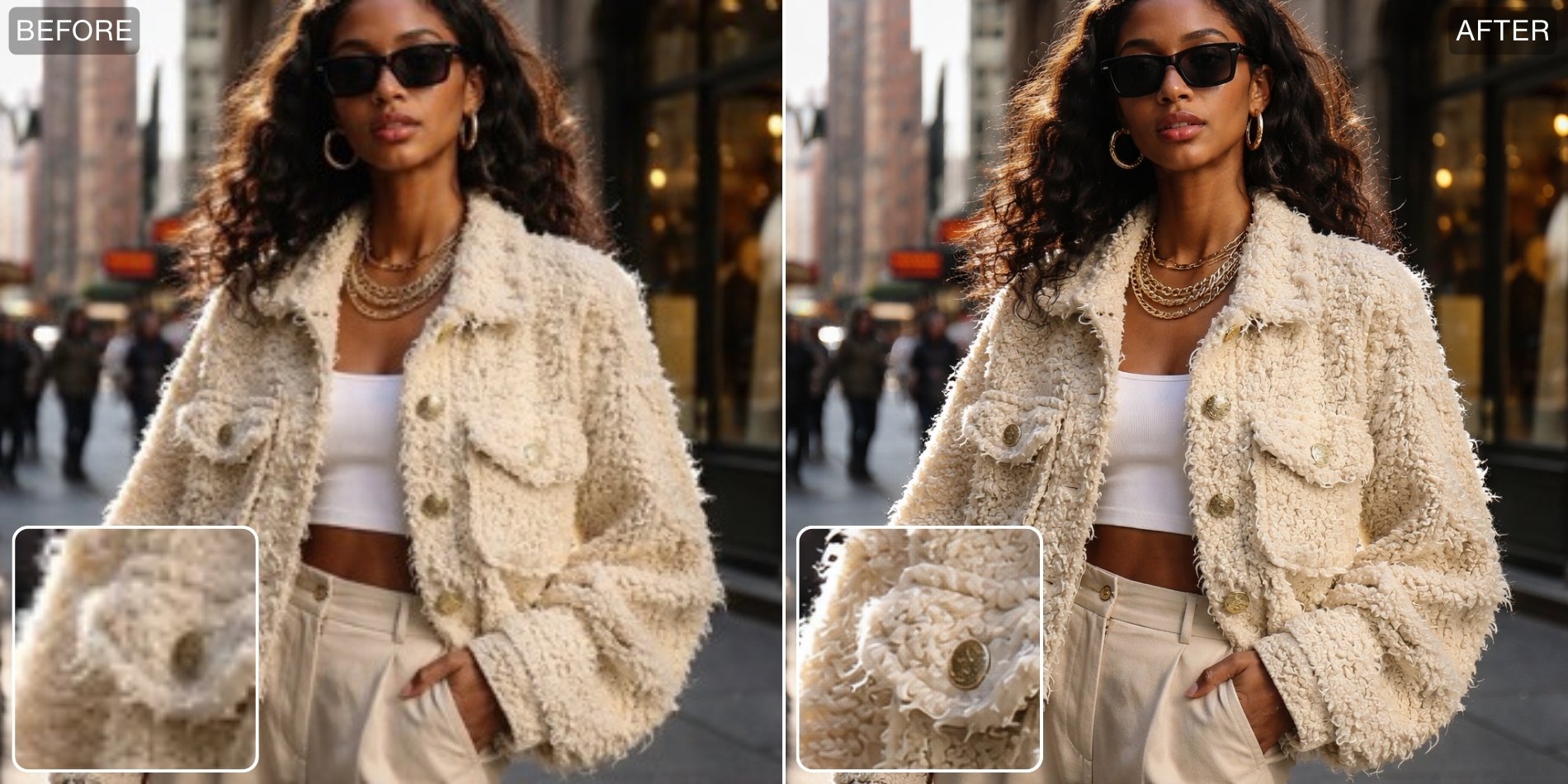
The product in the photo stays the product. Labels stay legible. Stitching stays visible. Logos don't blur or warp.
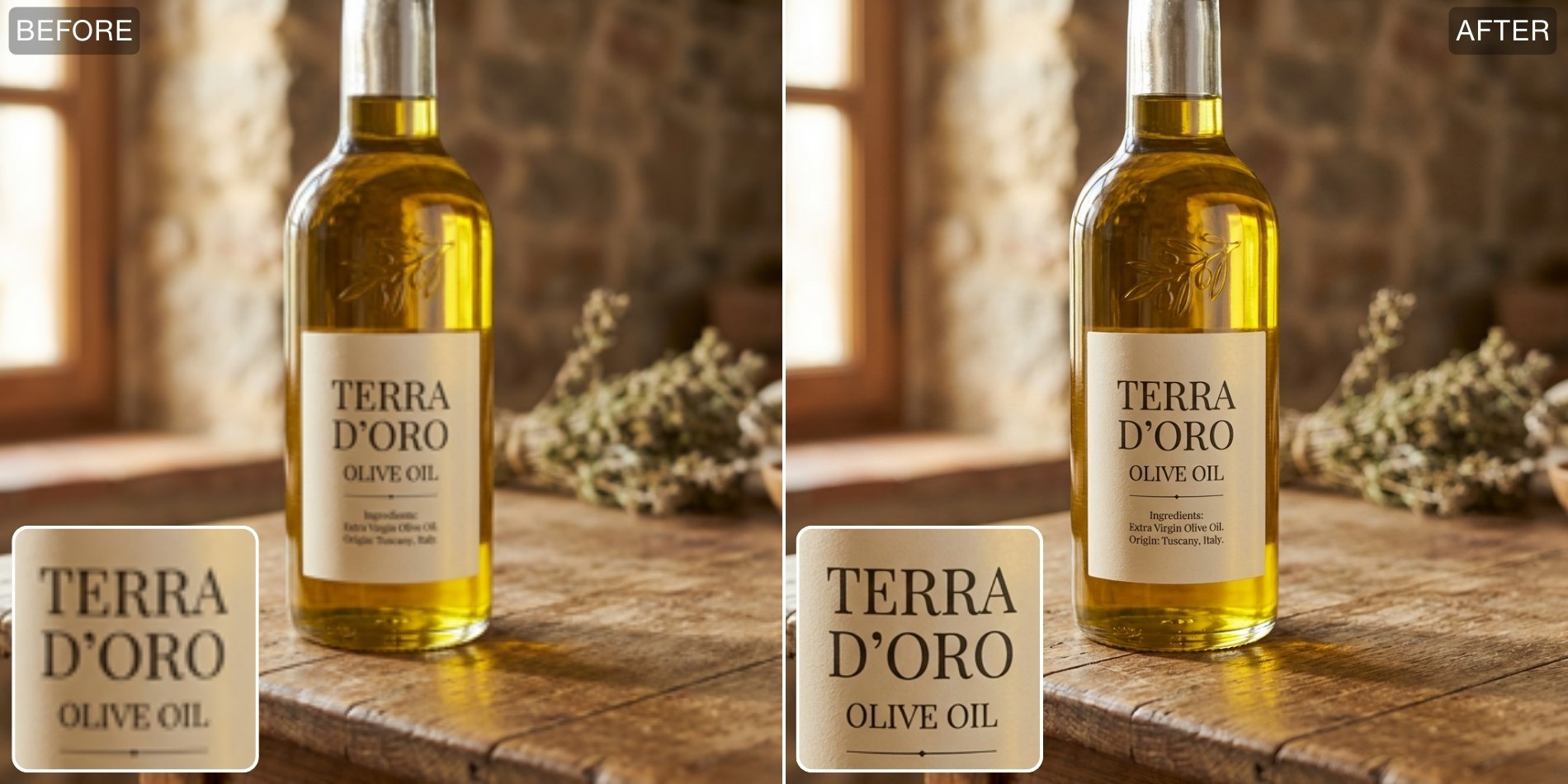
And the textures stay real. Fabric looks like fabric, skin has natural grain, not the smooth plastic look that most enhancement tools produce. Prime is built for texture preservation, so the output passes as a photograph.
How to use it
In the Improve quality tab:
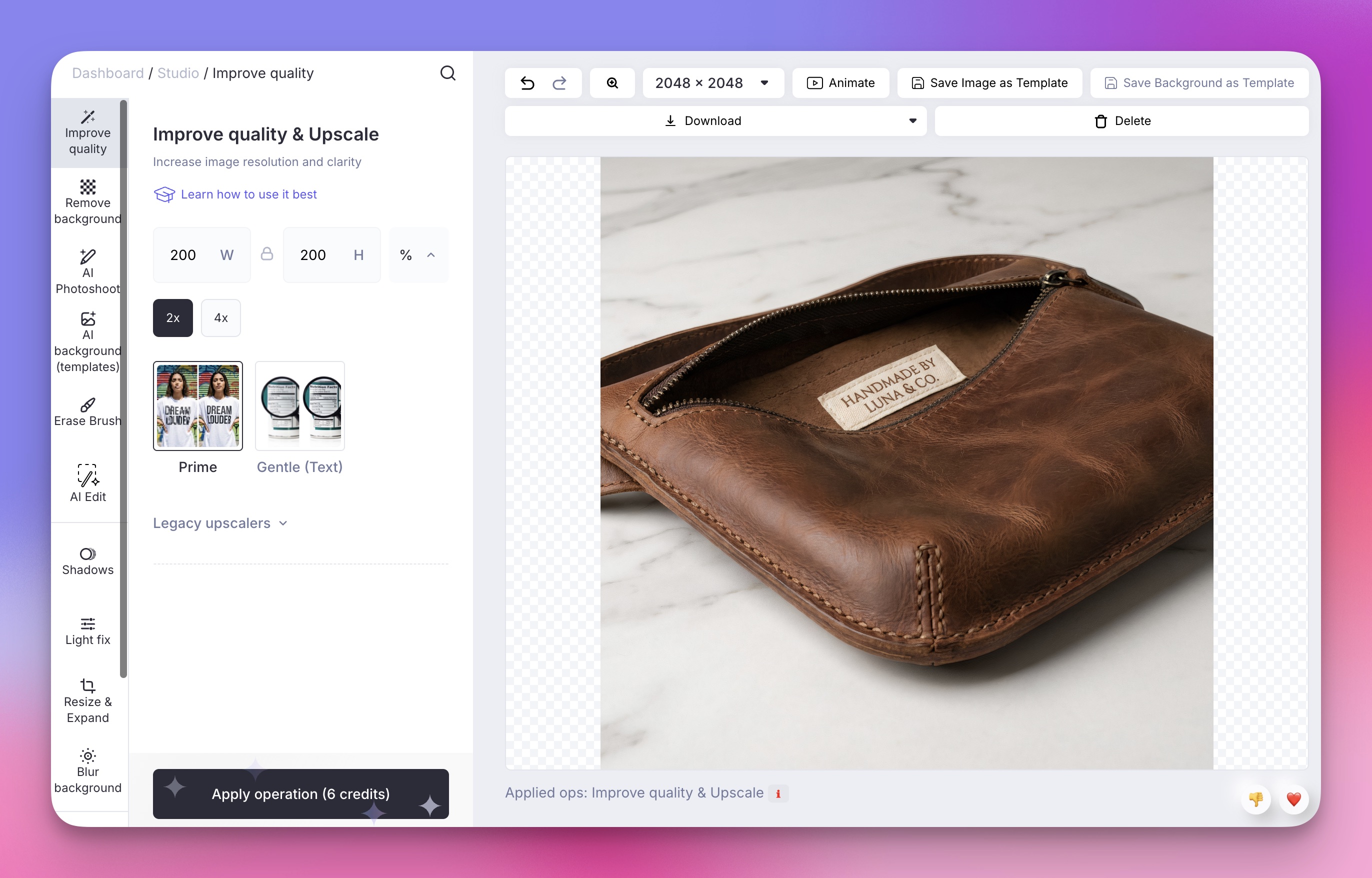
- Upload any product or fashion photo.
- Prime is already selected as the default.
- Pick your output size (2x, 4x, or custom dimensions)
- Process, and download. That's it.
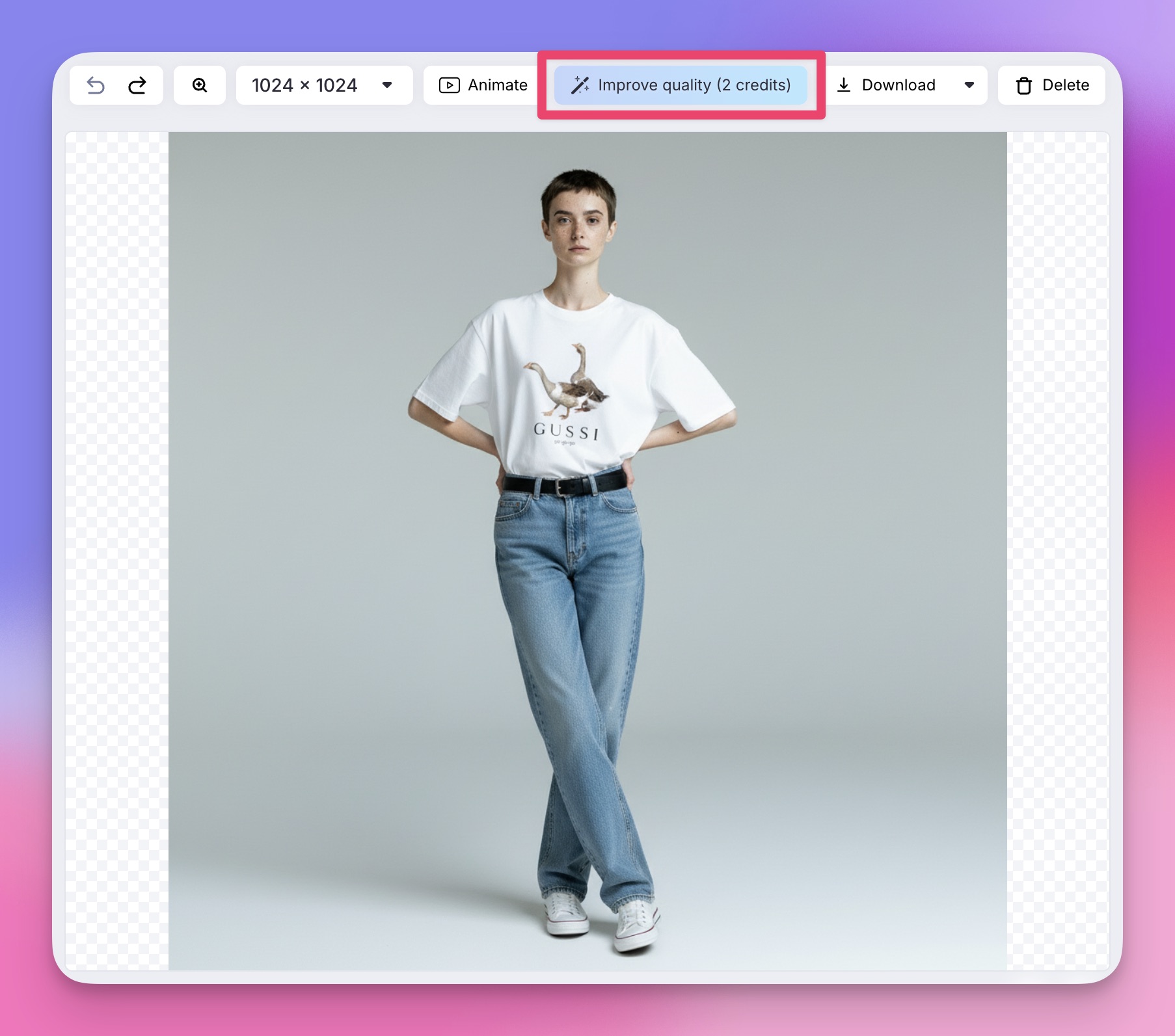
After generating a fashion photo: When you create an on-model shot with AI Fashion Models at default resolution, an "Improve quality" button appears in the top panel. Click it and Prime runs at 2x, bringing the result to 2K.
ℹ️ Pro tip: If you want high-res output without a separate upscale step, AI Fashion also offers native 2K and 4K generation modes.
When to use Gentle instead
If you need to make an image bigger without any visible change to its quality or texture, Gentle is the conservative option. It makes the most minimal adjustment possible. Useful when a product photo is already good but needs to meet a specific platform's size requirement.
Try Prime
Prime costs 1-10 credits depending on output size. Available on all plans, including the free trial (50 credits). Prime is also coming to the Claid API soon.
Need this at scale?
Process thousands of images via API, or let our team handle it for you.


Claid.ai
March 13, 2026