Tech
Flatlay-to-model AI: 9 best tools to put clothes on models (in 2026)


Flatlay-to-model AI turns a garment photo into an image of a model wearing the product. For fashion brands, the appeal is straightforward: existing product photography can support PDP images, collection launches, marketplace listings, and campaign content without organizing another shoot for every SKU.
The harder question is whether a tool can produce accurate, repeatable results beyond a few successful examples. Garment details need to survive generation, models and backgrounds must stay consistent, and approved files still need to reach the right catalog, store, or asset library. It’s also important to see how the tool fits into broader AI fashion production, helping teams create, adapt, and scale product imagery across channels.
This guide compares 9 flatlay-to-model platforms based on input flexibility, garment preservation, creative customization, review tools, automation, and capacity for larger catalogs.
Flatlay-to-model AI tools at a glance
All tools in this category can place a garment onto an AI model, but they are built for different production environments. Some focus on quick self-serve creation, while others add Shopify publishing, reusable brand identities, API automation, human retouching, or fully managed production.
Here’s a brief overview:
| Tool | Customization and scale | Starting price | Platforms |
|---|---|---|---|
| Claid | Custom models, poses, scenes, finishing tools, API automation, and custom pipelines | Free trial; from $9/month billed yearly | Web, API, custom service |
| Botika | Model and background libraries, retouch rounds, team collaboration, and enterprise options | From $55/month, or $46/month billed yearly | Web, Shopify, iOS |
| FASHN AI | Model creation, model swaps, reference faces, concurrent generation, and a separate developer API | From $19/month | Web, mobile, API |
| Attired | Bulk generation, custom models, poses, backgrounds, and direct publishing | Web plans from $20/month; Shopify plans from $29.99/month | Web, Shopify |
| Modelia | Consistent characters, batch generation, 4K output, shared team credits, and API access | $12 one-time project; subscriptions from $35/month | Web, Shopify, API |
| Uwear | Saved models, brand rules, AI review, retries, API, and PIM or DAM delivery | $0.10 per credit | Studio, API, MCP |
| On-Model | Shared presets, custom identities, detail repair, managed review, API, and enterprise integrations | Free plan; paid plans from about $20/month billed yearly | Web, API |
| MODA AI | Multiple angles, varied model types, catalog consistency, and AI video | From $1.25 for 10 photos; 20 photos free | Shopify |
| Caimera | Custom models and poses, editorial generation, video, team portals, and a full-service enterprise tier | Free trial; paid plans from $15/user/month | Web, enterprise service |
Need AI fashion photography at scale?
Produce high volumes of on-model and product visuals without slowing down launches. Use our API to automate fashion image workflows or work with our team on a custom pipeline tailored to your operations.
1. Claid, flatlay-to-model and full-catalog fashion production
Claid places flatlay-to-model generation inside a broader AI fashion suite. You can upload a flatlay or ghost-mannequin image, select an AI model or provide an authorized model reference, and create studio or lifestyle outputs with control over poses, backgrounds, framing, and styling.
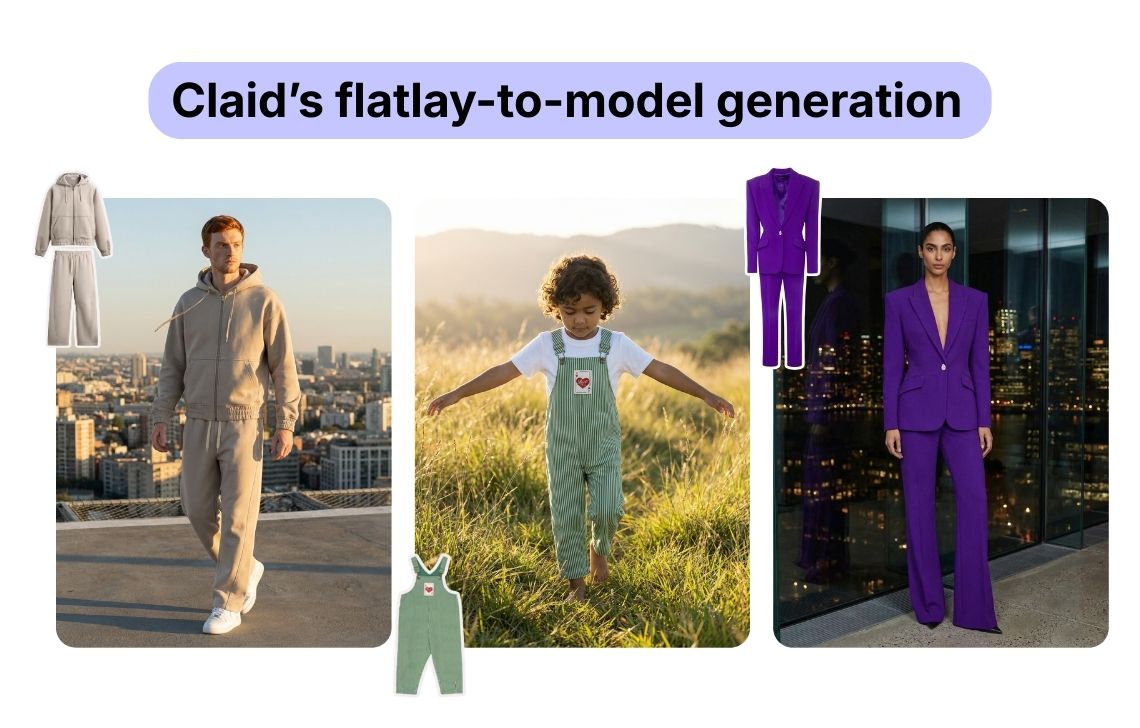
The resulting asset can remain in the same environment for ecommerce finishing. Teams can resize for different channels, extend a background, upscale the image, or create short fashion videos. This is useful when the required deliverable is not simply a generated image, but a complete set of consistent assets for a PDP, marketplace listing, or campaign.
For repeatable production, Claid offers different options:
- Use the web studio for testing, individual products, and everyday content creation
- Connect APIs to automate approved workflows across a larger catalog
- Use the AI fashion production service when the team needs finished content delivered through a custom pipeline
The managed option can be configured around brand-approved models, required views, background rules, output dimensions, naming conventions, and delivery into an existing catalog structure.
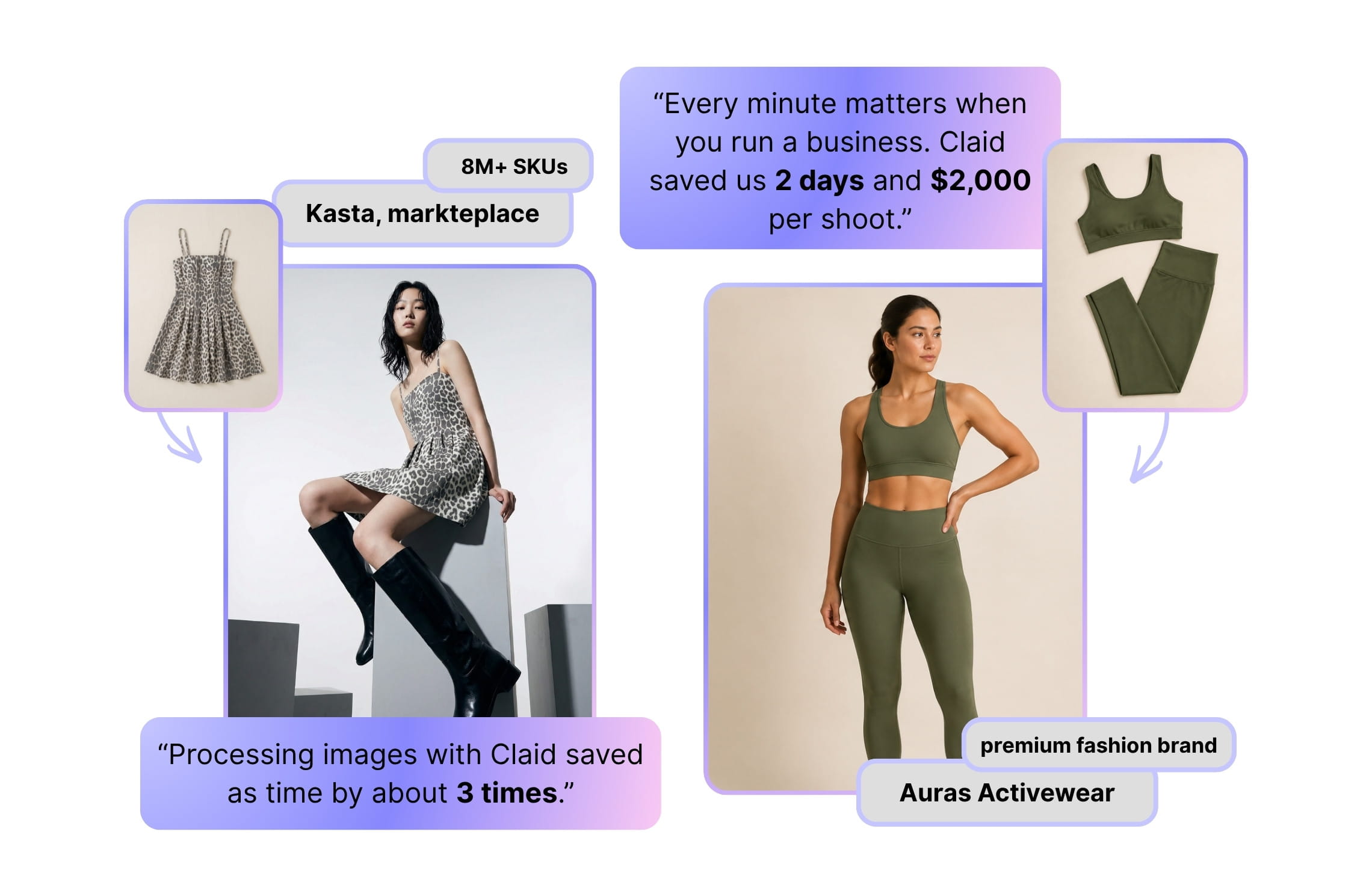
A fashion marketplace Kasta made its fashion image production 3 times faster with Claid AI, while a clothing brand Auras Activewear saved $1,000 to $2,000 per collection thanks to customized flatlay-to-model workflows.
Useful for
- Fashion brands that want to validate a visual direction in a self-serve studio before expanding it across a collection
- Retailers and marketplaces processing hundreds or thousands of garment images
- Companies that need custom production without building and operating the entire workflow internally
Pricing
- 50 free credits
- Paid subscriptions starting from $15/month, or $9/month billed yearly
- Custom production pricing based on workflow and volume
2. Botika, assisted generation with retouch support
Botika converts flatlays, packshots, supplier photos, and existing model images into fashion photos and short videos. Users choose models and backgrounds, generate alternatives, and submit correction requests when an output needs additional work.
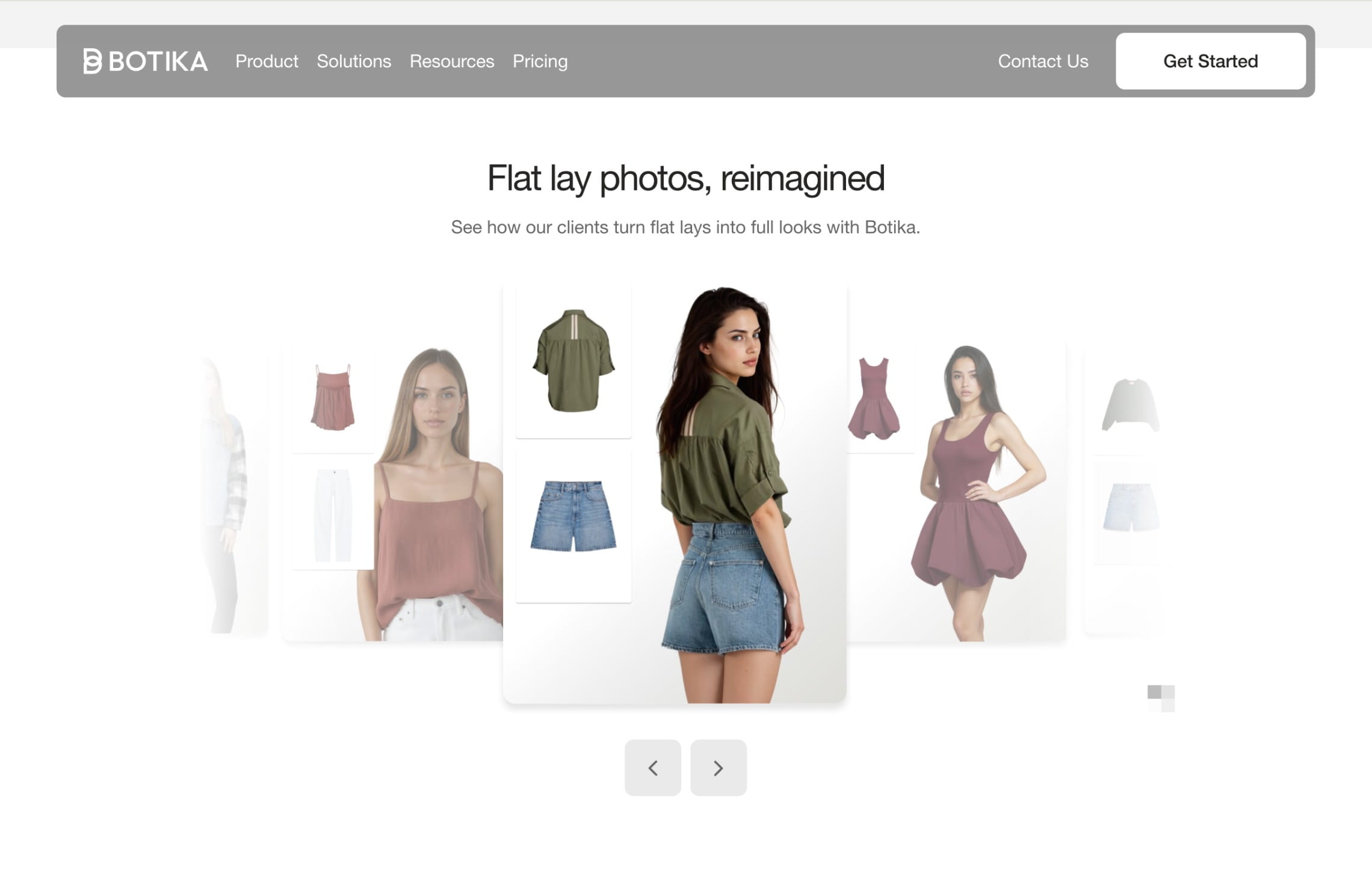
That retouch process is an important part of Botika’s offer. Pro includes two retouch rounds per photo with a stated two-day delivery window. Advanced increases the allowance, shortens the correction window, unlocks the full model and background libraries, adds 4K output, and supports team collaboration.
For organizations with stricter brand requirements, Botika’s enterprise service can provide exclusive AI models, custom backgrounds, white-glove quality review, and reusable retouching briefs. This makes it more suitable for brands that need assistance maintaining a visual standard than a generator with no human correction layer.
Useful for
- Ecommerce teams that want generation and correction handled within one service
- Brands working with mixed-quality supplier images
- Businesses that want exclusive models or predefined retouching rules at enterprise level
Pricing
- Paid subscriptions starting from $55/month, or $46/month billed yearly
- 4K output and collaboration available only at higher tiers
- Custom enterprise pricing
3. FASHN AI, flexible flatlay-to-model generation
FASHN AI includes product-to-model generation, virtual try-on, model swaps, model creation, packshots, background editing, upscaling, and image-to-video generation.
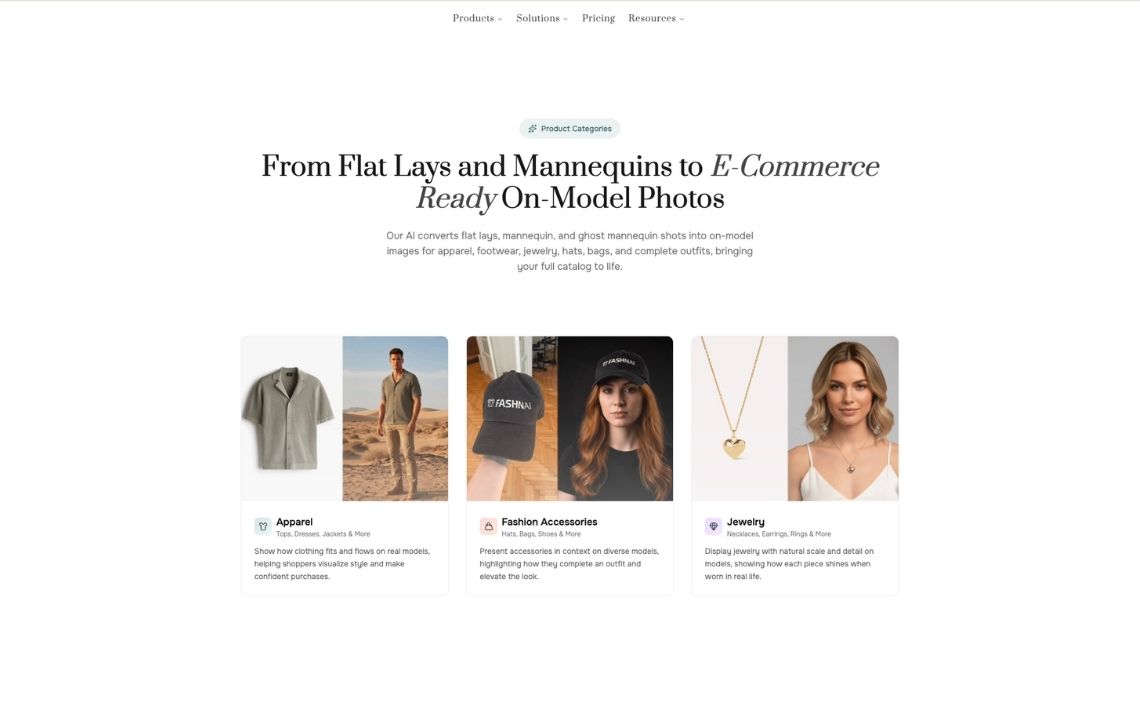
This range is useful when a team expects to reuse the same platform for several fashion workflows. A product image can become an on-model asset, an existing model can be replaced, or the same garment can be tested across different model profiles. Higher plans add more simultaneous generations, team seats, daily credits, and custom face references.
Useful for
- Technical teams building virtual try-on or product-to-model features
- Fashion companies that need image and video generation in one environment
- Agencies that need concurrent generation and multiple user seats
Pricing
- 10 complimentary credits for new accounts
- Paid plans starting from $19/month (200 credits)
- API pricing is separate
4. Attired, a Shopify-oriented path to on-model images
Attired is designed to generate coordinated fashion imagery across a product catalog rather than process each garment as an isolated creative task. A brand can paste its store URL or connect Shopify, import existing products, select a visual direction, and apply it across a larger assortment.
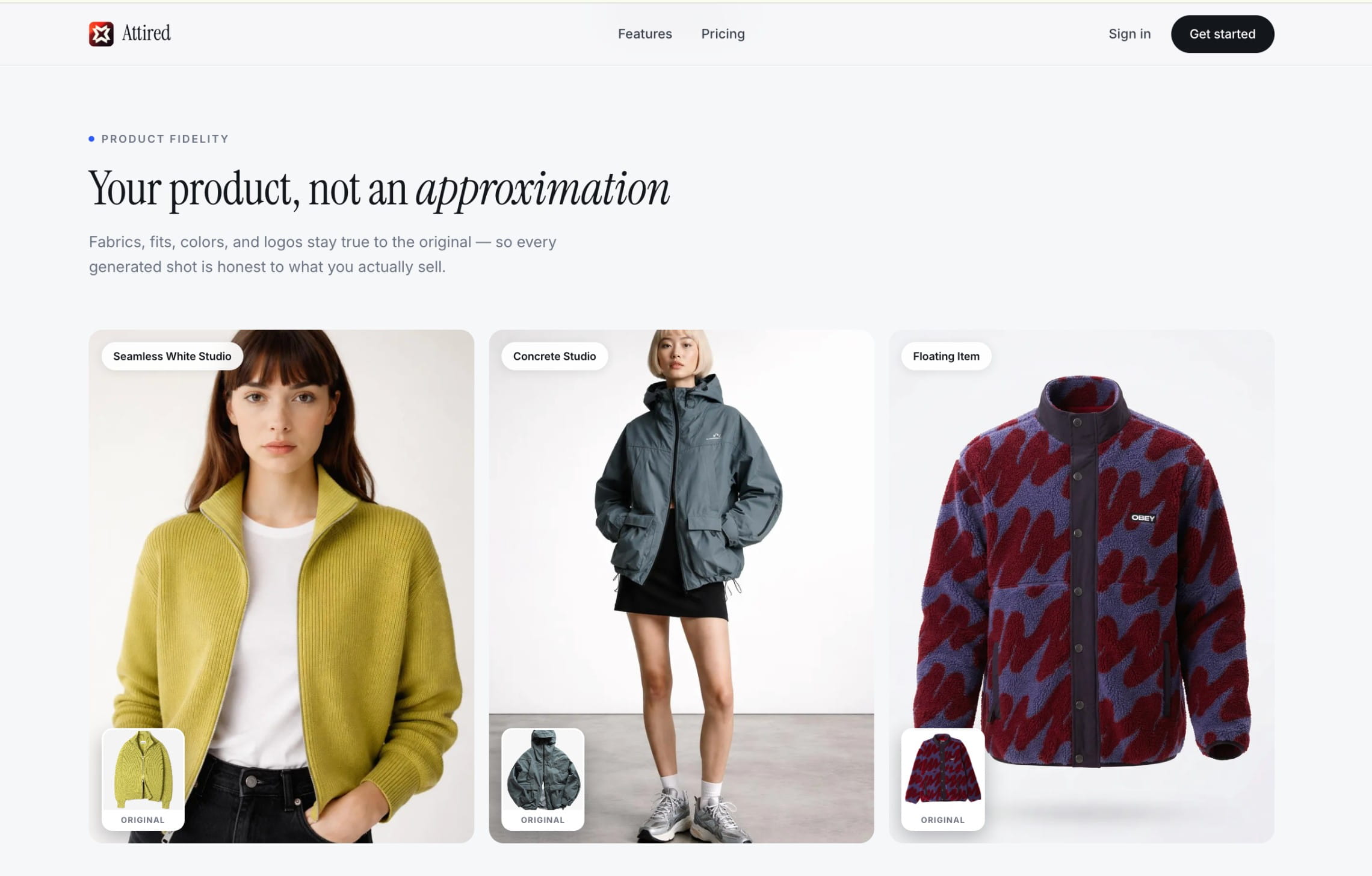
The platform works with flatlays, mannequin shots, and standard ecommerce photography. Its library includes more than 140 studio, editorial, lifestyle, and UGC-style presets. Teams can also direct their own look and create variations with different poses, angles, framing, and camera focus.
Attired includes several tools for adapting generated images after the initial shoot. Users can replace models, change lighting, clean or replace backgrounds, swap products, and make targeted AI edits. For Shopify merchants, approved images can be published directly to product pages, with optimized alt text generated for each asset.
This catalog-first workflow makes Attired relevant for seasonal refreshes and product drops that need a consistent visual treatment. Higher plans increase the product library and image allowance, reaching approximately 1,000 generated images per month on the Professional plan.
Useful for
- Shopify stores refreshing existing product pages
- Dropshipping and print-on-demand brands working from supplier assets
- Small teams that want bulk generation and direct publishing
Pricing
- Free preview
- Web plans start at $20/month for approximately 100 images
- Shopify subscriptions start at $29.99/month for 100 photos
5. Modelia, flatlay-to-model inside a wider fashion workspace
Modelia combines flatlay-to-model generation with tools for mannequin conversion, virtual try-on, model replacement, pose changes, outfit creation, accessory placement, recoloring, background changes, and fashion video.
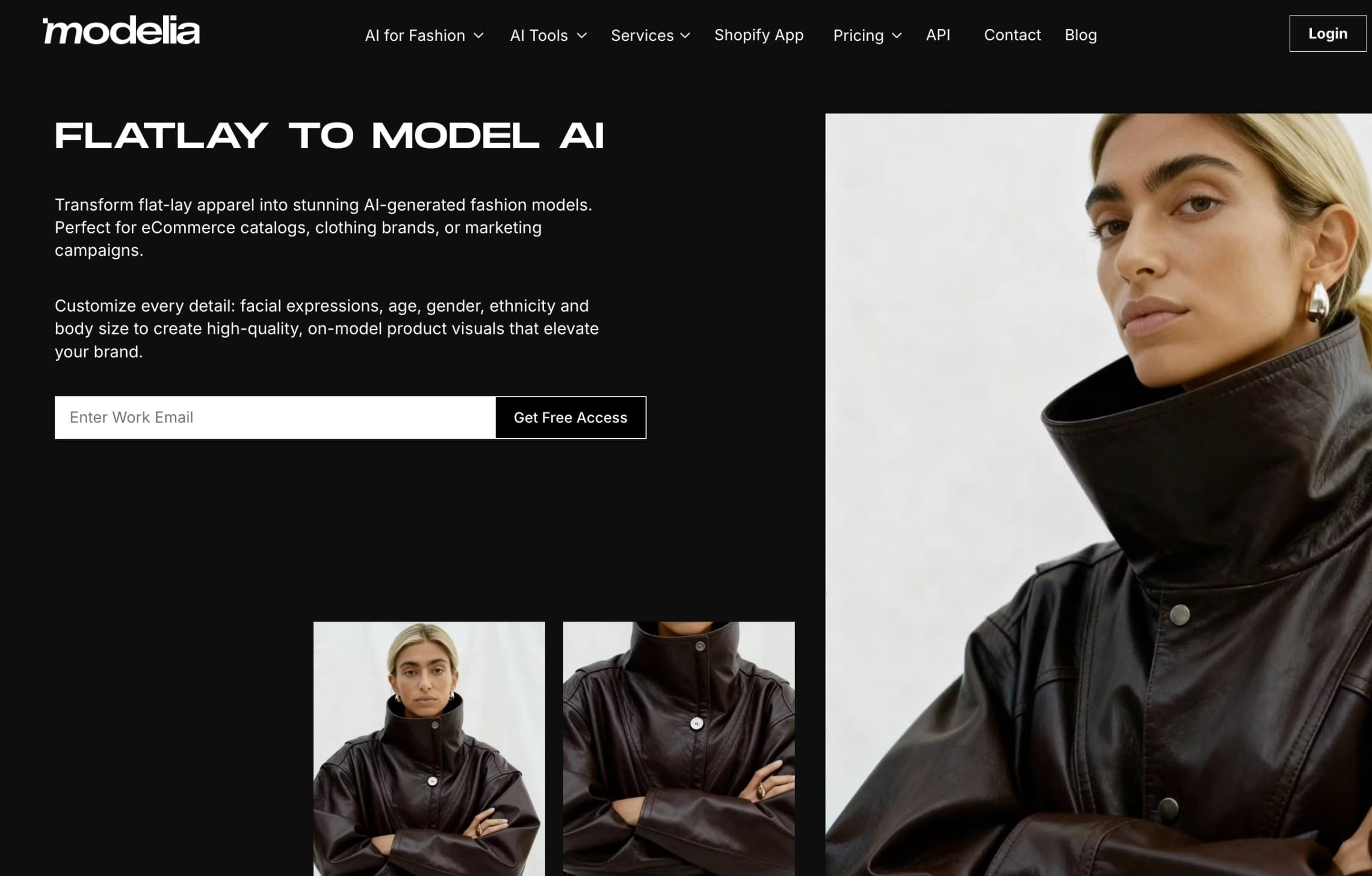
Its consistent-character functionality helps teams reuse recognizable model identities. Batch generation and API access are available on paid subscriptions, while higher tiers provide more credits and team capacity. Standard flatlay-to-model generation currently costs 3 credits, or 6 credits for 4K output.
The platform is particularly relevant when flatlay conversion is only one part of the content plan. A merchandising team could create a standard model image, build alternate outfits, place bags or footwear, change poses, and derive a short video without moving between several specialized products.
Useful for
- Brands that produce both catalog assets and social content
- Fashion marketers combining garments into styled outfits
- Companies that want batch generation and public API access
Pricing
- Free with 20 monthly credits and watermarked, non-commercial outputs
- Credit packs starting from $12 (50 credits)
- Paid subscriptions starting from $35/month (250 credits)
6. Uwear, production infrastructure with reusable art direction
Uwear approaches flatlay-to-model generation as an operational system. It can turn flatlays or ghost-mannequin inputs into model photos, reuse saved models across a catalog, create outfit variations, generate video, and send finished assets into a storefront, PIM, DAM, or internal tool.
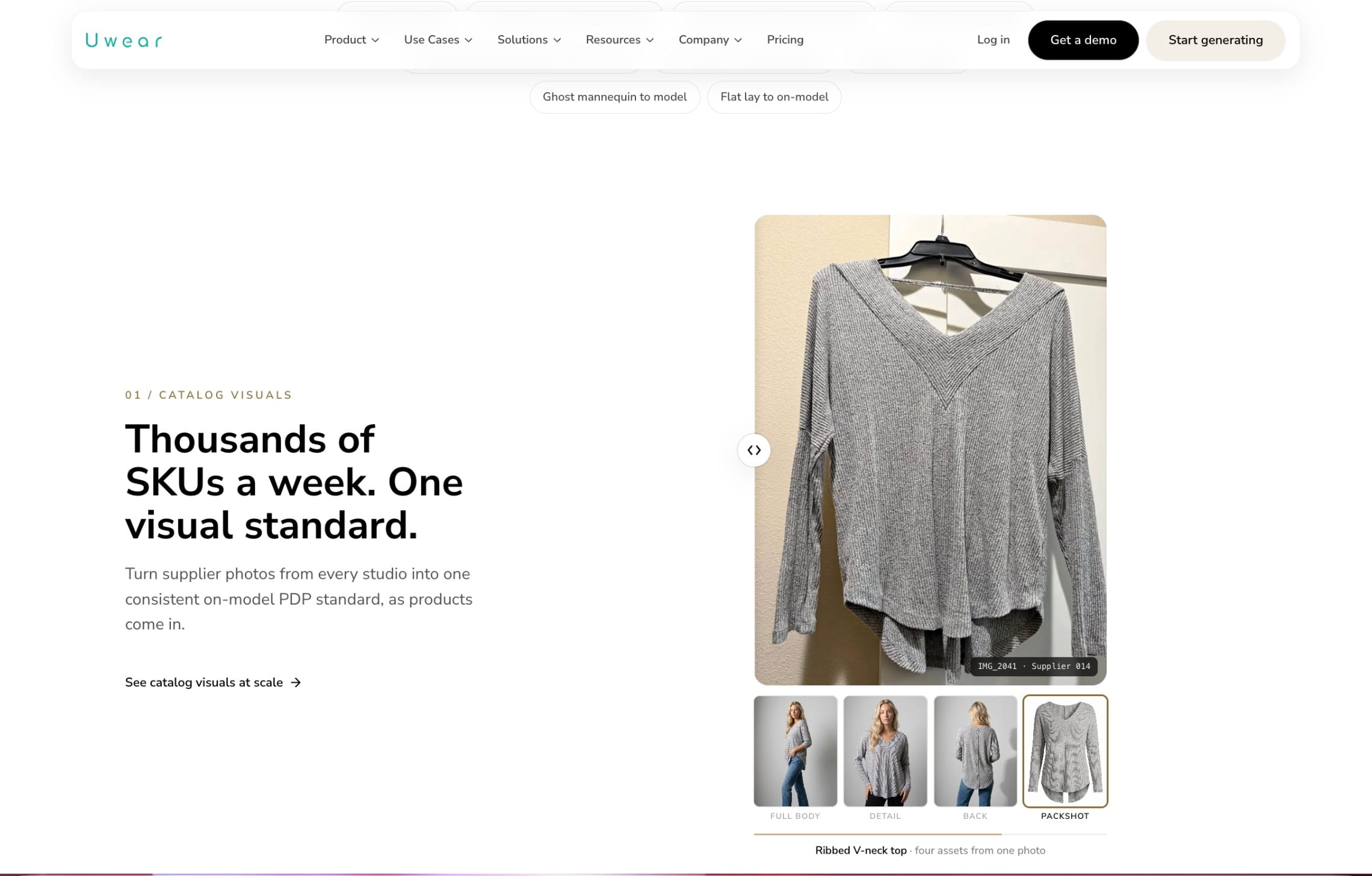
Teams can save art direction covering casting, lighting, framing, and composition. An AI reviewer can compare each result with the source product and shot instructions, flag failures, and trigger retries. This becomes valuable when the cost of manually examining every output starts to exceed the cost of generation itself.
The same assets and rules can be used through Uwear Studio, its REST API, or its MCP integration. Enterprise plans add volume pricing, unified team billing, implementation support, and custom QA criteria.
Useful for
- Commerce teams standardizing imagery from multiple suppliers
- Organizations that need automated review before assets enter a catalog
- Teams that want to route different garments through different quality levels
Pricing
- $0.10 per credit with no subscription
- One on-model image starts at 3 credits, depending on the model and resolution
- Enterprise pricing is shaped around volume and implementation requirements
7. On-Model, flatlay-to-model with reusable identities and targeted repairs
On-Model by PiktID supports flatlay-to-model generation alongside packshot creation, model replacement, garment recoloring, detail repair, and reusable AI identities.
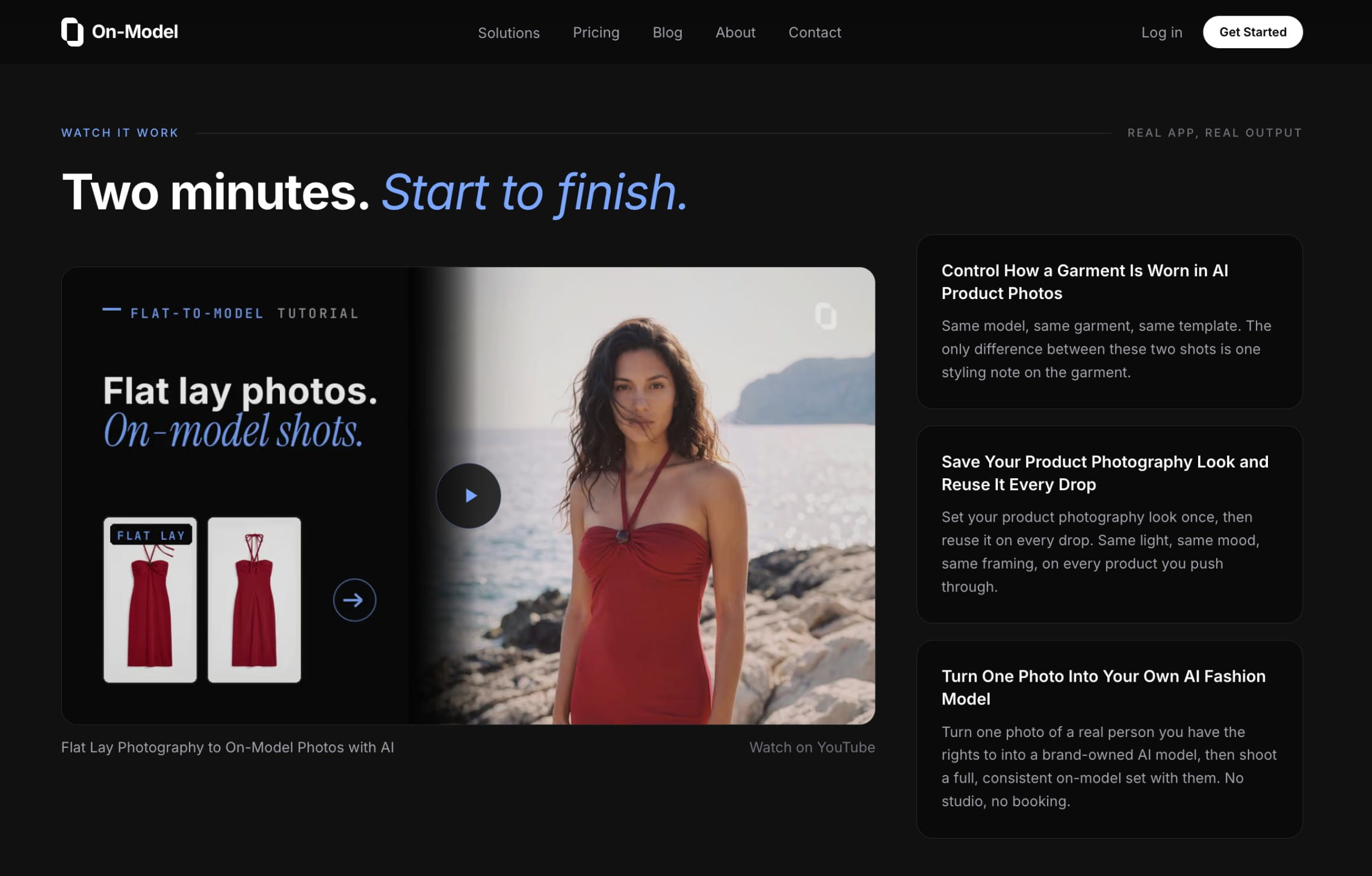
The identity tools are useful for brands that want the same model to appear across multiple products. Teams can also extract a preset from a reference image to reuse its lighting, composition, and visual direction. If a logo, text element, or garment detail needs correction, Detail Repair allows the user to mask and regenerate a limited area instead of recreating the entire image.
Pro introduces 4K output, team collaboration, shared identities and presets, managed review and retouching, and API access. Enterprise adds custom integrations, unlimited models and images, a dedicated account manager, and an SLA.
Useful for
- Catalog teams that need repeatable AI model identities
- Brands working from a defined visual reference
- Teams that want localized corrections instead of full regeneration
Pricing
- 75 free credits per month with watermarked output
- Paid plans starting at $19 (€17)/month
- Custom enterprise pricing
- Flatlay-to-model generation starts at 3 credits for a 1K image
8. MODA AI, pay-as-you-go model photography for Shopify
MODA AI is a Shopify app that turns one garment input into a set of model photos from different angles. It accepts flatlays, mannequin images, and existing model photography, with model options spanning womenswear, menswear, childrenswear, and plus-size fashion.
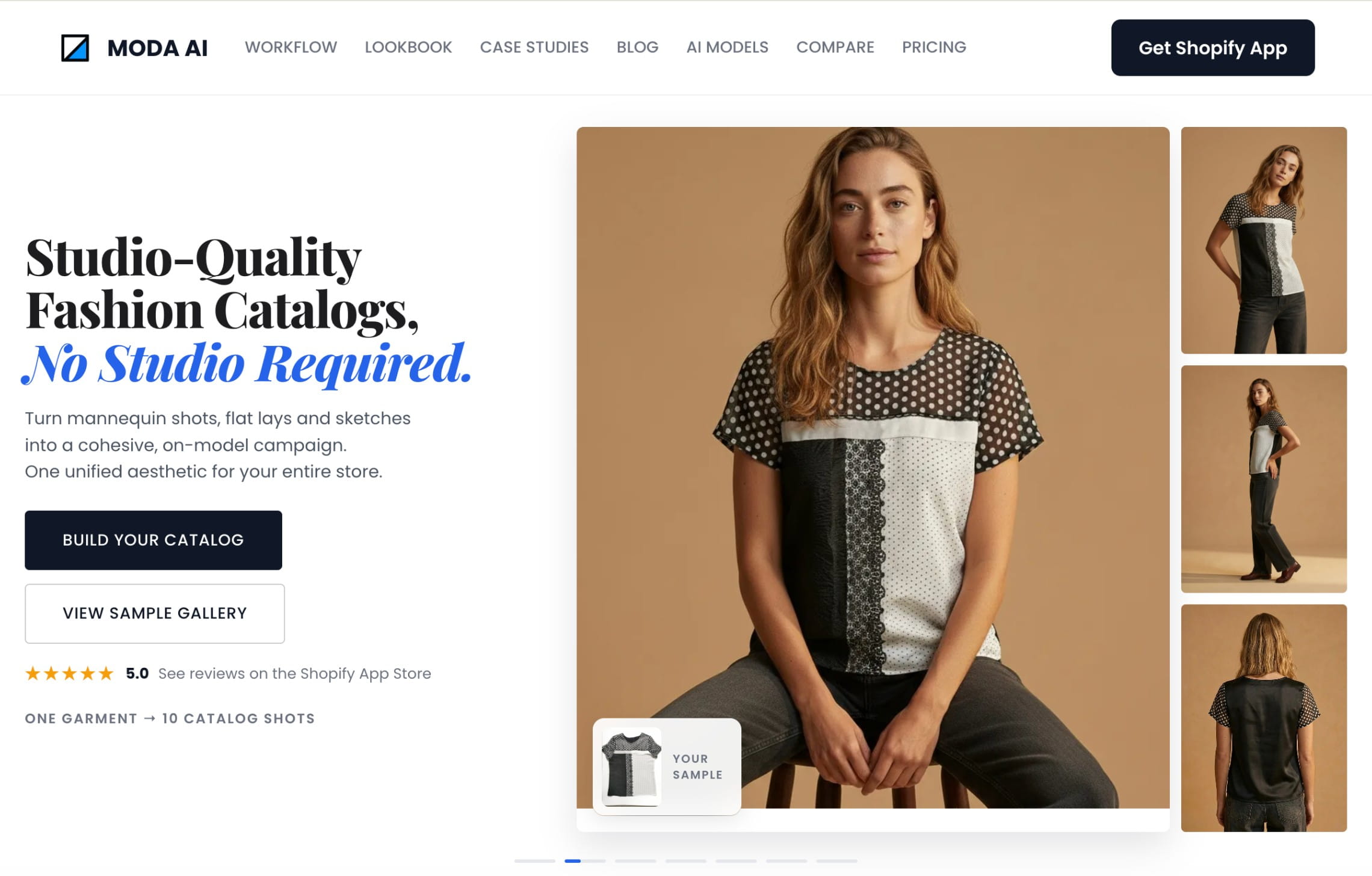
The app is structured around products rather than monthly subscriptions. A merchant purchases a package, selects a product, and receives a set of ten images. AI video generation uses the same credit system.
This arrangement is easy to understand for stores with occasional launches or uneven production schedules. MODA is less suited to companies looking for an API, managed creative production, or a deeply customized enterprise pipeline.
Useful for
- Shopify merchants that want several views from one garment image
- Small catalogs with irregular production needs
- Stores testing model photography before adopting a larger workflow
Pricing
- 20 AI photos are included for free
- Pricing is based around the number of product inputs and photo outputs, starting from $1.25 for 1 product and 10 photos:
9. Caimera, catalog imagery and editorial production in one platform
Caimera covers two different production needs. Its catalog tools convert flatlays and ghost-mannequin images into standardized fashion assets, while its editorial tools support more expressive model, styling, background, and campaign directions.
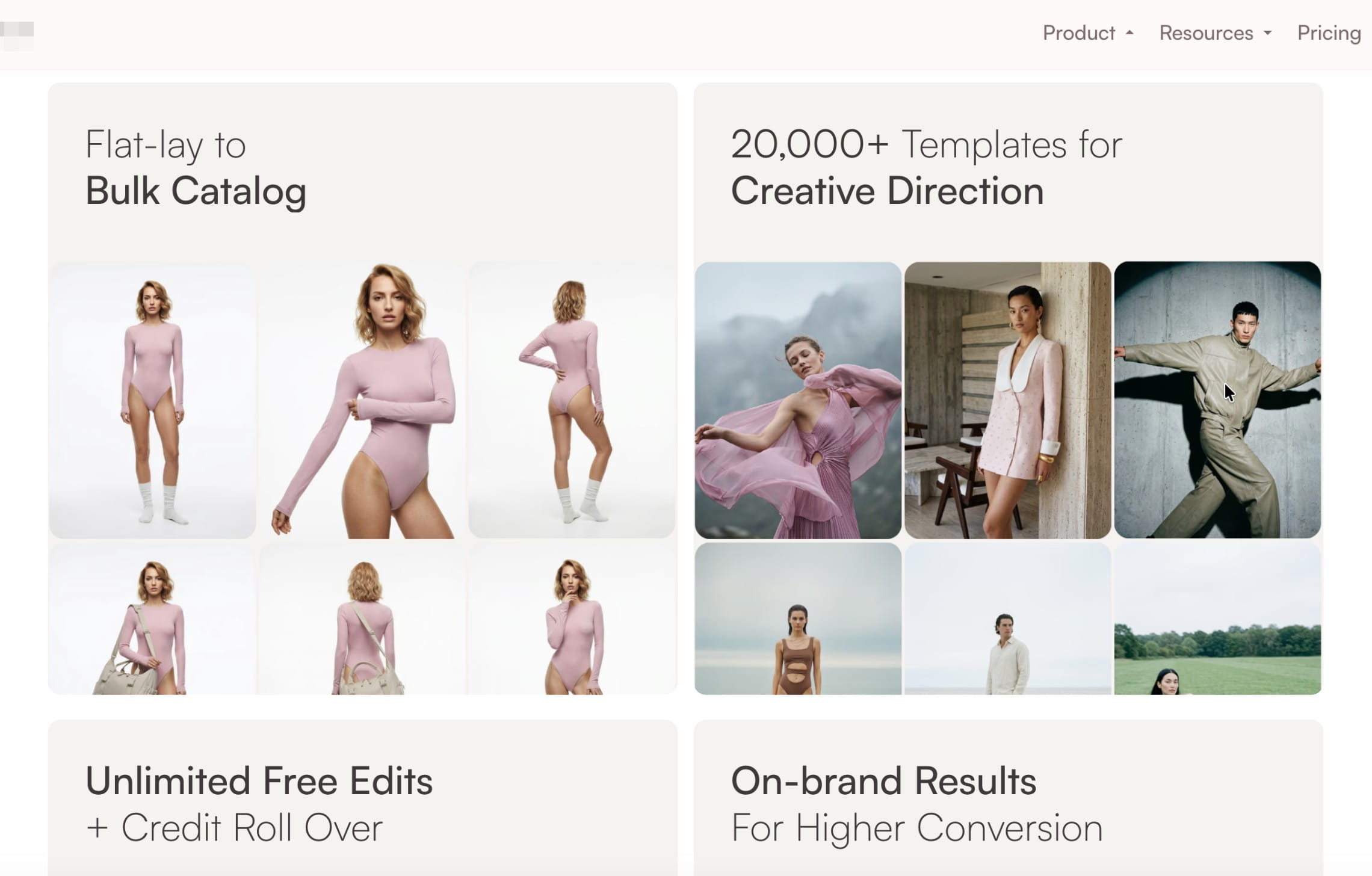
The platform also includes model swaps, recoloring, image editing, resizing, video generation, custom poses, and higher-resolution exports. Team portals and parallel generation are available on higher subscriptions.
Its enterprise tier operates more like a production partnership. It includes brand-specific AI development, exclusive fashion models, digital twins, full-service generation, video editing, creative consulting, post-production, and legal indemnification for AI content.
Useful for
- Fashion teams that need both PDP consistency and campaign experimentation
- Brands that want custom models, poses, and editorial direction
- Enterprises looking for a full-service option alongside software access
Pricing
- 20 free credits
- Paid subscriptions starting at $15/user/month
How to choose the right flatlay-to-model AI tool
The right tool needs to turn the product photography you already have into publishable assets with an acceptable approval rate, predictable costs, and a manageable amount of review.
Use the following criteria to compare platforms against the way your team actually works.
Build a representative test set
Include easy products and difficult ones: plain tops, typography, repeating prints, knitwear, sheer fabric, layered garments, long dresses, unusual necklines, and asymmetrical construction.
Define what cannot change
List the product details that must remain accurate, such as color, print placement, logo shape, stitching, closures, sleeve length, hemline, and overall silhouette.
Test consistency across a collection
A strong individual result does not prove that the model, lighting, crop, and image quality will remain stable across 50 garments. Evaluate a full product group using one approved direction.
Measure the complete cost per approved SKU
Include generation credits, alternative outputs, failed attempts, retouching, reviewer time, finishing, and delivery. Low generation prices can become less attractive when each accepted image requires several retries.
Choose the right operating model
Self-serve software works well when an internal team can run and review production. APIs make sense when the workflow is stable and technical resources are available. Managed production is more appropriate when the business needs finished, catalog-ready content without owning every operational step.
FAQ
What is flatlay-to-model AI?
Flatlay-to-model AI takes a product-only photograph of a garment and creates a new image showing a model wearing it. Many tools also accept hanger, ghost-mannequin, or existing model images.
Can flatlay-to-model tools process large catalogs?
Yes, but capabilities vary. Look for batch generation, concurrent processing, reusable presets, API access, automated QA, correction workflows, metadata preservation, and delivery into your ecommerce systems. Generation speed alone does not make a platform suitable for catalog production.
Can I upload my own model images?
Yes. Most of the reviewed tools support custom models, identities, or model references on selected plans. Confirm usage rights and plan availability before committing to a workflow.
How accurate are generated garments?
Results depend on the source image, garment category, and model. Clean, well-lit flatlays or ghost-mannequin photos generally provide a stronger starting point. Logos, small text, complex patterns, lace, layered clothing, and reflective materials require closer review.
Can one flatlay produce several model poses?
Yes. Many platforms can generate multiple poses, crops, environments, or viewing angles from one product image. Each result should still be reviewed because details can vary between generations.
Do I need an API?
Not for individual products or smaller collections. An API becomes useful when generation must be triggered from a PIM, DAM, seller portal, ecommerce backend, or another internal system. It also helps preserve product identifiers and return finished assets to the correct SKU.
Which tools can support high-volume catalog production?
Claid, Uwear, FASHN AI, Modelia, and On-Model provide API access for automated workflows. Attired focuses on bulk generation and publishing for store catalogs, particularly Shopify. Claid also offers custom production with forward-deployed creatives, while Botika and Caimera add assisted or full-service options for teams that need more production support.
For large catalogs, compare more than generation limits. Review capacity, correction workflows, concurrent processing, SKU mapping, metadata preservation, and delivery into a PIM, DAM, or ecommerce platform can have a larger operational impact.
What is the difference between API automation and managed AI fashion production?
A fashion API gives your team the infrastructure to run an established workflow programmatically. Custom fashion production adds people and operational ownership around that technology, including creative setup, prompt and workflow design, QA, corrections, and asset delivery.
Can a flatlay-to-model workflow be customized to a brand’s visual identity?
Yes. Several platforms support reusable model identities, custom model references, backgrounds, poses, and visual presets.
On-Model provides reusable identities and reference-based presets. Modelia supports consistent characters. Caimera and Botika offer exclusive or custom models on enterprise plans. Claid can apply approved models, poses, scenes, crops, and output requirements across both API and managed production workflows.
Which pricing model works well for irregular production?
Pay-as-you-go products such as MODA AI and Uwear can be easier to manage when production volume changes significantly between collections. Subscription plans may offer better economics for steady monthly output, while enterprise contracts can reduce unit costs at committed volumes.
Should a fashion brand replace all photography with AI?
Not necessarily. Many brands use AI selectively: extending existing shoots, converting flatlays into PDP images, localizing model representation, testing campaign directions, or covering products that would otherwise launch without on-model content. The right balance depends on the garment, channel, creative standard, and review process.
Need AI fashion photography at scale?
Produce high volumes of on-model and product visuals without slowing down launches. Use our API to automate fashion image workflows or work with our team on a custom pipeline tailored to your operations.


Claid.ai
September 28, 2026