Tech
7 best AI tools for fashion photography in 2026


AI fashion photography has gone from a novelty to a serious production tool. You can now generate full photoshoots, replace models, change backgrounds, and retouch images in minutes instead of weeks. You can also go for AI fashion production service, letting a team of creatives generate and quality-check your on-model assets.
We’ve prepared a practical guide to the best AI tools for fashion photography: PDPs, lookbooks, ads, and social. We’ll start with a quick comparison and then go tool by tool, including pricing, strengths, and where each shines.
Quick comparison: best AI tools for fashion photography at a glance
Before exploring each tool in detail, here’s a brief overview:
| Tool | Best for | Pricing | Platforms |
| Claid | Self-serve fashion photos plus custom AI fashion production | Free trial; paid and custom business plans | Web, API, custom service |
| Botika | Premium on-model photos and videos with retouch support | From $55/month, or $46/month billed yearly; custom enterprise | Web |
| Ayna | AI fashion photoshoots and model imagery for ecommerce brands | From around $14/month, or lower with annual billing | Web, Shopify |
| FASHN AI | Fashion AI API and virtual try-on workflows | From $19/month; API and enterprise options | Web, API |
| MODA AI | Shopify catalog sets from garment photos | Free to install; pay-as-you-go from $1.25 per product set | Shopify |
| On-Model by PiktID | Batch fashion workflows with model swap and API support | Free plan; Basic from €17/month billed yearly; Pro from €89/month | Web, API |
| Caimera | Editorial, catalog, video, and enterprise fashion production | Free plan; paid plans from $15/user/month; enterprise from $1,500/month | Web, enterprise service |
If you only need a few product photos, a self-serve web app or Shopify app may be enough. If you need consistent visuals across hundreds or thousands of SKUs, look for batch generation, API access, review workflows, and human support.
Need AI fashion photography at scale?
Produce high volumes of on-model and product visuals without slowing down launches. Use our API to automate fashion image workflows or work with our team on a custom pipeline tailored to your operations.
Now, let’s review each AI fashion tool in detail.
1. Claid, self-serve fashion tools plus custom production
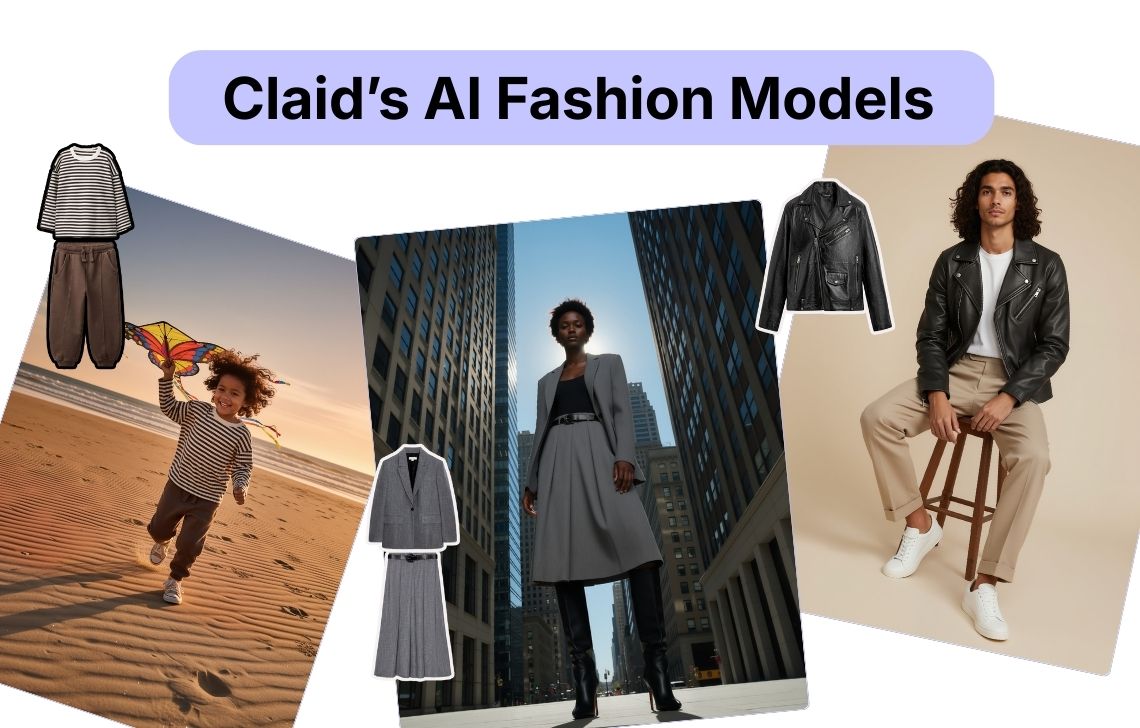
Claid is a comprehensive AI product photography suite that features a fashion-dedicated tool, AI Fashion Models. Claid lets you create endless fashion campaigns from studio shots to lifestyle images. Нou upload your clothing item (or multiple ones), choose among 100+ models of different ages and ethnicities, and describe the setting you want to create. The tool will general professional-grade on-model photos.
For larger fashion teams, Claid offers APIs to process high volumes of product visuals, preserve catalog structure, and export finished images back into their production stack. Claid can also provide custom workflows: a team of engineers will produce fashion content for you according to your requirements.
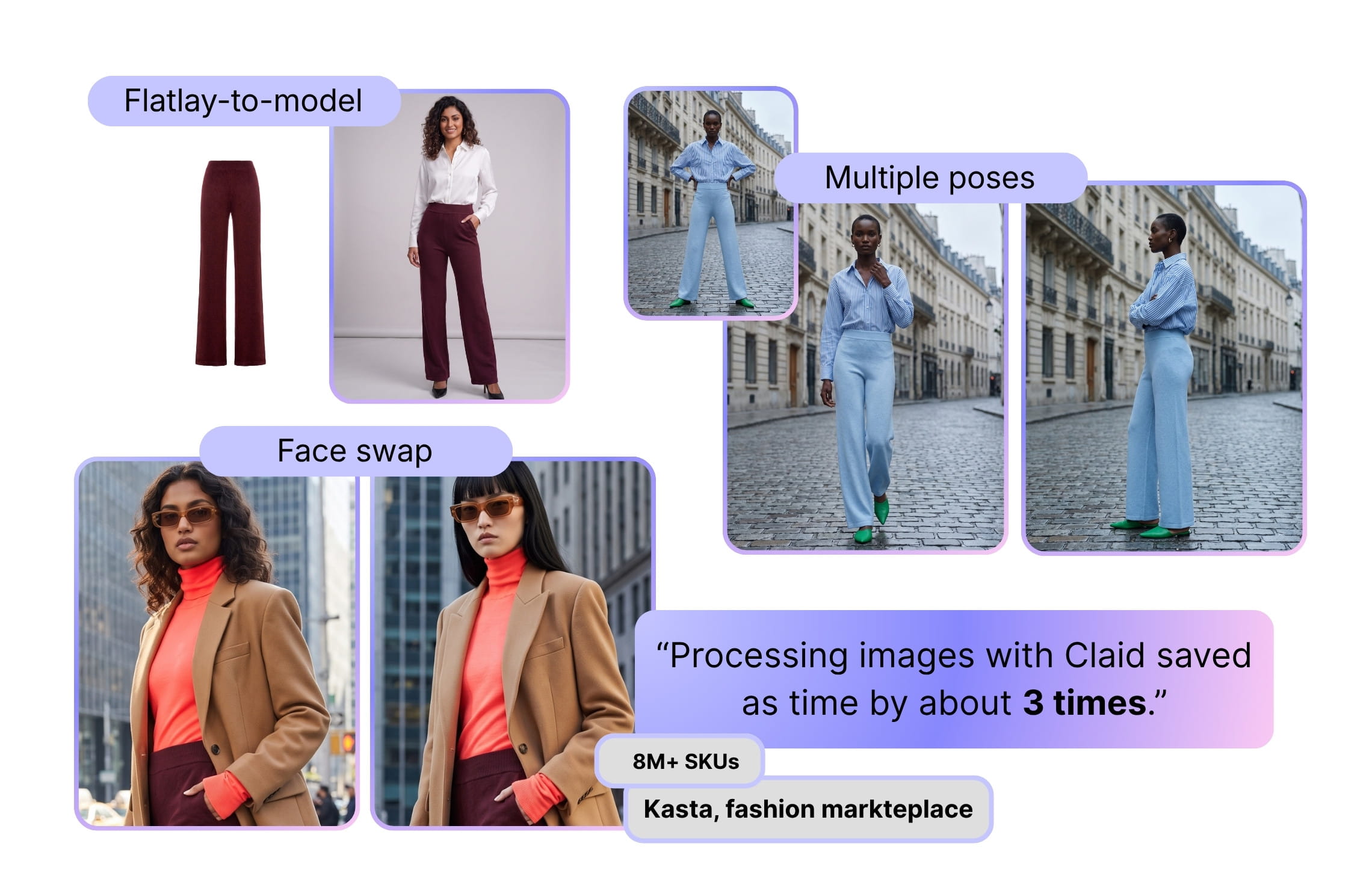
Large fashion marketplace Kasta used Claid to automate flatlay-to-model generation, face swaps, and pose generation across catalogs, achieving 3x faster processing. Fashion brand Auras Activewear used Claid’s workflow to replace parts of traditional photoshoot production, saving $1,000-$2,000 per collection and removing 1-2 days from the content cycle.
Key features
- AI fashion model generation from flatlays, ghost mannequins, and model photos
- 100+ AI models across different looks and demographics
- Full outfit support
- Custom model workflows
- Face swap, background generation, resizing, upscaling, and video tools
- API workflows for high-volume image operations
- Custom AI fashion production for brands that need finished content
Best for
- Fashion brands that want one platform for PDP images, campaign variations, videos, and catalog updates
- Mid-market and enterprise teams producing high image volumes
- Marketplaces that need consistent visuals across many sellers
Pricing
- 50 web credits and 50 API credits for free
- Credit-based paid plans from $9/month for self-serve use
- Custom business plans for API workflows, managed production, onboarding, and dedicated support
Pros
- High image quality and detail handling for apparel, including patterns and fabrics
- Combination of AI fashion photography backgrounds, on-model shots, editing tools, and videos in one place
- Strong ecommerce workflows and API for marketplaces and large SKU catalogs
- Fits both small DTC brands and enterprise marketplaces
Cons
- No mobile app
- Best value when you lean into systematizing your pipeline
2. Botika, polished model photos with retouch support
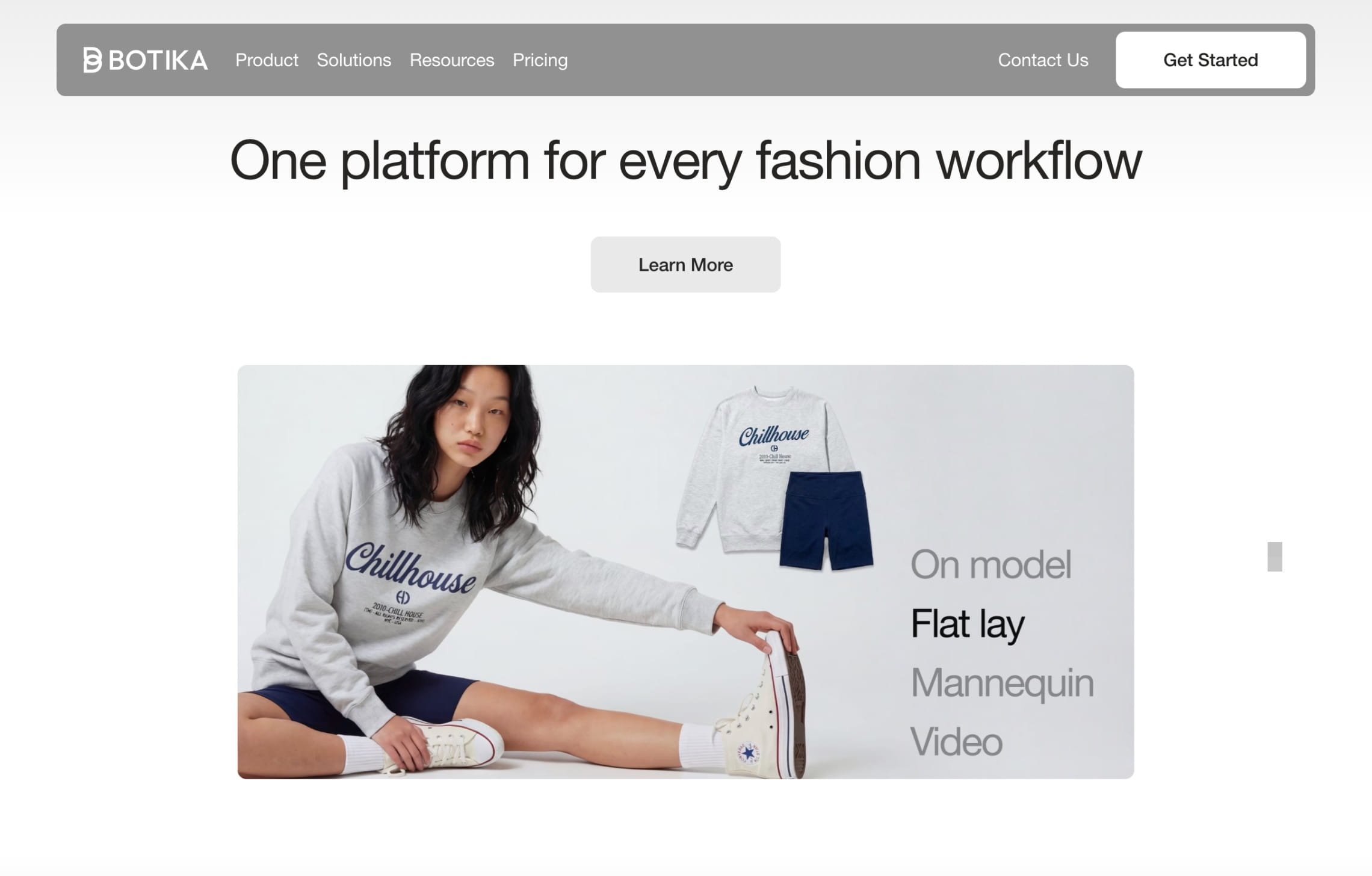
Botika is a fashion-focused AI photography platform for brands that want professional on-model photos and videos from existing product images. It works well for ecommerce teams that want polished visuals without managing a full studio shoot.
The platform is especially useful for brands that need model diversity, fast content creation, and extra support for photo quality. Higher-tier options include retouch rounds, photo fixes, high-resolution output, team collaboration, and enterprise support for custom models and stricter quality control.
Key features
- On-model AI fashion photos from garment images
- Flatlay and mannequin-to-model workflows
- On-model photo transformation, where the original pose and body structure can be used while changing the model and background
- AI fashion video generation
- Model and background libraries
- Retouch rounds and photo-fix delivery on annual plans
- Team collaboration, custom background colors, and footwear upload on Advanced
- Enterprise options for exclusive AI models, exclusive backgrounds, white-glove quality control, and custom retouching briefs
Best for
- Fashion brands that want premium on-model visuals
- Teams that need photos and videos from the same workflow
- Brands that want extra retouching support instead of relying only on raw AI output
- Ecommerce teams refreshing PDP images and marketing creatives
Pricing
- From $55/month, or $46/month billed yearly
- One-off credit packs for smaller boosts
- Custom enterprise options
Pros
- Supports both photos and videos
- Retouch support helps improve output reliability
- Good fit for brands with visual quality requirements
Cons
- More expensive than lightweight Shopify apps
- Some quality-support features are tied to annual plans
- Less focused on API-first or custom workflow automation
3. Ayna, Shopify-friendly fashion photoshoots
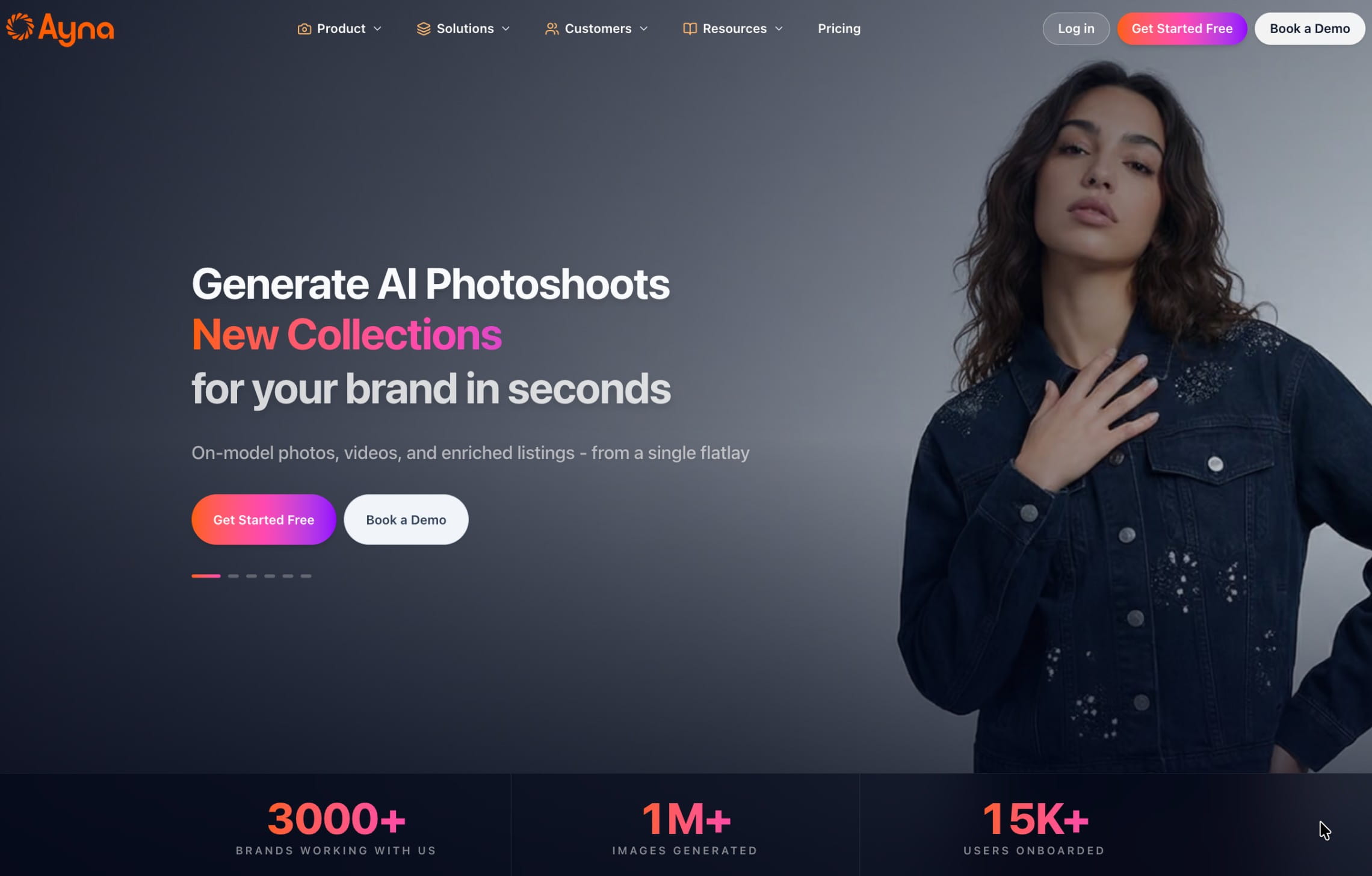
Ayna is an AI fashion photography web app and Shopify app that helps brands create AI photoshoots from garment images, with a focus on ecommerce-ready visuals and model photography. It’s useful for teams that want a simple way to create on-model product content without setting up a studio shoot.
Ayna fits brands that need faster content for PDPs, ads, and social channels, especially when the team wants a straightforward tool rather than a complex production platform.
Key features
- On-model fashion photos from flatlays, mannequin shots, and existing model photos
- 1,000+ AI models and 500+ backgrounds
- 100+ templates, with the option to build custom templates
- Accessory styling with footwear, props, bags, glasses, scarves, jewelry, and other add-ons
- AI fashion videos from product photos
- Listing enrichment for SEO/AEO titles, descriptions, and tags
- Marketplace variations for channels such as Myntra, Amazon, Macy’s, and Zalando
- Shopify export
- Human stylist support and edit turnaround on paid credit packs
- Bulk photoshoot support on higher packs
Best for
- Shopify merchants that want product-page visuals, marketplace-ready variations, and simple video assets
- Teams that want fast and simple AI model shots without managing complex prompts
Pricing
- 12 images for free
- Subscriptions start at $13 (for 20 photos)
- Custom plans for full campaign workflows
Pros
- Very beginner-friendly and praised for ease of use and support
- Great fit if you want AI fashion photography app functionality directly inside Shopify
- Good for small catalogs and boutique brands, where a full enterprise stack is overkill
Cons
- Credit-based pricing can add up if you generate very large volumes monthly
- Built mainly around Shopify
4. FASHN AI, virtual try-on workflows
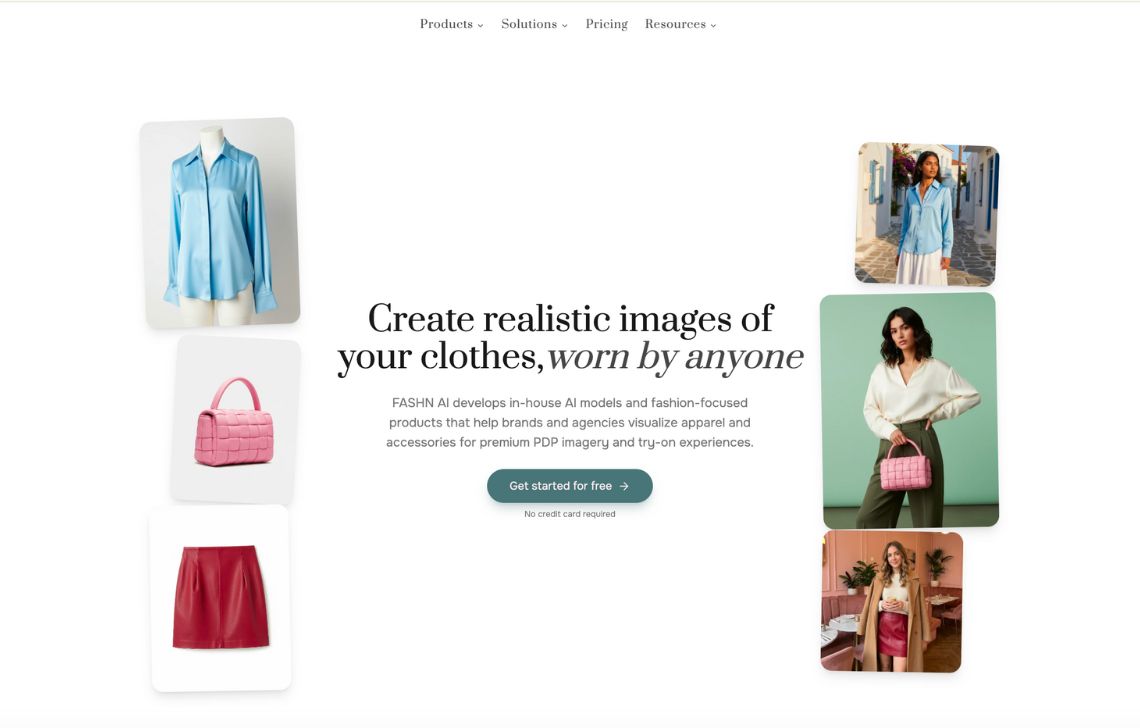
FASHN AI offers both a web app and API for fashion-specific image generation. Its toolset includes virtual try-on, product-to-model generation, packshots, model swap, AI fashion models, consistent models, short videos, background removal, editing, and reframing.
The platform is useful for teams that want to experiment visually in the app, but also have developers or product teams who may want to integrate AI fashion generation into their own systems. The API documentation covers endpoints for try-on, product-to-model, face-to-model, model creation, model swap, editing, reframing, and image-to-video.
Key features
- Product-to-model generation
- Virtual try-on workflows
- Model creation from prompts or reference images
- Model swap for existing product photos
- Face-to-model avatar creation
- Packshot generation
- Short fashion videos
- Background removal, edit, and reframe tools
- API access with developer documentation
Best for
- Brands and agencies that want to build virtual fitting rooms or advanced virtual try-on experiences
- Designers who want to visualize clothes on diverse AI models without physical samples
Pricing
- Subscriptions start at $19 per month
- Usage-based pricing for large integrations via APIs
Pros
- Highly specialized AI virtual fashion photography and try-on
- In-house models and consistent avatars for preserving brand identity
- APIs and team plans for coordinated work
Cons
- Credit costs vary by tool, resolution, and settings, so larger teams should estimate usage before committing
- Narrower focus (not a broad AI image editing tool) and no custom production
5. MODA AI: pay-as-you-go Shopify catalog sets
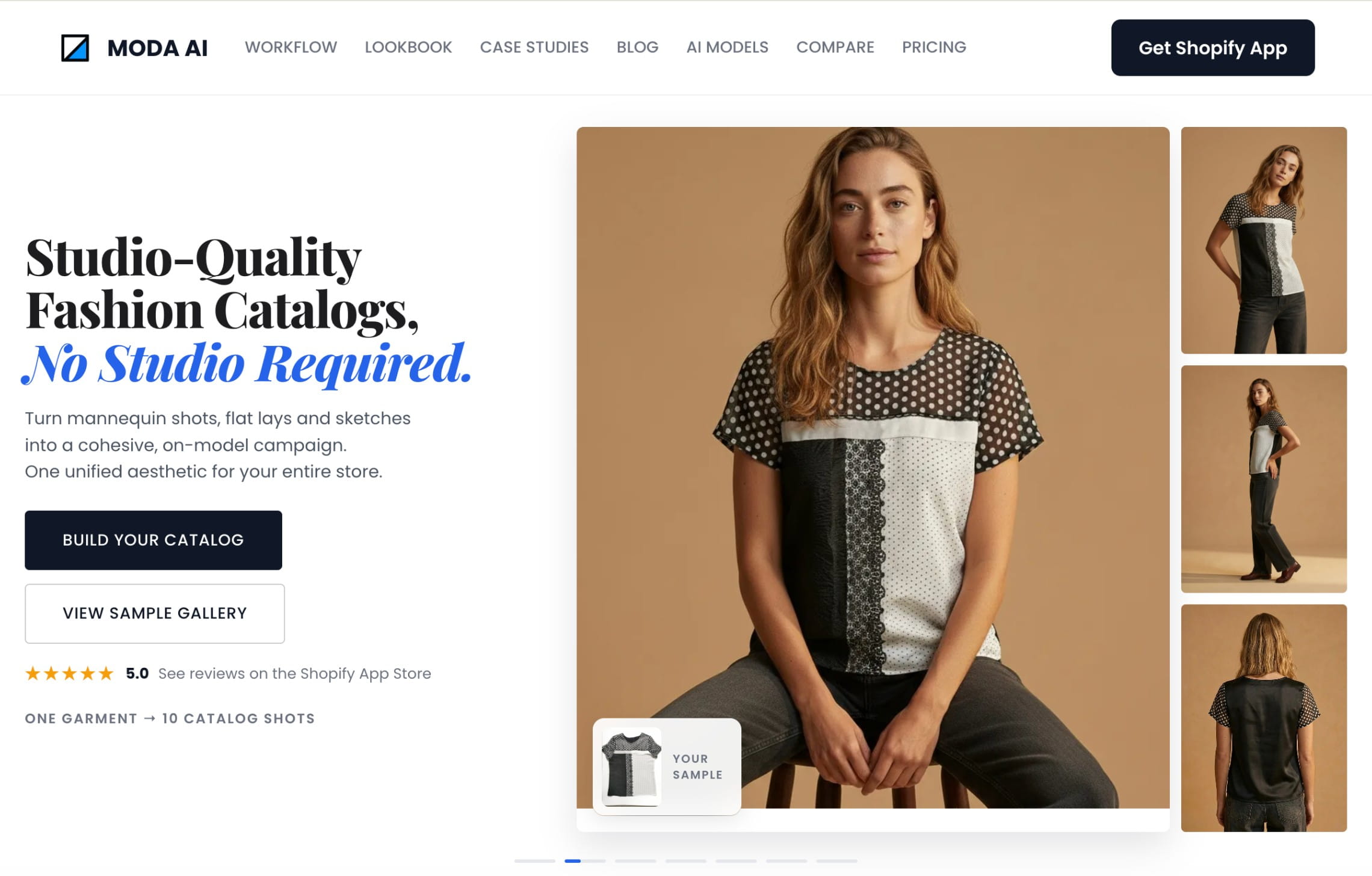
MODA AI is a Shopify app built around a simple catalog workflow: upload one garment image and generate 10 multi-angle on-model photos. It also supports short product videos, making it useful for stores that want basic PDP, line sheet, lookbook, and ad content without a monthly subscription.
MODA accepts several input types, including flatlays, mannequin shots, packshots, supplier photos, and existing model photos. It also supports model diversity, custom backgrounds, face references, background references, angle presets, and custom poses.
Key features
- 10 multi-angle on-model photos from one input
- Short fashion product videos
- Men, women, kids, plus-size, different ethnicities, and different body types
- Studio, lifestyle, and custom backgrounds
- Face reference and background reference support
- Front, side, back, and custom pose presets
- Bulk catalog sets for lookbooks, line sheets, and marketplace-ready content
- Shopify integration
Best for
- Shopify stores that want a predictable per-product workflow
- Dropshippers and small catalog teams that want to turn supplier or flatlay images into a complete on-model set
Pricing
- 20 AI photos for free
- Pay-as-you-go pricing, 1 product set equals 10 photos and costs $1.25, AI video generation costs $1.25 (larger packs are cheaper per image)
Pros
- Simple Shopify setup
- Clear per-product pricing
- No subscription requirement
- Useful for small catalog batches
- Supports both still images and videos
Cons
- Shopify-focused
- Not built as an enterprise or custom production service
6. On-Model by PiktID: batch fashion workflows
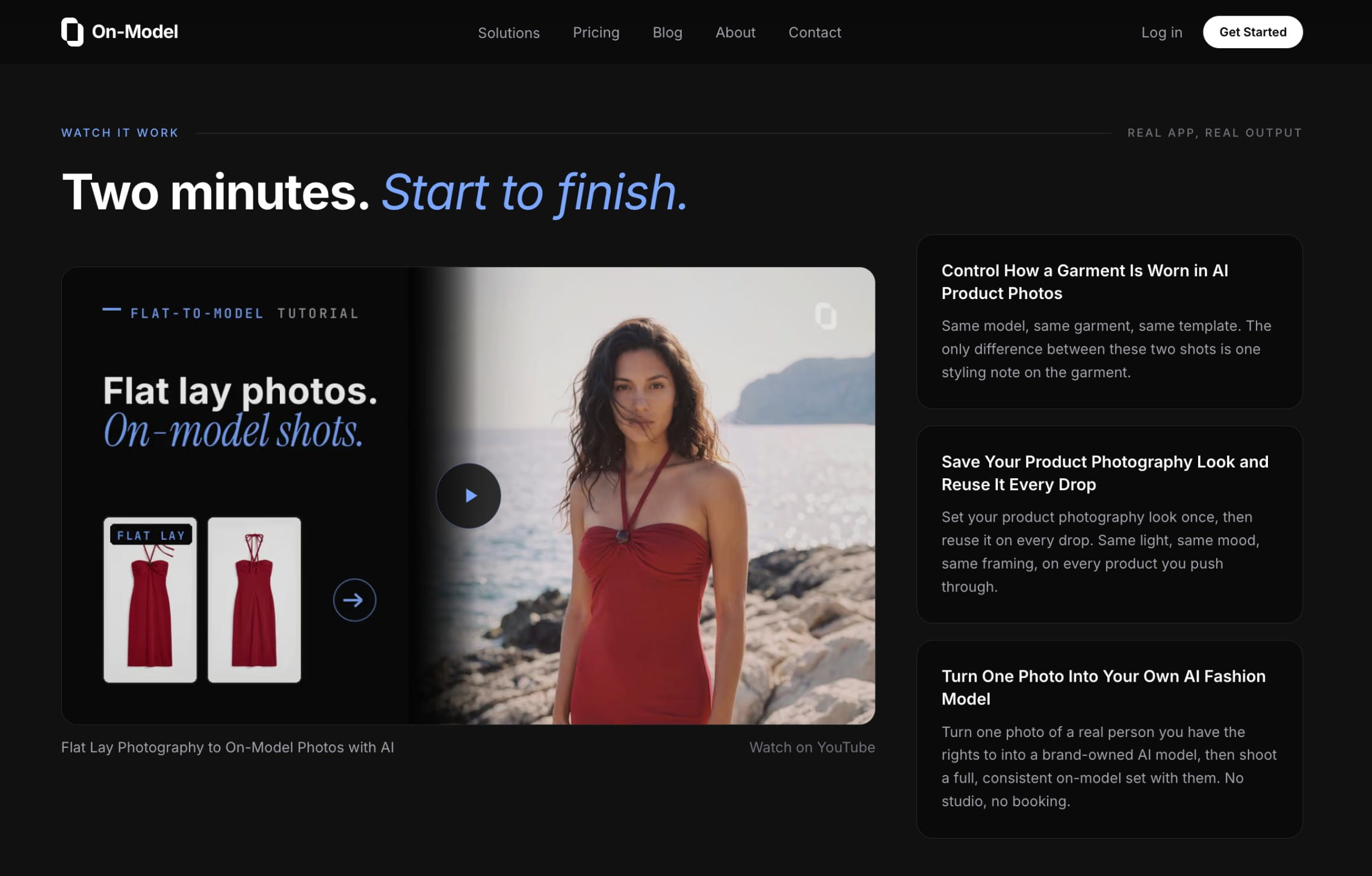
On-Model by PiktID is a fashion-focused platform for creating and editing ecommerce visuals at scale. It supports flatlay to on-model generation, model swap, packshot creation, reusable AI identities, garment recolor, detail repair, custom model upload, batch processing, 4K output, and API access.
On-Model’s Pro and Enterprise plans support team collaboration, shared identities and presets, managed review and retouch, priority support, API access, and custom integrations. That makes it relevant for ecommerce teams that need repeated output patterns across collections.
Key features
- Flatlay to on-model generation
- Model swap for replacing the model while preserving the garment
- Packshot creation for ghost mannequin, flatlay, white cutout, and marketing-ready outputs
- Garment recolor
- Detail repair for fixing logos, text, or small product details
- Preset extraction from reference images
- Batch processing
- Team collaboration and shared presets
- API access
Best for
- Ecommerce teams that want catalog consistency and repeatable operation
- Teams that want reusable AI model identities, presets, and batch workflows
Pricing
- 14-day free trial
- Credit-based pricing plans starting at $19/month (40 images, 12 models)
- Custom enterprise pricing
Pros
- Strong fashion-specific workflow coverage
- Useful for batch operations and repeatable catalog rules
- API access on Pro and Enterprise
- Includes detail repair, recolor, packshot, and identity workflows, not only model generation
Cons
- Some useful catalog features require Pro or Enterprise
- No fully managed production service
7. Caimera: creative fashion images and videos
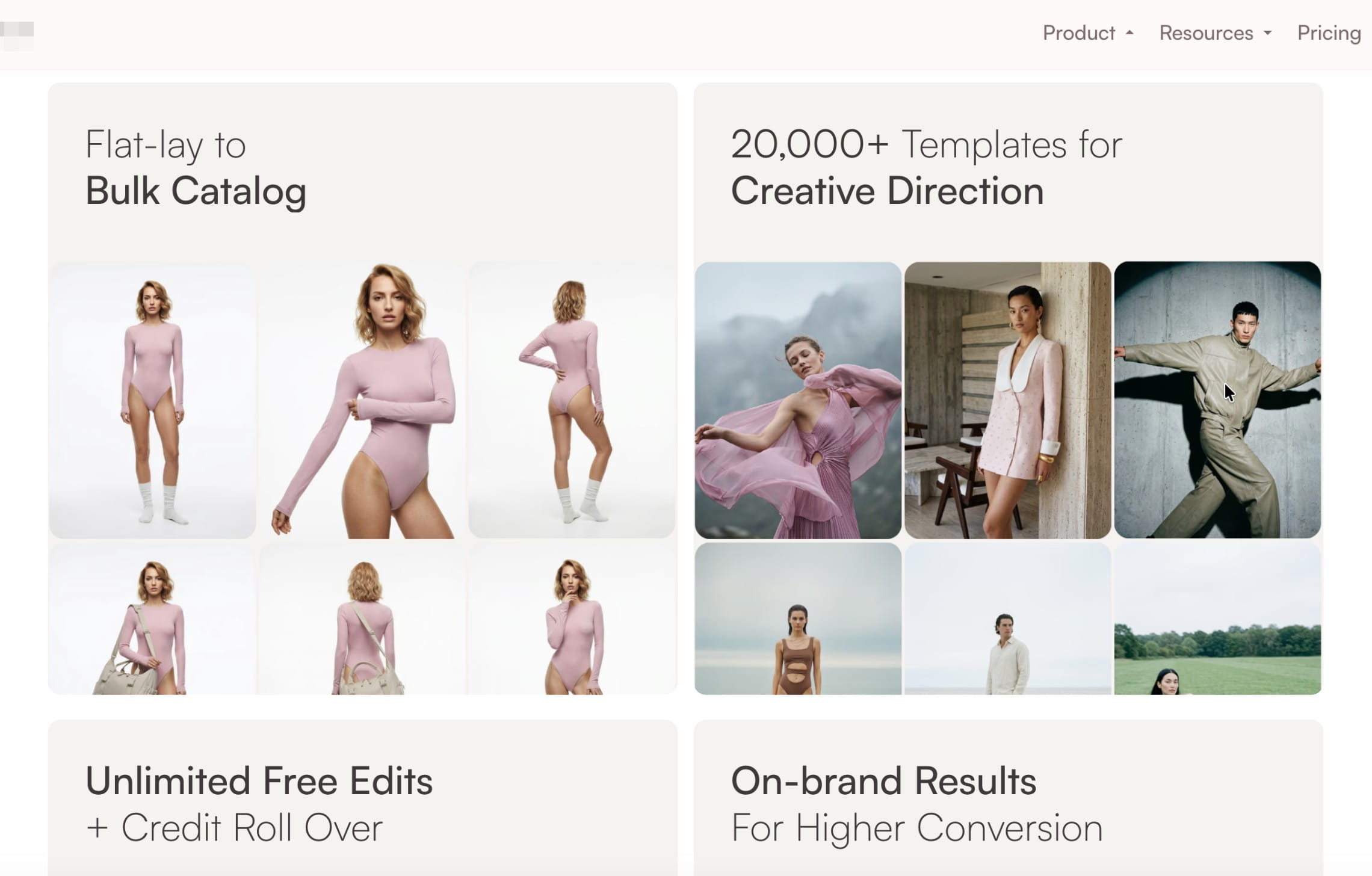
Caimera is a creative AI fashion platform for editorial imagery, catalog photos, videos, image edits, custom models, custom poses, and enterprise services. It is broader than a narrow flatlay-to-model generator, which makes it relevant for teams producing a mix of PDP images, campaign concepts, social content, and videos.
The platform has self-serve plans for image and video generation, plus an Enterprise tier for bespoke AI, exclusive fashion models, digital twins, full-service video editing, full-service generations, creative consulting, post-processing, legal indemnification, and workshops.
Key features
- Editorial fashion image generation
- Catalog images, including flatlay-to-on-model workflows
- AI video generation
- Image edits and post-processing
- Add, edit, and resize tools
- Custom models and poses on higher plans
- API access on higher plans
- Team collaboration and portals on higher plans
- Enterprise full-service generation and video editing
Best for
- Fashion teams that need both ecommerce content and campaign-style visuals
- Creative teams that want more control over models, poses, styling, background direction, and visual mood
Pricing
- 20 one-time credits for free
- Paid plans starting from $15/user/month
- Enterprise starts at $1,500/month
Pros
- Covers catalog images, editorial images, videos, and edits
- Useful for creative teams that need campaign and ecommerce content together
- Enterprise tier includes service, consulting, legal, and bespoke model support
- API and collaboration features are available on higher plans
Cons
- More complex than simple web apps and Shopify tools
- Catalog and video limits vary by plan, so teams should estimate monthly needs carefully
- Enterprise service starts at a higher monthly commitment
How to choose the right AI fashion photography tool
Some AI fashion photography tools are built for simple on-model PDP images. Others help with campaign visuals, lifestyle scenes, product videos, or catalog automation. Some platforms also offer full-service production with their team creating fashion visuals according to particular brand requirements.
Before choosing a platform, map it to the content your team actually needs to ship.
1. Separate PDP production from campaign production
Product-page images and campaign images have different jobs.
For PDPs, the priority is accuracy: the garment needs to look exactly like the product a shopper will receive. Crops, colors, fit, fabric texture, seams, and prints need to stay consistent across a collection.
For campaigns, the priority is creative range. You may need lifestyle scenes, editorial lighting, model direction, movement, accessories, locations, videos, and multiple concepts for ads or social.
Some AI tools are better for clean catalog images. Others are better for creative fashion visuals. If your team needs both, choose a platform that can support PDP consistency and more expressive campaign content without forcing you to rebuild the workflow in separate tools.
2. Check whether the tool supports your full content mix
A single SKU may need PDP images, detail crops, marketplace-ready images, social variants, ad creatives, lookbook images, short videos, regional versions, and seasonal updates.
A narrow AI model generator may be enough for one or two of these. A broader AI fashion photography suite should help you move between on-model photos, backgrounds, videos, resizing, enhancement, and channel-specific outputs.
This matters at scale because every extra tool adds review work, file handling, and inconsistencies.
3. Look at the input workflow
Start with the images your team already has.
If you mostly have supplier photos, flatlays, or ghost mannequin shots, choose a tool that can turn those into realistic on-model images without changing the garment. If you already have model photos, look for model swap, face swap, background replacement, or campaign variation tools.
If you run traditional shoots but need more outputs from them, prioritize tools that can extend a shoot: generate new backgrounds, resize for channels, create videos, swap models, localize visuals, or create social variations from existing assets.
The right tool should fit your current image pipeline, not force your team to start over.
4. Test production consistency
Before committing, test a small but realistic batch: different fabrics, colors, cuts, sizes, poses, and product categories. Check whether the tool keeps the same quality across the whole set.
Review for:
- Accurate colors and materials
- Preserved logos, prints, seams, and hardware
- Natural fit on the model
- Consistent crops and framing
- Repeatable lighting and background style
- Few artifacts around hands, hair, edges, and fabric folds
- Outputs that match your ecommerce layout
5. Decide how much production work you want to own
A self-serve AI photography tool works well when your team can upload images, generate outputs, review results, and make edits internally. This is often enough for small drops, ad tests, social content, or early AI experimentation.
A managed AI fashion production service is better when your team needs ready-to-publish assets across collections, strict visual rules, large image volumes, human review, or a repeatable process for multiple channels.
Choose self-serve if your team wants control and can review outputs internally. Choose custom production if your team wants a partner to build and run the workflow.
6. Check catalog-scale features before you need them
Even if you start with a small test, check whether the platform can grow with your catalog.
For fashion production at scale, look for:
- Batch processing
- API access
- Saved presets or reusable models
- Team collaboration
- Human review or retouch options
- High-resolution export
- Marketplace and PDP output formats
- Clear credit usage
- Dedicated support for larger teams
If your team has frequent drops, many SKUs, or several output types per product, these features should be part of the buying decision from the start.
7. Compare cost by finished asset
The cheapest plan is not always the cheapest workflow.
To compare tools fairly, calculate how much it costs to create a usable final asset. Include failed generations, retouching, upscaling, video, resizing, review time, and any extra tools your team needs to finish the image.
FAQ
What is AI fashion photography?
AI fashion photography uses machine learning models to:
- Put garments on AI or virtual models
- Generate catalog or lifestyle scenes from simple product shots
- Automate retouching, background cleanup, and resizing for different channels
Instead of booking a full shoot for every product, you create a few reference photos, then let AI generate the bulk of your images.
What are AI fashion photography backgrounds?
These are AI generated scenes or backdrops that you can place products or models into:
- Simple solid or gradient backgrounds for catalog images.
- Realistic environments like studios, streets, beaches, or interiors for lifestyle shots.
- On-brand, color-themed sets for specific campaigns.
In AI tools we’ve featured, you can place fashion models on any background by either using a prompt or uploading custom images.
What are the benefits of AI-powered retouching for fashion photography?
Key benefits include:
- Faster cleanup of wrinkles in backdrops, stray hairs, dust, or props.
- Consistent color and exposure across collections, which matters when customers compare similar items side by side.
- Automated background removal and shadow generation, so products don't float.
- Ability to resize and outpaint images for marketplace, social, and homepage placements without recomposing each one manually.
Tools like Claid combine object removal, outpainting, and other tools to create these retouches within the same pipeline, alongside content generation.
Can I use AI fashion photography images on Amazon and other marketplaces?
Marketplaces like Amazon and eBay focus more on clarity, no misleading edits, and policy compliance than on whether AI is involved. That said, you should check current image policies and avoid unrealistic edits that misrepresent the product.
Always test:
- Whether AI images impact returns (if fit looks different in reality).
- Whether your audience is comfortable with AI models when price points are high.
How do AI tools handle kids and plus-size fashion?
Many tools now explicitly list kids, teens, and plus-size models in their libraries. Claid’s AI Fashion Models and other platforms highlight support for wider body types and age groups, although diversity and quality still vary by provider.
Good practice:
- Use tools that let you control body type and skin tone explicitly.
- Review outputs to avoid stereotypes or unrealistic proportions.
Which AI fashion photography tool is best for large catalogs?
For large catalogs, look for batch generation, API access, reusable model settings, review workflows, and support for consistent outputs. Claid, On-Model by PiktID, FASHN AI, and Caimera are stronger fits for scale than simple one-off editors. If you want finished content delivered by a team, Claid’s AI fashion production service is built for custom catalog production.
Can AI fashion photography tools create videos?
Yes. Several tools now support AI fashion videos, including Claid, Botika, MODA AI, FASHN AI, and Caimera. Video quality, duration, pricing, and styling control vary by platform, so check whether video outputs can match the same model, garment, and brand direction as your still images.
Can AI fashion photography preserve garment details?
The best tools are designed to preserve garment details, but results vary. Always test complex products before scaling: prints, logos, lace, denim, ribbed fabric, embroidery, sheer materials, unusual cuts, and fitted pieces are good stress tests.
Will AI fashion photography replace real photoshoots?
Not fully.
What is already happening:
- Big retailers like Zalando generate a lot of campaign images with AI for speed and cost, then still use human-shot content for flagship campaigns.
- Many smaller brands run hybrid workflows: real shoots for hero looks plus AI fashion photography for variants.
The realistic framing is: AI tools compress the cost and time of most day-to-day fashion imagery. They don't remove the need for strong branding, art direction, and occasional real shoots to anchor your visual identity.
When should a brand choose custom AI fashion production?
Choose custom production when your team needs consistent results across many SKUs, strict brand guidelines, several assets per product, human QA, video support, or export rules for multiple channels. It’s especially useful for mid-market fashion brands, marketplaces, retailers, and teams with frequent collection drops.
Need AI fashion photography at scale?
Produce high volumes of on-model and product visuals without slowing down launches. Use our API to automate fashion image workflows or work with our team on a custom pipeline tailored to your operations.


Claid.ai
September 11, 2026