Tech
AI fashion model generator guide: 6 best tools for 2026


If you sell clothes online, an AI fashion model generator is the fastest way to turn flatlay or mannequin shots into realistic on-model photos and videos: without booking studios, models, and retouchers.
This guide covers AI fashion model generators for self-serve product photos, Shopify workflows, API automation, and custom AI fashion production for brands that need finished content at scale.
Quick comparison: 6 best AI fashion model generators at a glance
Here’s a brief overview before going into the details:
| Tool name | Best for | Scale fit | Pricing | Platforms |
| Claid | Fashion model generation plus full product-photo workflows | Self-serve, API, and custom AI fashion production | Free trial; paid and custom business plans | Web, API, custom service |
| Botika | Premium on-model photos and videos with retouch support | Good for growing brands; enterprise plan for custom models and QC | Free trial; from $55/month, or $46/month billed yearly; custom enterprise | Web, Shopify/iOS availability may vary |
| Modelia | Broad AI fashion creation workspace | Batch generation, API access, team plans, business tier | Free plan; paid plans from $35/month; business from $300/month | Web, Shopify, API |
| MODA AI | Shopify catalog sets without a subscription | Best for Shopify stores and small catalog batches | Free to install; pay-as-you-go from $1.25 per product set | Shopify |
| On-Model by PiktID | High-volume ecommerce catalog workflows | Strong batch, API, team, and enterprise support | Free plan; paid plans from €17/month billed yearly; enterprise custom | Web, API |
| Caimera | Editorial, catalog, video, and full-service AI fashion production | Good for teams that need creative output plus enterprise services | Free plan; paid plans from $15/user/month; enterprise from $1,500/month | Web, enterprise service |
If you only need a few on-model photos, a self-serve generator is usually enough. If you need consistent content across full collections, marketplaces, or recurring product drops, look for API workflows or a custom AI fashion production service.
Need AI fashion photography at scale?
Produce high volumes of on-model and product visuals without slowing down launches. Use our API to automate fashion image workflows or work with our team on a custom pipeline tailored to your operations.
Now, let’s take a closer look at each AI model generator.
1. Claid, the most complete AI fashion pipeline
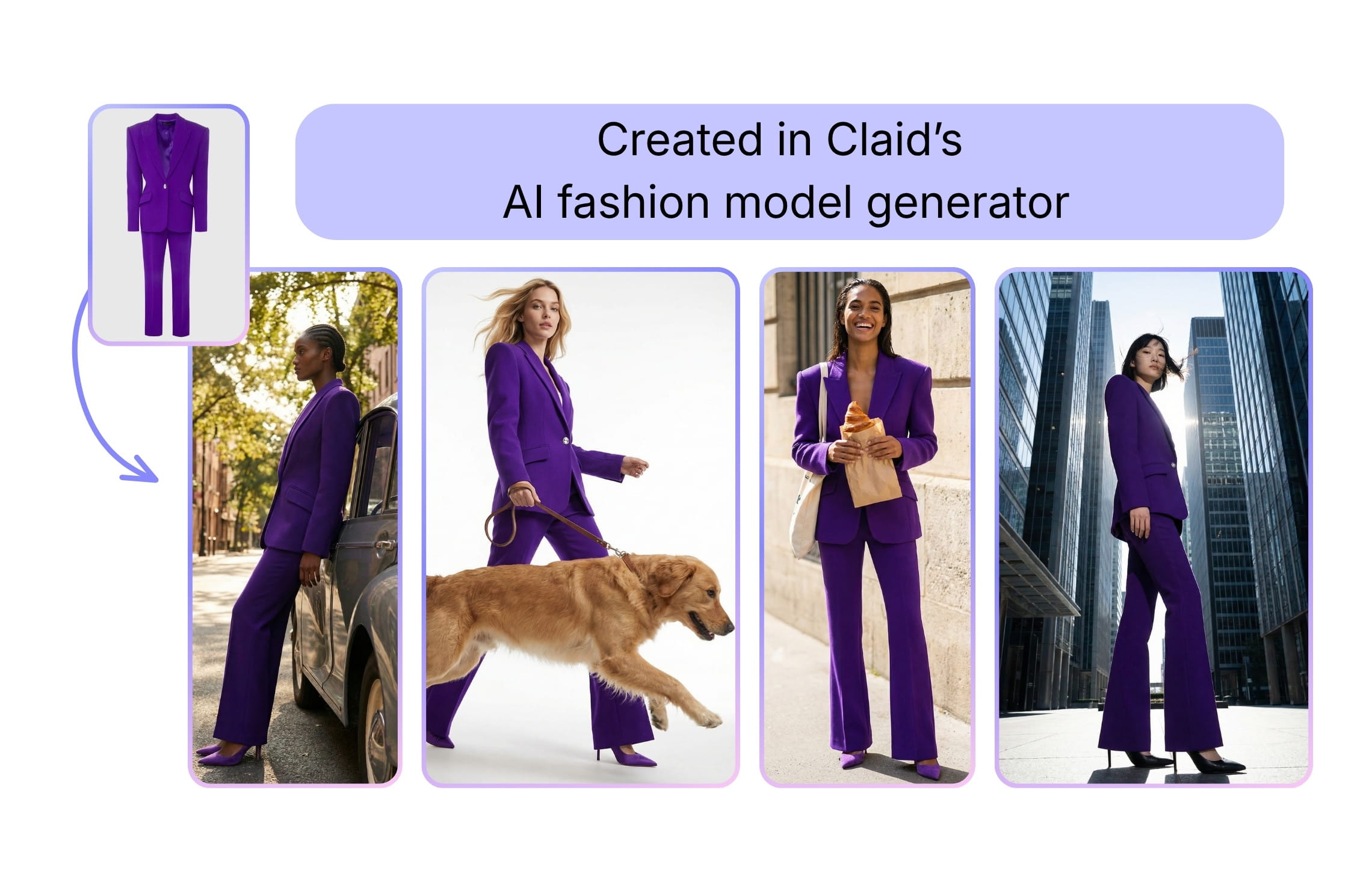
Claid’s AI Fashion Models tool sits inside a broader AI product-photo studio. You upload a single garment photo (flatlay, ghost mannequin, or on-model image), pick from the library of virtual models, and get photorealistic fashion shots in seconds.
For teams that want more than self-serve generation, Claid also offers AI fashion photography service, where forward-deployed engineers and creatives build a production workflow around your garments, brand references, models, and channel requirements. This is useful when you need ready-to-publish PDP images, lookbook content, or marketplace-ready assets across a full catalog.
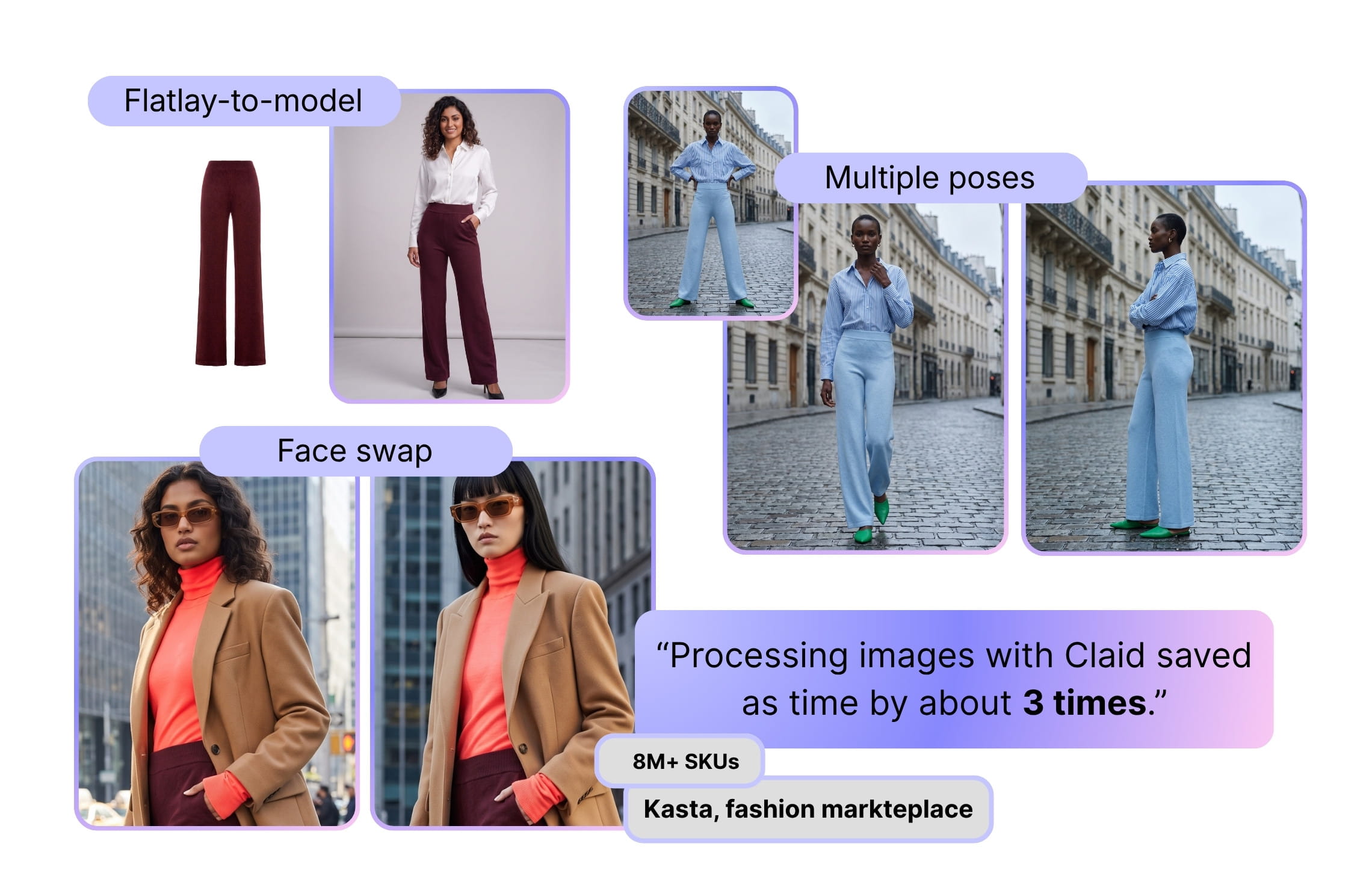
Kasta, a fashion marketplace with millions of SKUs and 100,000+ new items added monthly, used Claid to build a high-volume workflow for face swaps, flatlay-to-model generation, and multiple poses per garment. The result: 3x faster processing. Auras Activewear used Claid’s fashion model workflow to reduce shoot costs by up to $2,000 per collection and remove 1-2 days from production.
Key features
- Flatlay-to-model and model-to-model generation with up to 4k resolution
- 100+ diverse models to choose from, including plus-size and kids
- Custom model upload
- Face swap via an API to easily localize and diversify campaigns
- Fashion video tool to turn photos into short animations
- API workflows to automate operations at scale
- Custom workflows for recurring collections, PDP sets, model consistency, resizing, QA, and export logic
- Enterprise support for high-volume fashion catalogs, marketplaces, and retailers
Best for
- Fashion brands that want to start with self-serve on-model generation, then scale into API or custom production
- Mid-market and enterprise teams producing hundreds or thousands of fashion visuals per month
- Marketplaces that need consistent model photography across many vendors and product categories
- Premium brands that want a production workflow tailored to their creative direction
Pricing
- 50 credits for free
- Paid subscriptions start at $9 per month
- Credit-based system, with one fashion photo generation costing 4-24 credits depending on the resolution
- Custom pricing for fashion production services and enterprise needs
Pros
- End-to-end AI fashion photography studio
- Deep model library plus custom models and pose consistency, crucial for big catalogs
- Strong control over product preservation, preventing hallucinated prints or wrong fabrics
- APIs for high-volume workflows and marketplaces
Cons
- No mobile app, available only on web
2. Botika, premium AI models for fashion photos and videos
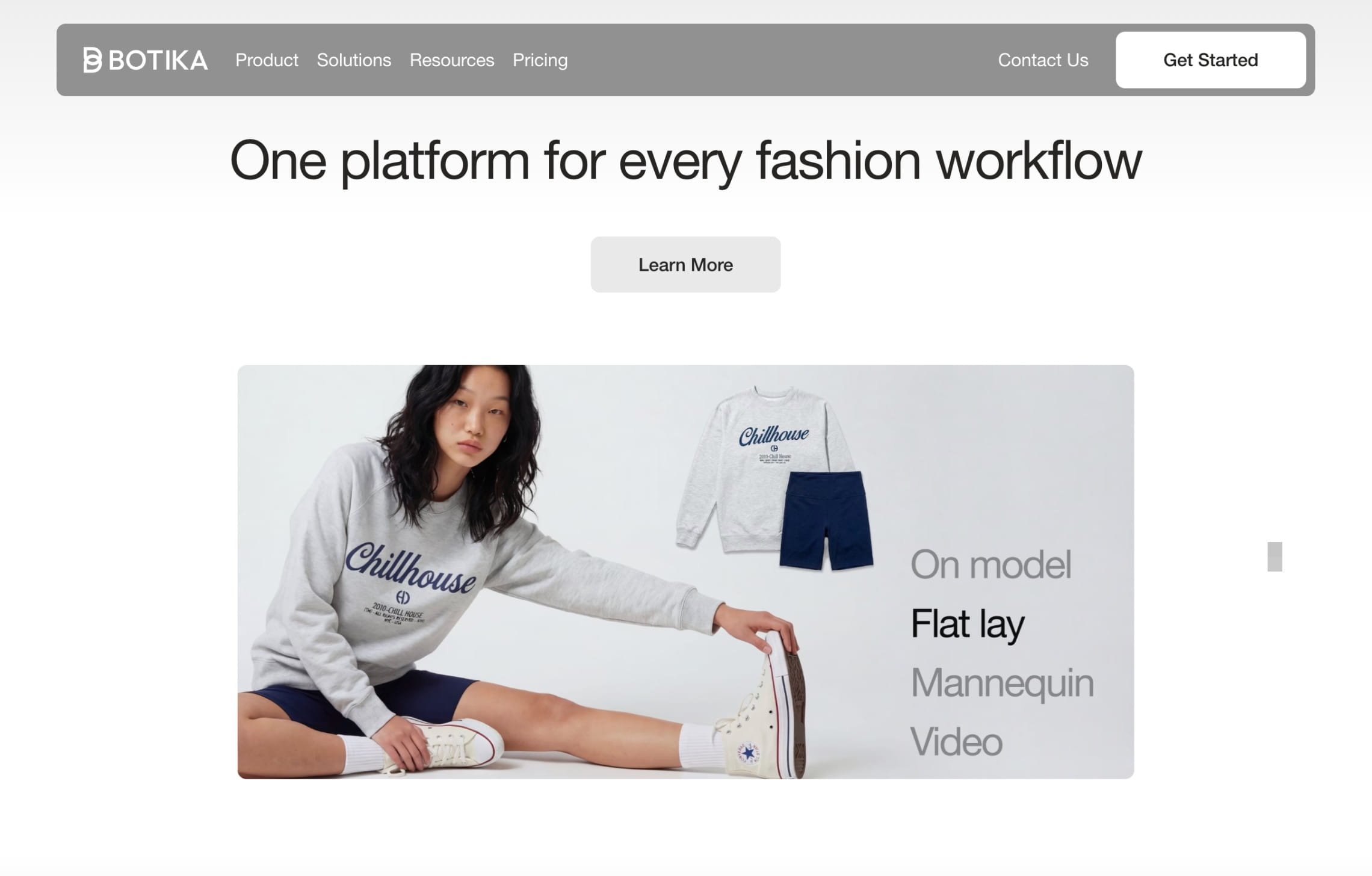
Botika focuses on creating polished on-model fashion photos and videos from existing garment photos. It supports flatlays, mannequin shots, and existing model photos, then turns them into AI-generated fashion model images for ecommerce, editorial, and social content.
Botika is positioned as a premium AI fashion photography platform for brands that want polished on-model photos and videos with less manual editing. Beyond basic generation, it offers retouch rounds, photo fix delivery, higher-resolution output on advanced plans, team collaboration, and enterprise options for teams with stricter brand and quality requirements.
Key features
- AI-generated models with diverse body types and ethnicities
- AI fashion video generation
- Retouch rounds and photo fixes on annual plans
- Custom models, backgrounds, and white-glove QC on enterprise plans
- Team collaboration on higher plans
Best for
- Fashion brands that want polished AI model photos with human retouch support
- Teams that value guided workflows over deep prompt control
- Premium brands that need custom models or stricter visual review
Pricing
- Paid plans start at $55/month, or $46/month billed yearly
- Advanced and enterprise plans are available for higher resolution, team collaboration, custom models, and QC
Pros
- Strong fashion focus
- Photo and video support
- Retouching support helps reduce failed-output risk
- Enterprise positioning is clearer than before
Cons
- Entry price is higher than many lightweight tools
- Less flexible if you want broad product-photo operations beyond fashion model generation
- API/custom workflow visibility is less central than in platforms built around automation
3. Modelia, flexible AI fashion model generator with videos
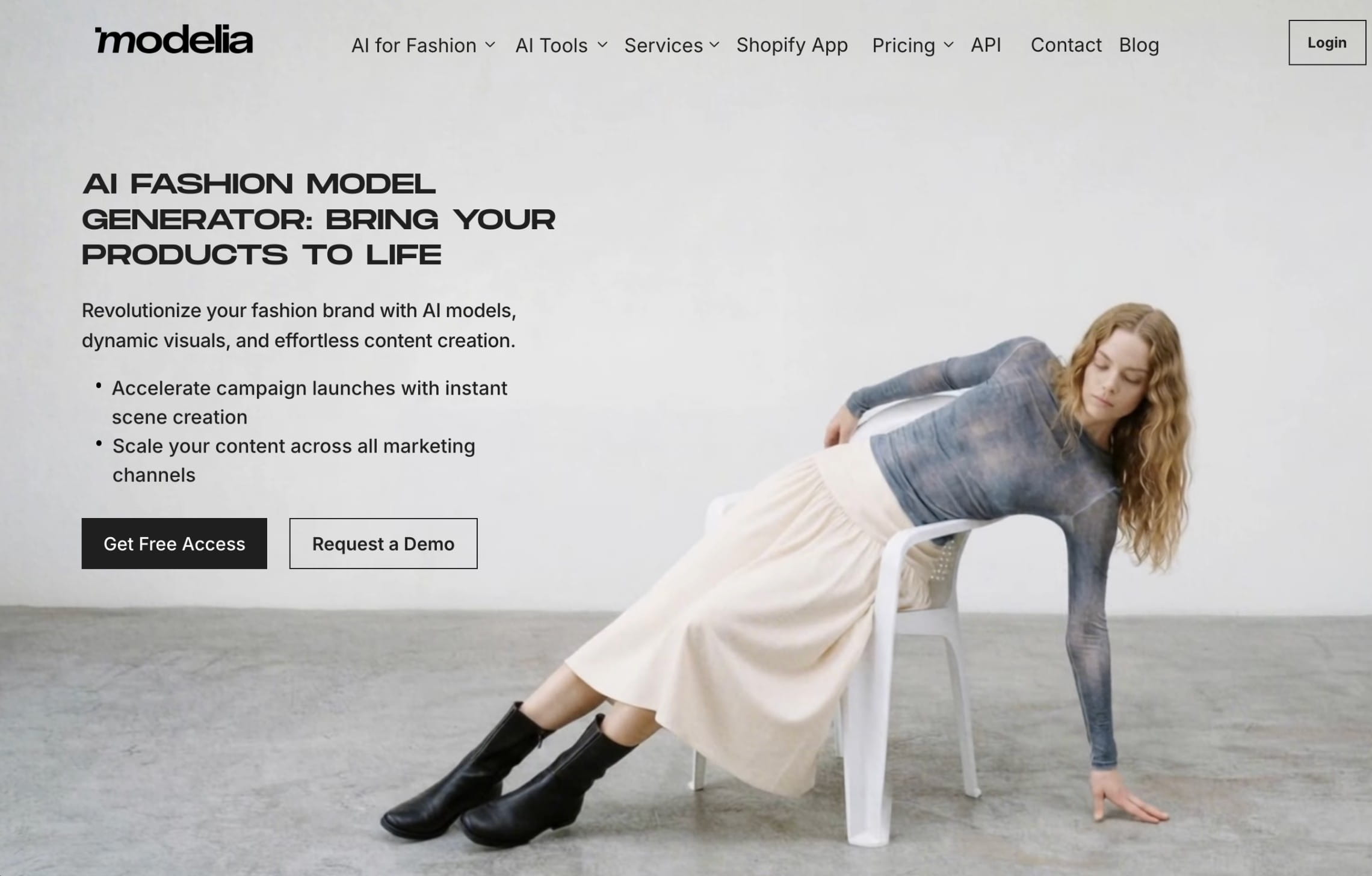
Modelia is a Shopify-first AI model fashion generator that also offers a broader AI fashion workspace with flatlay-to-model, mannequin-to-model, model-to-model, video generation, repose, outfit generation, accessories-on-model tools, background changes, upscaling, and API access on paid plans.
This makes Modelia a better fit for teams that want many fashion-specific tools in one place, especially if they need to experiment with campaign ideas, product styling, and content formats.
Key features
- Flatlay-to-model, mannequin-to-model, and model-to-model tools
- AI fashion model video generator
- Repose tool for changing poses
- Outfit generator and accessory tools
- Batch generation on paid plans
- Public API access on paid plans
- 4K exports on paid plans
- Consistent character limits by plan
Best for
- Fashion teams that want a broad creative toolkit
- Brands creating both ecommerce and marketing content
- Teams that need API access but still want a usable web interface
- Shopify stores that want AI fashion model photos and short videos
Pricing
- Free plan with 20 credits/month and watermarked outputs
- One-time project plan from $12
- Paid subscriptions from $35/month
- Business plan from $300/month
Pros
- Strong feature expansion since earlier versions
- Covers photos, videos, accessories, pose changes, and styling
- Batch generation and API access make it more scalable than a basic app
- Good fit for creative iteration
Cons
- Because the toolkit is broad, teams may need time to define a repeatable production process
- Large catalogs may still need workflow planning, QA, and integration support outside the tool itself
4. MODA AI, pay-as-you-go Shopify catalog generator
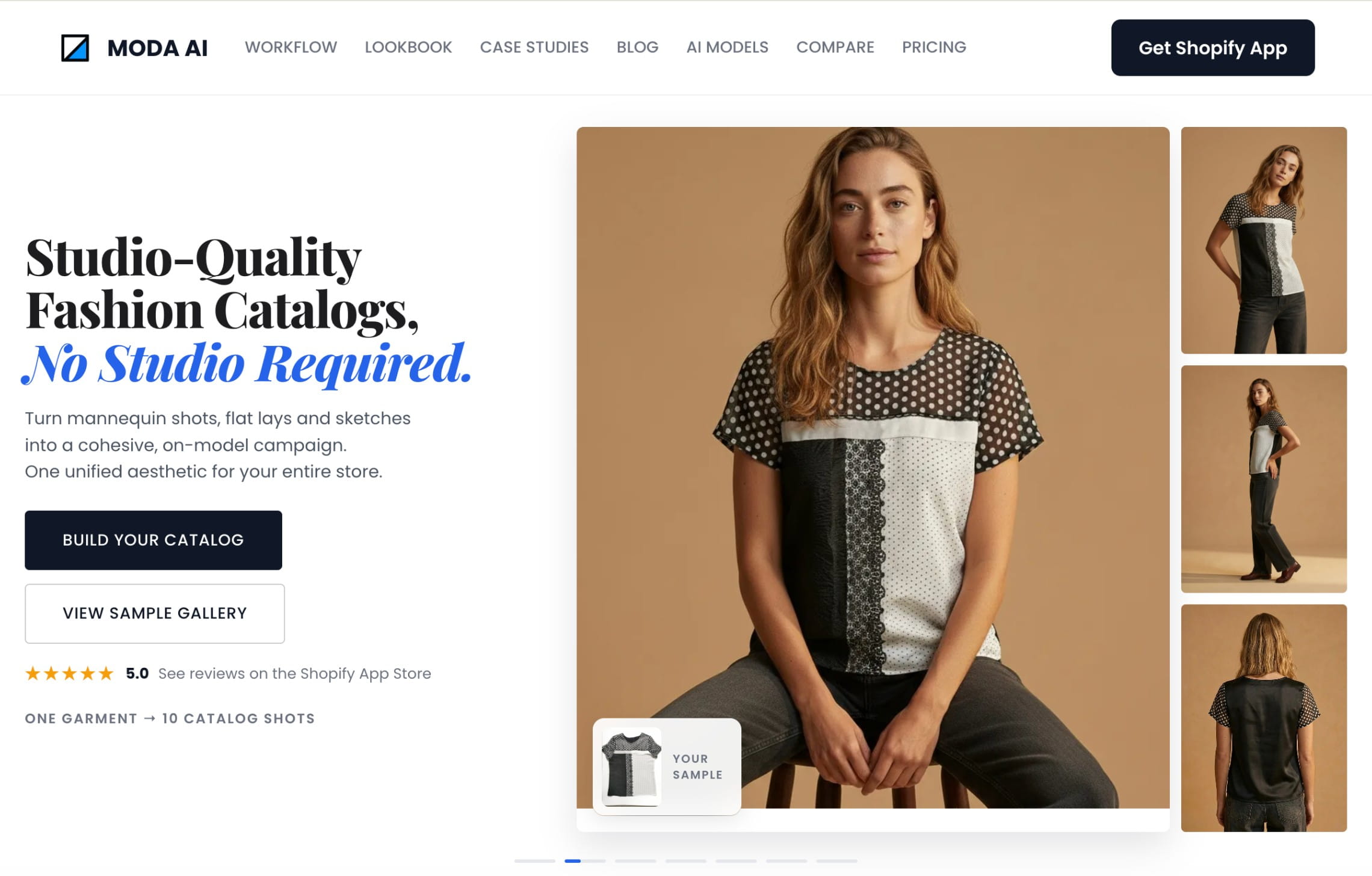
MODA AI is a Shopify app built for brands that want quick on-model catalog sets without committing to a subscription. The core promise is simple: upload one garment image and generate 10 multi-angle on-model photos, with video available as an additional output.
It’s especially useful for Shopify sellers, dropshippers, and smaller catalog teams that want predictable per-product pricing and don’t need an enterprise production pipeline.
Key features
- 10 on-model photos from one garment input
- Short AI product videos
- Flatlay, mannequin, packshot, supplier photo, and on-model inputs
- Men, women, kids, plus-size, ethnic diversity, and body-type variety
- Studio, lifestyle, and reference-based backgrounds
- Consistent model options across collections
- Direct Shopify workflow
Best for
- Shopify brands that want catalog sets fast
- Small teams that prefer pay-as-you-go pricing
- Dropshippers and boutiques working from supplier photos
- Brands that want product-page images and simple video assets together
Pricing
- 20 AI photos for free
- Pay-as-you-go from $1.25 for one product set with 10 photos
- 60 products / 600 photos listed at $50
- AI video generation uses 1 credit
Pros
- No subscription required
- Clear product-set pricing
- Good fit for Shopify catalog production
- Video included in the workflow
Cons
- Best suited to Shopify rather than complex multi-system workflows
- Less suitable as an enterprise production service
5. On-Model by PiktID, API-ready fashion visuals
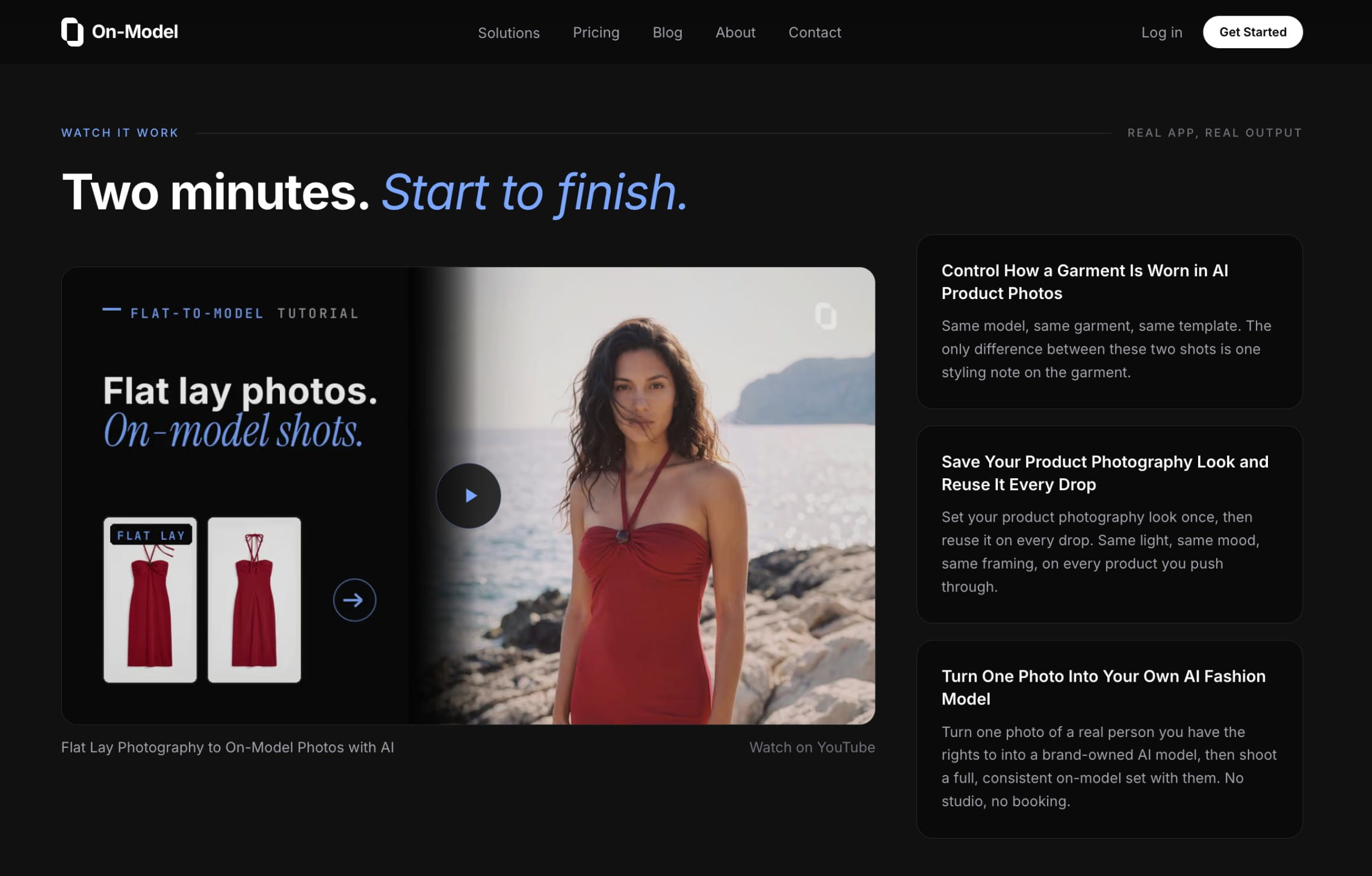
On-Model by PiktID is built around fashion ecommerce workflows: flatlay-to-model, model swap, packshot creation, garment recolor, reusable identities, batch processing, and API integration. It’s one of the stronger options when scale, garment fidelity, and workflow automation matter more than casual experimentation.
On-Model says it can process thousands of images daily through API integration and supports batch workflows for entire folders. It also emphasizes reusable model identities, 4K output on higher plans, team collaboration, managed review, and enterprise support.
Key features
- Flatlay-to-model generation
- Model swap for existing product photos
- Packshots from raw garment photos
- Reusable AI model identities
- Batch processing
- REST API
- 4K output on Pro and Enterprise
- Team collaboration and managed review on Pro
Best for
- Ecommerce teams that need repeatable catalog workflows
- Brands that care about garment preservation and model consistency
- Developers or ops teams integrating AI generation into a production pipeline
- Retailers and marketplaces that need batch and API support
Pricing
- Free for 15 images/month and 6 AI models
- Basic for $19/mo (40 images, 12 models)
- Pro plans starting from $99/mo (260 images, 40 models, API)
- Custom enterprise pricing
Pros
- Strong scale story: batch, API, reusable identities, team workflows
- Clear support for model swap, flatlay-to-model, packshots, and recolor
- Enterprise tier includes custom integrations, SLA, and dedicated account management
Cons
- API and 4K output require higher-tier plans
- Doesn’t offer a done-for-you production service
6. Caimera, creative AI fashion studio with enterprise options
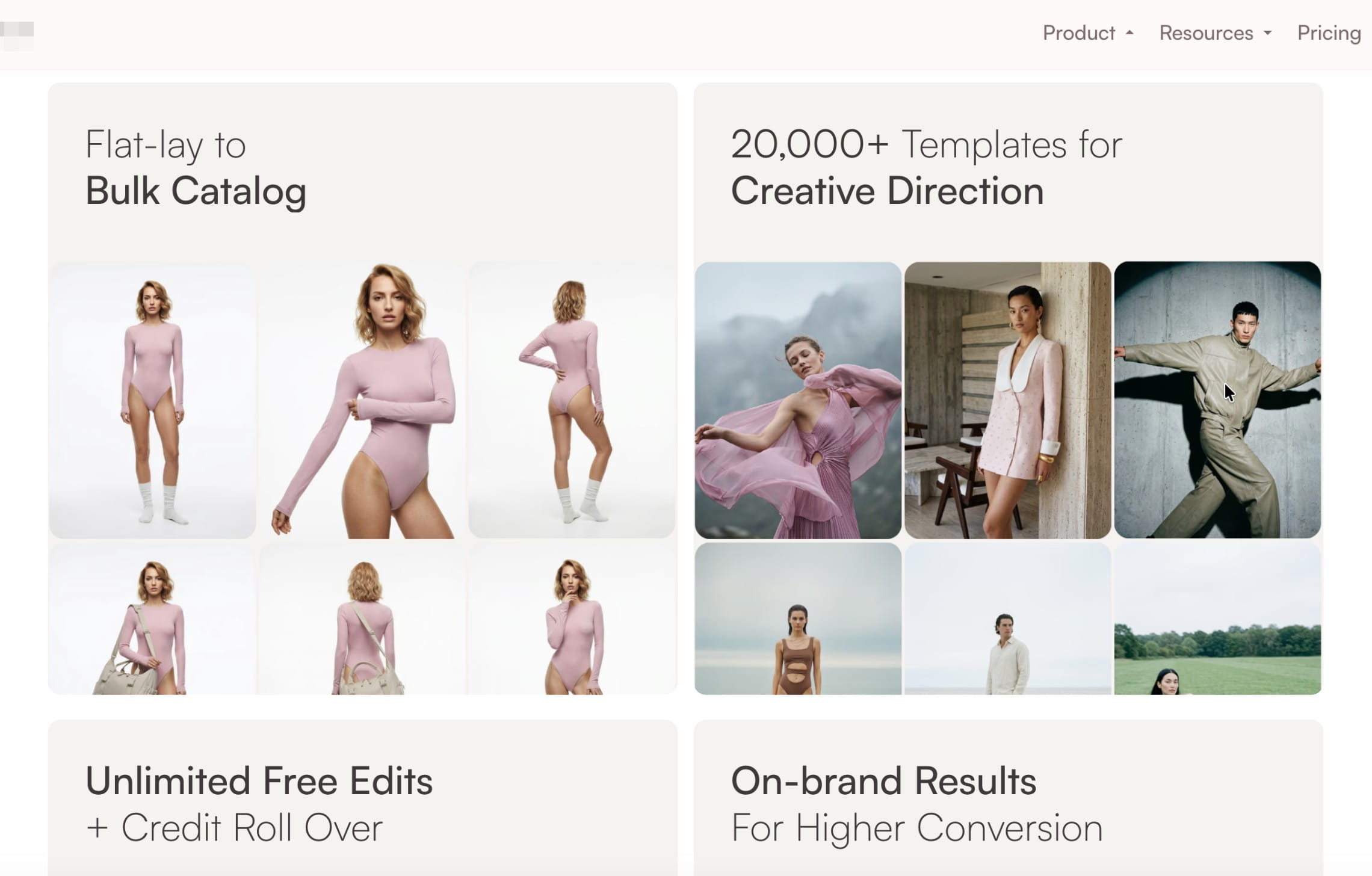
Caimera is a fashion and product content platform that covers editorial photos, catalog images, videos, recoloring, custom models, post-processing, and enterprise services. It’s broader than a narrow AI fashion model generator, but still relevant because its fashion workflows are strong and its enterprise offer includes full-service production.
Caimera is a good fit for teams that want both creative campaign output and catalog production. Its enterprise plan is positioned for bespoke AI, exclusive AI fashion models, digital twins, full-service generation, full-service video editing, legal indemnification, creative consulting, and workshops.
Key features
- Editorial fashion image generation
- Catalog images, including flatlay-to-on-model
- AI video generation
- Custom models and poses on higher plans
- Photoshop and post-processing options
- API access on higher plans
- Team collaboration
Best for
- Brands producing editorial, social, and catalog content together
- Teams that need AI fashion videos as part of the workflow
- Enterprise brands that want bespoke models, digital twins, consulting, and legal support
- Creative teams that need more campaign flexibility than a PDP-only tool
Pricing
- Free plan with 20 one-time credits
- Paid plans starting from $15/user/month
- Enterprise starts at $1,500/month
Pros
- Strong creative range across images, videos, catalogs, and edits
- Enterprise plan includes full-service generation and legal indemnification
- Suitable for brands that want campaign-level experimentation
- Credits roll over while subscription stays active
Cons
- Catalog images cost more credits than simple editorial generations
- Not as narrow or simple as a dedicated flatlay-to-model tool
- Teams focused only on basic PDP images may not need the full creative suite
How to choose the right AI fashion model generator
A good AI fashion model generator should preserve product details, support repeatable workflows, and scale with your catalog. Here’s a checklist to choose the most suitable tool for your business.
1. Start with your input photos
If you already have flatlays or ghost mannequin shots, choose a tool built specifically for flatlay-to-model generation. If you have older on-model images, look for model swap or face swap. If you work from supplier photos, check whether the tool can clean up inconsistent lighting, crops, and backgrounds before generation.
For fashion brands, the safest workflow usually starts from real garment photos. This gives the AI a product anchor, so the final image is less likely to invent wrong seams, buttons, patterns, or silhouettes.
2. Decide between self-serve tools and custom production
Self-serve AI model generators are great when your team wants to test outputs, refresh PDP images, or create content for smaller drops. You upload images, choose models, generate results, and handle the review internally.
Custom AI fashion production is different. It’s better when you need finished content across full collections, strict brand guidelines, repeated output patterns, or a workflow that combines several steps: model generation, face swaps, background rules, resizing, upscaling, video, QA, and export.
Choose self-serve if:
- You need dozens of images
- Your team can review and edit outputs internally
- You want fast testing for PDPs, ads, or social
- Your catalog structure is simple
Choose custom production if:
- You need consistent outputs across hundreds or thousands of SKUs
- Your brand has strict model, pose, lighting, crop, or styling rules
- You need multiple assets per SKU
- Your content needs to fit PDPs, marketplaces, ads, social, and regional campaigns
- You want a partner to build and run the workflow
For instance, Claid offers both paths: self-serve AI fashion tools for fast generation and AI fashion production for teams that want a managed content pipeline.
3. Check garment fidelity first
Fashion AI is only useful if the product stays true to the original garment. Before choosing a tool, test difficult items: prints, logos, sheer fabrics, lace, denim texture, ribbed knits, embroidery, asymmetric cuts, and fitted garments.
Look for:
- Accurate color
- Preserved seams, hems, closures, and prints
- Correct garment length and fit
- No invented pockets, buttons, folds, or accessories
- Consistent product shape across poses
At scale, small errors become expensive. If a tool changes the product across hundreds of SKUs, the content may create return risk instead of solving a production problem.
4. Look at catalog scale
A tool that works for 20 images may not work for 2,000. If you run frequent drops, manage many sellers, or need several assets per SKU, check how the platform handles volume.
Important scale features include:
- Batch generation
- API access
- Reusable models and presets
- Folder or catalog uploads
- Team collaboration
- Review and retouch workflows
- Export formats for PDPs, marketplaces, ads, and social
- Dedicated support or SLAs for business-critical production
5. Match the tool to the content type
Some tools are strongest for clean PDP images. Others are better for lifestyle campaigns, social videos, or editorial visuals.
Choose based on what you need most:
- PDP images: prioritize garment accuracy, repeatable crops, and model consistency
- Marketplace listings: prioritize batch workflows, background rules, and export logic
- Lookbooks: prioritize creative direction, moodboards, locations, and styling control
- Social ads: prioritize video, motion, variations, and fast iteration
- Regional campaigns: prioritize model diversity, face swaps, localization, and rights
Many brands use a hybrid workflow: traditional shoots for hero campaigns, AI model generators for PDPs and long-tail SKUs, and custom AI production for recurring catalog refreshes.
6. Calculate cost at the collection level
Don’t compare tools only by monthly plan price. Calculate the cost of producing a full collection.
Ask:
- How many finished images do we need per SKU?
- Do videos cost extra?
- Do high-resolution exports use more credits?
- Are failed outputs refunded or retouched?
- Can unused credits roll over?
- Will we need a second tool for resizing, upscaling, backgrounds, or QA?
- Is support included, or will internal teams spend time fixing outputs?
For small brands, pay-as-you-go tools can be cost-effective. For teams producing hundreds or thousands of images, API pricing, custom plans, or managed production may be more efficient.
FAQ
What is an AI fashion model generator?
An AI fashion model generator is software that takes your garment photos or text prompts and produces images or videos of AI-generated models wearing those clothes. The good ones understand pose, fabric drape, and lighting well enough for catalogs and campaigns.
Is there a free AI fashion model generator?
Most described tools offer some functionality for free, although you’ll need a paid plan to create high-resolution, consistent visuals.
Which AI fashion model generator is best for large catalogs?
For large catalogs, look for batch processing, API access, reusable models, export controls, and support for QA. Claid, On-Model by PiktID, Modelia, and Caimera are stronger fits for scale than simple one-off generators. If you want a team to run the workflow for you, Claid’s AI fashion production service is built for custom catalog production.
Can AI fashion model generators preserve garment details?
Yes, but quality varies a lot. The tool should preserve color, fabric texture, logos, prints, seams, shape, length, and fit. Always test complex garments before scaling, especially embroidery, text, lace, denim, sheer fabrics, asymmetric cuts, and branded details.
Which tools support AI fashion videos?
If you need AI fashion model videos, you can use Claid, Botika, Modelia, MODA AI, or Caimera. Some generate videos directly from product or model images, while others treat video as part of a broader content workflow. Check resolution, duration, credit cost, and whether videos can follow the same model and styling direction as your still images.
Are AI-generated fashion model images safe for commercial use?
Most ecommerce-focused tools offer commercial usage rights on paid plans, but terms differ. Check whether the models are synthetic, whether outputs can be used in ads and marketplaces, whether generated content needs AI disclosure, and whether enterprise plans include extra legal or indemnification support.
How do I keep the same AI model across a whole collection?
You need tools that support reusable model templates or strong pose control. Claid, Botika, and other tools offer galleries of reusable models. You can also upload custom models to have more control over the brand identity.
Can I upload my own model images instead of AI-generated ones?
Yes. Claid, Modelia, On-Model by PiktID, Botika, and Caimera support custom models or brand-specific model workflows. Availability depends on the plan: some tools let you upload a model reference directly, while others offer custom or exclusive models through higher-tier or enterprise plans.
Can these tools really replace traditional photoshoots?
Not entirely. For bread-and-butter ecommerce (catalog shots, seasonal drops, A/B tests), AI fashion model generators can cut costs by 80–90% and speed up production by 3–10 times.
However, hero campaigns, high-budget lookbooks, and brand-defining imagery still benefit from real-world shoots. A practical strategy is combining real shoots and AI model generators for different needs.
Need AI fashion photography at scale?
Produce high volumes of on-model and product visuals without slowing down launches. Use our API to automate fashion image workflows or work with our team on a custom pipeline tailored to your operations.


Claid.ai
September 11, 2026