Tech
6 AI background changers for product and fashion photos


An AI background changer helps you replace a distracting backdrop, add a clean studio background, or adapt an existing photo for a different campaign. For ecommerce, the goal is a new setting that still shows the same product accurately.
This guide compares 6 tools for changing product and fashion photo backgrounds, plus a practical workflow for getting consistent, publishable results.
Key takeaways
- Background changing is not limited to generating new scenes. You can replace a background with white, a brand color, an uploaded image, or an AI-generated setting.
- Choose tools around the finished image. Claid and Photoroom support product-photo workflows. Photoshop offers detailed compositing control, while Canva, Picsart, and Fotor combine background editing with broader creative tools.
- Product accuracy matters more than a dramatic transformation. Check labels, colors, textures, and proportions after editing. Fashion photos also need careful inspection around hair, garment edges, and footwear.
- Reusing a background does not automatically create consistency. Product size, framing, lighting, and shadows should follow the same rules across a collection.
- Batch editing and automated production are different capabilities. A batch tool can speed up a collection update, while recurring catalog work may require API integration, quality checks, and managed support.
Need AI product photography at scale?
Scale product image production without stretching your team. Use our API to automate image workflows, or let our team deliver a custom pipeline built around your operations.
Let’s review the most suitable background changer tools for product and fashion photos.
1. Claid.ai, for consistent product and fashion backgrounds
Claid brings background change into a broader product-image workflow. You can replace a distracting setting with a studio backdrop, apply a brand-colored background, or place a product in a different environment.
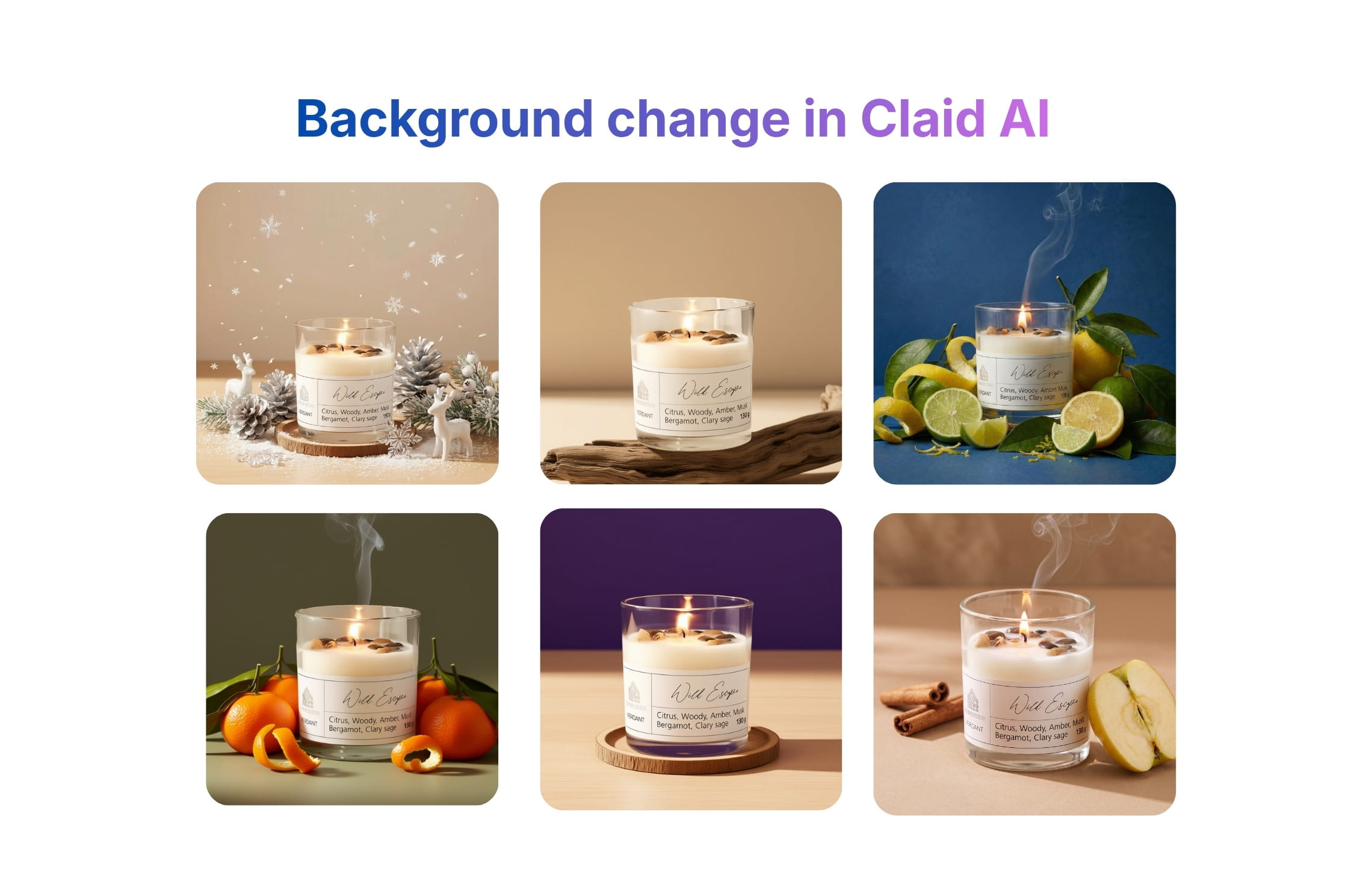
You can change product photo backgrounds by using different AI Photoshoot modes, or by describing the intended change in the prompt in the AI Edit tool.
For fashion imagery, you can create a suitable setting around the clothing and model, whether the image is intended for a product page, a lookbook, or a campaign. Alongside, you’ll have tools for image enhancement, resizing, and other steps.
For recurring catalog work, Claid’s API connects background replacement with other image-processing steps. Zepto, which carries more than 45,000 products, used Claid to replace plain backgrounds with category-specific scenes and standardize catalog imagery. Its workflow processed 20,000–30,000 product images in just a few days, reducing routine editing work for designers.
If you want production handled for you, Claid’s custom AI photography service works from your existing photos, brand guidelines, and creative brief. The team will produce product and fashion assets according to your vision and review them against your requirements.
Key features
- Reference- or prompt-based background change: upload your background image or describe what you want to change or generate.
- Templates for simple product scenes: start with a ready-made setting
- Background color changes: replace an inconsistent backdrop with white or a brand color
- Suite of connected AI image tools: upscaling, outpainting, cleanup, and more
- APIs and custom workflows for automation
Pricing
- Free trial with 50 web credits
- 50 free API credits
- Paid plans from $15 monthly or $9 per month billed annually
- Custom enterprise arrangements
Verdict
Claid is worth considering when changing backgrounds is part of preparing product and fashion images for multiple channels. Its broader workflow options are particularly relevant when the job extends beyond replacing a single backdrop.
2. Photoroom, for listing images and repeatable seller workflows
Photoroom makes background replacement a direct part of preparing a product image. After isolating the subject, you can choose a different color, add another image, or create an AI background. This suits sellers moving from a source photo to a finished listing or promotional asset.

The distinction matters for everyday editing. A product may need only a clean white backdrop for its main listing image, while a secondary image needs a more contextual setting. Photoroom supports both approaches, so there is no need to generate an elaborate scene for every photo.
Its workflow also extends beyond individual edits. Batch tools can help apply a shared treatment to a collection, while API and enterprise options support more connected production requirements.
Key features
- Color or image replacement: swap the original background for a solid color or another photograph
- AI-generated alternatives: create a new setting when you do not already have a suitable backdrop
- Reusable background treatments
- Batch background editing and APIs
Pricing
- Limited free plan
- Paid plans start at $7.50 per month billed annually (1,000 monthly exports)
- Custom enterprise pricing
Verdict
Photoroom is a practical option for sellers who want to replace backgrounds and prepare listing images with relatively little setup. Test reusable treatments across different product sizes before relying on them for an entire collection.
3. Adobe Photoshop + Firefly, for detailed background replacement
Photoshop is useful when an automatic cutout is only the beginning of the work. A retoucher can isolate the subject, place a replacement background beneath it, and refine the result with masks and separate layers.
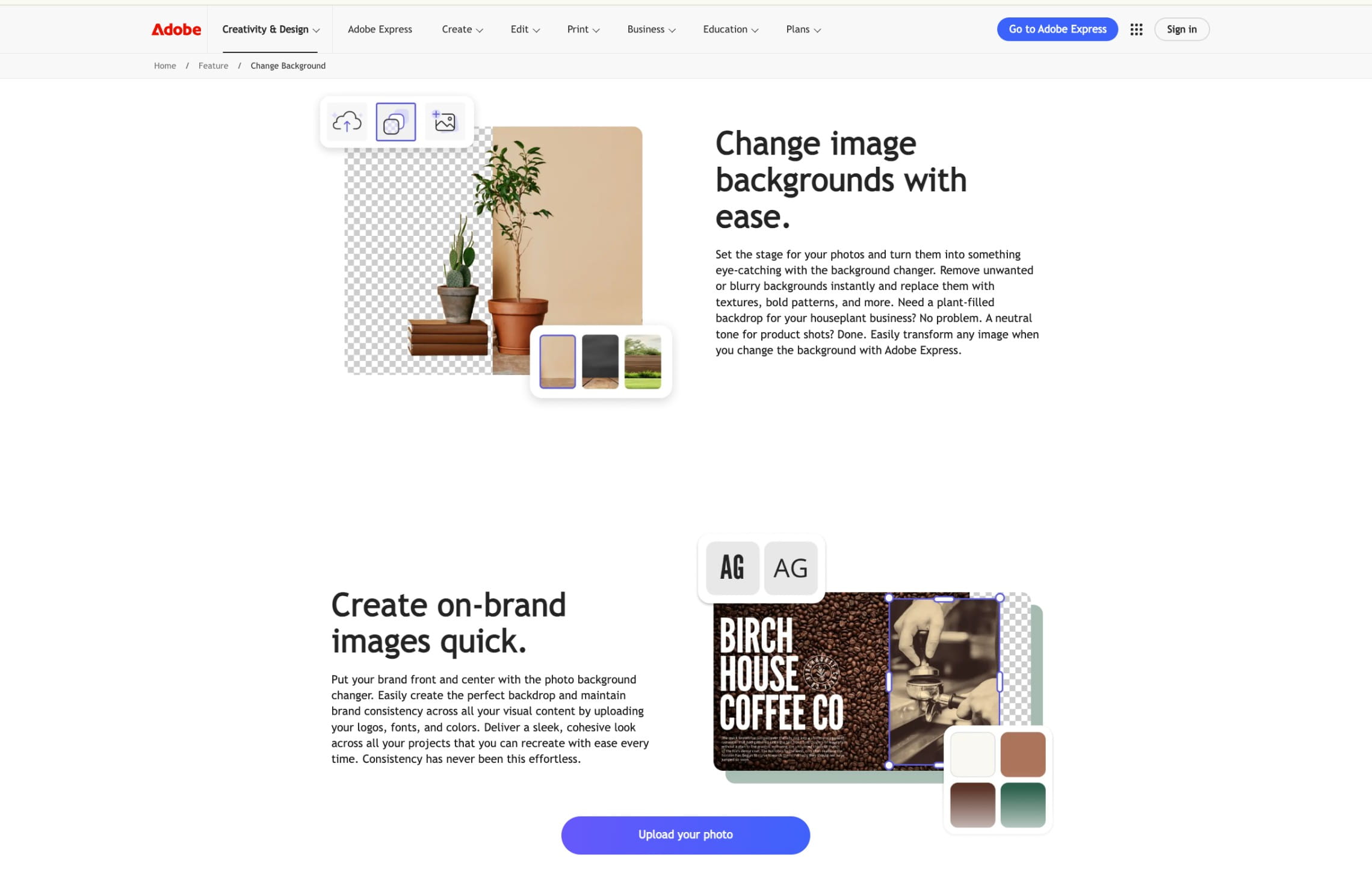
That control matters for difficult product and fashion images. A transparent bottle may retain traces of its original surroundings, while fine hair or sheer fabric can look unnatural against a new backdrop. Photoshop provides a way to address those areas individually without repeatedly regenerating the entire image.
Firefly-powered Generate Background adds another option: create a setting intended to match the subject’s lighting, shadows, and perspective, then continue editing the result.
Key features
- Selections and editable masks: refine where the original background ends and the subject begins
- Separate subject and background layers: keep the original product image available while experimenting with different backdrops
- Generated background replacement: create a new environment around the selected subject
- Manual compositing adjustments (correct color balance, transitions, and distracting details)
- APIs for automation
Pricing
- 7-day free trial
- Photoshop for desktop, web, and mobile costs $22.99 per month with an annual commitment
- Mobile version: Premium plan costs $7.99 monthly or $69.99 annually
Verdict
Photoshop + Firefly is a suitable candidate when complex edges, transparent materials, or demanding campaign requirements call for detailed finishing. Allow for the editing skill and review time involved.
4. Canva, for background changes within marketing designs
Canva makes sense when the replacement background is part of a larger design. A product cutout might sit over a branded color, a stock photograph, or a promotional layout containing text and graphics.

The workflow is less about finishing a standalone photograph and more about placing that photograph into something ready to publish. For a small ecommerce team, this can make background changes part of producing product cards, email graphics, and campaign banners.
Canva also provides erase and restore controls for refining a cutout before placing it into a design. These are useful when automatic removal misses an area or removes part of the subject.
Key features
- Editable background removal: isolate the product, then correct the cutout with erase and restore brushes
- Backgrounds within layouts: combine the subject with colors, photographs, and design elements
- Reusable product assets: save transparent product images for use across multiple designs
- Brand resources and templates
Pricing
- Free plan with limited access to background-editing and AI features
- Paid plans start at $12/month
- Business and Enterprise options are available
Verdict
Canva is useful when a changed background needs to become a finished marketing asset. For photographs requiring detailed compositing, plan for additional retouching before placing them into the design.
5. Picsart, for social and campaign content
Picsart combines background editing with a broader set of creative tools. You can remove the original surroundings, change the background color, or create a different setting, then continue adding text and other visual elements.
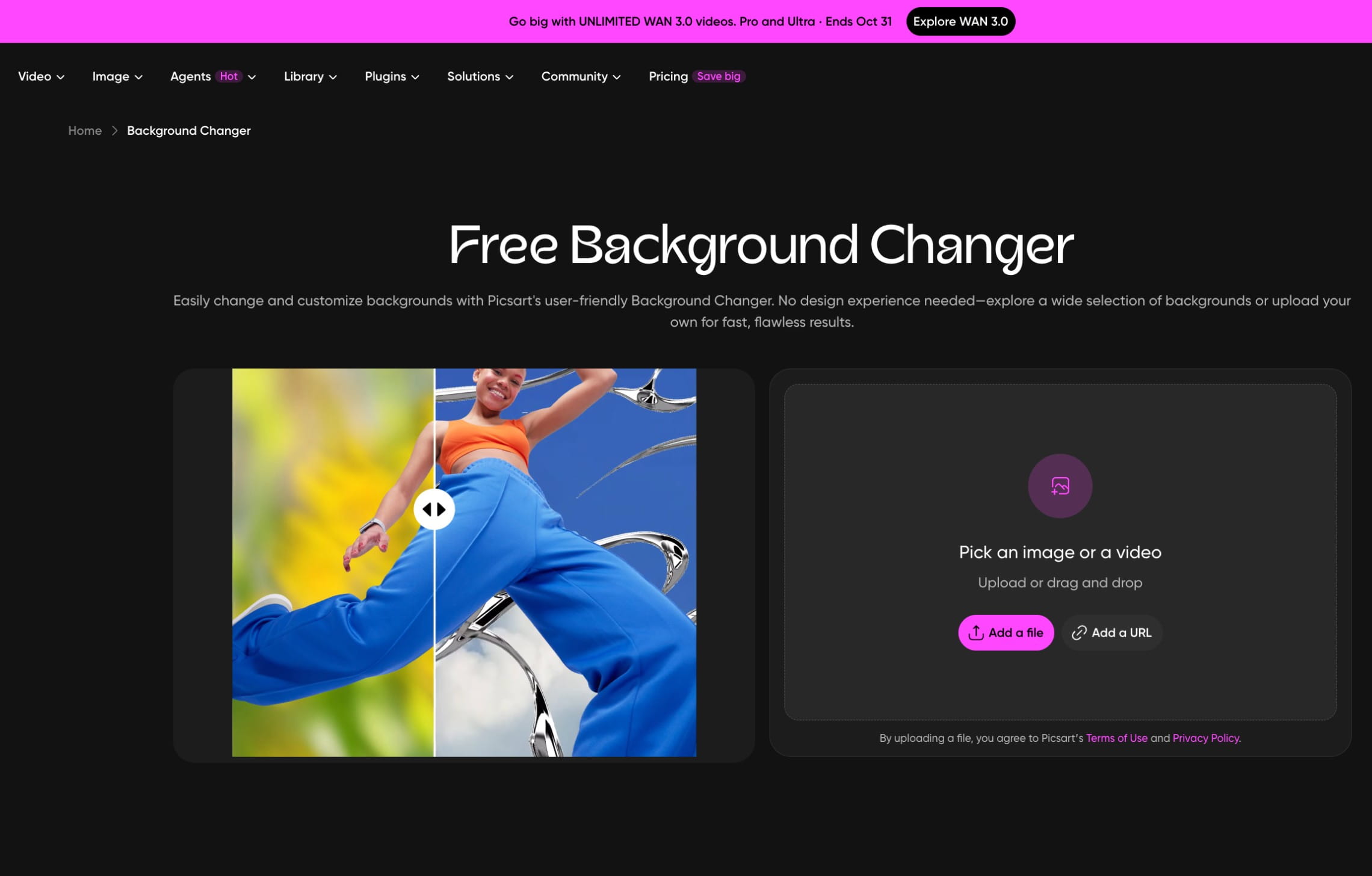
That makes it relevant to teams producing product-focused social posts and campaign variations. The background can be a simple brand-colored surface or a more expressive composition, depending on where the image will appear. For a product listing, a restrained edit may be more appropriate than the effects available elsewhere in the editor.
Picsart also has a strong mobile focus, making it convenient for sellers and creators who shoot, edit, and publish from their phones. You can replace a background and turn the result into a promotional post without switching to a desktop workflow.
Key features
- Background color replacement: change the backdrop to white, black, or a custom color
- AI-created backgrounds: generate a replacement setting, then continue editing the image within the same creative workspace
- Integrated promotional design: combine the edited product image with typography, stock assets, and templates
- Bulk editing and brand kits on higher-tiered plans
Pricing
- Free trial
- Paid plans start at $10.50/month with annual billing
Verdict
Picsart is worth considering when background replacement is one step in producing social and campaign content. Keep the product reference close during editing so decorative changes do not obscure or alter important details.
6. Fotor, for quick background replacement
Fotor provides a browser-based route to replacing photo backgrounds without building a complex editing project. You can isolate a subject and add a solid color, choose a preset, or upload a replacement image.
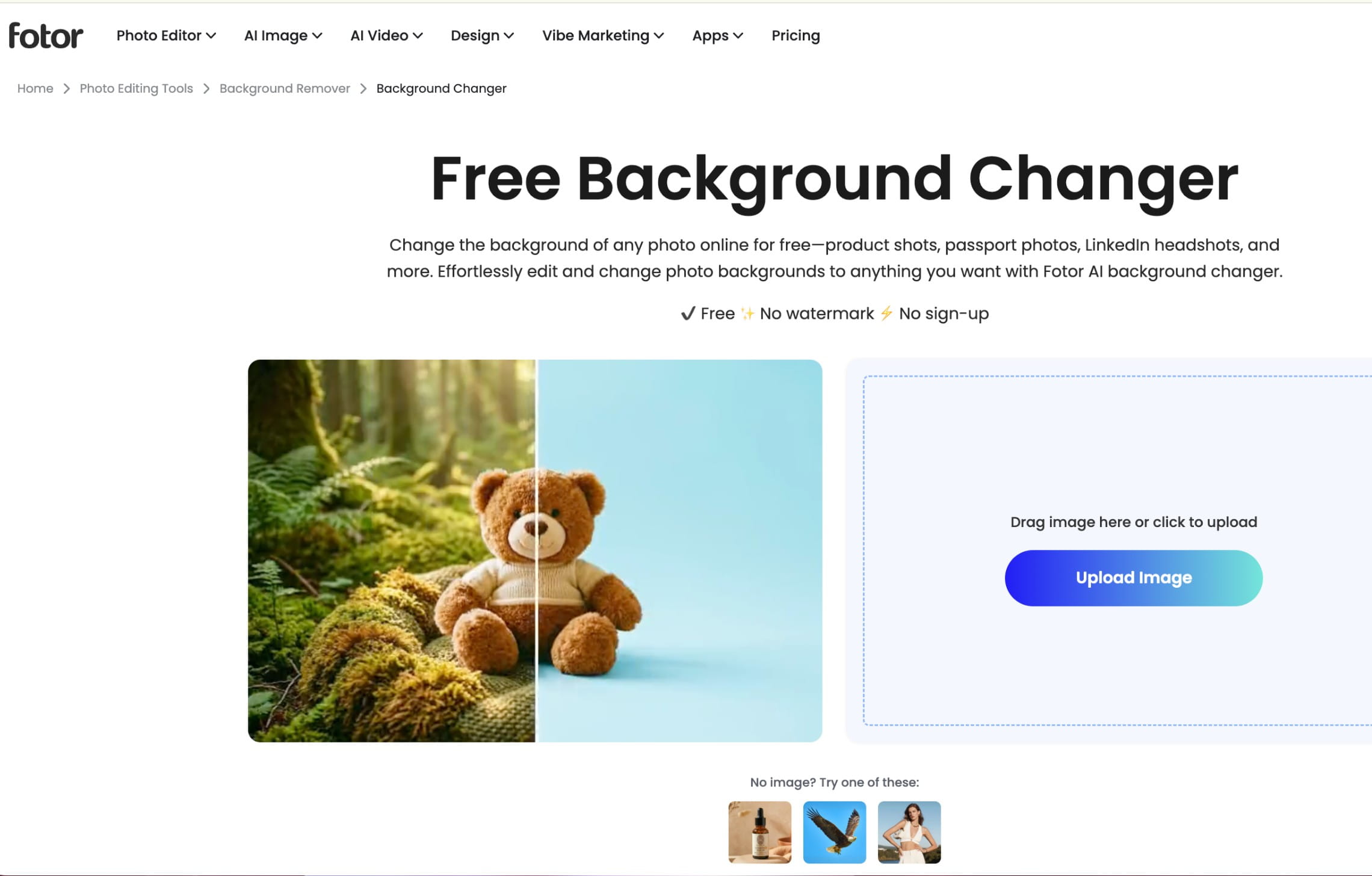
This covers everyday ecommerce tasks such as cleaning up an inconsistent supplier backdrop or placing several products against a shared brand color. Generated backgrounds are also available, but the basic replacement workflow remains useful when you already know the desired result.
Key features
- Automatic subject separation: remove the existing surroundings before applying a different backdrop
- Preset and uploaded backgrounds: choose an existing setting or use your own image
- Solid-color replacement: give a product a white or colored background
- Batch editing with image preparation (cropping, resizing, and other adjustments)
- API access for automated background replacement
Pricing
- Free plan available
- Paid plans start at $3.33/month, billed annually
Verdict
Fotor is a practical candidate for straightforward online background changes and batch preparation. Test difficult materials and fashion edges before applying the same workflow to a mixed catalog.
How to change a photo background without changing the product
A convincing replacement starts with the source image and ends with a detail check. Use the following workflow whether you are preparing one listing photo or establishing a process for a collection.
1. Choose the replacement before editing
Decide what the image needs to do.
A clean white background keeps attention on the product. A brand-colored backdrop can coordinate a collection. An uploaded photograph provides a specific setting, while an AI-generated scene gives you more freedom to create an environment.
For example, the same skincare bottle could appear on white for a listing, on a brand-colored background for an email, and on a bathroom shelf for a lifestyle image. Each version needs a different treatment, but the bottle should remain recognizable and accurate.
Check the destination’s current image requirements before preparing marketplace assets.
2. Start with a complete, usable source photo
Choose a sharp image with readable labels and enough separation between the subject and its surroundings. Avoid cropping off parts of the product or model that the final composition needs.
Background replacement cannot reveal the true appearance of something that was never photographed. If a shoe is cut off or packaging is hidden, use a better source rather than relying on generation to invent the missing details.
For fashion photos, leave sufficient space around hair, sleeves, and footwear.
3. Isolate the subject and inspect the edges
If your workflow uses a cutout, inspect it before adding the replacement background.
Look between handles, beneath straps, around jewelry, and through gaps between a model’s arms and body. Check whether fine fabric or hair has been removed accidentally.
Previewing the cutout against both light and dark backgrounds can help expose halos or remnants of the original setting.
4. Add the background and match the composition
Place the subject at a believable size and position. A product should sit on its surface rather than appear to float, and a model’s feet should meet the ground naturally.
Match the replacement to the original camera angle and lighting where possible. A photo lit strongly from the left will be harder to integrate into a scene whose main light comes from the right.
With a background color changer, check that the new color does not spill into the product or leave an outline from the old backdrop.
5. Compare the result with the original
Review the product itself, not only the background.
Check text, logos, closures, seams, color, texture, and proportions. In fashion images, compare patterns and garment length as well as the model’s outline.
If exact preservation is required, a layered workflow that retains the original subject gives you a clearer way to control changes than regenerating the entire photograph.
6. Export for the intended placement
Confirm image dimensions, aspect ratio, margins, and file format. Keep a high-quality master so you can prepare additional versions without repeatedly editing a compressed export.
Save the approved background and relevant settings when the tool supports it. That gives the next product a more consistent starting point.
How to choose a background changer for your workflow
The right tool depends on what needs replacing, how much manual control you need, and how often the job repeats.
Match the tool to the replacement method
If you mainly need white or brand-colored backgrounds, prioritize accurate cutouts, color controls, and repeatable framing.
If you need to use a specific photograph as the backdrop, check uploaded-image support and placement controls. For complex composites, editable masks and layers become more important.
Choose generative capabilities when you need a setting that does not already exist.
Test difficult product and fashion details
Build a small test set containing your ordinary images and your hardest ones. Include reflective packaging, transparent objects, textured fabrics, and fine edges where relevant.
Judge the amount of correction needed, not just whether the first result looks attractive at thumbnail size. A tool that works well for opaque boxes may need more intervention on glassware or sheer clothing.
Evaluate consistency and scale together
For a collection, define the rules before processing: background color, subject size, margins, shadow treatment, and export dimensions.
For larger catalogs, ask how those rules are applied repeatedly. Batch processing can speed up a manual upload, while API integration can connect editing to incoming product images and downstream systems.
Enterprise evaluation should also cover failed-image handling, review responsibilities, support, and the time required to publish the results. The useful measure is approved output, not the maximum number of generations.
Compare the cost of finished images
Include retries, manual corrections, higher-resolution exports, and team access when comparing subscriptions.
A lower monthly price does not necessarily mean lower production cost. Track how many images pass review and how long the full process takes, including downloading, naming, and organizing the files.
Decide whether you need software or managed production
A self-service tool works well when someone on your team can define the look and review the output. If those tasks are the bottleneck, a custom AI photography service may be more appropriate.
Change your photo backgrounds at scale
Give existing product and fashion photos a new setting without arranging another shoot. Try Claid’s AI background changer to create studio backdrops, apply brand colors, or explore lifestyle scenes.
If you prefer to hand off the work, we also offer custom AI photography services: you share your source images, visual references, and requirements. Our team handles creative production and quality checks, delivering images and videos prepared for your product pages, ads, and campaigns.
FAQ
Can I change a photo background online for free?
Yes. Several tools provide free background-changing or removal options, although access, export quality, and usage limits vary. Test the complete workflow before relying on a free option for ongoing production.
How do I change a product photo background to white?
Isolate the product, place it on a white background, and inspect the edges for remaining color or unwanted transparency. Check framing and export requirements for the destination. If an exact white value is required, use a color control rather than relying on a prompt alone.
Can I replace a background with my own image?
Yes, several tools in this guide support uploaded backgrounds. Choose an image with a suitable camera angle, lighting direction, and surface for the subject. You may still need to adjust scale, positioning, and shadows to make the composition believable.
Can I change the background without changing the person or clothing?
A cutout-based workflow can retain the original subject while replacing the area behind it. Generative editing may also alter details, so compare the result with the source. For strict control, keep the original person or garment on a separate layer and refine the surrounding mask.
What is the difference between a background changer and a background generator?
A background changer replaces the surroundings in an existing photo. The replacement can be a solid color, an uploaded image, a template, or a generated scene. A background generator creates new visual content, which can then be used as that replacement. Many tools support both.
Can I change backgrounds on multiple photos at once?
Yes, tools with batch editing can apply supported changes across a group of images. Confirm that the batch feature covers background replacement, rather than removal alone. For recurring high-volume work, an API or managed workflow can connect the process to your catalog operations.
Need AI product photography at scale?
Scale product image production without stretching your team. Use our API to automate image workflows, or let our team deliver a custom pipeline built around your operations.


Claid.ai
October 21, 2026