Tech
6 best object removal tools for clean photos (2026)


An unwanted cable, reflection, prop, or passerby can make an otherwise usable image feel unfinished. AI object removal tools reconstruct the area behind the distraction, helping users clean up photos without rebuilding the background manually.
The right option depends on what you are editing. A casual user may need a quick mobile eraser, while an ecommerce team may need consistent results across thousands of product images.
In this guide, we’ll compare 6 tools for different workflows involving object removal and photo cleanup.
Object removal tools at a glance
Plans, regional prices, usage limits, and promotional offers may change, so confirm current terms before purchasing.
| Tool | Suitable for | Pricing |
|---|---|---|
| Claid | Repeatable ecommerce photo cleanup | Free trial; Paid plans from $9/month |
| Photoroom | Seller-friendly product editing | Free plan; Paid plans from $7.50/month |
| Cleanup.pictures | Fast browser-based fixes | Free plan; Paid plans from $3/month |
| YouCam Perfect | Portraits, lifestyle images, and social content | Free plan; Paid plans from $3.33/month |
| TouchRetouch | Precise mobile removal of wires, fences, and small distractions | Free version; Paid plans from $1.25/month |
| Adobe Photoshop | Detailed professional retouching | Free mobile version; Paid plans from $7.99/month |
Need photo cleanup at scale?
Keep product photos clean and consistent at scale, without adding manual work. Use our API to automate cleanup, or work with our team on a custom setup tailored to your workflow.
1. Claid.ai, for repeatable ecommerce photo cleanup
Claid.ai is designed around commercial product images. Its object remover lets an editor brush over props, dust, cables, reflections, people, or other distractions. The system then reconstructs the selected area while preserving the product and the surrounding scene. Brush size and feathering controls help users create cleaner selections around irregular edges.

For more complex cleanup, Claid also offers prompt-based AI photo cleanup (in the AI Edit tool). You can describe what should disappear, such as dust on a table, reflections in glass, or clutter behind a product. This is helpful when manually painting every small defect would be slow.
Claid AI is helpful when you need multiple AI image operations in one place. Object removal sits alongside background generation, resizing, lighting correction, and upscaling. Teams processing larger catalogs can use APIs and custom enterprise solutions instead of moving every file through a manual editor.
Claid’s broader image-automation workflows have been used by high-volume marketplaces. Caranty reduced image processing time from 1-2 hours to 2 minutes, while Rappi cut image-editing time by 42% and reduced restaurant onboarding after integrating Claid into its content workflow.
Key features
- Controlled and prompt-based object removal
- Connected product-image suite: cleanup can be combined with resizing, relighting, and upscaling
- Product and fashion photo and video generation
- APIs and custom workflows for catalog-scale automation and specific requirements
Suitable for
Claid is a practical fit for ecommerce platforms, marketplaces, agencies, and product-content teams that need removal to be part of a repeatable image workflow.
Pricing
- Free trial includes 50 web credits and 50 API credits
- Paid plans start from $15 monthly or $9 per month billed annually
- Custom enterprise pricing
Verdict
Claid is worth considering when object removal is one stage in a larger ecommerce image-production process. Its main advantage is keeping cleanup, enhancement, generation, and catalog preparation in one system.
2. Photoroom, for seller-friendly product editing
Photoroom provides an accessible retouch tool for removing unwanted objects from product, marketplace, and social-commerce images. Users brush over an item, and the tool redraws the selected area using visual information from the surrounding image.

The workflow is easy to understand for sellers who already use Photoroom to remove backgrounds, create listing graphics, or adapt images to marketplace templates. It works particularly well for straightforward distractions, such as a small prop beside a product, a mark on a tabletop, or an object against a relatively simple background.
Retouch is available on the web, iOS, and Android. Erasing works across those platforms, while some additional editing functions are limited to the mobile applications.
Photoroom can support teams through shared spaces, higher export allowances, and enterprise plans. However, arbitrary object removal still depends on selecting the unwanted area in each photograph. That makes it more suitable for moderate volumes and human-reviewed workflows than for automatically removing different objects across an entire catalog.
Key features
- Brush-based retouching
- Product-content tools
- Cross-device editing
- Team workspaces ( paid plans can support shared brand assets, projects, and collaboration for small content teams)
Suitable for
Photoroom suits independent sellers, small ecommerce brands, and social-commerce teams that want object removal inside a broader product-content application.
Pricing
- Limited free plan is available
- Paid plans start $7.50 per month billed annually and includes 1,000 exports
- Enterprise pricing is custom
Verdict
Photoroom is a convenient choice for sellers who already create complete listing images in the platform. It offers a smooth path from cleanup to a finished sales asset, although object selection remains a largely manual step.
3. Cleanup.pictures, for quick browser-based fixes
Cleanup.pictures focuses on one task: removing unwanted elements from an image. The editor opens directly in a browser, requires little setup, and presents a simple brush for marking the area that should be replaced.
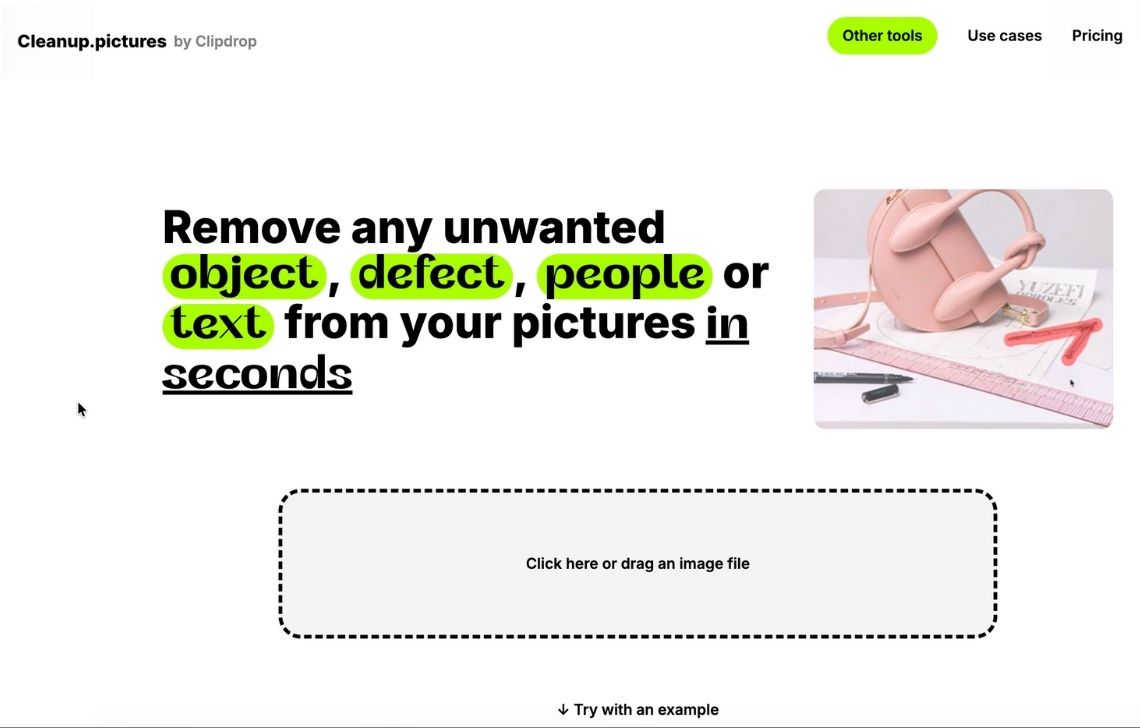
This narrow workflow makes it useful for quick corrections. A user can remove a person from the background, erase a cable from a desk, clean up small debris, or eliminate a distracting object near the edge of the frame without learning a complete photo editor.
Results are strongest when the selected object is surrounded by predictable visual information, such as sky, grass, a wall, or a flat surface. More complicated areas involving repeated patterns, intersecting lines, text, or product edges may need several passes.
The paid plan allows unlimited full-resolution work for one user. A separate API is available for teams that want to incorporate cleanup into another product, although businesses should confirm current usage pricing, throughput, support, and output requirements before adopting it at volume.
Key features
- Focused browser interface
- Adjustable cleanup brush
- Before-and-after comparison
- Developer API
Suitable for
Cleanup.pictures works well for occasional browser-based edits, freelancers handling mixed image types, and users who want a dedicated eraser without a broader creative suite.
Pricing
- Free version with exports limited to 720p
- Pro costs $5 monthly or $36 annually
Verdict
Cleanup.pictures is appealing when speed and simplicity matter more than workflow breadth. It handles uncomplicated corrections efficiently, but it offers fewer catalog-management and team-production features than ecommerce-focused platforms.
4. YouCam Perfect, for portraits and everyday photos
YouCam Perfect combines object removal with portrait retouching, background editing, photo repair, and creative effects. Its object remover can identify or brush over people, signs, power lines, street clutter, and other distractions in lifestyle images.
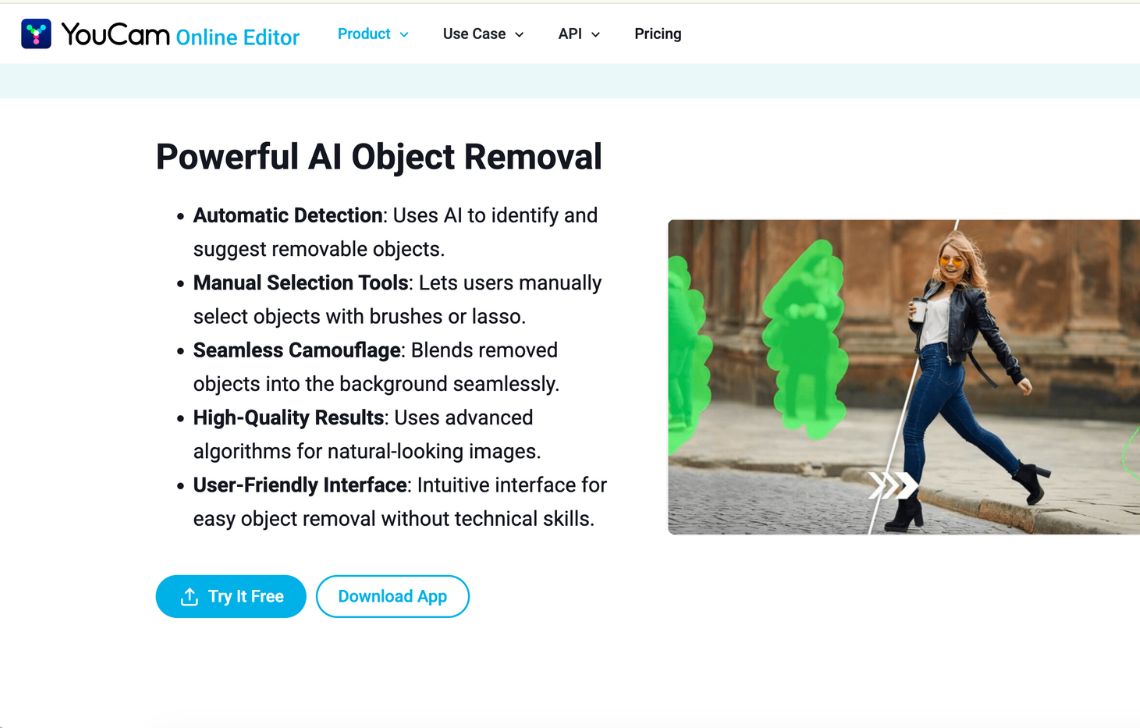
The editing experience is designed around quick visual decisions. Users can tap an automatically detected subject or manually paint over the exact area they want to remove. This is useful for travel photos, social posts, portraits, and influencer content where the goal is to improve a photograph without performing detailed compositing.
YouCam Perfect is less specialized for product accuracy than Claid or Photoshop. Its broader beauty and creative tools may also be unnecessary for teams focused entirely on SKU photography. However, those capabilities make sense for brands producing lifestyle content that combines people, products, and social-media presentation.
Key features
- Automatic and manual selection
- People and clutter removal
- Portrait-aware editing
- Background tools
- Photo repair and enhancement
Suitable for
YouCam Perfect is most relevant to creators, lifestyle brands, social-media teams, and individuals editing portraits or everyday photography.
Pricing
- Free to download with limited access to premium tools
- Premium costs $9.99 monthly or $39.99 annually
Verdict
YouCam Perfect offers a convenient collection of cleanup and portrait tools for consumer-oriented content. It is less appropriate for automated catalog production, but it can cover a wide range of everyday and lifestyle editing needs.
5. TouchRetouch, for focused mobile retouching
TouchRetouch is built around removing distractions from photos on a phone or tablet. Its tools are tailored to common mobile-retouching problems, including power lines, fences, mesh, blemishes, background people, and small objects near complex edges.
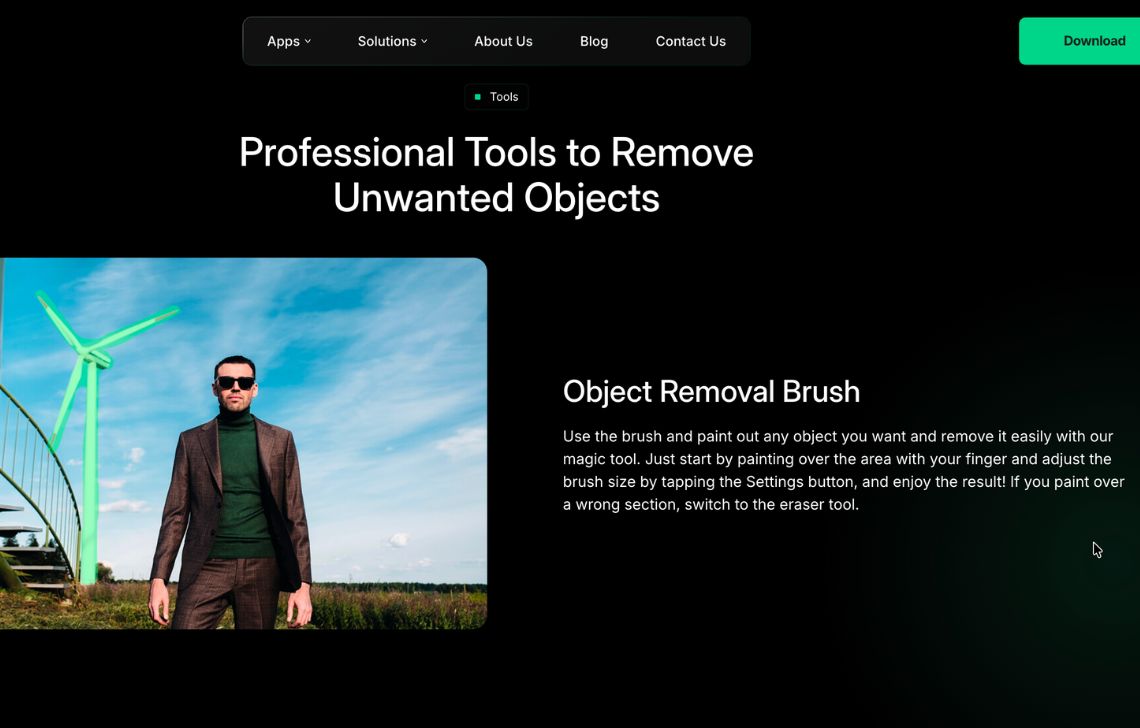
The application provides targeted controls rather than relying on a single general-purpose eraser. Line removal can follow cables or wires across an image, while mesh detection helps clear fences that cover a large part of the scene. Edge-aware processing is useful when a distraction sits close to a building, person, or product.
When automatic removal produces an imperfect patch, clone and manual correction tools give the editor another way to rebuild the area. That additional control distinguishes TouchRetouch from simpler one-tap mobile erasers.
Key features
- AI-assisted erasing
- Dedicated controls to remove power lines, cables, and similar narrow objects
- Mesh and fence cleanup
- Edge-aware corrections (Removal is designed to reduce smearing)
- Manual repair tools such as clone controls
Suitable for
TouchRetouch is a sensible option for photographers, creators, property agents, and mobile users who frequently remove wires, fences, blemishes, or isolated distractions.
Pricing
- Free download with limitations
- Annual subscription starts at $14.99, although plans and prices vary by region
Verdict
TouchRetouch is useful when a general object eraser does not provide enough control on mobile. Its specialized line, mesh, and repair tools are more valuable than its broader feature count, but it is not intended for team-based production.
6. Adobe Photoshop, for detailed professional control
Adobe Photoshop gives editors several ways to remove an object, depending on the difficulty of the image. The Remove Tool handles many direct selections, Generative Fill can reconstruct a larger area, and Content-Aware Fill offers more control over which parts of the image inform the replacement.
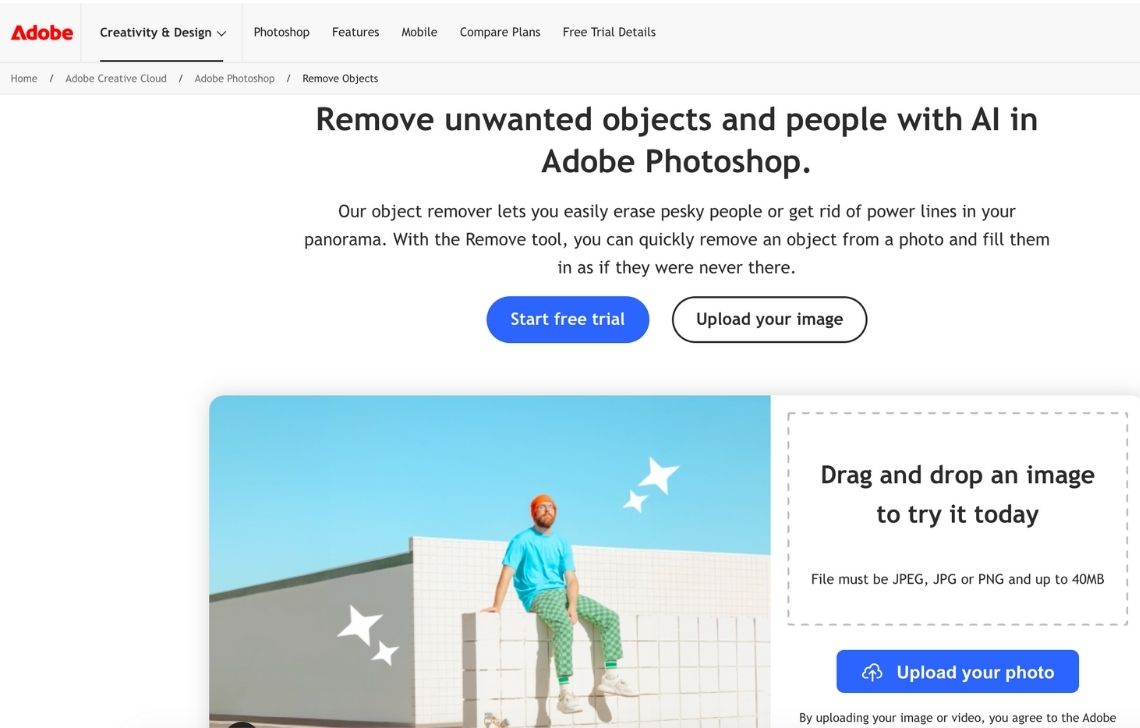
This flexibility matters when the missing area contains complex textures, shadows, perspective lines, or overlapping subjects. Instead of accepting one generated result, a retoucher can adjust masks, work across layers, repair an edge with the Clone Stamp, and blend multiple techniques into the final image.
Photoshop requires more knowledge than a dedicated mobile or browser eraser. A simple distraction may take longer to remove because the editor must choose the appropriate method and inspect the result closely. In return, difficult files can be corrected with much greater precision.
Adobe can also move beyond one-file-at-a-time editing. Reusable actions and enterprise Photoshop automation can apply approved steps across larger asset collections while leaving unusual cases available for manual review. This approach is most practical for organizations already using Creative Cloud and maintaining an established retouching process.
Key features
- Multiple removal methods
- Layer-based editing
- Precise selections and masks
- Manual correction tools: clone, healing, painting, and compositing controls
- Reusable production steps
Suitable for
Photoshop suits professional retouchers, agencies, creative departments, and teams working with images that require detailed control or extensive manual finishing.
Pricing
- 7-day trial
- Photoshop desktop, web, and mobile plan costs $22.99 per month with an annual commitment
- Enterprise services use separate pricing
Verdict
Photoshop remains a strong option when object removal requires careful selections, layered adjustments, and manual repair. It offers more control than the other tools in this guide, but it also demands more time and editing experience.
How to choose the best object removal tool
The right tool is the one that can handle your most difficult images at the volume, quality, and cost your workflow requires.
Match the tool to the image
Product photos, portraits, property images, and travel photos create different removal problems. A tool that convincingly reconstructs a plain studio wall may struggle with packaging text, patterned fabric, a fence, or a reflection running across a product.
Start by identifying the distractions you remove most often. Dedicated mobile applications can be effective for wires and background people, while ecommerce tools are more useful when cleanup must preserve product shape, color, labels, and presentation.
Test the hardest removals
Do not evaluate a tool using only a small object against a plain background. Test it on the images that are most likely to fail, including:
- Objects touching the product or subject
- Repeated textures, patterns, and straight lines
- Glass, metal, reflections, and transparent materials
- Shadows cast by the removed object
- Fine edges, such as hair, fabric, jewelry, and cables
- Large objects that cover important parts of the scene
Inspect the output at full resolution. Look for duplicated textures, warped lines, softened labels, broken shadows, and details invented by the model.
Decide how much control you need
A one-tap or brush-based application is usually faster for simple corrections. Detailed commercial work may require editable masks, feathered selections, manual repair, and the ability to compare several generated results.
Consider who will perform the work. A seller may value speed and a short learning curve, while an experienced retoucher may prefer a tool that exposes more controls and keeps each change editable.
Consider the rest of the workflow
Object removal is rarely the final step in ecommerce image preparation. The same image may also need a new background, consistent cropping, color correction, shadow generation, resizing, and upscaling.
Using one platform for connected operations can reduce exports, file handoffs, and repeated quality checks. However, a focused eraser may still be the better choice if removal is the only recurring task.
Check volume and collaboration requirements
For occasional edits, a phone application or browser tool may be sufficient. Even built-in phone editors can handle uncomplicated distractions when only a few images are involved.
For regular catalog production, check whether the platform supports shared workspaces, repeatable presets, batch operations, APIs, usage reporting, and review steps. Object removal often requires image-specific judgment, so automation should include a way to flag uncertain results rather than publishing every output without inspection.
Enterprise teams should also confirm processing limits, service commitments, support channels, data handling, and whether pricing remains predictable as image volume increases.
Compare the real cost
A low subscription price does not always mean a lower production cost. Consider image limits, export resolution, credit consumption, seat requirements, API charges, and the time people spend correcting weak results.
Run a representative sample through each shortlisted tool. Measuring the proportion of images accepted without rework will produce a more useful comparison than subscription price alone.
Review privacy and commercial-use terms
Product images may contain unreleased merchandise, customer information, internal documents, license plates, or location details. Review how each provider stores uploads, uses customer data, and handles deletion requests.
Commercial teams should also confirm that generated outputs can be used in listings and advertising. Object-removal tools should only be used on images you own or have permission to edit.
Clean up product photos at scale
Need to clean and standardize product photos across a growing catalog? Explore Claid’s AI object remover along with 10+ other tools. Try on your own or reach out to us if you’re interested in building custom workflows and chaining multiple image-editing APIs.
FAQ
What is AI object removal?
AI object removal identifies or accepts a user-selected area, removes its visible content, and generates a replacement based on the surrounding image. The process is often called inpainting.
Which tool is suitable for ecommerce product images?
Claid is worth considering when cleanup must connect with product-image enhancement, catalog preparation, or API workflows. Photoroom is convenient for individual sellers producing finished listing graphics, while Photoshop offers more detailed control for difficult retouching.
The appropriate choice depends on product complexity, image volume, available editing skills, and the amount of manual review the team can support.
Can object removal be automated?
Some of the surrounding workflow can be automated through APIs, presets, and reusable editing steps. Fully automatic object removal is more difficult because the system must know which object should disappear from each image.
Automation is most reliable when the unwanted element is predictable, the selection can be generated consistently, and uncertain results are routed to a person for review.
Can an AI object remover replace Photoshop?
For uncomplicated removals, a dedicated AI tool can be faster and easier than Photoshop. Photoshop is still useful when a scene requires precise selections, layered adjustments, manual texture repair, or detailed control over the reconstructed area.
For product catalogs, the more relevant question is whether a tool fits the complete image workflow rather than whether it can replace every Photoshop function.
Need photo cleanup at scale?
Keep product photos clean and consistent at scale, without adding manual work. Use our API to automate cleanup, or work with our team on a custom setup tailored to your workflow.


Claid.ai
October 15, 2026